

SPNEGO authentication in Kyuubi
You can set up the SPNEGO authentication for the Kyuubi web UI, which allows accessing it securely.
To set up the SPNEGO authentication, complete the following steps:
-
Go to the ADCM UI and select the Clusters page.
-
Click the
 Action icon in your cluster entry and select Manage Kerberos.
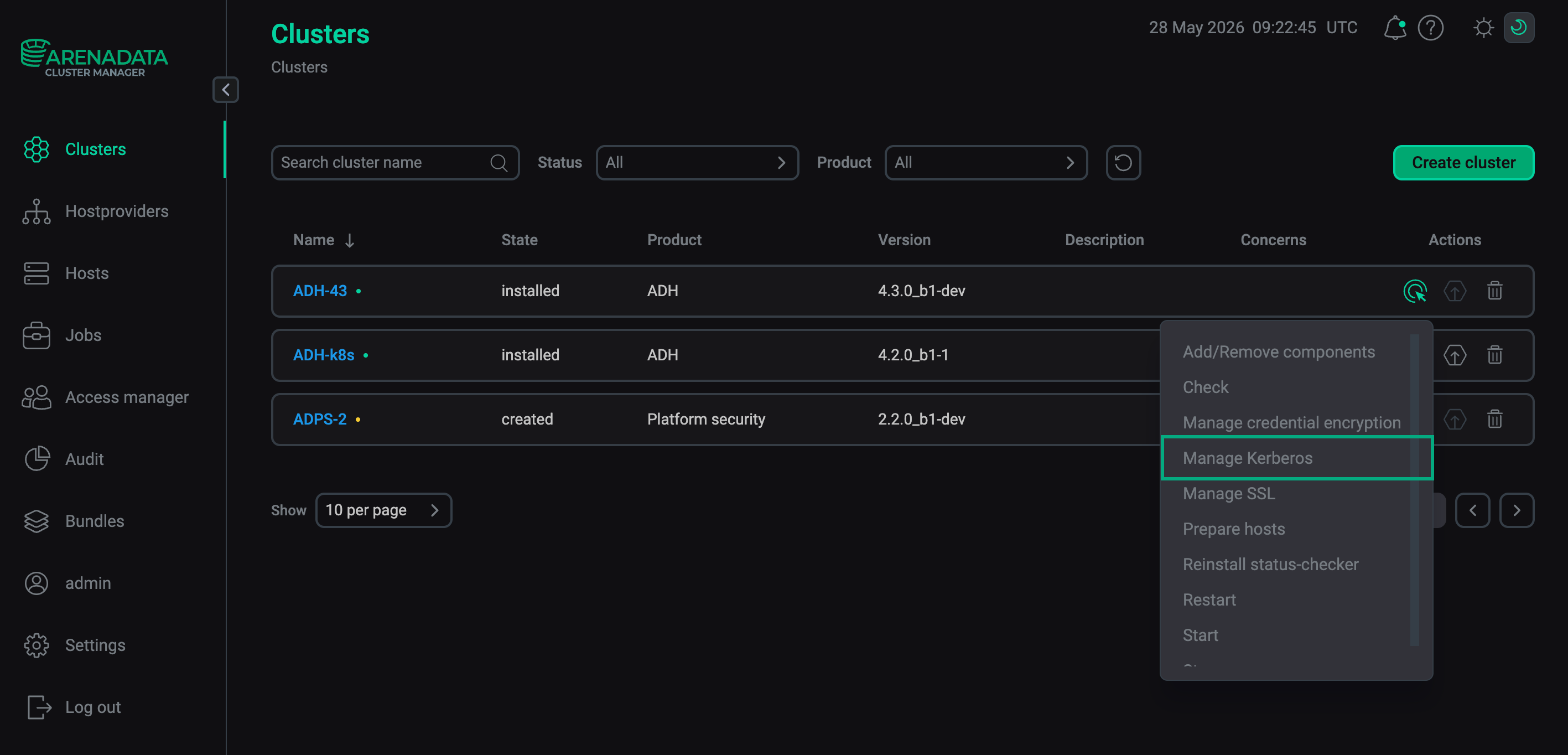 The Manage Kerberos action
 -
In the window that appears, turn on one of the available kerberization options switches, for example, Existing Active Directory.
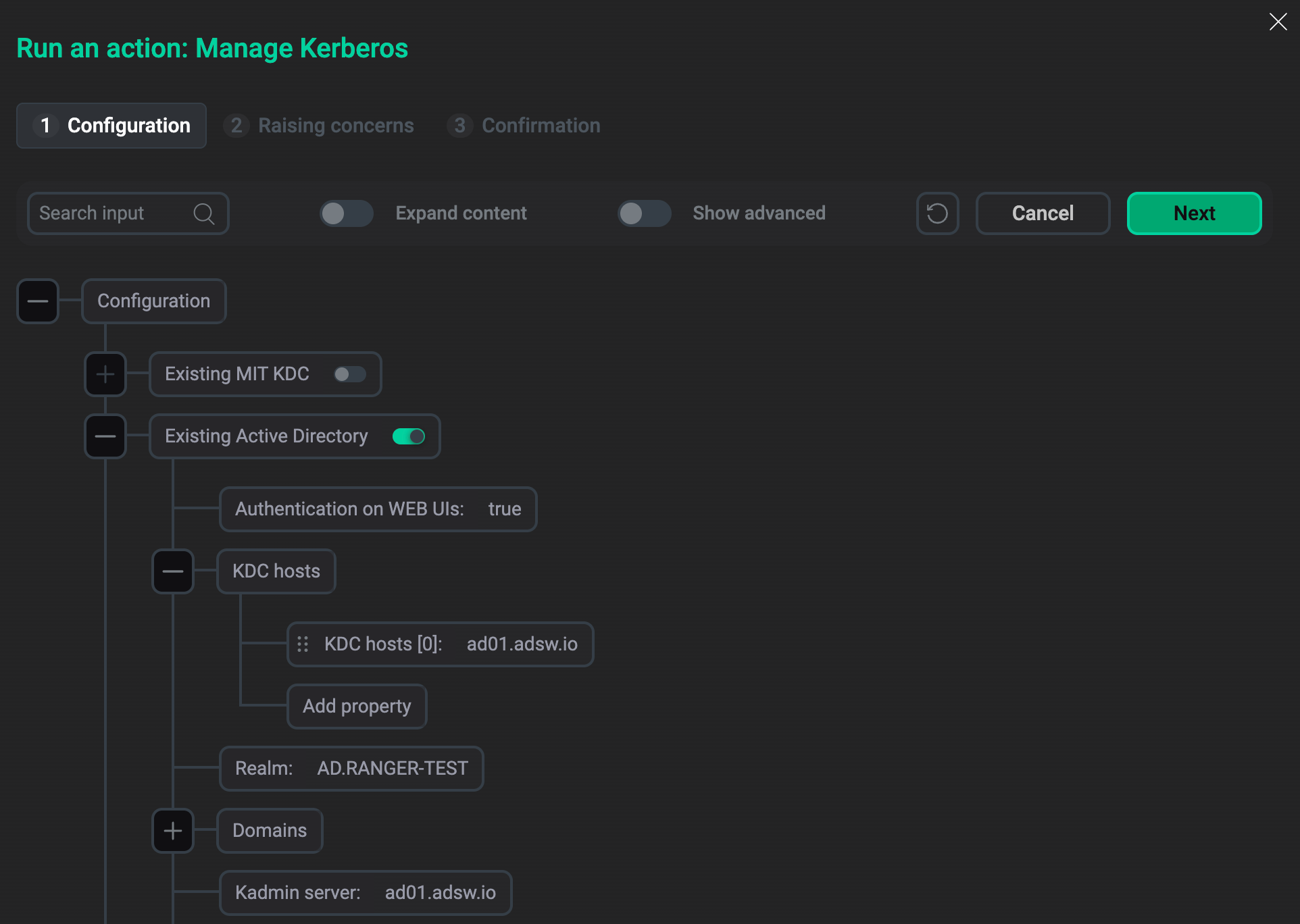 Existing Active Directory parameter group
 -
Set the Authentication on WEB UIs parameter to
true. -
Specify values for other parameters in this group according to the relevant instruction: Active Directory, MIT, FreeIPA, Samba.
-
Click Run and wait for the action to complete.
-
Select your cluster, open the Kyuubi service page, and on the Components tab, select the Kyuubi Server component.
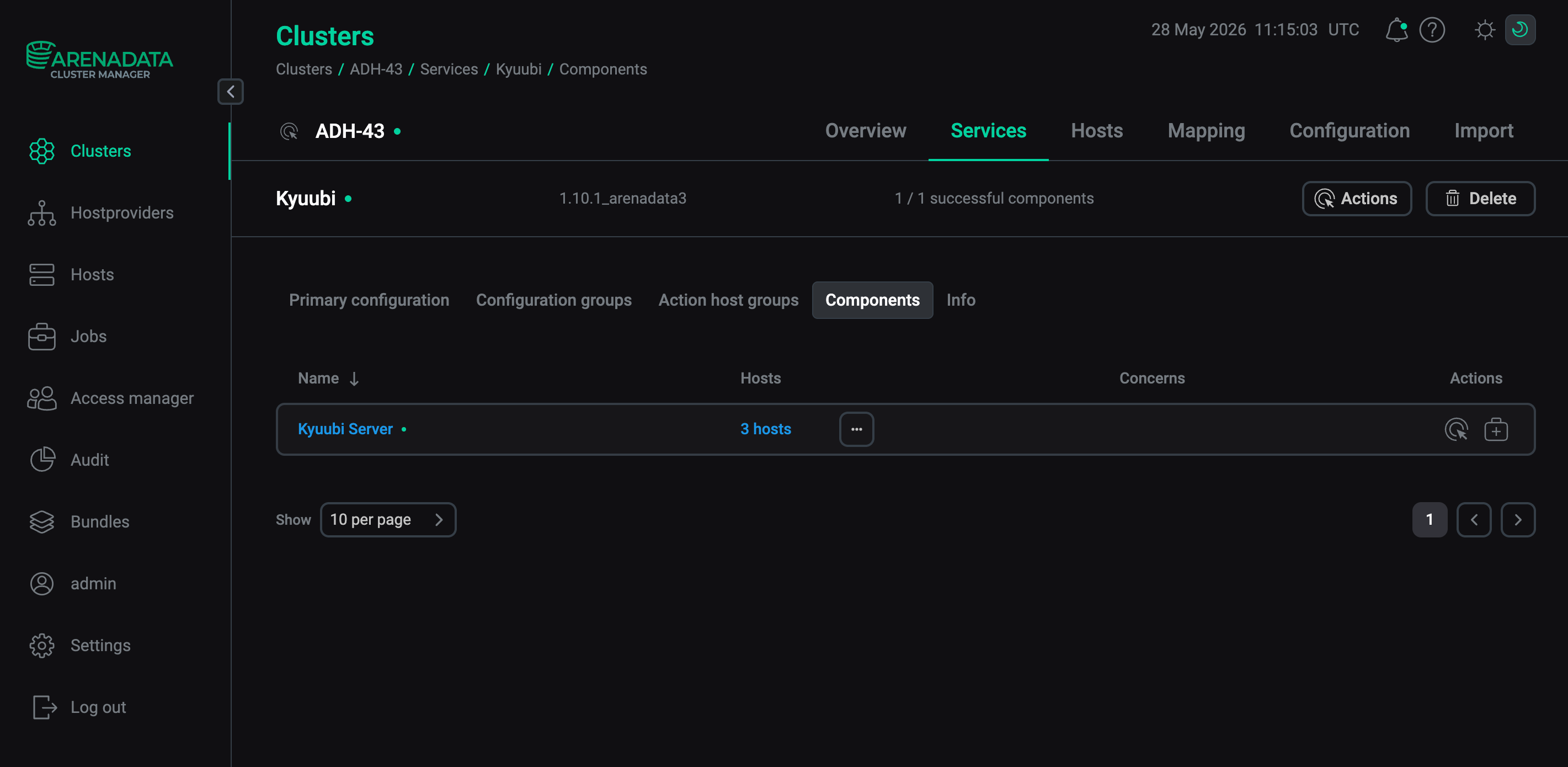 The Kyuubi Server component
 -
On the Primary configuration tab, open the kyuubi-defaults.conf parameter group and check that the kyuubi.frontend.rest.ui.spnego.enabled parameter is set to
true.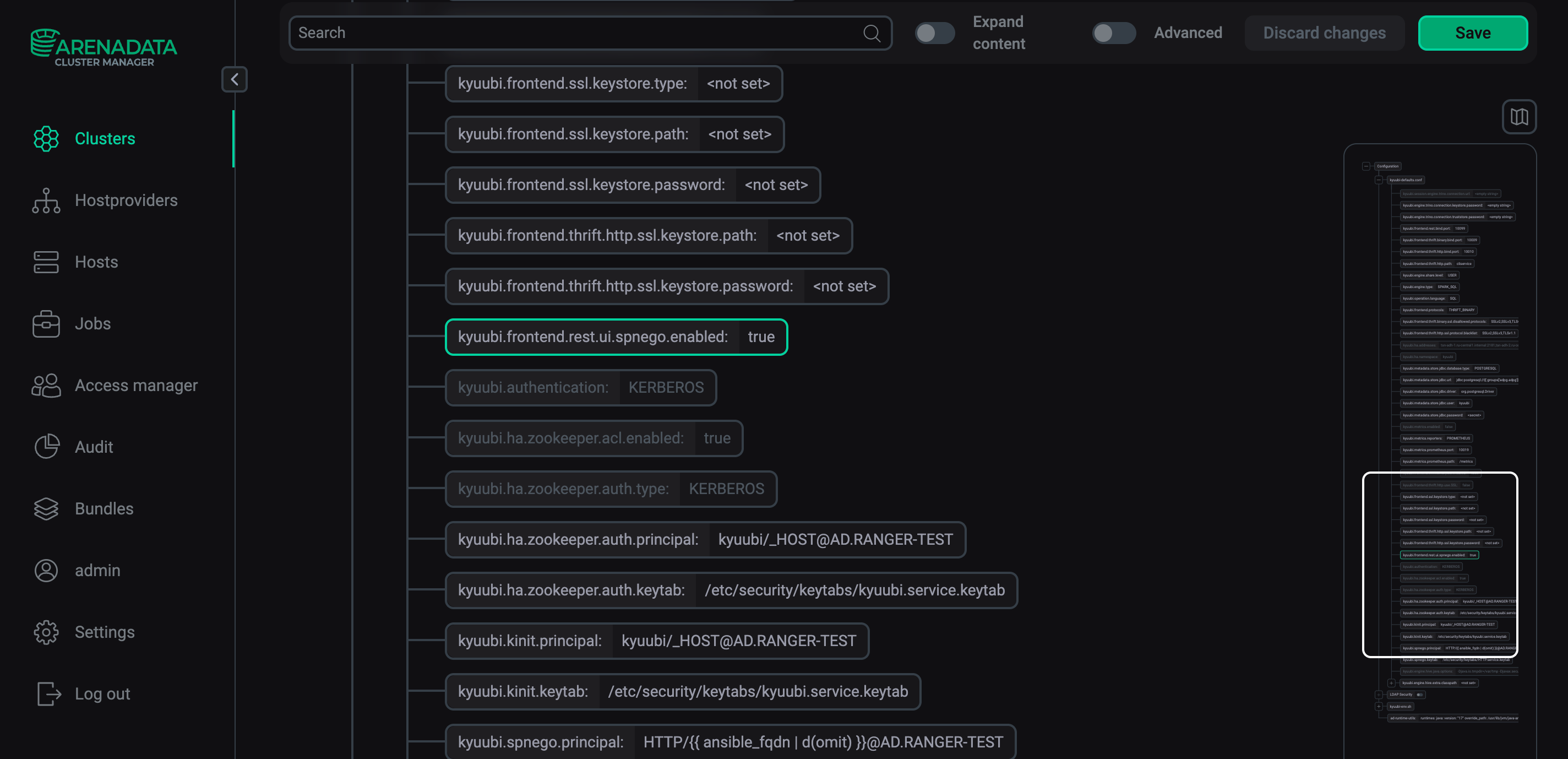 Kyuubi Server primary configuration
Before you use the SPNEGO authentication for the Kyuubi web UI, make sure that the Kerberos service is installed and set up on your local machine. Also, your browser must be configured to support Kerberos — refer to the SPNEGO authentication article for instructions for Mozilla Firefox and Google Chrome. Run the kinit command before establishing connection.