

Custom service configurations
In an ADH cluster, the Trino and Impala services reuse such global configuration files as core-site.xml, hdfs-site.xml, and hive-site.xml. Effectively, starting with ADH 4.2.0, each service stores copies of these files locally in order to support custom configuration that might be necessary.
To locally edit the parameters listed in these files, follow the steps below:
-
In ADCM, select your ADH cluster and, on the Services tab, choose the service for which you want to edit the configuration.
-
On the Primary configuration tab, set the Advanced flag.
-
Edit the Custom <file_name> parameters (
<file_name>can becore-site.xml,hdfs-site.xml, orhive-site.xml) by adding a set of key/value pairs to them. For example, in Impala you can set thedfs.client.read.shortcircuitproperty toFalsein Custom hdfs-site.xml, but for the rest of the cluster the value will be inherited from HDFS —True.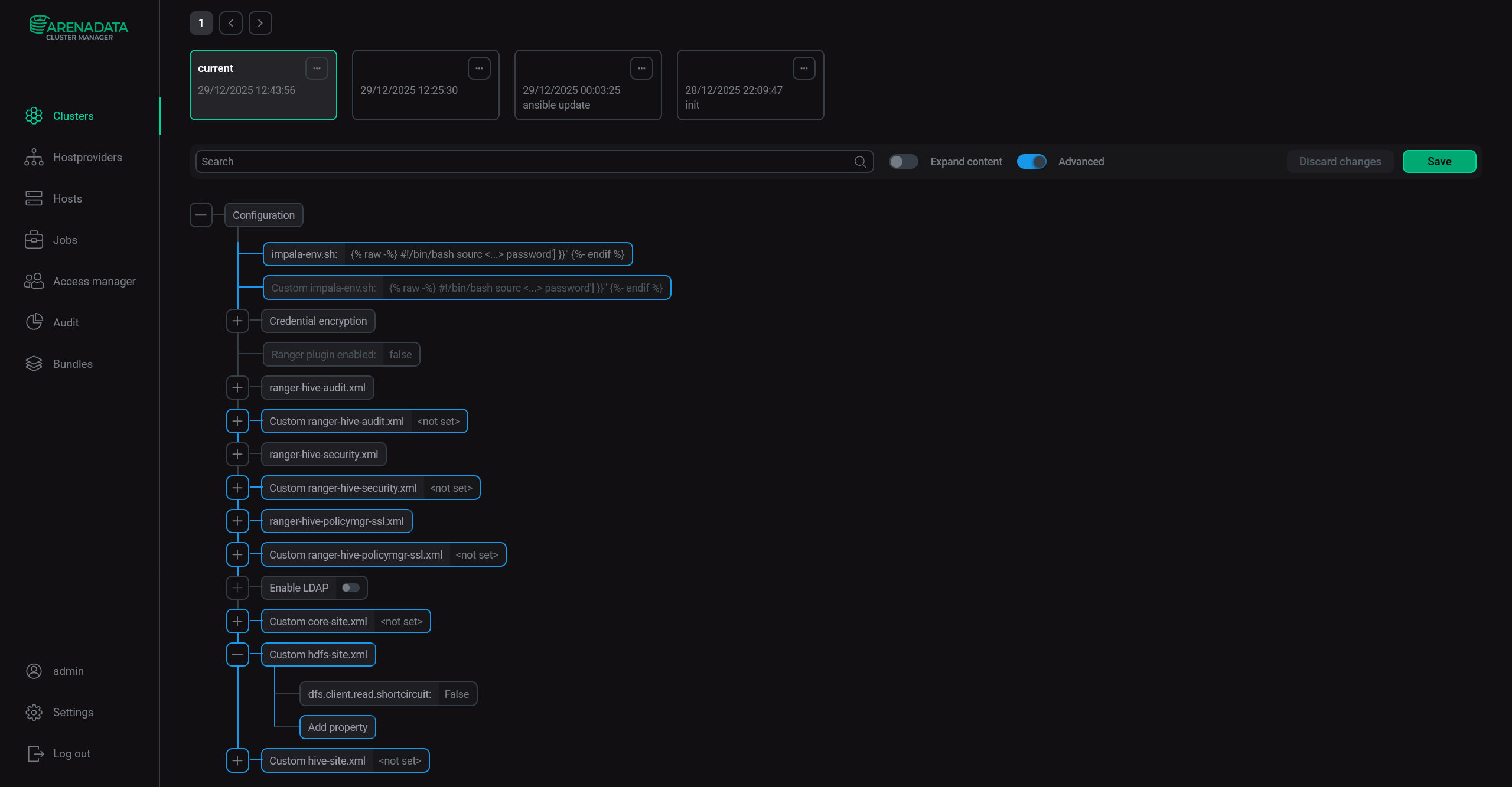 Custom hdfs-site.xml
 -
Restart the service. Make sure that the Apply configs from ADCM parameter is set to
True.
|
IMPORTANT
When the original file gets updated, the locally stored parameters are recalculated — custom parameters override the ones from the original file, while everything else gets updated. To apply the original file updates to the local file, restart the corresponding service (Impala/Trino).
|
To check that the setting has been applied, you can connect to a host where the service is present and cat the hdfs-site.xml file in the service folder.
$ cat /etc/impala/conf/hdfs-site.xmlIn the output, the dfs.client.read.shortcircuit will be set to False:
<property>
    <name>dfs.client.read.shortcircuit</name>
    <value>False</value>
</property>