HUE load balancing
The HUE service allows load balancing deployment using multiple HUE servers operating behind a Haproxy Hue component.
Haproxy Hue component
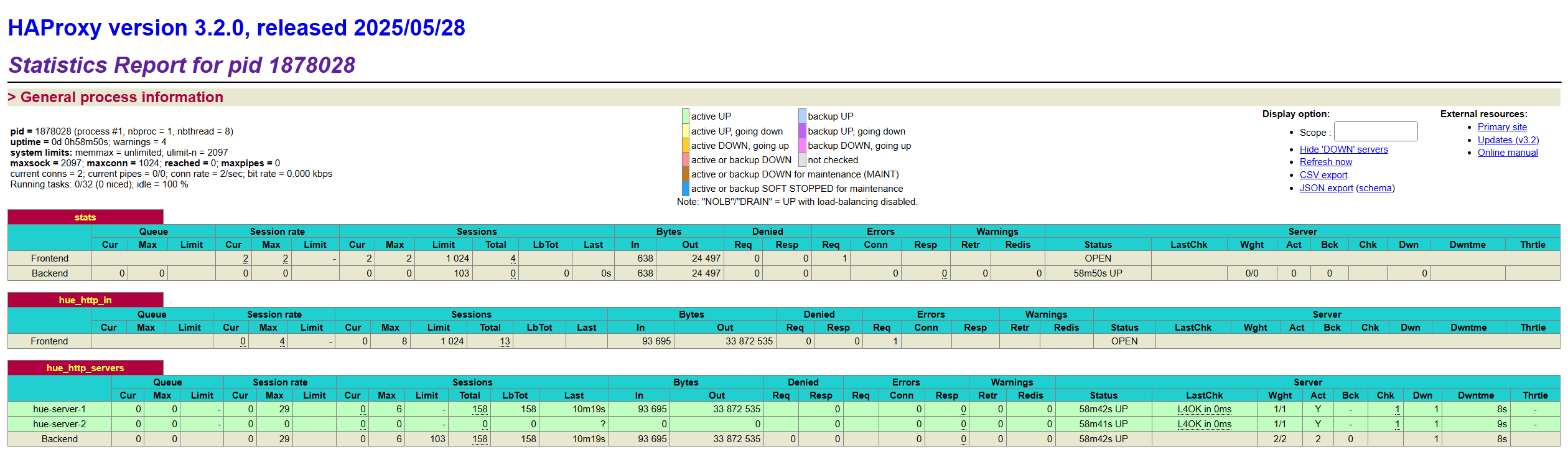
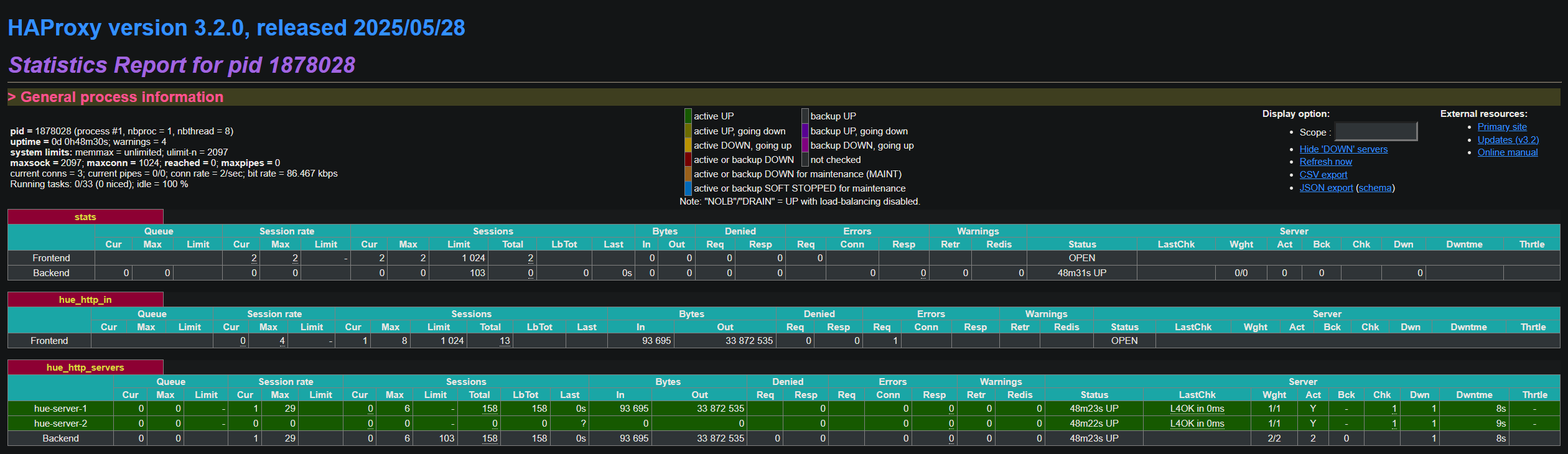
Haproxy Hue acts as a reverse proxy and distributes incoming client requests across several HUE servers. This component is based on HAProxy project, which provides options for load balancing, routing HTTP/TCP traffic among servers, and scalability of the HUE service.
|
IMPORTANT
|
Haproxy Hue configuration
When you use the HUE service with several HUE servers set up, ADCM automatically configures the Haproxy Hue component to route incoming requests, so the service requires no manual configuration. Additionally, you can tune the Haproxy Hue behavior as described below.
The main settings file for Haproxy Hue is /etc/adh-haproxy/conf/haproxy-hue.cfg. It is a HAProxy configuration file located on the ADH host with the Haproxy Hue component installed.
#---------------------------------------------------------------------
# Global settings
#---------------------------------------------------------------------
global
    log /dev/log    local0
    log 127.0.0.1:514  local0

    chroot      /var/lib/adh-haproxy/hue
    maxconn     1024
    user        hue
    group       hadoop
    daemon

    ssl-server-verify none

#---------------------------------------------------------------------
# common defaults that all the 'listen' and 'backend' sections will
# use if not designated in their block
#---------------------------------------------------------------------
defaults
    mode                    http
    log                     global
    option                  httplog
    option                  dontlognull
    option http-server-close
    option forwardfor       except 127.0.0.0/8
    option                  redispatch
    retries                 3
    timeout http-request    10s
    timeout queue           1m
    timeout connect         10s
    timeout client          1m
    timeout server          1m
    timeout http-keep-alive 10s
    timeout check           10s

listen stats
    bind *:7001
    stats enable
    stats uri /

frontend hue_http_in
    bind *:8000
    default_backend hue_http_servers

backend hue_http_servers
    balance first

    server hue-server-1 test-3.ru-central1.internal:8000 check inter 1s fall 2 rise 5
bdo@test-2:/etc/adh-haproxy/conf$ cat haproxy-hue.cfg
#---------------------------------------------------------------------
# Global settings
#---------------------------------------------------------------------
global
    log /dev/log    local0
    log 127.0.0.1:514  local0

    chroot      /var/lib/adh-haproxy/hue
    maxconn     1024
    user        hue
    group       hadoop
    daemon

    ssl-server-verify none

#---------------------------------------------------------------------
# common defaults that all the 'listen' and 'backend' sections will
# use if not designated in their block
#---------------------------------------------------------------------
defaults
    mode                    http
    log                     global
    option                  httplog
    option                  dontlognull
    option http-server-close
    option forwardfor       except 127.0.0.0/8
    option                  redispatch
    retries                 3
    timeout http-request    10s
    timeout queue           1m
    timeout connect         10s
    timeout client          1m
    timeout server          1m
    timeout http-keep-alive 10s
    timeout check           10s

listen stats
    bind *:7001
    stats enable
    stats uri /

frontend hue_http_in
    bind *:8000
    default_backend hue_http_servers

backend hue_http_servers
    balance first

    server hue-server-1 test-1.ru-central1.internal:8000 check inter 1s fall 2 rise 5
    server hue-server-2 test-3.ru-central1.internal:8000 check inter 1s fall 2 rise 5
This file should not be edited manually — instead use the Jinja template available in ADCM (Clusters → <ADHclusterName> → Services → HUE → Components → Haproxy Hue → Configuration) to change Haproxy Hue configuration. During HUE service startup, haproxy-hue.cfg is generated from this template.
Find the default haproxy-hue.cfg template with major settings highlighted below.
{% set tls_haproxy_pem = '' %}
{%- if hue_ssl_enable -%}
    {% set service_ssl = haproxy_conf_ssl_vars | default('', true) | trim %}
    {% set cluster_ssl = cluster.config.ssl_default_config.tls_haproxy_pem | default('', true) | trim %}
    {% if service_ssl %}
        {% set tls_haproxy_pem = 'ssl crt ' ~ service_ssl %}
    {% elif cluster_ssl %}
        {% set tls_haproxy_pem = 'ssl crt ' ~ cluster_ssl %}
    {% endif %}
{% endif %}
#---------------------------------------------------------------------
# Global settings
#---------------------------------------------------------------------
global (1)
    log /dev/log    local0
    log 127.0.0.1:514  local0

    chroot      /var/lib/adh-haproxy/hue
    maxconn     1024
    user        hue
    group       hadoop
    daemon

    ssl-server-verify none

#---------------------------------------------------------------------
# common defaults that all the 'listen' and 'backend' sections will
# use if not designated in their block
#---------------------------------------------------------------------
defaults (2)
    mode                    http
    log                     global
    option                  httplog
    option                  dontlognull
    option http-server-close
    option forwardfor       except 127.0.0.0/8
    option                  redispatch
    retries                 3
    timeout http-request    10s
    timeout queue           1m
    timeout connect         10s
    timeout client          1m
    timeout server          1m
    timeout http-keep-alive 10s
    timeout check           10s

listen stats (3)
    bind *:7001 {{ tls_haproxy_pem }}
    stats enable
    stats uri /

frontend hue_http_in (4)
    bind *:{{ roles_hue_vars_component_ports['haproxy_hue']['web'] }} {{ tls_haproxy_pem }}
    default_backend hue_http_servers

backend hue_http_servers (5)
    balance first

{% for host in haproxy_hue_conf_hosts %}
    {{ host }}
{% endfor %}| 1 | Global HAProxy parameters: logs destination, root directory definition, certificate verification, etc. |
| 2 | Default HAProxy parameters: operation mode, logging, and various timeouts. |
| 3 | Enables HAProxy real-time statistics and monitoring. Defines a port and URI for the statistics endpoint (default is http://<Haproxy_Hue_host>:7001/). |
| 4 | Describes a set of listening sockets to accept incoming connections. |
| 5 | Lists HUE servers to which Haproxy Hue will forward incoming requests.
In this template, the {% for host in … %} loop produces a list of HUE servers available in the ADH cluster.
balance first indicates that the first server is used as an active (main) HUE server, other servers are used as standby servers in case the first one becomes unavailable. |
For more details on HAProxy configuration, see the HAProxy reference.
Logging
By default, the Haproxy Hue component logs its activity and stores logs in /var/log/adh-haproxy/. Logging settings are specified in haproxy-hue.cfg and the default configuration ensures dual logging, namely:
global
    log /dev/log    local0 (1)
log 127.0.0.1:514 local0 (2)| 1 | Sends logs to local syslog socket (/dev/log) to be processed by the syslog daemon of the system. |
| 2 | Sends logs to a syslog daemon like rsyslog or syslog-ng listening to the 514 port on localhost.
By default, these daemons are configured to write logs to /var/log/adh-haproxy/. |
|
TIP
The Haproxy Hue component has corresponding rsyslog/syslog-ng settings in ADCM (/etc/syslog-ng/conf.d/haproxy-hue.conf, /etc/rsyslog.d/haproxy-hue.conf) where you can configure logs templates, filters, log files location, etc.
|