

Restart
To run an action, go to Clusters page, click 
 in the Actions column, and select the action from the drop-down list that appears.
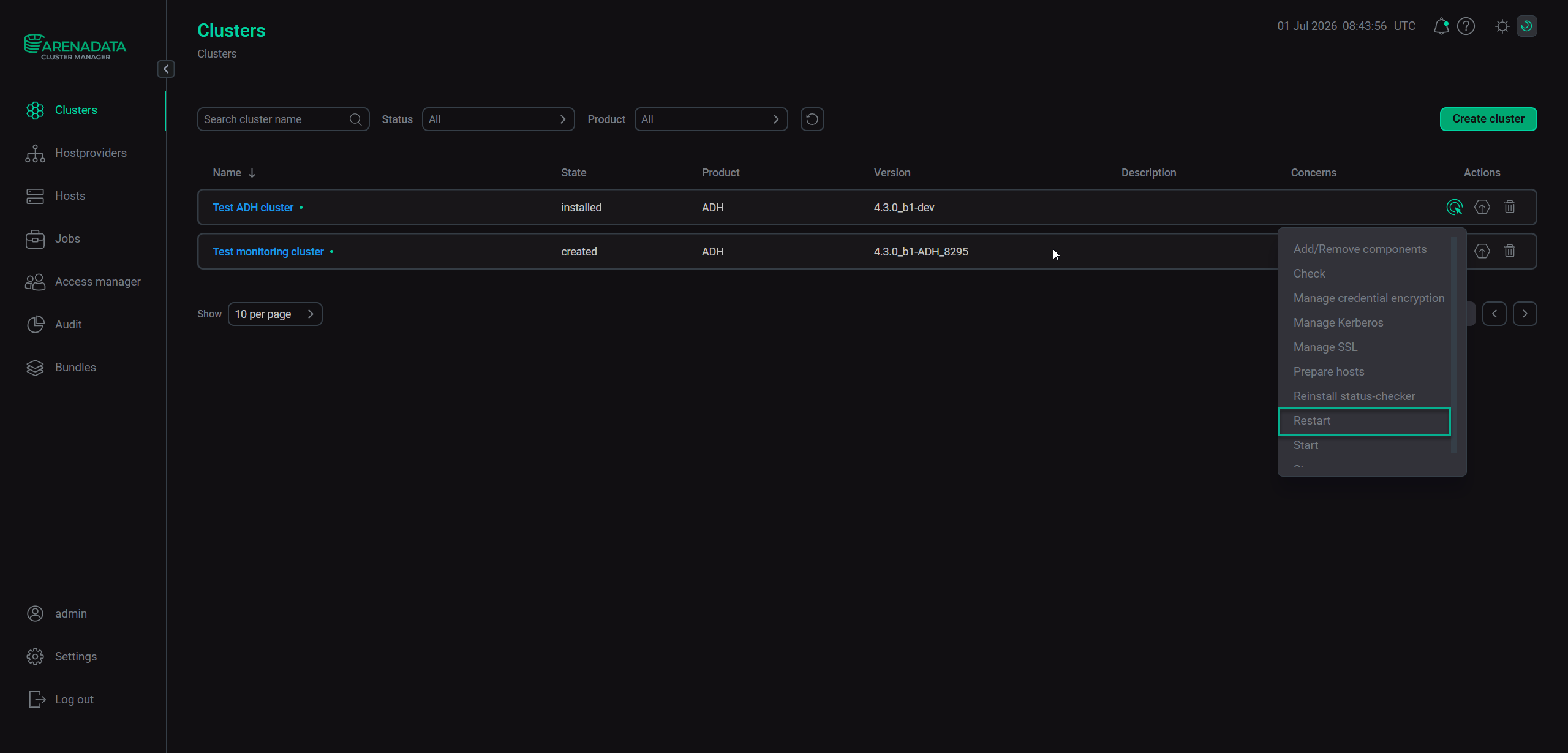
Run the "Restart" action
When you select the action, a window opens with the following configuration parameters.
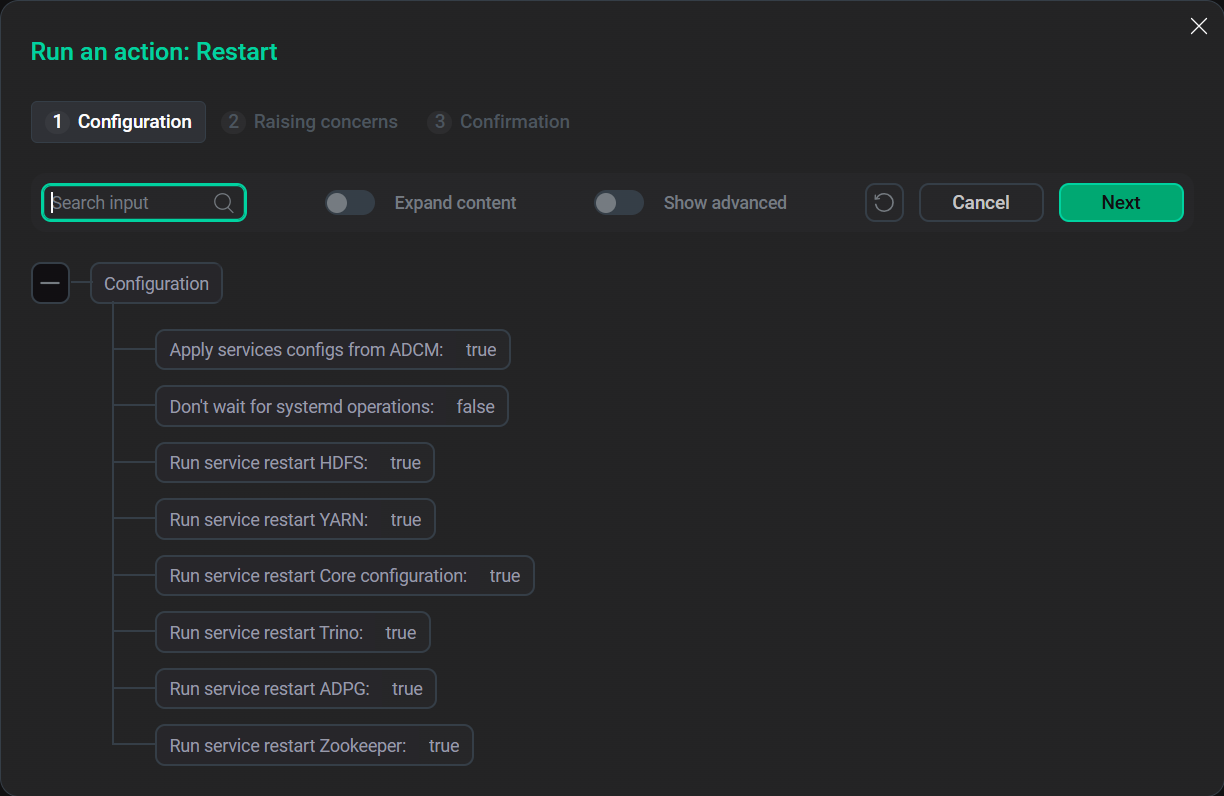
Restart options
| Configuration parameter | Description |
|---|---|
Apply services configs from ADCM |
Specifies whether to apply configuration options specified in ADCM UI to ADH services |
Don’t wait for systemd operations |
If set to |
Run service restart <serviceName> |
Specifies whether to restart the given service |