

Apache Shiro authentication for Zeppelin
Zeppelin’s authentication is based on Apache Shiro. It captures the realm data defined in the /etc/zeppelin/conf/shiro.ini file and authenticates users based on the parameters defined there. You can edit the file manually, but be aware that running any action with the Apply configs from ADCM flag enabled will result in actualizing the file with its ADCM settings.
Zeppelin allows you to enable authentication with the following options:
Simple authentication
-
On the Zeppelin service configuration page, enable the Shiro Simple username/password auth parameter.
-
Add a property to the User/password map parameter. That property should contain a username and a matching password for a user that would be able to authenticate on the Zeppelin web UI. Click Save.
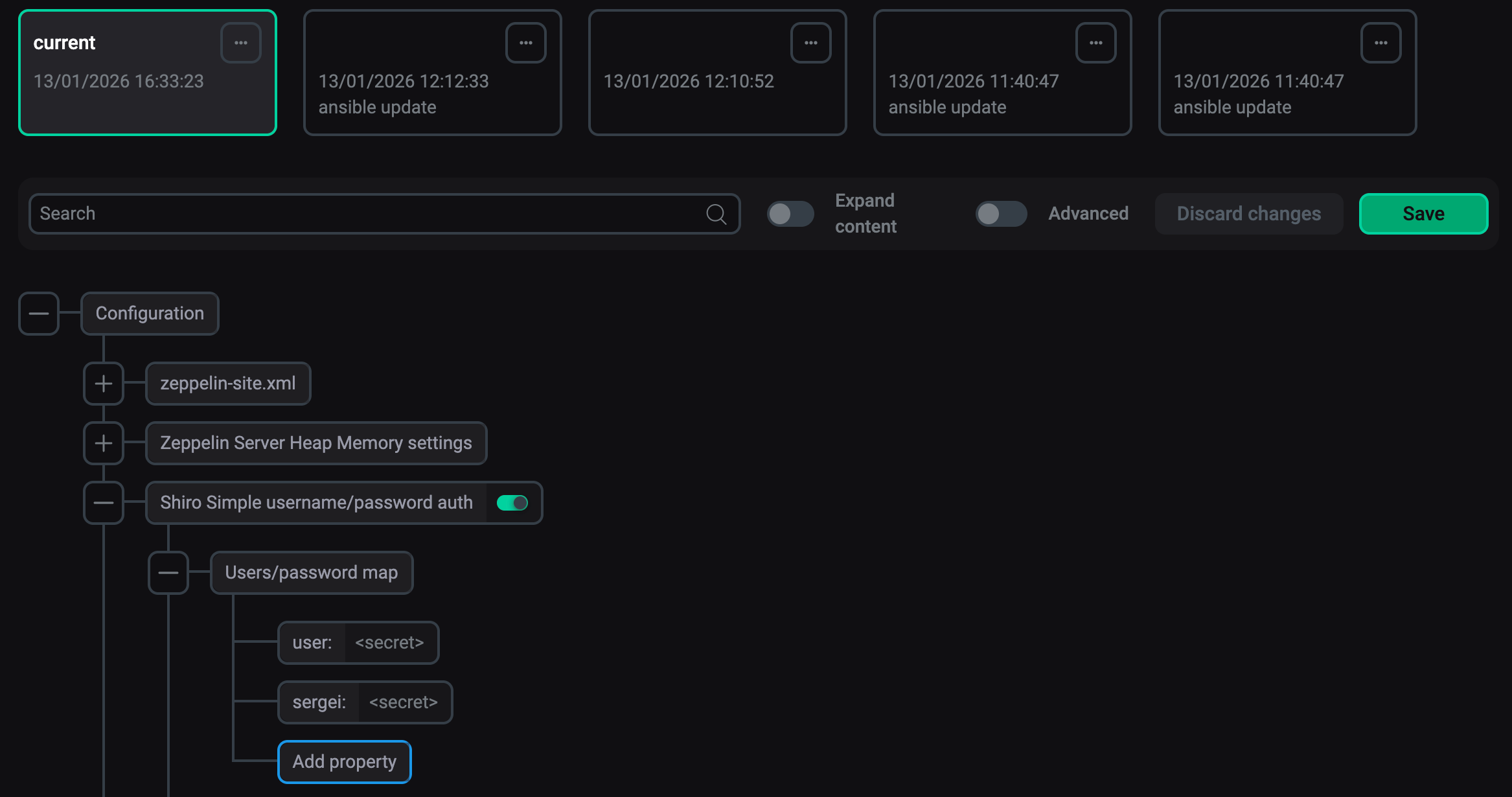 Shiro simple authentication parametersNOTEIf you want to specify a role for a user, the Enter secret field should contain not just a password, but also a list of roles after a comma:
<password>, <role1>, <role2>. -
Restart Zeppelin.
LDAP authentication
-
On the Zeppelin service configuration page, enable the Shiro LDAP auth parameter.
-
Fill in the required LDAP parameters (see the Shiro LDAP auth section). Click Save.
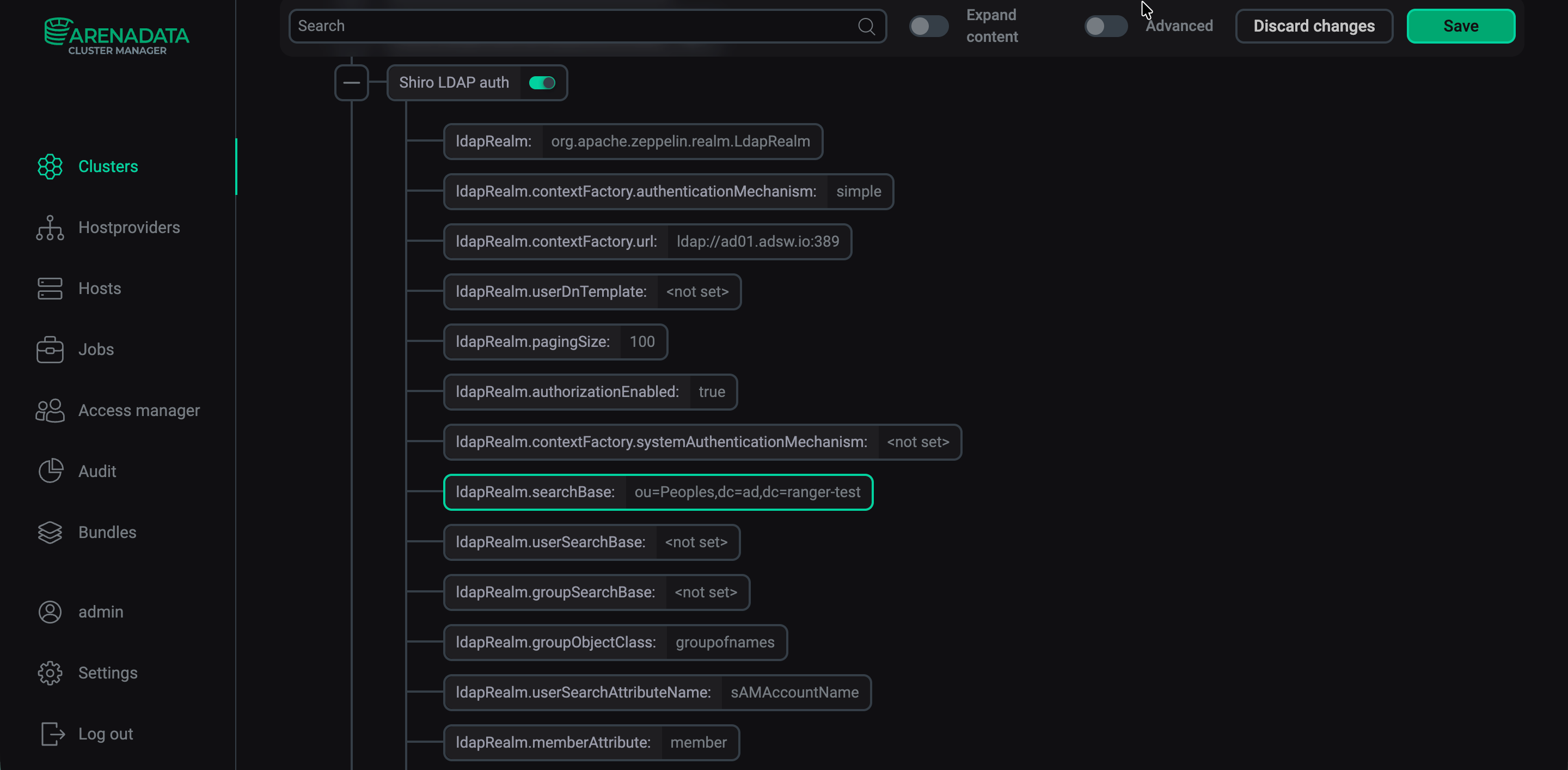 Shiro LDAP authentication parameters
 -
Restart Zeppelin.
Active Directory authentication
-
On the Zeppelin service configuration page, enable the Shiro Active Directory auth parameter.
-
Fill in the required Active Directory parameters (see the Shiro Active Directory auth section). Click Save.
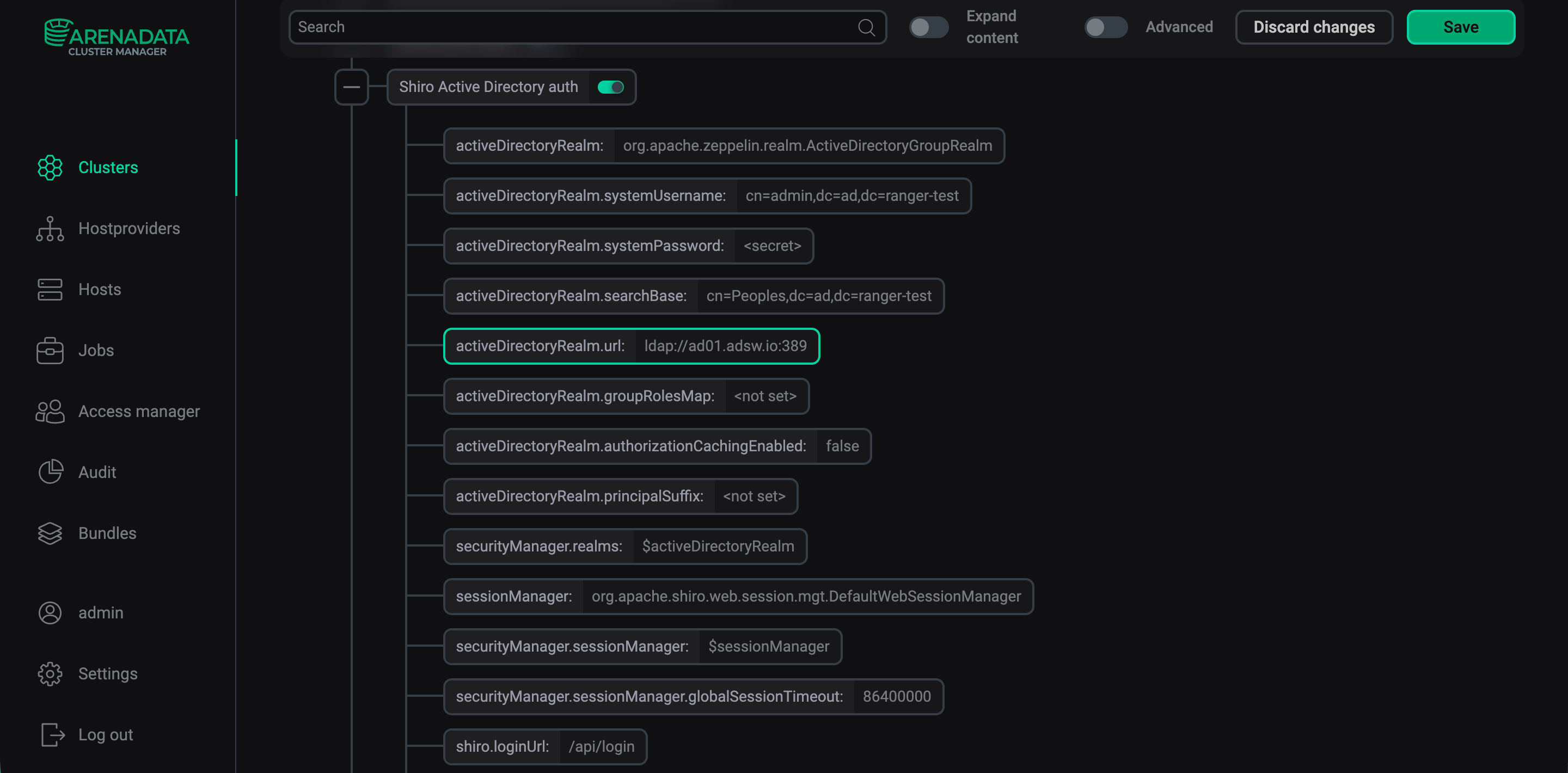 Shiro Active Directory authentication parameters
 -
Restart Zeppelin.