

Configure Kerberos for Spark History Server on Kubernetes
Prerequisites
-
A compatible version of an ADH cluster is installed and kerberized (required only if event log is going to be saved to HDFS or Ozone).
-
The
hub.arenadata.io/adc-enterprise/spark3:<version>image that is unpacked and pushed to your repository. -
Spark operator is deployed in Kubernetes according to the instruction. Make sure that Spark History Server’s namespace is included in Spark operator’s
payloadNamespaces. -
Kerberos operator is deployed in Kubernetes according to the instruction. Make sure that Spark History Server’s namespace is included in Kerberos operator’s
payloadNamespaces.
Step 1. Install Spark History Server
-
Prepare the hadoop_conf.yaml Hadoop configuration file (required only if S3 or the Hadoop services are used):
hadoop_conf.yamlsites: core: fs.defaultFS: hdfs://adh hadoop.security.authentication: kerberos dfs.client.failover.proxy.provider.adh: org.apache.hadoop.hdfs.server.namenode.ha.ObserverReadProxyProvider dfs.ha.namenodes.adh: nn_tsn-adh-k8s-1,nn_tsn-adh-k8s-3 dfs.namenode.rpc-address.adh.nn_tsn-adh-k8s-1: tsn-adh-k8s-1.ru-central1.internal:8020 dfs.namenode.rpc-address.adh.nn_tsn-adh-k8s-3: tsn-adh-k8s-3.ru-central1.internal:8020 dfs.nameservices: adh dfs.namenode.kerberos.principal: hdfs-namenode/_HOST@AD.RANGER-TEST dfs.journalnode.kerberos.principal: hdfs-journalnode/_HOST@AD.RANGER-TEST dfs.datanode.kerberos.principal: hdfs-datanode/_HOST@AD.RANGER-TEST hadoop.ssl.enabled: false hdfs: dfs.client.read.shortcircuit: false ozone: ozone.om.address.adh.om_tsn-adh-k8s-1: tsn-adh-k8s-1.ru-central1.internal:9862 ozone.om.address.adh.om_tsn-adh-k8s-2: tsn-adh-k8s-2.ru-central1.internal:9862 ozone.om.address.adh.om_tsn-adh-k8s-3: tsn-adh-k8s-3.ru-central1.internal:9862 ozone.om.nodes.adh: om_tsn-adh-k8s-1,om_tsn-adh-k8s-2,om_tsn-adh-k8s-3 ozone.om.kerberos.principal: om/_HOST@AD.RANGER-TEST ozone.om.service.ids: adhom hive: hive.metastore.sasl.enabled: true hive.metastore.uris: thrift://tsn-adh-k8s-1.ru-central1.internal:9083 hive.metastore.kerberos.principal: hive/_HOST@AD.RANGER-TEST metastore.use.SSL: false -
Initialize Spark History Server:
$ ./adc init --spark-history-server --hadoop-file=hadoop_conf.yaml -o spark-history-server.yamlThis operation creates the spark-history-server.yaml file with a configuration template.
-
Edit the configuration file to your needs:
spark-history-server.yamlapiVersion: adc.arenadata.io/v1alpha1 kind: SparkHistoryServer metadata: name: spark-history-server namespace: spark-history-server (1) spec: image: hub.arenadata.io/adc-enterprise/spark3:<tag> (2) ## Image pull secret for a private registry. ## Set 'externalSecretName' to reference an existing Secret, ## or set 'credentials' and optionally 'secretName' to let the CLI create one. #imagePullSecret: # # Use a Secret managed outside ADC. # externalSecretName: existing-registry-secret # # ## Or let ADC create the Secret. # #secretName: custom-registry-secret # # #credentials: # # registry: registry.example.com # # username: user # # password: pass hadoop: (3) core: dfs.client.failover.proxy.provider.adh: org.apache.hadoop.hdfs.server.namenode.ha.ObserverReadProxyProvider dfs.ha.namenodes.adh: nn_tsn-adh-k8s-1,nn_tsn-adh-k8s-3 dfs.datanode.kerberos.principal: hdfs-datanode/_HOST@AD.RANGER-TEST dfs.journalnode.kerberos.principal: hdfs-journalnode/_HOST@AD.RANGER-TEST dfs.namenode.kerberos.principal: hdfs-namenode/_HOST@AD.RANGER-TEST dfs.namenode.rpc-address.adh.nn_tsn-adh-k8s-1: tsn-adh-k8s-1.ru-central1.internal:8020 dfs.namenode.rpc-address.adh.nn_tsn-adh-k8s-3: tsn-adh-k8s-3.ru-central1.internal:8020 dfs.nameservices: adh fs.defaultFS: hdfs://adh hadoop.security.authentication: kerberos hdfs: dfs.client.read.shortcircuit: "false" hive: hive.metastore.kerberos.principal: hive/_HOST@AD.RANGER-TEST hive.metastore.sasl.enabled: "true" hive.metastore.uris: thrift://tsn-adh-k8s-1.ru-central1.internal:9083 metastore.use.SSL: "false" ozone: ozone.om.kerberos.principal: om/_HOST@AD.RANGER-TEST ozone.om.address.adh.om_tsn-adh-k8s-1: tsn-adh-k8s-1.ru-central1.internal:9862 ozone.om.address.adh.om_tsn-adh-k8s-2: tsn-adh-k8s-2.ru-central1.internal:9862 ozone.om.address.adh.om_tsn-adh-k8s-3: tsn-adh-k8s-3.ru-central1.internal:9862 ozone.om.nodes.adh: om_tsn-adh-k8s-1,om_tsn-adh-k8s-2,om_tsn-adh-k8s-3 ozone.om.service.ids: adhom ## Kerberos configuration for authentication. kerberos: (4) realm: AD.RANGER-TEST # # # Service name in the Kerberos principal. Defaults to the product name. service: spark-history # # # Hostname in the Kerberos principal. # # Required for a fixed service principal; leave it empty only to derive one principal per pod from the cluster domain. hostname: spark-history-server.ru-central1.internal keytab: (5) # # true - kerberos-operator creates the keytab Secret. # # false (default) - reference an existing keytab Secret with name keytab.secretName. create: true # # # Name of the keytab Secret. # # Optional when create: true - names the generated Secret (default: <name>-keytab). # # Required when create: false - must reference an existing Secret. secretName: spark-history-keytab # # # Label selector for the Pod that generates the keytab. # # Required when create: true; ignored when create: false. labelSelector: env: prod # #additionalPrincipals: # # - HTTP/history-lb.example.com # rotation: interval: 720h checkInterval: 1h spnego: true ## Java KeyStore/TrustStore certificate configuration. ## Set externalSecretName to reference an existing Secret, ## or set files and optional secretName to have ADC create it. #ssl: # ## Name of the Secret containing Java keystores. # #secretName: custom-spark-history-ssl # externalSecretName: existing-spark-history-ssl # # # Key in the Secret containing the truststore file. # trustStoreKey: truststore.jks # # ## Password for the truststore (optional). # #trustStorePassword: bigdata # # ## Key in the Secret containing the keystore file (optional). # #keyStoreKey: keystore.jks # # ## Password for the keystore (optional). # #keyStorePassword: bigdata # # ## Local files 'adc apply' puts into the Secret named by ssl.secretName. # ## Relative paths are resolved against the config file. # #files: # # trustStorePath: /path/to/truststore.jks # # #keyStorePath: /path/to/keystore.jks ## Use an external Hadoop configs Secret instead of the one rendered by ADC. #hadoopConfigsSecret: # # Use a Secret managed outside ADC. # externalSecretName: existing-history-hadoop-configs # # ## Or let ADC create the Secret. # #secretName: custom-history-hadoop-configs ## Use an external Spark History properties Secret instead of the one rendered by ADC. #historyPropertiesSecret: # # Use a Secret managed outside ADC. # externalSecretName: existing-history-properties # # ## Or let ADC create the Secret. # #secretName: custom-history-properties eventLogDir: "hdfs:///logs/spark/apps" (6) store: path: /var/log/spark/history (7) emptyDir: {} #pvc: (8) # size: 10Gi # storageClassName: my-storage-class # accessModes: # - ReadWriteOnce ## Monitoring configuration. #monitoring: # # Enables Prometheus metrics export from this product's pods. # exportMetrics: true #properties: # spark.history.store.maxDiskUsage: 16g server: replicas: 1 #resources: # limits: # cpu: "1" # memory: 1Gi # requests: # cpu: 400m # memory: 256Mi #extraMountSecrets: # - mountPath: /etc/spark/extra-secret # options: # containerName: app # secretName: extra-secret ## Controls whether Secret/ConfigMap changes restart pods. ## Set enabled: false to update referenced Secrets without restarting ## the workload; pods keep running the previous configuration until ## the policy is re-enabled. Defaults to enabled. #configurationRollout: # enabled: false1 Namespace that Spark History Server will use. 2 URL to the Spark image in your repository. 3 Hadoop settings derived from the hadoop_conf.yaml file. 4 Kerberos settings. The kerberos.hostnamevalue is used to generate the Spark History Server service principal and the SPNEGO HTTP principal.5 If keytab.createis set totrue, Kerberos operator will generate a secret with the name specified inkeytab.secretName; ifkeytab.secretNameis not specified, the name will be<metadata.name>-keytab. Ifkeytab.createis set tofalse, an existingkeytab.secretNamesecret will be referenced to obtain a keytab.6 Filesystem URI that the History Server reads (e.g. hdfs:///var/log/spark/apps,ofs://vol.bucket/spark/apps,s3a://bucket/spark/apps). The directory must exist. Spark applications must write to the same path. Spark application’s principal needs thew+xrights to this directory, while the Spark History Server’s principal needs ther+xrights.7 Event log storage directory. 8 PVC storage request. Either pvcoremptyDirmust be set. -
You can check the configuration about to be applied by running the
applycommand with the--dry-runoption:$ ./adc apply -f spark-history-server.yaml --dry-run > spark-history-server-render.yamlspark-history-server-render.yaml--- apiVersion: v1 kind: Secret metadata: name: spark-history-server-configs namespace: spark-history-server stringData: core-site.xml: |- <configuration> <property> <name>dfs.client.failover.proxy.provider.adh</name> <value>org.apache.hadoop.hdfs.server.namenode.ha.ObserverReadProxyProvider</value> </property> <property> <name>dfs.client.read.shortcircuit</name> <value>false</value> </property> <property> <name>dfs.datanode.kerberos.principal</name> <value>hdfs-datanode/_HOST@AD.RANGER-TEST</value> </property> <property> <name>dfs.ha.namenodes.adh</name> <value>nn_tsn-adh-k8s-1,nn_tsn-adh-k8s-3</value> </property> <property> <name>dfs.journalnode.kerberos.principal</name> <value>hdfs-journalnode/_HOST@AD.RANGER-TEST</value> </property> <property> <name>dfs.namenode.kerberos.principal</name> <value>hdfs-namenode/_HOST@AD.RANGER-TEST</value> </property> <property> <name>dfs.namenode.rpc-address.adh.nn_tsn-adh-k8s-1</name> <value>tsn-adh-k8s-1.ru-central1.internal:8020</value> </property> <property> <name>dfs.namenode.rpc-address.adh.nn_tsn-adh-k8s-3</name> <value>tsn-adh-k8s-3.ru-central1.internal:8020</value> </property> <property> <name>dfs.nameservices</name> <value>adh</value> </property> <property> <name>fs.defaultFS</name> <value>hdfs://adh</value> </property> <property> <name>hadoop.security.authentication</name> <value>kerberos</value> </property> <property> <name>ozone.om.address.adh.om_tsn-adh-k8s-1</name> <value>tsn-adh-k8s-1.ru-central1.internal:9862</value> </property> <property> <name>ozone.om.address.adh.om_tsn-adh-k8s-2</name> <value>tsn-adh-k8s-2.ru-central1.internal:9862</value> </property> <property> <name>ozone.om.address.adh.om_tsn-adh-k8s-3</name> <value>tsn-adh-k8s-3.ru-central1.internal:9862</value> </property> <property> <name>ozone.om.kerberos.principal</name> <value>om/_HOST@AD.RANGER-TEST</value> </property> <property> <name>ozone.om.nodes.adh</name> <value>om_tsn-adh-k8s-1,om_tsn-adh-k8s-2,om_tsn-adh-k8s-3</value> </property> <property> <name>ozone.om.service.ids</name> <value>adhom</value> </property> </configuration> hive-site.xml: |- <configuration> <property> <name>hive.metastore.kerberos.principal</name> <value>hive/_HOST@AD.RANGER-TEST</value> </property> <property> <name>hive.metastore.sasl.enabled</name> <value>true</value> </property> <property> <name>hive.metastore.uris</name> <value>thrift://tsn-adh-k8s-1.ru-central1.internal:9083</value> </property> <property> <name>metastore.use.SSL</name> <value>false</value> </property> </configuration> type: Opaque --- apiVersion: v1 kind: Secret metadata: name: spark-history-server-spark-history-properties namespace: spark-history-server stringData: history-server.properties: | spark.eventLog.dir hdfs:///logs/spark/apps spark.eventLog.enabled true spark.history.fs.logDirectory hdfs:///logs/spark/apps spark.history.kerberos.enabled true spark.history.kerberos.keytab /opt/spark/kerberos/keytab spark.history.kerberos.principal spark-history/spark-history-server.ru-central1.internal@AD.RANGER-TEST spark.history.provider org.apache.spark.deploy.history.FsHistoryProvider spark.history.store.path /var/log/spark/history spark.history.ui.port 18080 spark.org.apache.spark.filter.AuthenticationFilter.param.kerberos.keytab /opt/spark/kerberos/keytab spark.org.apache.spark.filter.AuthenticationFilter.param.kerberos.name.rules DEFAULT spark.org.apache.spark.filter.AuthenticationFilter.param.kerberos.principal HTTP/spark-history-server.ru-central1.internal@AD.RANGER-TEST spark.org.apache.spark.filter.AuthenticationFilter.param.token.validity 36000 spark.org.apache.spark.filter.AuthenticationFilter.param.type kerberos spark.ui.filters org.apache.spark.filter.AuthenticationFilter type: Opaque --- apiVersion: krb5.arenadata.io/v1alpha1 kind: Keytab metadata: name: spark-history-keytab namespace: spark-history-server spec: items: - labelSelector: env: prod principals: - spark-history/spark-history-server.ru-central1.internal - HTTP/spark-history-server.ru-central1.internal realm: AD.RANGER-TEST rotation: checkInterval: 1h interval: 720h --- apiVersion: spark.arenadata.io/v1alpha1 kind: SparkHistoryServer metadata: name: spark-history-server namespace: spark-history-server spec: properties: secretKey: history-server.properties secretName: spark-history-server-spark-history-properties server: metadata: {} replicas: 1 spec: emptyDirs: - /var/log/spark/history envs: - name: KRB5_CONFIG value: /opt/spark/kerberos/krb5.conf - name: SPARK_DAEMON_JAVA_OPTS value: -Djava.security.krb5.conf=/opt/spark/kerberos/krb5.conf image: hub.arenadata.io/adc-enterprise/spark3:<tag> imagePullPolicy: Always mountSecrets: - mountPath: /etc/hadoop/conf options: containerName: app secretName: spark-history-server-configs - mountPath: /opt/spark/kerberos options: containerName: app readOnly: true secretName: spark-history-keytab ports: - containerPort: 18080 name: http servicePort: 18080 status: {} -
If the manifest is correct, apply the Spark History Server configuration:
$ ./adc apply -f spark-history-server.yamlThe expected output contains a confirmation of success:
time="20260827130158UTC" level="info" msg="cluster spark-history-server applied to namespace spark-history-server"
-
Verify that the Spark History Server pods are running:
$ kubectl get pods -n spark-history-serverThe expected output is:
NAME                                          READY   STATUS    RESTARTS   AGE
spark-history-server-spark-history-server-0   1/1     Running   0          67s
Step 2. Provide access to Spark History Server web UI
To access the Spark History Server web UI, you need to expose the service using one of the supported publication methods, for example, through a load balancer or Ingress controller. All configurations related to exposing a service, including DNS, annotations, Ingress settings, load balancing rules, and other platform-specific settings, must be specified according to your Kubernetes environment.
-
Get the external IP address of your load balancer or Ingress controller. For example:
NAME                                        TYPE           CLUSTER-IP     EXTERNAL-IP   PORT(S)           AGE
spark-lb                                    LoadBalancer   10.85.56.180   10.92.40.88   18080:30930/TCP   119s
-
Add the following line to the /etc/hosts file on the machine, from which you plan to access Spark History Server:
<lb_ip> spark-history-server.ru-central1.internal
-
Open the Spark History Server web UI in your browser, using the http://spark-history-server.ru-central1.internal:18080 URL (change the protocol to
httpsand the port number tospec.ssl.portif you use SSL).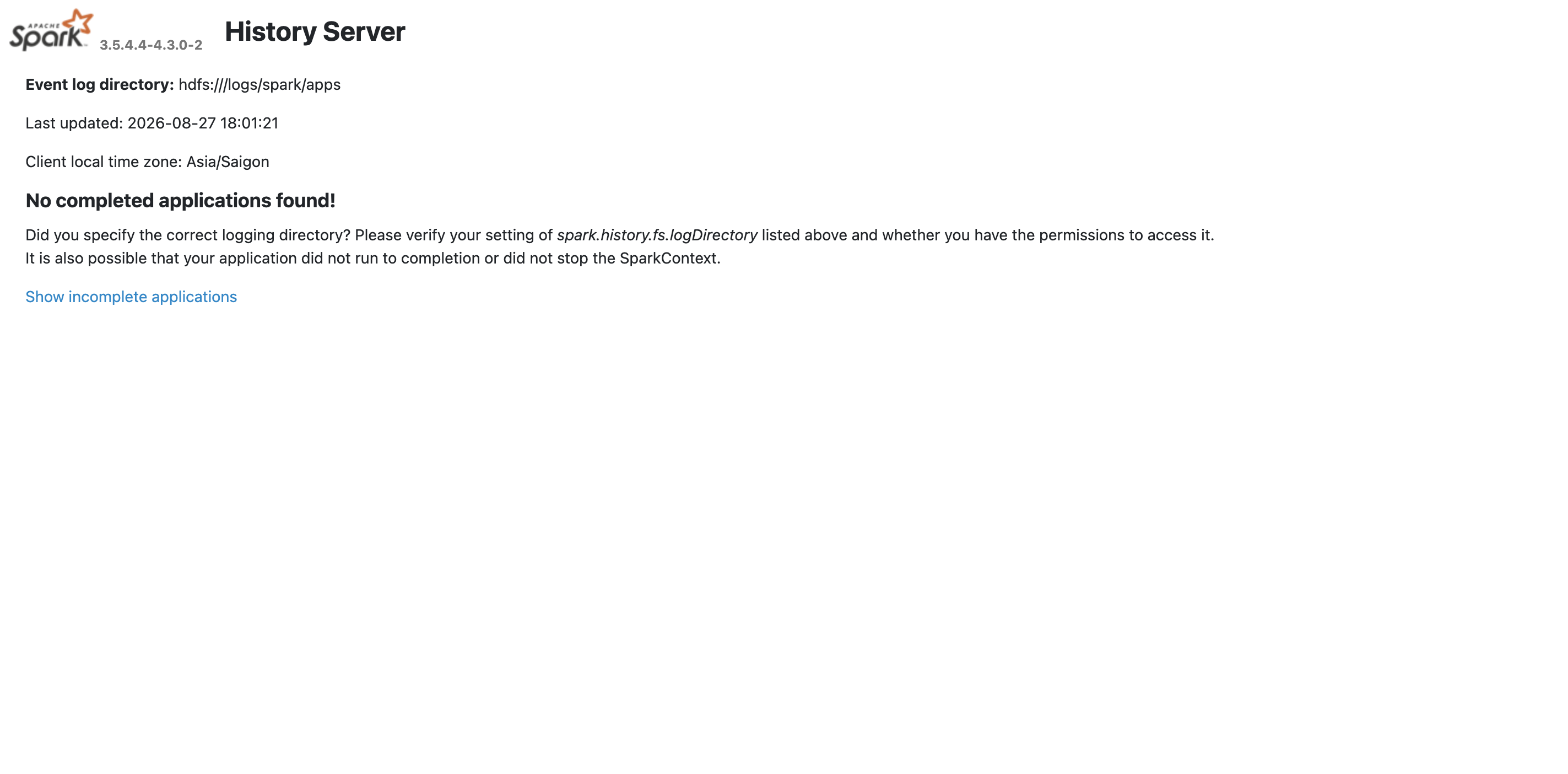 Spark History Server web UI
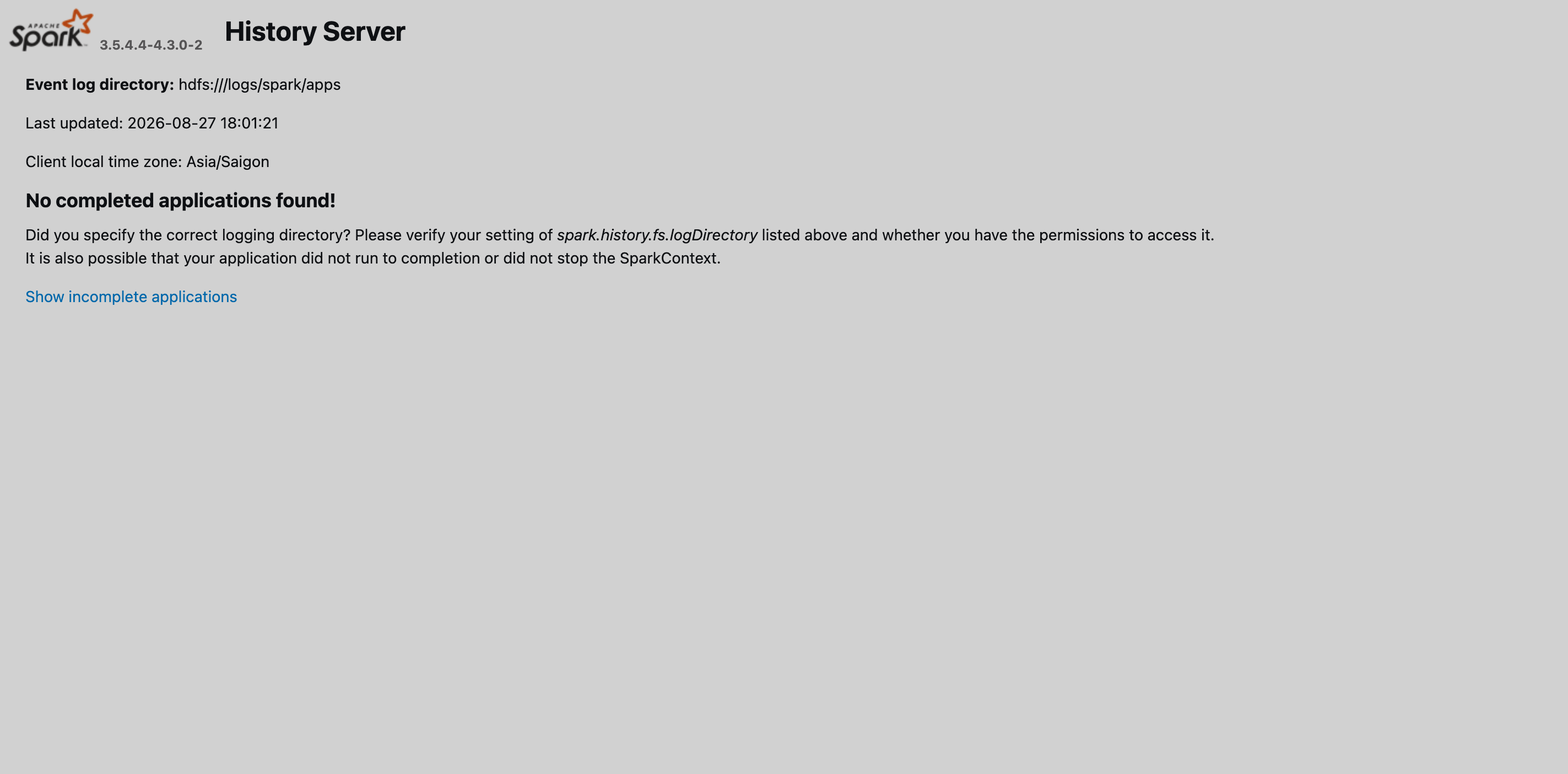 Spark History Server web UI
Step 3. Check by submitting a Spark application
-
Create a Spark application according to the instruction.
-
Edit the application’s
spec.eventLogDirparameter. This parameter’s value and the Spark History Server’sspec.eventLogDirvalue should match:eventLogDir: "hdfs:///logs/spark/apps" -
Submit the Spark application:
$ ./adc apply -f spark-application.yaml -
Obtain the job logs by running a
curlcommand:$ curl --negotiate -u : http://spark-history-server.ru-central1.internal:18080/api/v1/applicationsOutput:
[ {
  "id" : "spark-595fd320089e46f4ab2baea0c325caed",
  "name" : "Spark SQL basic example",
  "attempts" : [ {
    "startTime" : "2026-08-31T09:49:06.344GMT",
    "endTime" : "2026-08-31T09:49:21.897GMT",
    "lastUpdated" : "2026-08-31T09:49:22.029GMT",
    "duration" : 15553,
    "sparkUser" : "spark",
    "completed" : true,
    "appSparkVersion" : "3.5.4.4-4.3.0-2",
    "startTimeEpoch" : 1788169746344,
    "endTimeEpoch" : 1788169761897,
    "lastUpdatedEpoch" : 1788169762029
  } ]
} ]
If your browser is configured for SPNEGO, you can access the Spark History Server web UI at http://spark-history-server.ru-central1.internal:18080.