

Настройка YuniKorn для Spark в Kubernetes с помощью CLI
Требования
-
Кластер Kubernetes (версии 1.32 или более поздней) с настроенным доступом через
kubectl. -
CLI-утилита, извлеченная из offline-пакета.
-
Оператор Spark, развернутый в Kubernetes согласно инструкции.
-
Извлеченные и загруженные в ваш репозиторий образы:
-
hub.arenadata.io/adc-enterprise/yunikorn-k8shim:<version>
-
hub.arenadata.io/adc-enterprise/yunikorn-web:<version>
-
hub.arenadata.io/adc-enterprise/pause:<version>
Эти артефакты присутствуют в offline-пакете, который можно запросить у службы поддержки Arenadata.
-
Шаг 1. Установка YuniKorn
-
Инициализируйте YuniKorn:
$ ./adc init --yunikorn -o yunikorn.yamlДанная команда создаст файл yunikorn.yaml с шаблоном конфигурации.
-
Отредактируйте конфигурационный файл:
yunikorn.yamlapiVersion: adc.arenadata.io/v1alpha1 kind: YuniKorn metadata: name: yunikorn namespace: yunikorn (1) spec: image: hub.arenadata.io/adc-enterprise/yunikorn-k8shim:<tag> (2) web: image: hub.arenadata.io/adc-enterprise/yunikorn-web:<tag> (3) #resources: # limits: # cpu: 200m # memory: 500Mi # requests: # cpu: 100m # memory: 100Mi goMemoryLimitPercentage: 60 (4) goGC: 100 (5) ## Environment variables passed to the component container. #envs: # - name: YUNIKORN_LDAP_BIND_DN # valueFrom: # secretKeyRef: # key: adminDN # name: yunikorn-ldap-credentials # - name: YUNIKORN_LDAP_BIND_PASSWORD # valueFrom: # secretKeyRef: # key: adminPW # name: yunikorn-ldap-credentials # - name: YUNIKORN_LDAP_BASE_DN # value: cn=accounts,dc=example,dc=com # - name: YUNIKORN_LDAP_USER_BASE_DN # value: cn=users,cn=accounts,dc=example,dc=com # - name: YUNIKORN_LDAP_ADMIN_GROUPS # value: admins # - name: YUNIKORN_LDAP_ALLOWED_GROUPS # value: ipausers # - name: YUNIKORN_AUTH_SHARED_SECRET # valueFrom: # secretKeyRef: # key: shared-secret # name: yunikorn-web-auth ## LDAP authentication configuration. ## Uncomment and fill url and userBindPattern. ## For ldaps:// URLs the ssl: or ca: section must also be configured (depends on product) #ldap: # # LDAP service url. # url: ldap://ldap.example.com:389 # # # LDAP user Bind pattern. # userBindPattern: uid=#UID,cn=users,dc=example,dc=com ## Kerberos configuration for authentication. #kerberos: # realm: EXAMPLE.COM # # # Service name in the Kerberos principal. Defaults to the product name. # service: HTTP # # # Hostname in the Kerberos principal. # # Required for a fixed service principal; leave it empty only to derive one principal per pod from the cluster domain. # hostname: yunikorn.example.com # keytab: # # true - kerberos-operator creates the keytab Secret. # # false (default) - reference an existing keytab Secret with name keytab.secretName. # create: false # # # Name of the keytab Secret. # # Optional when create: true - names the generated Secret (default: <name>-keytab). # # Required when create: false - must reference an existing Secret. # secretName: yunikorn-keytab # # # Label selector for the Pod that generates the keytab. # # Required when create: true; ignored when create: false. # labelSelector: # env: prod # rotation: # interval: 24h # checkInterval: 1h ## HTTPS on the user-facing YuniKorn Web UI endpoint on port 9889. ## Together with monitoring.exportMetrics it also serves the scheduler /metrics over HTTPS ## using the same certificate and key, keeping the fixed "metrics" port name. ## The Web UI to k8shim unix socket is not changed. ## Set externalSecretName to reference an existing Secret, ## or set files and optional secretName to have ADC create it. #webTLS: # ## Optional name of the Secret ADC creates from local files. # #secretName: custom-yunikorn-web-tls # externalSecretName: existing-yunikorn-web-tls # # # Key in the Secret containing the web TLS certificate. # certificateKey: tls.crt # # # Key in the Secret containing the web TLS private key. # privateKey: tls.key # # ## Local files 'adc apply' puts into the Secret named by webTLS.secretName. # ## Relative paths are resolved against the config file. # #files: # # certificatePath: /path/to/tls.crt # # privateKeyPath: /path/to/tls.key # Whether the CLI creates the product namespace. # The namespace name is set in metadata.namespace. namespace: create: true # ServiceAccount used by the YuniKorn scheduler. The CLI creates it, plus a ClusterRole, Role # and their bindings, by default (create: true). Set create: false to skip all of them and only # reference a ServiceAccount (and RBAC) managed elsewhere. name is optional; when empty, it # defaults to the release name. serviceAccount: (6) create: true name: yunikorn ## Image pull secret for a private registry. ## Set 'externalSecretName' to reference an existing Secret, ## or set 'credentials' and optionally 'secretName' to let the CLI create one. #imagePullSecret: # # Use a Secret managed outside ADC. # externalSecretName: existing-registry-secret # # ## Or let ADC create the Secret. # #secretName: custom-registry-secret # # #credentials: # # registry: registry.example.com # # username: user # # password: pass #resources: # limits: # cpu: "4" # memory: 2Gi # requests: # cpu: 200m # memory: 1Gi goMemoryLimitPercentage: 80 (7) goGC: 100 (8) ## Bootstrap config rendered into the yunikorn-defaults ConfigMap. ## Put the queue hierarchy under the "queues.yaml" key as a YAML string; ## k8shim reads it and creates the queues. Leave empty to use the built-in root queue. yunikornDefaults: (9) queues.yaml: | (10) partitions: - name: default queues: - name: root submitacl: '*' queues: - name: engineering - name: analytics - name: ad-hoc service.exposeMetricsOnly: "true" service.placeholderImage: hub.arenadata.io/adc-enterprise/pause:<tag> (11) ## Controls whether Secret/ConfigMap changes restart pods. ## Set enabled: false to update referenced Secrets without restarting ## the workload; pods keep running the previous configuration until ## the policy is re-enabled. Defaults to enabled. #configurationRollout: # enabled: false ## Monitoring configuration. #monitoring: # # Enables Prometheus metrics export from this product's pods. # exportMetrics: true # # ## Renders a namespace-scoped vmagent that sends metrics to an external ADM. # #vmagent: # # remoteWrite: # # url: http://vminsert.example.com:8480/insert/0/prometheus/api/v1/write # # scrapeInterval: 30s # # # # ## HTTPS settings used by vmagent when scraping product metrics. # # #tls: # # # ## CA certificate source used to verify the metrics endpoint. # # # #ca: # # # # # Use a Secret managed outside ADC. # # # # externalSecretName: existing-product-metrics-ca # # # # # # # # ## Or let ADC create the Secret. # # # # #secretName: product-metrics-ca # # # # # # # # # Key containing the CA certificate in the referenced Secret. # # # # certificateKey: ca.crt # # # # # # # # ## Local CA certificate read by ADC to create the configured Secret. # # # # #files: # # # # # certificatePath: /path/to/ca.crt # # # # # # ## Server name used to verify the metrics endpoint certificate hostname. # # # #serverName: metrics.example.com # # # # # # # Skip verification of the metrics endpoint certificate. Do not use together with ca. # # # insecureSkipVerify: true1 Пространство имен, используемое YuniKorn. 2 URL образа YuniKorn k8shim в вашем репозитории. 3 URL образа YuniKorn web UI в вашем репозитории. 4 Процент от значения web.resources.limits.memory, используемый для расчета значенияGOMEMLIMITвеб-интерфейса.5 Значение GOGCдля веб-интерфейса.6 Настройки сервисного аккаунта. 7 Процент от значения resources.limits.memory, используемый для расчета значения переменной средыGOMEMLIMIT.8 Значение переменной среды GOGC.9 Ключи bootstrap-конфигурации. Можно оставить поле пустым — тогда будет использоваться встроенная очередь YuniKorn root.10 Иерархия очередей в формате файла YuniKorn queues.yaml ( partitions→queues→children, с настройкамиresources/propertiesдля каждой очереди).11 URL образа, используемого для placeholder-подов при групповом планировании (gang scheduling). Если не установить параметр, adcподставит значение по умолчанию для продукта. -
Вы можете проверить конфигурацию перед ее применением, выполнив команду
applyс флагом--dry-run:$ ./adc apply -f yunikorn.yaml --dry-run > yunikorn-render.yamlyunikorn-render.yaml--- apiVersion: v1 kind: Namespace metadata: name: yunikorn spec: {} status: {} --- apiVersion: v1 kind: ServiceAccount metadata: name: yunikorn namespace: yunikorn --- apiVersion: rbac.authorization.k8s.io/v1 kind: ClusterRole metadata: name: yunikorn-scheduler rules: - apiGroups: - "" resources: - namespaces verbs: - get - watch - list - apiGroups: - scheduling.k8s.io resources: - priorityclasses verbs: - get - watch - list - apiGroups: - storage.k8s.io resources: - volumeattachments verbs: - get - watch - list - apiGroups: - "" resources: - pods verbs: - get - watch - list - create - patch - update - delete --- apiVersion: rbac.authorization.k8s.io/v1 kind: Role metadata: name: yunikorn-scheduler namespace: yunikorn rules: - apiGroups: - "" resources: - secrets verbs: - get - watch - list - update - apiGroups: - "" resources: - configmaps verbs: - get - watch - list --- apiVersion: rbac.authorization.k8s.io/v1 kind: ClusterRoleBinding metadata: name: yunikorn-rbac roleRef: apiGroup: rbac.authorization.k8s.io kind: ClusterRole name: yunikorn-scheduler subjects: - kind: ServiceAccount name: yunikorn namespace: yunikorn --- apiVersion: rbac.authorization.k8s.io/v1 kind: ClusterRoleBinding metadata: name: yunikorn-rbac-kube-scheduler roleRef: apiGroup: rbac.authorization.k8s.io kind: ClusterRole name: system:kube-scheduler subjects: - kind: ServiceAccount name: yunikorn namespace: yunikorn --- apiVersion: rbac.authorization.k8s.io/v1 kind: ClusterRoleBinding metadata: name: yunikorn-rbac-volume-scheduler roleRef: apiGroup: rbac.authorization.k8s.io kind: ClusterRole name: system:volume-scheduler subjects: - kind: ServiceAccount name: yunikorn namespace: yunikorn --- apiVersion: rbac.authorization.k8s.io/v1 kind: RoleBinding metadata: name: yunikorn-rbac namespace: yunikorn roleRef: apiGroup: rbac.authorization.k8s.io kind: Role name: yunikorn-scheduler subjects: - kind: ServiceAccount name: yunikorn namespace: yunikorn --- apiVersion: apps/v1 kind: Deployment metadata: labels: app.kubernetes.io/component: yunikorn-scheduler app.kubernetes.io/instance: yunikorn app.kubernetes.io/managed-by: adc-cli app.kubernetes.io/name: yunikorn name: yunikorn-scheduler namespace: yunikorn spec: replicas: 1 selector: matchLabels: app.kubernetes.io/component: yunikorn-scheduler app.kubernetes.io/instance: yunikorn app.kubernetes.io/managed-by: adc-cli app.kubernetes.io/name: yunikorn strategy: {} template: metadata: labels: app.kubernetes.io/component: yunikorn-scheduler app.kubernetes.io/instance: yunikorn app.kubernetes.io/managed-by: adc-cli app.kubernetes.io/name: yunikorn spec: containers: - env: - name: NAMESPACE valueFrom: fieldRef: fieldPath: metadata.namespace - name: YUNIKORN_K8SHIM_SOCKET_PATH value: /var/run/yunikorn/k8shim.sock - name: GOMEMLIMIT value: "1717986918" - name: GOGC value: "100" image: hub.arenadata.io/adc-enterprise/yunikorn-k8shim:<tag> imagePullPolicy: Always name: app ports: - containerPort: 9080 name: metrics protocol: TCP resources: limits: cpu: "4" memory: 2Gi requests: cpu: 200m memory: 1Gi securityContext: allowPrivilegeEscalation: false capabilities: drop: - ALL privileged: false readOnlyRootFilesystem: true runAsGroup: 4444 runAsNonRoot: true runAsUser: 4444 volumeMounts: - mountPath: /var/run/yunikorn name: k8shim-socket - env: - name: YUNIKORN_K8SHIM_URL value: unix:///var/run/yunikorn/k8shim.sock - name: GOMEMLIMIT value: "314572800" - name: GOGC value: "100" image: hub.arenadata.io/adc-enterprise/yunikorn-web:<tag> imagePullPolicy: Always name: yunikorn-scheduler-web ports: - containerPort: 9889 name: web protocol: TCP resources: limits: cpu: 200m memory: 500Mi requests: cpu: 100m memory: 100Mi securityContext: allowPrivilegeEscalation: false capabilities: drop: - ALL privileged: false readOnlyRootFilesystem: true runAsGroup: 4444 runAsNonRoot: true runAsUser: 4444 volumeMounts: - mountPath: /var/run/yunikorn name: k8shim-socket securityContext: fsGroup: 4444 fsGroupChangePolicy: OnRootMismatch runAsGroup: 4444 runAsNonRoot: true runAsUser: 4444 supplementalGroups: - 4444 serviceAccountName: yunikorn volumes: - emptyDir: {} name: k8shim-socket status: {} --- apiVersion: v1 kind: Service metadata: labels: app.kubernetes.io/component: yunikorn-scheduler app.kubernetes.io/instance: yunikorn app.kubernetes.io/managed-by: adc-cli app.kubernetes.io/name: yunikorn name: yunikorn-service namespace: yunikorn spec: ports: - name: metrics port: 9080 protocol: TCP targetPort: metrics - name: web port: 9889 protocol: TCP targetPort: web selector: app.kubernetes.io/component: yunikorn-scheduler app.kubernetes.io/instance: yunikorn app.kubernetes.io/managed-by: adc-cli app.kubernetes.io/name: yunikorn type: ClusterIP status: loadBalancer: {} --- apiVersion: v1 data: queues.yaml: | partitions: - name: default queues: - name: root submitacl: '*' queues: - name: engineering - name: analytics - name: ad-hoc service.exposeMetricsOnly: "true" service.placeholderImage: hub.arenadata.io/adc-enterprise/pause:<tag> kind: ConfigMap metadata: name: yunikorn-defaults namespace: yunikorn -
Если манифест корректный, примените конфигурацию:
$ ./adc apply -f yunikorn.yamlОжидаемый вывод содержит сообщение с подтверждением успеха:
time="20260916080558UTC" level="info" msg="yunikorn applied to namespace yunikorn"
-
Проверьте работоспособность подов YuniKorn:
$ kubectl get pods -n yunikornОжидаемый вывод должен быть похож на следующий:
NAME                                 READY   STATUS    RESTARTS   AGE
yunikorn-scheduler-7dfd5df97-92xzb   2/2     Running   0          8s
Шаг 2. Предоставление доступа к веб-интерфейсу YuniKorn
Для доступа к веб-интерфейсу YuniKorn необходимо настроить один из способов публикации сервиса, например, используя балансировщик нагрузки (load balancer) или Ingress-контроллер. Все настройки, связанные с публикацией сервиса, включая DNS, аннотации, параметры Ingress, правила балансировщика и прочие, должны быть указаны в соответствии с вашей инфраструктурой Kubernetes.
-
Получите внешний адрес балансировщика или Ingress-контроллера. Например:
NAME                                        TYPE           CLUSTER-IP     EXTERNAL-IP   PORT(S)           AGE
yunikorn-lb                                    LoadBalancer   10.85.56.180   10.92.41.69   9889:30226/TCP   119s
-
Откройте веб-интерфейс YuniKorn в браузере, используя URL http://10.92.41.69:9889.
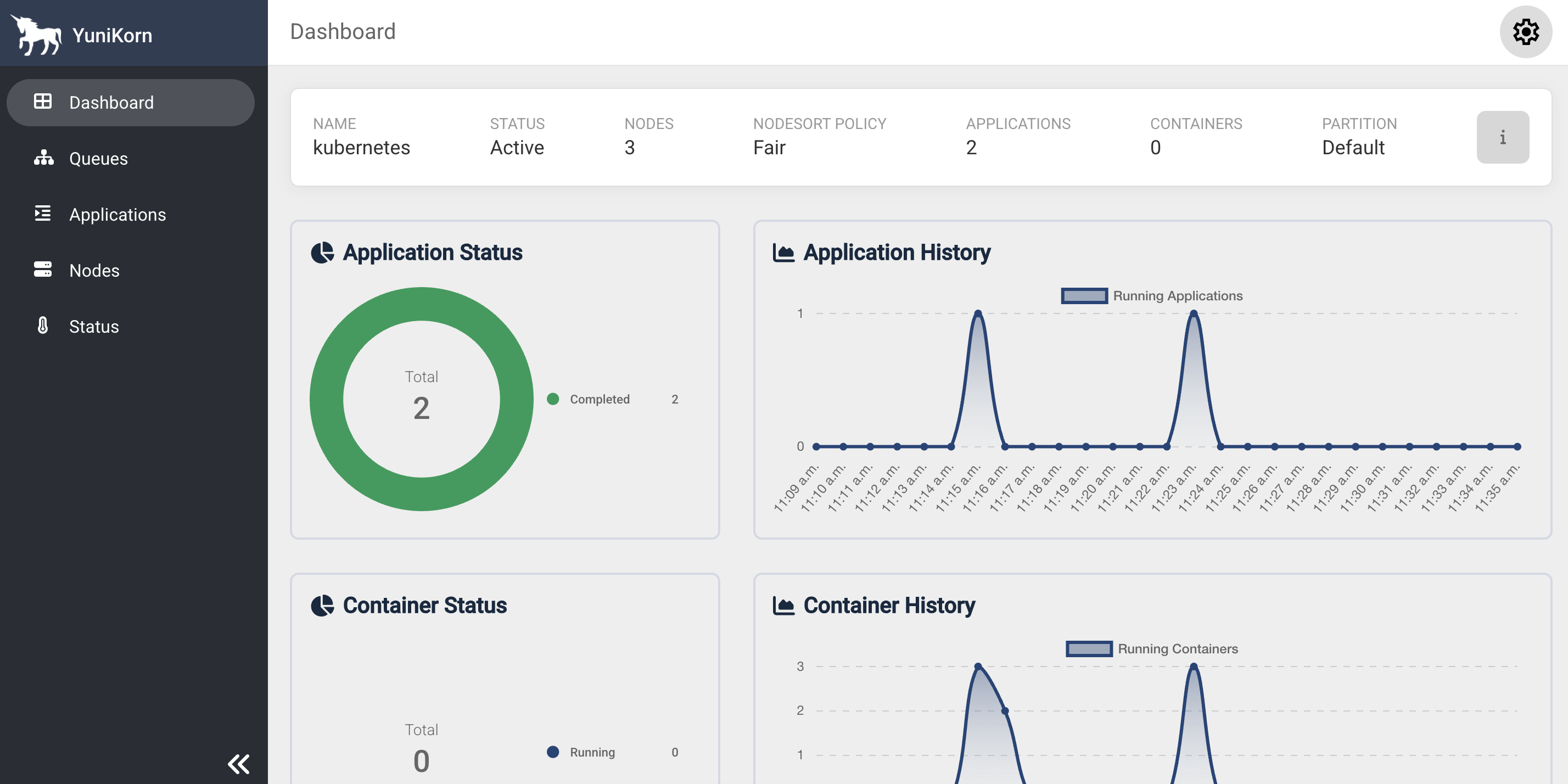 Веб-интерфейс YuniKorn
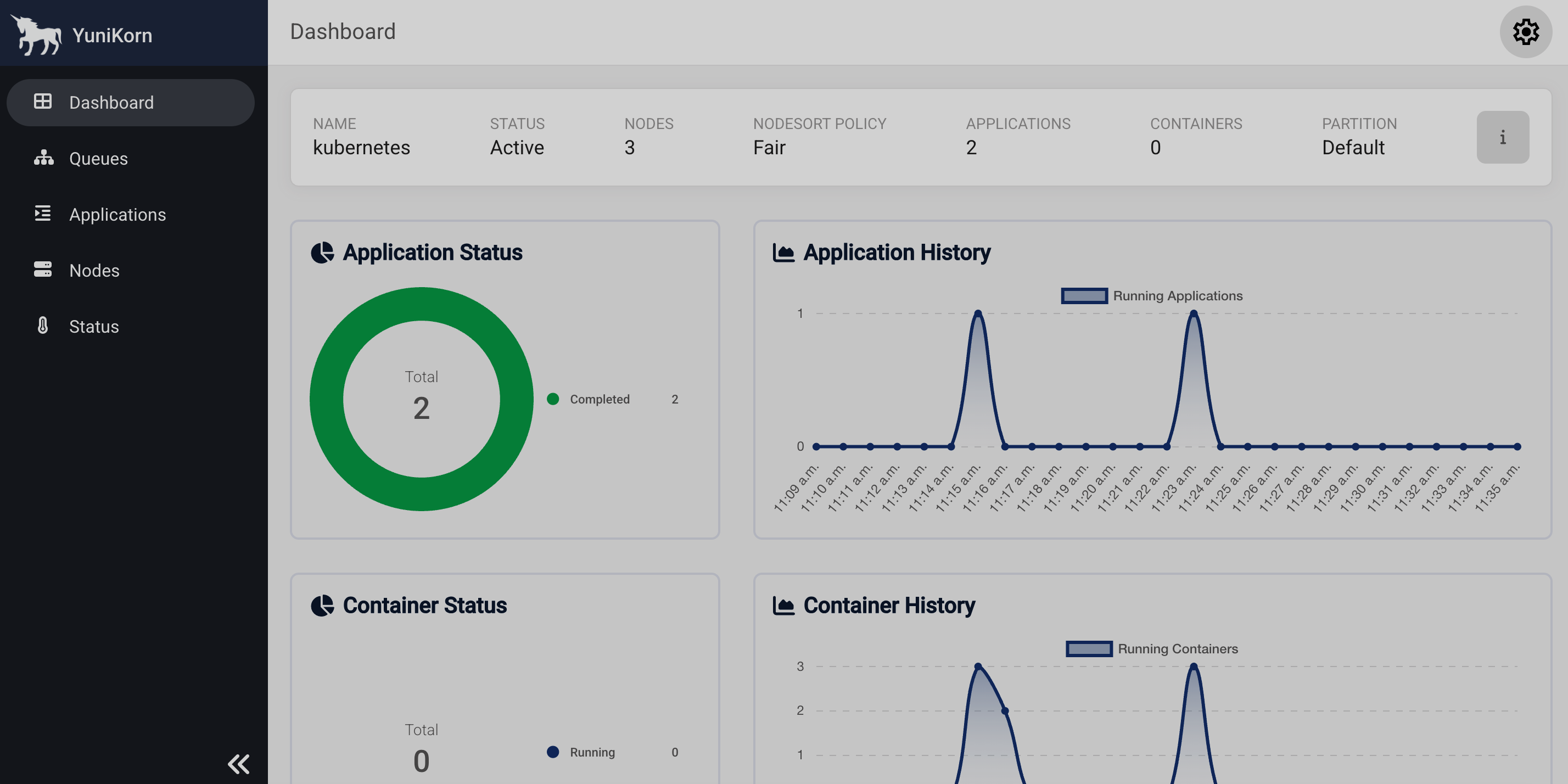 Веб-интерфейс YuniKorn
Шаг 3. Запуск приложения Spark
-
Инициализируйте приложение Spark:
$ ./adc init --spark-application -o spark-application.yamlДанная команда создаст файл spark-application.yaml с шаблоном конфигурации.
-
Отредактируйте конфигурационный файл:
spark-application.yamlapiVersion: adc.arenadata.io/v1alpha1 kind: SparkApplication metadata: name: spark-application namespace: spark-applications spec: image: hub.adsw.io/adc-develop-enterprise/spark3:<tag> ## Image pull secret for a private registry. ## Set 'externalSecretName' to reference an existing Secret, ## or set 'credentials' and optionally 'secretName' to let the CLI create one. #imagePullSecret: # # # Use a Secret managed outside ADC. # externalSecretName: existing-registry-secret # # ## Or let ADC create the Secret. # #secretName: custom-registry-secret # #credentials: # # registry: registry.example.com # # username: user # # password: pass # hadoop: # core: # hive: ## Kerberos configuration for authentication. #kerberos: # principal: user@EXAMPLE.COM # # # CLI reads the local files and creates the kerberos-ccache Secret on 'adc apply'. # # Alternative - keytab mode: replace this block with: # # keytab: # # secretName: <name-of-existing-keytab-secret> # ticketCache: # #secretName: custom-ticket-cache # externalSecretName: existing-ticket-cache # #ticketPath: /tmp/krb5cc_1000 # #krb5ConfPath: /etc/krb5.conf ## Ranger plugin configuration. ## Uncomment and fill the lines below. adc apply derives the rest. #ranger: # # fill ranger.plugin.spark.policy.rest.url below with Ranger endpoint, e.g. https://adps-adc.ru-central1.internal:6182 # # fill ranger.plugin.spark.service.name below with Ranger service name you want to use for product, e.g. adc_spark_id_1 # security: # ranger.plugin.spark.policy.rest.url: "" # ranger.plugin.spark.service.name: "" # # # fill xasecure.audit.destination.solr.zookeepers below with Zookeepers endpoints to resolve solr service, e.g. adps-adc.ru-central1.internal:2181/Arenadata.Hadoop-2.solr.server # audit: # xasecure.audit.destination.solr.zookeepers: "" # # # Local Ranger files 'adc apply' writes into the configs Secret. # # Relative paths are resolved against the config file. # files: # jceksStorePath: /path/to/ranger.jceks ## Java KeyStore/TrustStore certificate configuration. ## Set externalSecretName to reference an existing Secret, ## or set files and optional secretName to have ADC create it. #ssl: # ## Name of the Secret containing Java keystores. # #secretName: custom-ssl-secret # externalSecretName: existing-ssl-secret # # # Key in the Secret containing the truststore file. # trustStoreKey: truststore.jks # # ## Password for the truststore (optional). # #trustStorePassword: bigdata # # ## Key in the Secret containing the keystore file (optional). # #keyStoreKey: keystore.jks # # ## Password for the keystore (optional). # #keyStorePassword: bigdata # # ## Local files 'adc apply' puts into the Secret named by ssl.secretName. # ## Relative paths are resolved against the config file. # #files: # # trustStorePath: /path/to/truststore.jks # # #keyStorePath: /path/to/keystore.jks ## Use an external Hadoop configs Secret instead of the one rendered by ADC. #hadoopConfigsSecret: # # Use a Secret managed outside ADC. # externalSecretName: existing-spark-hadoop-configs # # ## Or let ADC create the Secret. # #secretName: custom-spark-hadoop-configs ## Use an external Ranger configs Secret instead of the one rendered by ADC. #rangerConfigsSecret: # # Use a Secret managed outside ADC. # externalSecretName: existing-spark-ranger-configs # # ## Or let ADC create the Secret. # #secretName: custom-spark-ranger-configs # Spark application main resource (e.g. local:///opt/spark/examples/jars/spark-examples.jar). mainApplicationFile: "local:///opt/spark/examples/jars/spark-examples_2.13-3.5.4.4-4.3.0-2.jar" ## HDFS or local directory for the Spark event log. ## When set, the CLI adds spark.eventLog.enabled=true, spark.eventLog.dir, ## spark.eventLog.rolling.enabled=true and spark.eventLog.rolling.interval=30s to sparkConf. #eventLogDir: "" ## Fully-qualified main class name. Required for Java/Scala applications. mainClass: "org.apache.spark.examples.SparkPi" # ServiceAccount used by the Spark driver, also injected into # spark.kubernetes.authenticate.driver.serviceAccountName. The CLI creates it, plus a Role # and RoleBinding for Spark pods, by default (create: true). Set create: false to skip that # and only reference a ServiceAccount managed elsewhere. # The Role rules are managed by the CLI and cannot be customized. serviceAccount: create: true name: spark-application job: ## true (default) deletes the spark-submit Job pod after it finishes; set false to keep it for debugging. deleteOnTermination: false #resources: # limits: # cpu: 500m # memory: 512Mi # requests: # cpu: 250m # memory: 256Mi ## Component arguments. Key-value pairs passed to the component configuration. args: driver-memory: 4g executor-memory: 4g ## Application arguments appended after mainApplicationFile. #args: # - "100" # Spark configuration entries (spark.*). sparkConf: spark.artifactory.dir.path: /tmp/artifacts spark.jars.ivy: /tmp/ivy spark.local.dir: /tmp/data spark.sql.catalog.spark_catalog: org.apache.iceberg.spark.SparkSessionCatalog spark.sql.extensions: org.apache.iceberg.spark.extensions.IcebergSparkSessionExtensions spark.sql.security.confblacklist: spark.sql.extensions ## Seconds after the application finishes (Succeeded, or Failed with no ## retries left) before the SparkApplication is deleted. Omit to keep it ## until explicit deletion. #ttlSecondsAfterFinished: 3600 ## Celeborn remote shuffle service for Spark. ## tiers mirror the cluster's storage.tiers: local (SSD/HDD) and MEMORY advertise their name only, ## remote (S3/HDFS) also set dir (and, for S3, credentials). Ozone is an HDFS tier with an ofs:// dir. #celeborn: # # Storage tiers mirroring the cluster's storage.tiers so the client advertises the same layers. # # type: SSD, HDD, S3, HDFS, MEMORY. SSD/HDD and MEMORY are advertise-only here (no dir; worker-only # # fields ignored); remote S3/HDFS set dir (s3a:// for S3; hdfs:// or ofs:// for Ozone on HDFS). Example: # # - type: MEMORY # cache tier; pair with a durable tier below, no dir # # - type: SSD # advertise-only on the client, no dir needed # # - dir: s3a://bucket/celeborn # # s3: { endpoint: https://s3:9878, region: us-east-1 } # # type: S3 # # - dir: hdfs://nn/celeborn # or ofs://om/volume/bucket/celeborn for Ozone # # type: HDFS # tiers: # - dir: s3a://shuffle/my-cluster # s3: # accessKey: <access-key> # endpoint: https://s3.endpoint:443 # pathStyleAccess: true # region: <region> # secretKey: <secret-key> # type: S3 # masterEndpoint: "" # extraSparkConf: # spark.sql.adaptive.enabled: "true" # Enable TLS on the client's RPC connection to the Celeborn cluster. # When true the CLI renders spark.celeborn.ssl.* into the Spark conf # and requires the ssl section with trustStoreKey. rpcEncryption: false ## YuniKorn scheduler configuration for queue selection and Gang scheduling. ## Uncomment the block to route the Spark job into a YuniKorn queue; the CLI renders the ## scheduler name, queue labels and gang annotations into sparkConf. yunikorn: queue: root.analytics taskGroups: - minMember: 1 minResource: cpu: "1" memory: 1433Mi name: spark-driver - minMember: 2 minResource: cpu: "1" memory: 1433Mi name: spark-executor ## Monitoring configuration. monitoring: # Enables Prometheus metrics export from this product's pods. exportMetrics: true -
Запустите приложение Spark:
$ ./adc apply -f spark-application.yamlОжидаемый вывод содержит сообщение с подтверждением успеха:
time="20260916081434UTC" level="info" msg="cluster spark-application applied to namespace spark-applications"
-
Проверьте логи пода YuniKorn:
$ kubectl logs yunikorn-scheduler-7dfd5df97-92xzb -n yunikornОжидаемый вывод должен содержать следующие строки:
2026-09-16T08:23:30.755Z	INFO	shim.cache.task	cache/task.go:378	successfully bound pod	{"podName": "spark-pi-485570a0a9505508-exec-2"}
2026-09-16T08:23:30.756Z	INFO	shim.fsm	cache/task_state.go:381	Task state transition	{"app": "spark-520890f663bb4d678b7cc8b5c715f15e", "task": "8e801dcc-12ec-4b57-9af0-b4e067d25d40", "taskAlias": "spark-applications/spark-pi-485570a0a9505508-exec-2", "source": "Allocated", "destination": "Bound", "event": "TaskBound"}