

Настройка аутентификации для веб-интерфейса YuniKorn в Kubernetes
В этой статье описывается, как активировать механизмы аутентификации LDAP и Kerberos для веб-интерфейса YuniKorn. Эти механизмы могут работать как независимо, так и совместно:
-
Без LDAP и без Kerberos — аутентификация отсутствует.
-
С LDAP, но без Kerberos — вход по паролю LDAP.
-
Без LDAP, но с Kerberos — Kerberos SPNEGO.
-
С LDAP и Kerberos — Kerberos SPNEGO с входом по паролю LDAP.
Требования
-
Кластер Kubernetes (версии 1.32 или более поздней) с настроенным доступом через
kubectl. -
CLI-утилита, извлеченная из offline-пакета.
-
Для настройки Kerberos убедитесь, что оператор Kerberos установлен согласно инструкции и значение его параметра
payloadNamespacesвключает в себя пространство имен YuniKorn. -
Извлеченные и загруженные в ваш репозиторий образы:
-
hub.arenadata.io/adc-enterprise/yunikorn-k8shim:<version>
-
hub.arenadata.io/adc-enterprise/yunikorn-web:<version>
-
hub.arenadata.io/adc-enterprise/pause:<version>
Эти артефакты присутствуют в offline-пакете, который можно запросить у службы поддержки Arenadata.
-
-
Для настройки LDAP созданы следующие секреты:
yunikorn-ldap-secrets.yamlapiVersion: v1 kind: Secret metadata: name: yunikorn-ldap-credentials namespace: yunikorn type: Opaque stringData: adminDN: "CN=stikhomirov,OU=kerberos,OU=adh,DC=ad,DC=ranger-test" adminPW: "<password>" --- apiVersion: v1 kind: Secret metadata: name: yunikorn-web-auth namespace: yunikorn type: Opaque stringData: shared-secret: "<shared-secret>"$ kubectl apply -f yunikorn-ldap-secrets.yaml
Шаг 1. Установка YuniKorn
-
Инициализируйте YuniKorn:
$ ./adc init --yunikorn -o yunikorn.yamlДанная команда создаст файл yunikorn.yaml с шаблоном конфигурации.
-
Отредактируйте конфигурационный файл:
yunikorn.yamlapiVersion: adc.arenadata.io/v1alpha1 kind: YuniKorn metadata: name: yunikorn namespace: yunikorn (1) spec: image: hub.arenadata.io/adc-enterprise/yunikorn-k8shim:<tag> (2) web: image: hub.arenadata.io/adc-enterprise/yunikorn-web:<tag> (3) #resources: # limits: # cpu: 200m # memory: 500Mi # requests: # cpu: 100m # memory: 100Mi goMemoryLimitPercentage: 60 (4) goGC: 100 (5) ## Environment variables passed to the component container. #envs: # - name: YUNIKORN_LDAP_BIND_DN # valueFrom: # secretKeyRef: # key: adminDN # name: yunikorn-ldap-credentials # - name: YUNIKORN_LDAP_BIND_PASSWORD # valueFrom: # secretKeyRef: # key: adminPW # name: yunikorn-ldap-credentials # - name: YUNIKORN_LDAP_BASE_DN # value: cn=accounts,dc=example,dc=com # - name: YUNIKORN_LDAP_USER_BASE_DN # value: cn=users,cn=accounts,dc=example,dc=com # - name: YUNIKORN_LDAP_ADMIN_GROUPS # value: admins # - name: YUNIKORN_LDAP_ALLOWED_GROUPS # value: ipausers # - name: YUNIKORN_AUTH_SHARED_SECRET # valueFrom: # secretKeyRef: # key: shared-secret # name: yunikorn-web-auth ## LDAP authentication configuration. ## Uncomment and fill url and userBindPattern. ## For ldaps:// URLs the ssl: or ca: section must also be configured (depends on product) #ldap: # # LDAP service url. # url: ldap://ldap.example.com:389 # # # LDAP user Bind pattern. # userBindPattern: uid=#UID,cn=users,dc=example,dc=com ## Kerberos configuration for authentication. kerberos: (6) realm: AD.RANGER-TEST # # # Service name in the Kerberos principal. Defaults to the product name. service: HTTP # # # Hostname in the Kerberos principal. # # Required for a fixed service principal; leave it empty only to derive one principal per pod from the cluster domain. hostname: yunikorn.ru-central1.internal keytab: (7) # # true - kerberos-operator creates the keytab Secret. # # false (default) - reference an existing keytab Secret with name keytab.secretName. create: true # # # Name of the keytab Secret. # # Optional when create: true - names the generated Secret (default: <name>-keytab). # # Required when create: false - must reference an existing Secret. secretName: yunikorn-keytab # # # Label selector for the Pod that generates the keytab. # # Required when create: true; ignored when create: false. labelSelector: env: prod rotation: interval: 24h checkInterval: 1h ## HTTPS on the user-facing YuniKorn Web UI endpoint on port 9889. ## Together with monitoring.exportMetrics it also serves the scheduler /metrics over HTTPS ## using the same certificate and key, keeping the fixed "metrics" port name. ## The Web UI to k8shim unix socket is not changed. ## Set externalSecretName to reference an existing Secret, ## or set files and optional secretName to have ADC create it. #webTLS: # ## Optional name of the Secret ADC creates from local files. # #secretName: custom-yunikorn-web-tls # externalSecretName: existing-yunikorn-web-tls # # # Key in the Secret containing the web TLS certificate. # certificateKey: tls.crt # # # Key in the Secret containing the web TLS private key. # privateKey: tls.key # # ## Local files 'adc apply' puts into the Secret named by webTLS.secretName. # ## Relative paths are resolved against the config file. # #files: # # certificatePath: /path/to/tls.crt # # privateKeyPath: /path/to/tls.key # Whether the CLI creates the product namespace. # The namespace name is set in metadata.namespace. namespace: create: true # ServiceAccount used by the YuniKorn scheduler. The CLI creates it, plus a ClusterRole, Role # and their bindings, by default (create: true). Set create: false to skip all of them and only # reference a ServiceAccount (and RBAC) managed elsewhere. name is optional; when empty, it # defaults to the release name. serviceAccount: (8) create: true name: yunikorn ## Image pull secret for a private registry. ## Set 'externalSecretName' to reference an existing Secret, ## or set 'credentials' and optionally 'secretName' to let the CLI create one. #imagePullSecret: # # Use a Secret managed outside ADC. # externalSecretName: existing-registry-secret # # ## Or let ADC create the Secret. # #secretName: custom-registry-secret # # #credentials: # # registry: registry.example.com # # username: user # # password: pass #resources: # limits: # cpu: "4" # memory: 2Gi # requests: # cpu: 200m # memory: 1Gi goMemoryLimitPercentage: 80 (9) goGC: 100 (10) ## Bootstrap config rendered into the yunikorn-defaults ConfigMap. ## Put the queue hierarchy under the "queues.yaml" key as a YAML string; ## k8shim reads it and creates the queues. Leave empty to use the built-in root queue. yunikornDefaults: (11) queues.yaml: | (12) partitions: - name: default queues: - name: root submitacl: '*' queues: - name: engineering - name: analytics - name: ad-hoc service.exposeMetricsOnly: "true" service.placeholderImage: hub.arenadata.io/adc-enterprise/pause:<tag> (13) ## Controls whether Secret/ConfigMap changes restart pods. ## Set enabled: false to update referenced Secrets without restarting ## the workload; pods keep running the previous configuration until ## the policy is re-enabled. Defaults to enabled. #configurationRollout: # enabled: false ## Monitoring configuration. #monitoring: # # Enables Prometheus metrics export from this product's pods. # exportMetrics: true # # ## Renders a namespace-scoped vmagent that sends metrics to an external ADM. # #vmagent: # # remoteWrite: # # url: http://vminsert.example.com:8480/insert/0/prometheus/api/v1/write # # scrapeInterval: 30s # # # # ## HTTPS settings used by vmagent when scraping product metrics. # # #tls: # # # ## CA certificate source used to verify the metrics endpoint. # # # #ca: # # # # # Use a Secret managed outside ADC. # # # # externalSecretName: existing-product-metrics-ca # # # # # # # # ## Or let ADC create the Secret. # # # # #secretName: product-metrics-ca # # # # # # # # # Key containing the CA certificate in the referenced Secret. # # # # certificateKey: ca.crt # # # # # # # # ## Local CA certificate read by ADC to create the configured Secret. # # # # #files: # # # # # certificatePath: /path/to/ca.crt # # # # # # ## Server name used to verify the metrics endpoint certificate hostname. # # # #serverName: metrics.example.com # # # # # # # Skip verification of the metrics endpoint certificate. Do not use together with ca. # # # insecureSkipVerify: true1 Пространство имен, используемое YuniKorn. 2 URL образа YuniKorn k8shim в вашем репозитории. 3 URL образа YuniKorn web UI в вашем репозитории. 4 Процент от значения web.resources.limits.memory, используемый для расчета значения веб-интерфейсаGOMEMLIMIT.5 Значение GOGCдля веб-интерфейса.6 Настройки Kerberos. Значение kerberos.hostnameиспользуется для генерации HTTP-принципала для SPNEGO.7 Если параметр keytab.createимеет значениеtrue, оператор Kerberos сгенерирует секрет с именем, указанным в параметреkeytab.secretName; если параметрkeytab.secretNameне указан, имя секрета будет иметь формат<metadata.name>-keytab. Если параметрkeytab.createимеет значениеfalse, имеющийся секрет с именемkeytab.secretNameбудет использован для получения keytab-файла.8 Настройки сервисного аккаунта. 9 Процент от значения resources.limits.memory, используемый для расчета значения переменной средыGOMEMLIMIT.10 Значение переменной среды GOGC.11 Ключи bootstrap-конфигурации. Можно оставить поле пустым — тогда будет использоваться встроенная очередь YuniKorn root.12 Иерархия очередей в формате файла YuniKorn queues.yaml ( partitions→queues→children, с настройкамиresources/propertiesдля каждой очереди).13 URL образа, используемого для placeholder-подов при групповом планировании (gang scheduling). Если не установить параметр, adcподставит значение по умолчанию для продукта.apiVersion: adc.arenadata.io/v1alpha1 kind: YuniKorn metadata: name: yunikorn namespace: yunikorn (1) spec: image: hub.arenadata.io/adc-enterprise/yunikorn-k8shim:<tag> (2) web: image: hub.arenadata.io/adc-enterprise/yunikorn-web:<tag> (3) #resources: # limits: # cpu: 200m # memory: 500Mi # requests: # cpu: 100m # memory: 100Mi goMemoryLimitPercentage: 60 (4) goGC: 100 (5) ## Environment variables passed to the component container. envs: (6) - name: YUNIKORN_LDAP_BIND_DN valueFrom: secretKeyRef: key: adminDN name: yunikorn-ldap-credentials - name: YUNIKORN_LDAP_BIND_PASSWORD valueFrom: secretKeyRef: key: adminPW name: yunikorn-ldap-credentials - name: YUNIKORN_LDAP_BASE_DN value: ou=adh,dc=ad,dc=ranger-test - name: YUNIKORN_LDAP_USER_BASE_DN value: ou=kerberos,ou=adh,dc=ad,dc=ranger-test - name: YUNIKORN_LDAP_ADMIN_GROUPS value: admins - name: YUNIKORN_LDAP_ALLOWED_GROUPS value: ipausers - name: YUNIKORN_AUTH_SHARED_SECRET valueFrom: secretKeyRef: key: shared-secret name: yunikorn-web-auth ## LDAP authentication configuration. ## Uncomment and fill url and userBindPattern. ## For ldaps:// URLs the ssl: or ca: section must also be configured (depends on product) ldap: # # LDAP service url. url: ldaps://ad01.adsw.io:636 (7) # # # LDAP user Bind pattern. userBindPattern: cn=#UID,OU=kerberos,OU=adh,DC=ad,DC=ranger-test (8) ## Kerberos configuration for authentication. #kerberos: # realm: AD.RANGER-TEST # # # Service name in the Kerberos principal. Defaults to the product name. # service: HTTP # # # Hostname in the Kerberos principal. # # Required for a fixed service principal; leave it empty only to derive one principal per pod from the cluster domain. # hostname: yunikorn.ru-central1.internal # keytab: # # true - kerberos-operator creates the keytab Secret. # # false (default) - reference an existing keytab Secret with name keytab.secretName. # create: true # # # Name of the keytab Secret. # # Optional when create: true - names the generated Secret (default: <name>-keytab). # # Required when create: false - must reference an existing Secret. # secretName: yunikorn-keytab # # # Label selector for the Pod that generates the keytab. # # Required when create: true; ignored when create: false. # labelSelector: # env: prod # rotation: # interval: 24h # checkInterval: 1h ## HTTPS on the user-facing YuniKorn Web UI endpoint on port 9889. ## Together with monitoring.exportMetrics it also serves the scheduler /metrics over HTTPS ## using the same certificate and key, keeping the fixed "metrics" port name. ## The Web UI to k8shim unix socket is not changed. ## Set externalSecretName to reference an existing Secret, ## or set files and optional secretName to have ADC create it. #webTLS: # ## Optional name of the Secret ADC creates from local files. # #secretName: custom-yunikorn-web-tls # externalSecretName: existing-yunikorn-web-tls # # # Key in the Secret containing the web TLS certificate. # certificateKey: tls.crt # # # Key in the Secret containing the web TLS private key. # privateKey: tls.key # # ## Local files 'adc apply' puts into the Secret named by webTLS.secretName. # ## Relative paths are resolved against the config file. # #files: # # certificatePath: /path/to/tls.crt # # privateKeyPath: /path/to/tls.key # Whether the CLI creates the product namespace. # The namespace name is set in metadata.namespace. namespace: create: true # ServiceAccount used by the YuniKorn scheduler. The CLI creates it, plus a ClusterRole, Role # and their bindings, by default (create: true). Set create: false to skip all of them and only # reference a ServiceAccount (and RBAC) managed elsewhere. name is optional; when empty, it # defaults to the release name. serviceAccount: (9) create: true name: yunikorn ## Image pull secret for a private registry. ## Set 'externalSecretName' to reference an existing Secret, ## or set 'credentials' and optionally 'secretName' to let the CLI create one. #imagePullSecret: # # Use a Secret managed outside ADC. # externalSecretName: existing-registry-secret # # ## Or let ADC create the Secret. # #secretName: custom-registry-secret # # #credentials: # # registry: registry.example.com # # username: user # # password: pass #resources: # limits: # cpu: "4" # memory: 2Gi # requests: # cpu: 200m # memory: 1Gi goMemoryLimitPercentage: 80 (10) goGC: 100 (11) ## Bootstrap config rendered into the yunikorn-defaults ConfigMap. ## Put the queue hierarchy under the "queues.yaml" key as a YAML string; ## k8shim reads it and creates the queues. Leave empty to use the built-in root queue. yunikornDefaults: (12) queues.yaml: | (13) partitions: - name: default queues: - name: root submitacl: '*' queues: - name: engineering - name: analytics - name: ad-hoc service.exposeMetricsOnly: "true" service.placeholderImage: hub.arenadata.io/adc-enterprise/pause:<tag> (14) ## Controls whether Secret/ConfigMap changes restart pods. ## Set enabled: false to update referenced Secrets without restarting ## the workload; pods keep running the previous configuration until ## the policy is re-enabled. Defaults to enabled. #configurationRollout: # enabled: false ## Monitoring configuration. #monitoring: # # Enables Prometheus metrics export from this product's pods. # exportMetrics: true # # ## Renders a namespace-scoped vmagent that sends metrics to an external ADM. # #vmagent: # # remoteWrite: # # url: http://vminsert.example.com:8480/insert/0/prometheus/api/v1/write # # scrapeInterval: 30s # # # # ## HTTPS settings used by vmagent when scraping product metrics. # # #tls: # # # ## CA certificate source used to verify the metrics endpoint. # # # #ca: # # # # # Use a Secret managed outside ADC. # # # # externalSecretName: existing-product-metrics-ca # # # # # # # # ## Or let ADC create the Secret. # # # # #secretName: product-metrics-ca # # # # # # # # # Key containing the CA certificate in the referenced Secret. # # # # certificateKey: ca.crt # # # # # # # # ## Local CA certificate read by ADC to create the configured Secret. # # # # #files: # # # # # certificatePath: /path/to/ca.crt # # # # # # ## Server name used to verify the metrics endpoint certificate hostname. # # # #serverName: metrics.example.com # # # # # # # Skip verification of the metrics endpoint certificate. Do not use together with ca. # # # insecureSkipVerify: true1 Пространство имен, используемое YuniKorn. 2 URL образа YuniKorn k8shim в вашем репозитории. 3 URL образа YuniKorn web UI в вашем репозитории. 4 Процент от значения web.resources.limits.memory, используемый для расчета значения веб-интерфейсаGOMEMLIMIT.5 Значение GOGCдля веб-интерфейса.6 Переменные среды, которые будут переданы в контейнер. 7 URL для подключения к LDAP. 8 Шаблон имени пользователя для поиска. 9 Настройки сервисного аккаунта. 10 Процент от значения resources.limits.memory, используемый для расчета значения переменной средыGOMEMLIMIT.11 Значение переменной среды GOGC.12 Ключи bootstrap-конфигурации. Можно оставить поле пустым — тогда будет использоваться встроенная очередь YuniKorn root.13 Иерархия очередей в формате файла YuniKorn queues.yaml ( partitions→queues→children, с настройкамиresources/propertiesдля каждой очереди).14 URL образа, используемого для placeholder-подов при групповом планировании (gang scheduling). Если не установить параметр, adcподставит значение по умолчанию для продукта.Вы можете проверить конфигурацию перед ее применением, выполнив команду apply с флагом
--dry-run:$ ./adc apply -f yunikorn.yaml --dry-run > yunikorn-render.yaml -
Примените конфигурацию и разверните YuniKorn:
$ ./adc apply -f yunikorn.yamlОжидаемый вывод содержит сообщение с подтверждением успеха:
time="20260923083854UTC" level="info" msg="yunikorn applied to namespace yunikorn"
-
Проверьте работоспособность подов YuniKorn:
$ kubectl get pods -n yunikornОжидаемый вывод должен быть похож на следующий:
NAME                                  READY   STATUS    RESTARTS   AGE
yunikorn-scheduler-7447469ddc-fksp5   2/2     Running   0          6s
Шаг 2. Предоставление доступа к веб-интерфейсу YuniKorn
Для доступа к веб-интерфейсу YuniKorn необходимо настроить один из способов публикации сервиса, например, используя балансировщик нагрузки (load balancer) или Ingress-контроллер. Все настройки, связанные с публикацией сервиса, включая DNS, аннотации, параметры Ingress, правила балансировщика и прочие, должны быть указаны в соответствии с вашей инфраструктурой Kubernetes.
-
Получите внешний адрес балансировщика или Ingress-контроллера. Например:
NAME                                        TYPE           CLUSTER-IP     EXTERNAL-IP   PORT(S)           AGE
yunikorn-lb                                 LoadBalancer   10.85.56.180   10.92.41.69   9889:30226/TCP   119s
-
Добавьте следующую строку в файл /etc/hosts на машине, с которой будет производиться доступ:
<lb_ip> yunikorn.ru-central1.internal
-
Откройте веб-интерфейс YuniKorn в браузере, используя URL http://yunikorn.ru-central1.internal:9889.
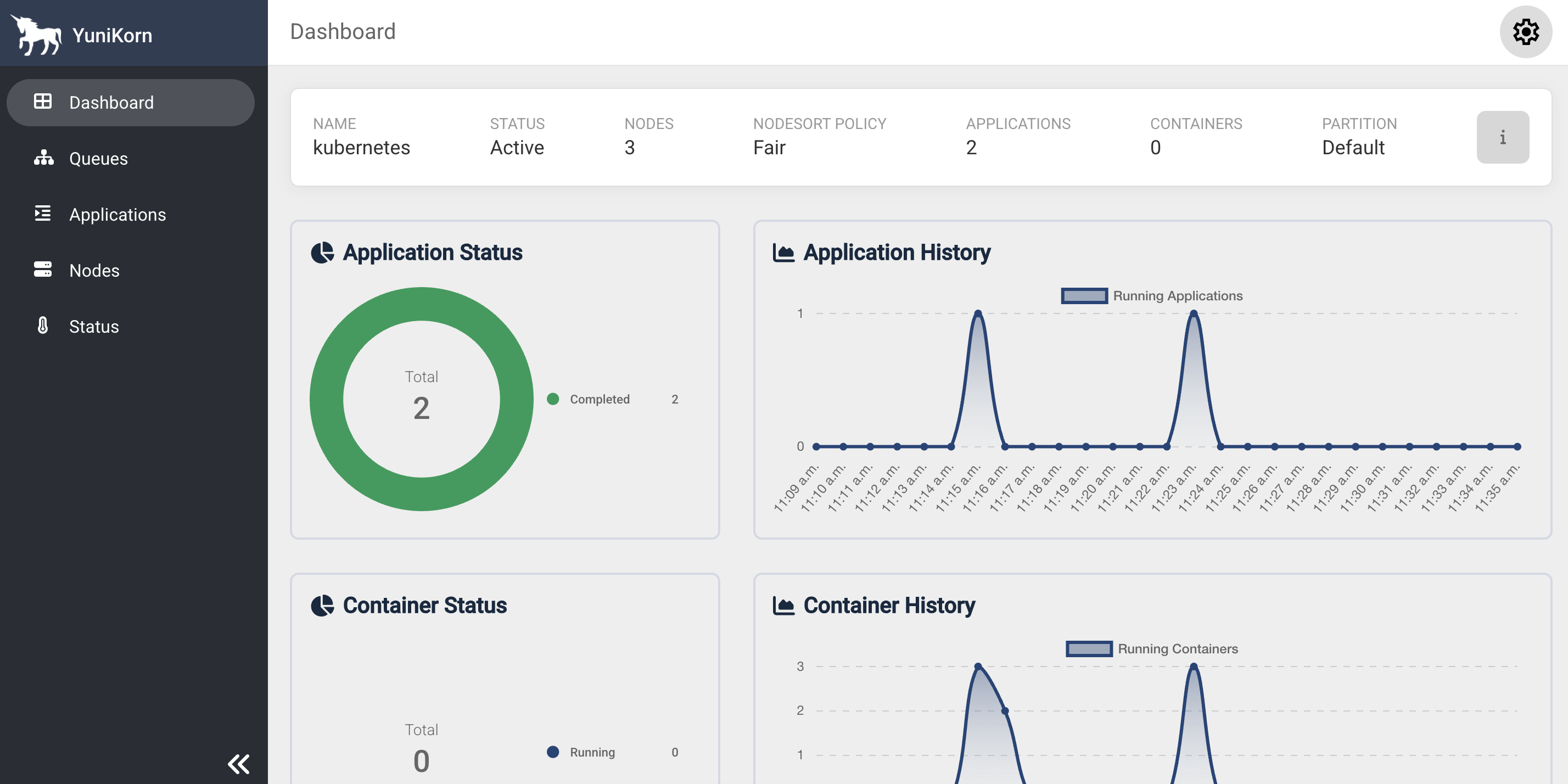 Веб-интерфейс YuniKorn
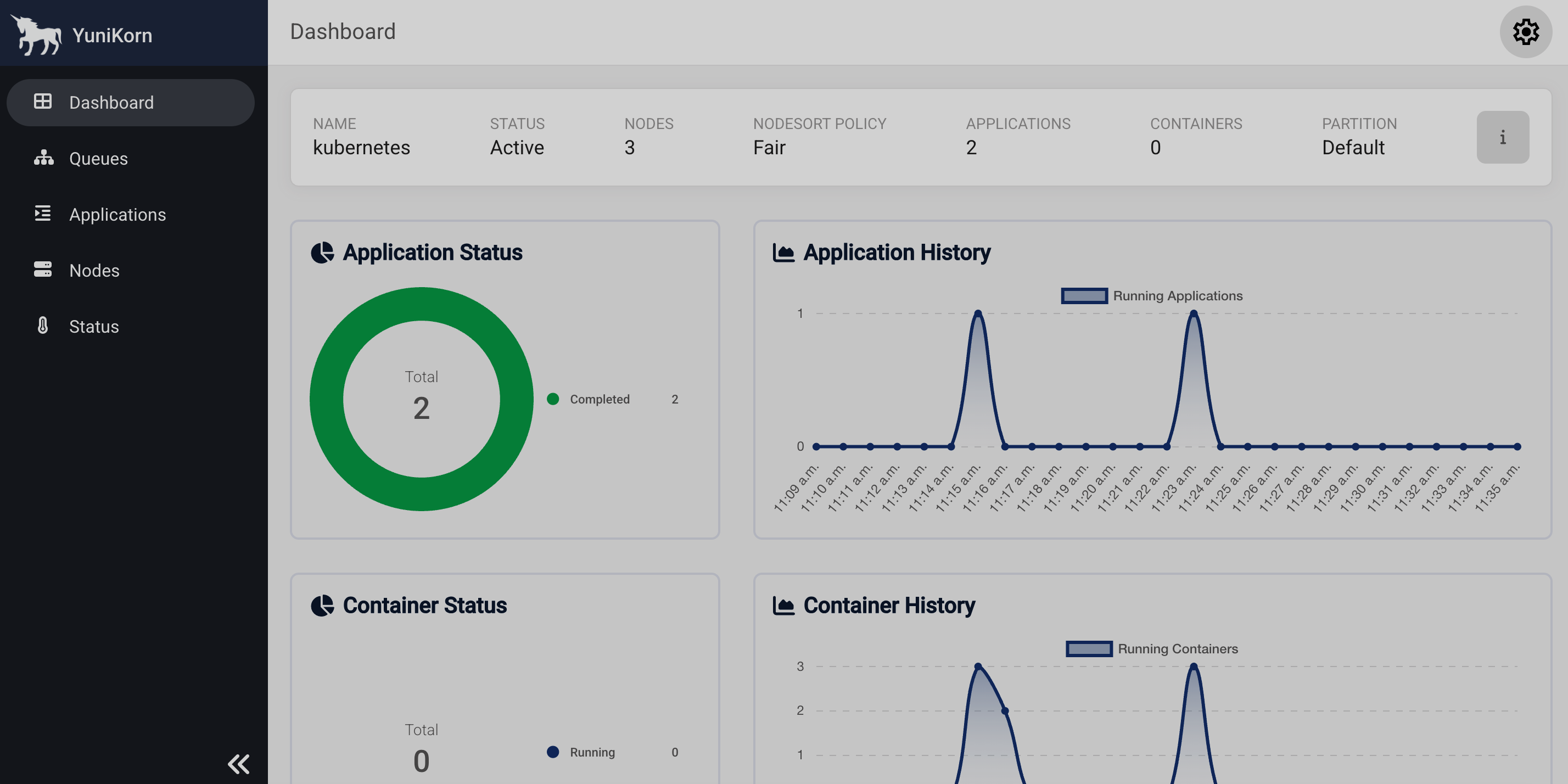 Веб-интерфейс YuniKorn
Удаление инстансов
Чтобы удалить YuniKorn, выполните команду delete:
$ ./adc delete -f yunikorn.yaml