

Integration between NiFi and Kafka
Overview
Starting with ADS 3.9.1.1.b1, it is possible to automatically configure the integration between NiFi and Kafka/Schema-Registry via the Kafka integration service action, which is run in NiFi.
After initiating the action, objects are automatically created or updated depending on the current cluster topology:
-
platform-integrationparameter context, containing parameters for connecting to Kafka and Schema-Registry; -
an instance of the ConfluentSchemaRegistry controller service, configured to connect to the Schema-Registry and associated with an SSL Context;
-
an instance of the StandardSSLContextService controller service, reflecting the current security settings (SSL Context).
Below are examples of integration with Kafka for several cluster topology scenarios.
Basic connection to Kafka
For the connection described in the section, the NiFi, Kafka, and ZooKeeper services are installed in ADS. No additional security settings are applied.
The platform-integration parameter context created during the Kafka integration action is displayed in the Parameter Contexts window, which can be accessed from the global menu of the NiFi Server interface.
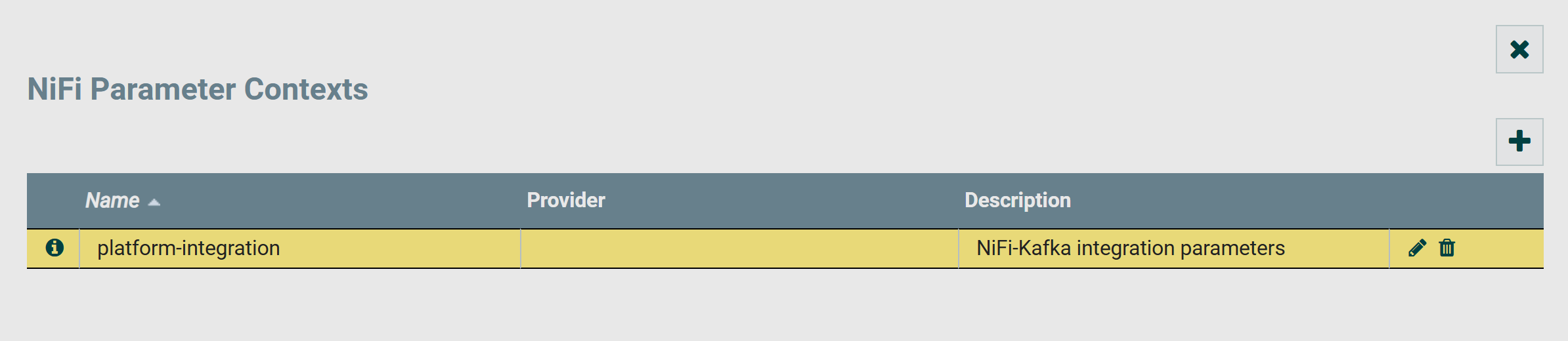
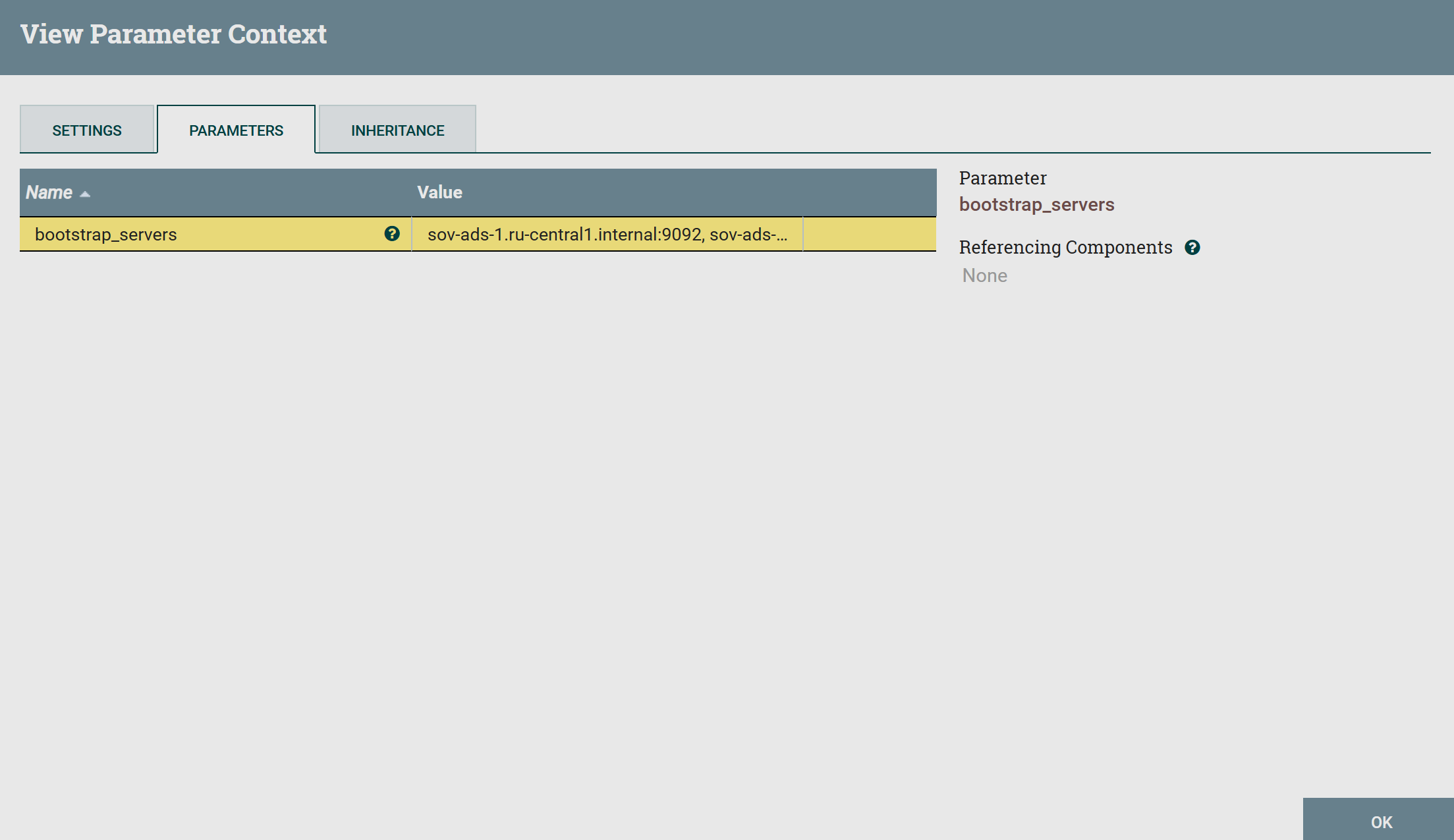
Clicking on  allows you to open the parameter context contents. Currently, it contains only the created
 bootstrap_servers parameter, which lists the Kafka servers.
To work with the created platform-integration context, propagate it to the root process group. You can also propagate the context to any process group through the Configure window, accessed via the context menu of the group.
The bootstrap_servers parameter can be used as a value for the Kafka Brokers property in processors that publish to or read from Kafka.
Below is an example of using the bootstrap_servers parameter for the ConsumeKafka processor.

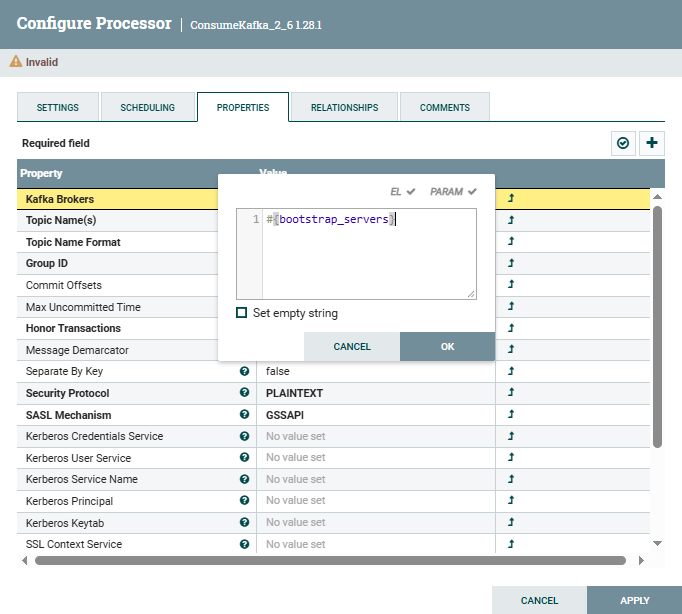
After configuring the Kafka Brokers property, the processor automatically connects to the Kafka servers according to the current ADS cluster topology.
Connection to Kafka and Schema-Registry
To connect as described in the section, ADS has the NiFi, Kafka, Schema-Registry, and ZooKeeper services installed. No additional security settings are applied.
During the execution of the Kafka integration action in NiFi, the following objects are created:
-
Parameter context
platform-integration, containing thebootstrap_serversandschema_registry_urlparameters corresponding to the current cluster topology.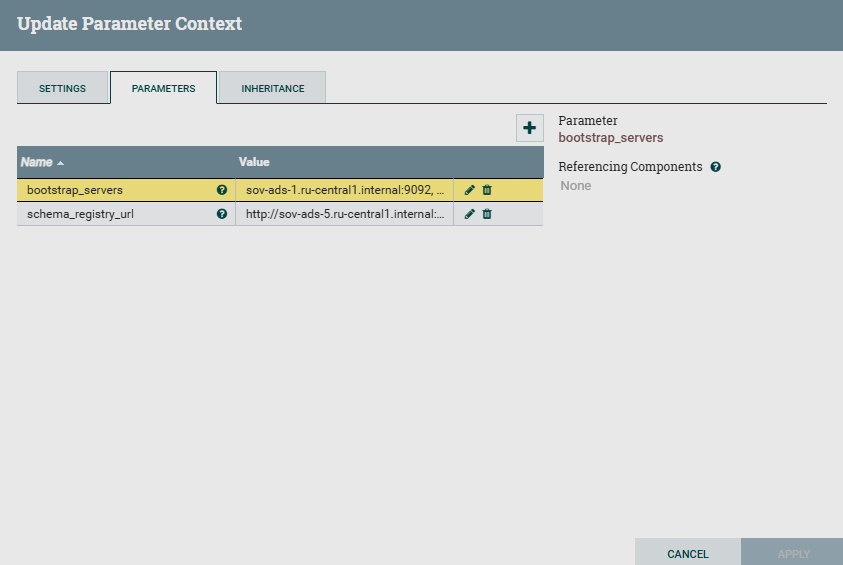 Parameters created by ADCM
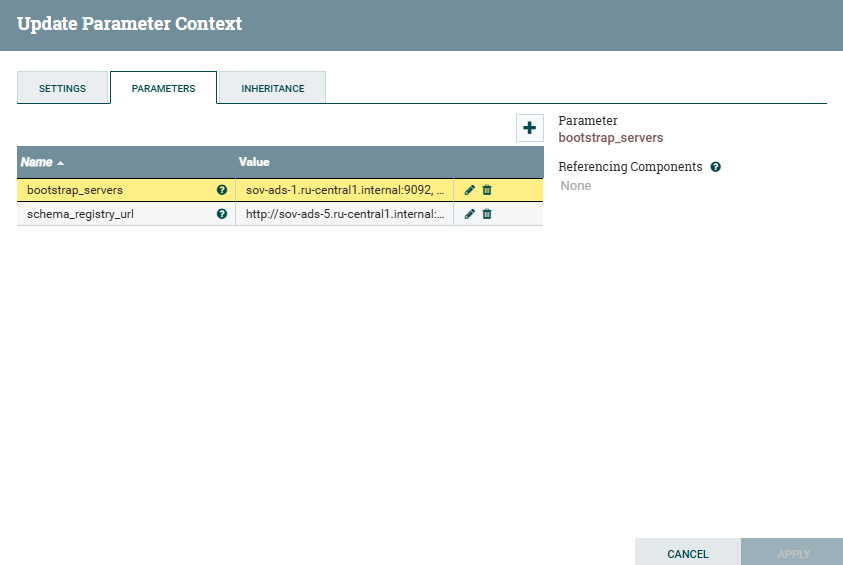 Parameters created by ADCM
Propagate the context of parameters for process groups to use parameters when configuring controller services and processors.
The
schema_registry_urlparameter can be used when configuring services that use data serialization and deserialization to specify the location of schema storage, for example, services like CSVRecordSetWriter, JsonRecordSetWriter, and others. -
Instance of the ConfluentSchemaRegistry controller service. The controller service is displayed on the CONTROLLER SERVICES tab of the Configure window, which is invoked from the group context menu.
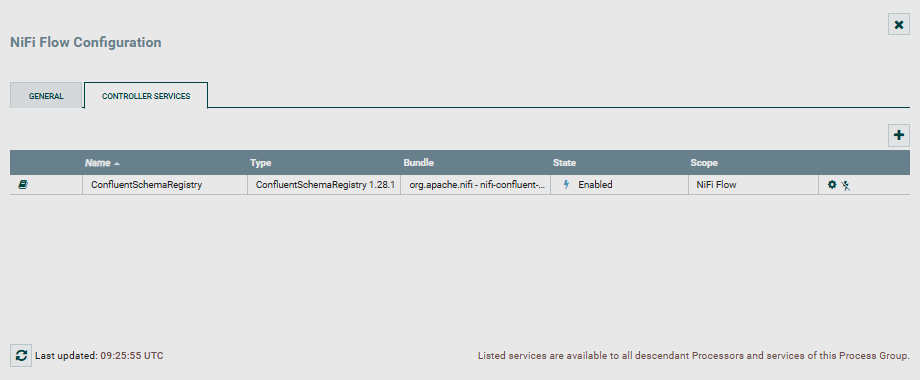 Controller service on the CONTROLLER SERVICES page
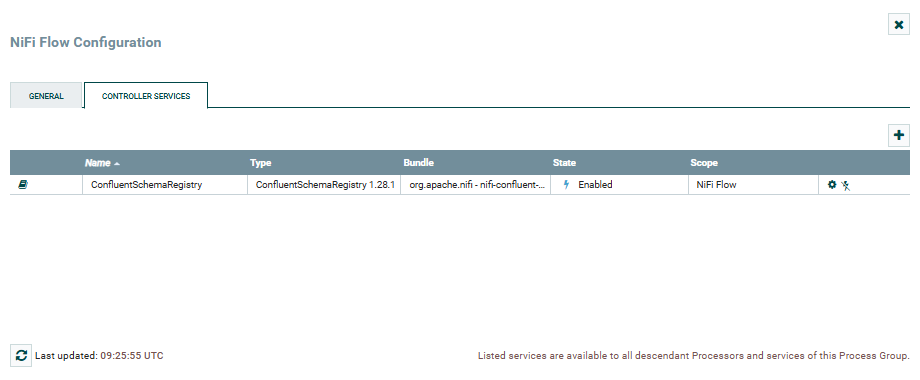 Controller service on the CONTROLLER SERVICES page
Clicking on
 opens the controller configuration page, where on the PROPERTIES tab, the Schema Registry URLs parameter is set to the value corresponding to the
 schema_registry_urlparameter and the current cluster topology.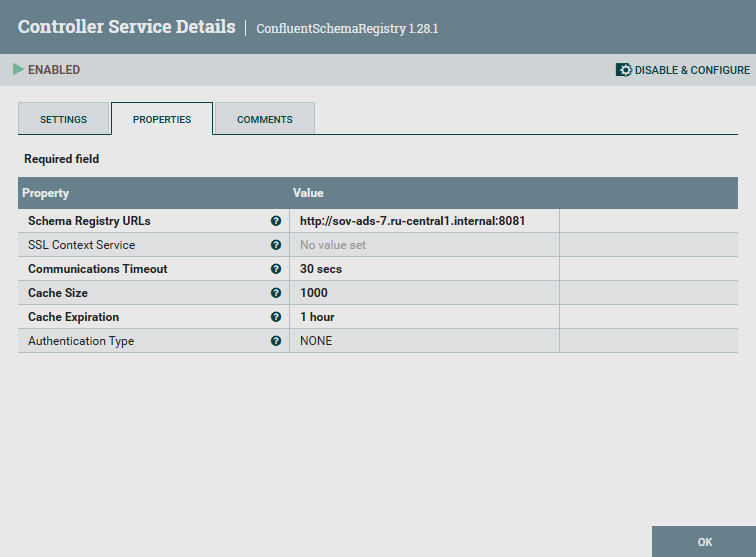 ConfluentSchemaRegistry parameters
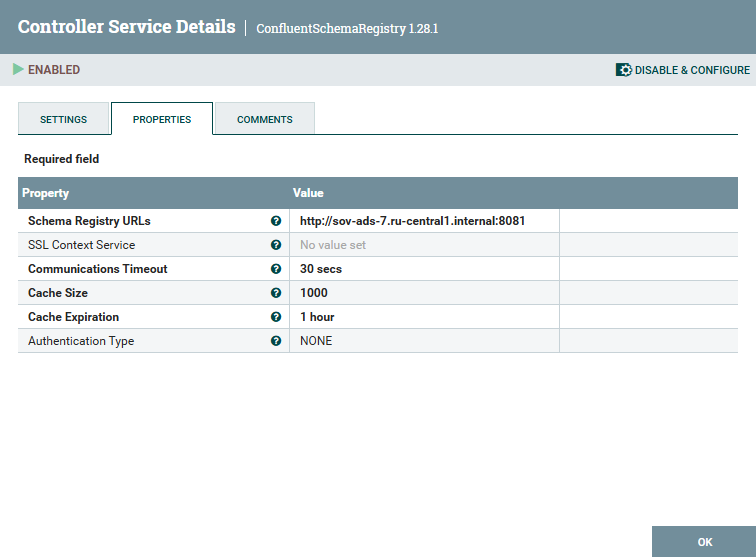 ConfluentSchemaRegistry parameters
The instance of the ConfluentSchemaRegistry controller service, created and configured automatically, interacts with the Schema-Registry service storage to retrieve and use schemas in NiFi. ConfluentSchemaRegistry can be used when reading serialized messages from Kafka using the ConsumeKafkaRecord processor, if the schema for the messages is stored in the Schema-Registry. One of the options for configuring such a connection:
-
For ConsumeKafkaRecord, the Value Record Reader is set to use AvroReader, which deserializes Avro data and returns each Avro record as an individual Record object.
-
For AvroReader, the Schema Access Strategy is set to
Confluent Content-Encoded Schema Reference, in which case the Schema-Registry parameter can be set to an automatically created instance of the ConfluentSchemaRegistry service.
-
Connection to Kafka and Schema-Registry with SSL
For the connection described in the section, the following was performed in ADS:
During the next execution of the Kafka integration action in NiFi, the following occurs:
-
The creation of an instance of the StandardSSLContextService controller service with SSL configurations that correspond to the security settings of the cluster.
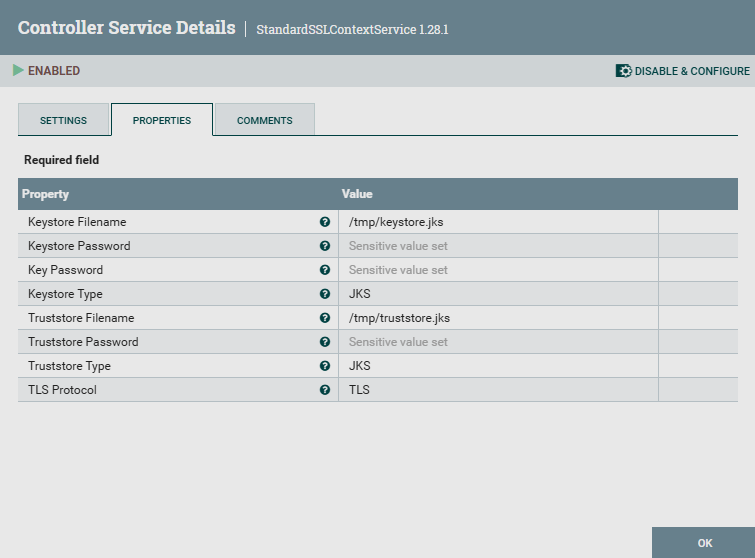 StandardSSLContextService parameters
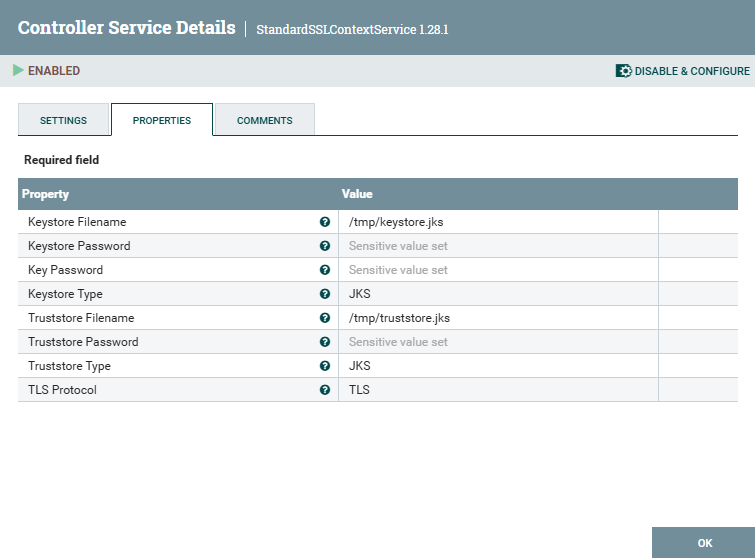 StandardSSLContextService Parameters
This controller service can be specified as the value of the SSL Context Service parameter for processors connecting to Kafka, such as ConsumeKafkaRecord, whose usage is described in above.
-
Updating objects:
-
platform-integrationparameter context, which contains thebootstrap_serversandschema_registry_urlparameters reflecting the current cluster topology. -
ConfluentSchemaRegistry, connected to StandardSSLContextService for linking with the SSL context.
-
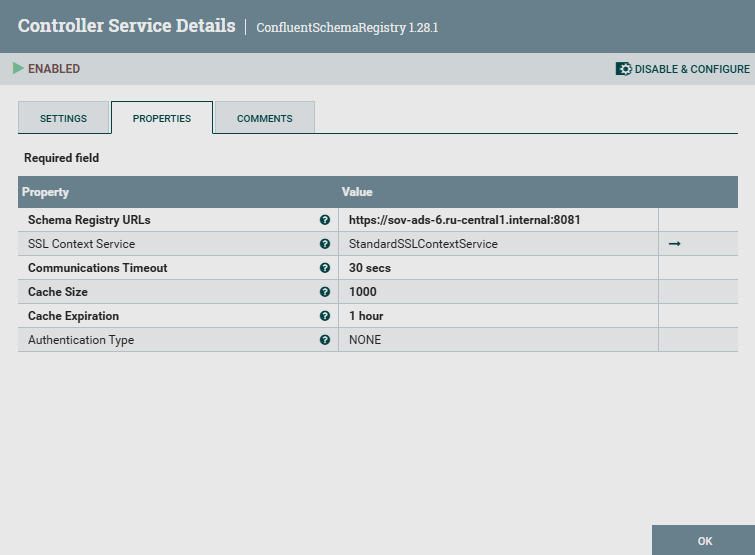

Change the cluster topology
For the connection described in the section, the following was completed:
-
The NiFi, Kafka, Schema-Registry, and ZooKeeper services were installed.
-
Initial integration with Kafka and Schema-Registry was completed, creating
platform-integrationand ConfluentSchemaRegistry as described above. -
To change the cluster topology:
-
In Kafka, new Kafka Broker components were added using the Add/Remove components action.
-
In Schema-Registry, the host for the Schema-Registry component was changed using the Add/Remove components action.
-
During the next execution of the Kafka integration action in NiFi, the following occurs:
-
Updating the
bootstrap_serversandschema_registry_urlparameters in theplatform-integrationparameter context. -
Updating the configuration of the ConfluentSchemaRegistry controller service.
After the update, the object identifiers in the NiFi flow remain unchanged.