

HAProxy service management via ADCM
This article describes the main actions available for working with the service in ADCM.
To go to actions in the service, click the cluster name on the Clusters page, open the Services tab, click 
 in the line corresponding to
the HAProxy service, and choose the desired action.
in the line corresponding to
the HAProxy service, and choose the desired action.
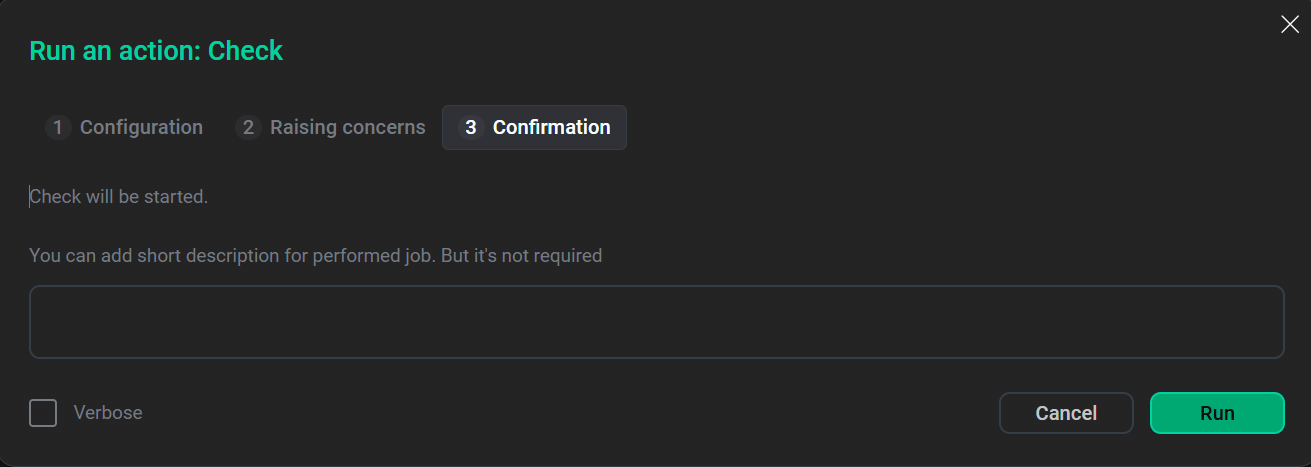
When you select an action, ADCM displays a confirmation form. In this form, on the Confirmation tab, you can select the Verbose check box to view additional information about the action execution on the Jobs page.
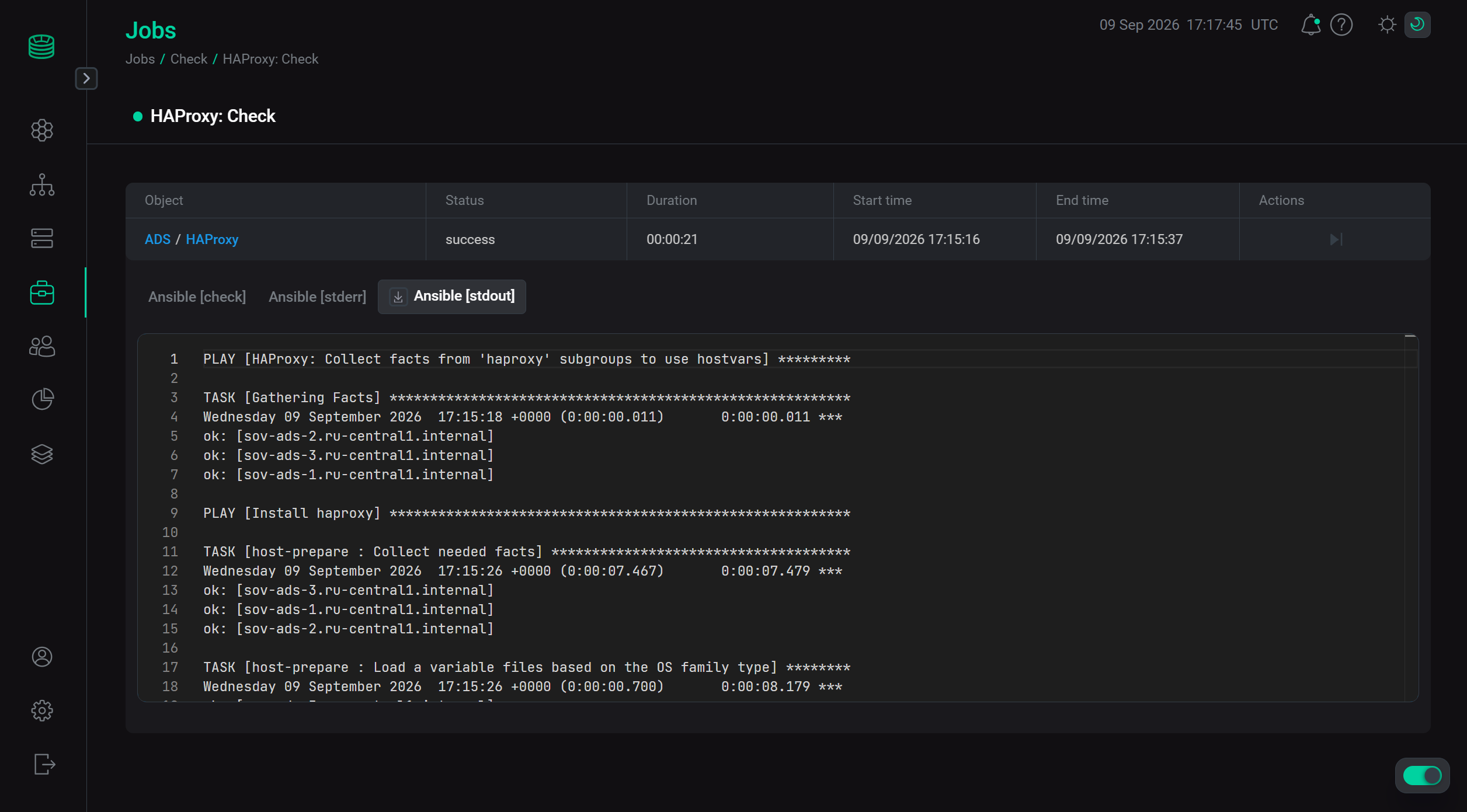
To view the results of an action, go to Jobs and click the name of the corresponding action or on its component.
Next, the page with the results of the action becomes available for viewing, where you can analyze errors if they occur.
To initiate action in the components of the service, from the Services tab, navigate to the service configuration parameters page by clicking on the service name.
Next, from the Primary configuration tab, go to the service components configuration page.
To select an action, click in the row corresponding to the component.
Service actions
Check
In HAProxy, Check checks the service availability on the port and the service status.
After selecting the action, set the required value select the required value for the Apply configs from ADCM option. If it is set to true, all service configurations defined in ADCM settings will be applied during the service restart. Otherwise, the service restarts without applying configurations from ADCM.
Add/Remove components
The Add/Remove components action allows you to change the number of components installed for the service.
After selecting the action, do the following:
-
Select parameter values for installation.
-
Select hosts to install instances of the new component or remove hosts previously associated with the service component.
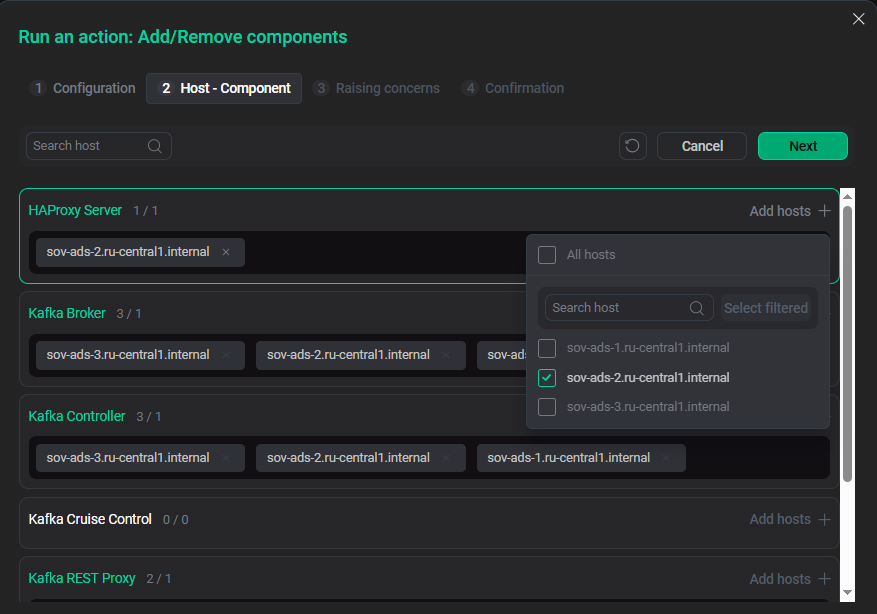 Selecting hosts for a service component
Reload
The Reload action updates the service configuration without restarting the service.
After selecting the action, set the required value select the required value for the Apply configs from ADCM option. If it is set to true, all service configurations defined in ADCM settings will be applied during the service restart. Otherwise, the service restarts without applying configurations from ADCM.
Restart
The Restart action stops and then starts the service.
After selecting the action, set the required value select the required value for the Apply configs from ADCM option. If it is set to true, all service configurations defined in ADCM settings will be applied during the service restart. Otherwise, the service restarts without applying configurations from ADCM.
|
NOTE
The Reload or Restart action should be performed whenever the Kafka REST Proxy and Schema-Registry services are installed or their configurations are changed. The corresponding flag will appear. |
Start
The Start action starts the service.
After selecting the action, set the required value select the required value for the Apply configs from ADCM option. If it is set to true, all service configurations defined in ADCM settings will be applied during the service restart. Otherwise, the service restarts without applying configurations from ADCM.
Stop
The Stop action stops the service.
After selecting the action, set the required value select the required value for the Apply configs from ADCM option. If it is set to true, all service configurations defined in ADCM settings will be applied during the service restart. Otherwise, the service restarts without applying configurations from ADCM.