

Enforce Enhanced Security action
ADP provides functionality required for trust level 4 of the FSTEC certification. To manage it, use the Enforce Enhanced Security cluster action.
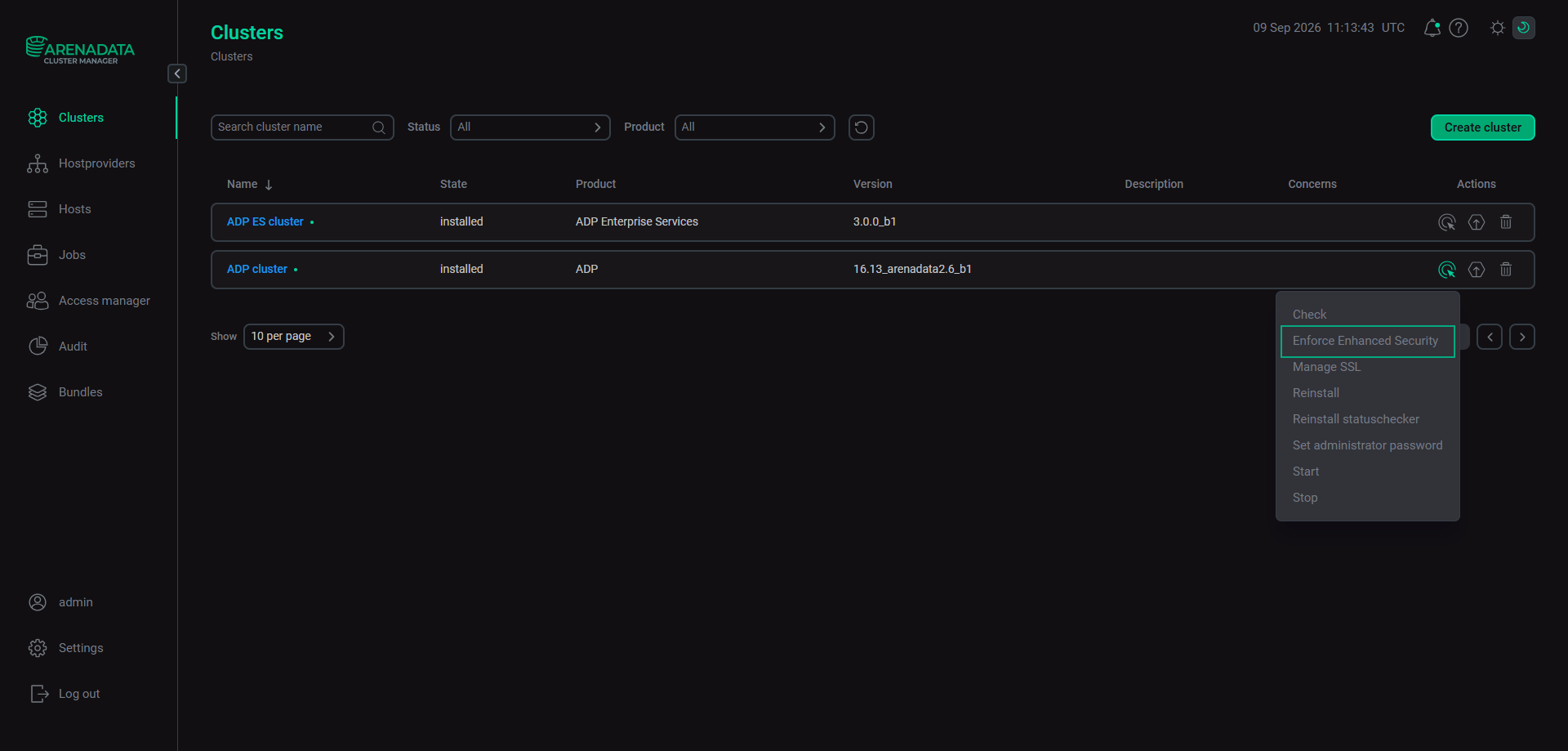
To run the Enforce Enhanced Security action, go to the Clusters page. Click 
 in the Actions column to display a drop-down list with the available actions, and select Enforce Enhanced Security.
In the window that opens, switch on the Enforce Enhanced Security toggle button.
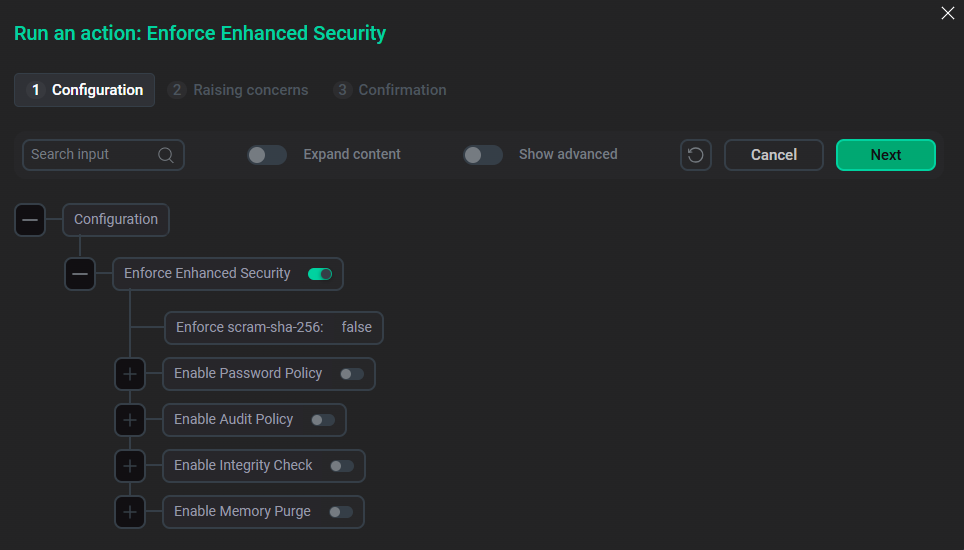
Security settings are displayed below the Enforce Enhanced Security toggle button. Parameters highlighted in red are required.
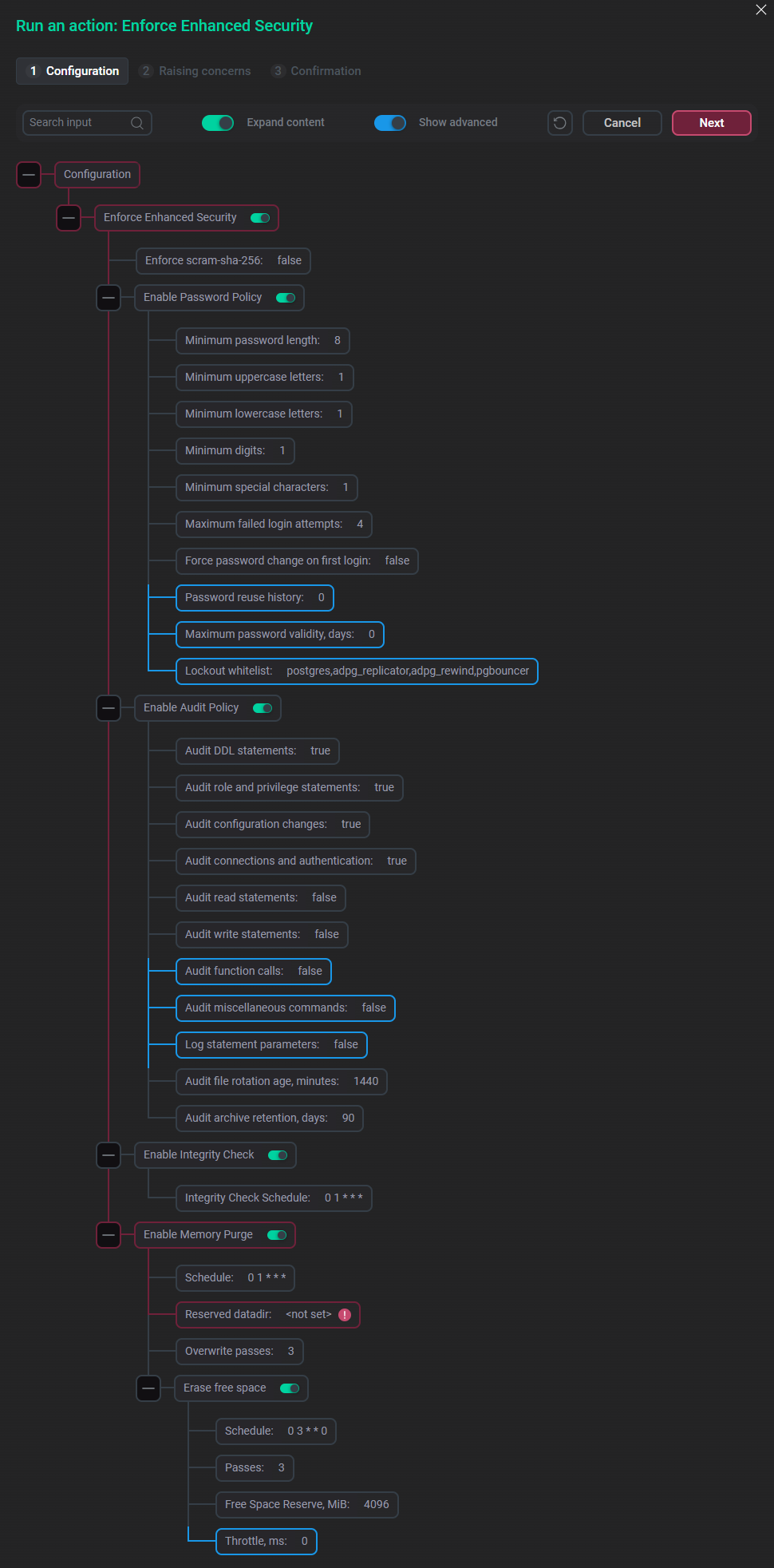
The available security options are described below.
Enforce scram-sha-256
This option enables or disables host-level scram-sha-256 authentication for cluster nodes with the ADPG service. By default, scram-sha-256 authentication is disabled — it is set to false. To enable it, click the Enforce scram-sha-256 field, select the Enforce scram-sha-256 checkbox in the window that opens, and click Apply.
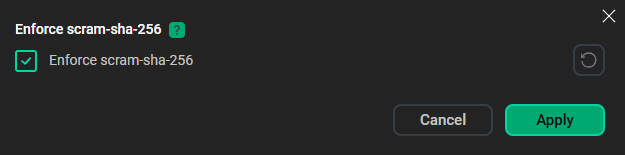
After enabling scram-sha-256 authentication, the postgres user, which has no password, retains local access through peer authentication. If network access is required for this user, a password should be set. You can use the Set administrator password action to do this.
When the Enforce scram-sha-256 option is enabled, interaction between ADP ES and this ADP cluster becomes impossible.
Enable Password Policy
This option enables security policies for user credentials. The Password reuse history, Maximum password validity, days, and Lockout whitelist parameters become visible in the ADCM interface when the Show advanced toggle is activated.
| Parameter | Description | Default value |
|---|---|---|
Minimum password length |
Minimum length of a password |
8 |
Minimum uppercase letters |
Minimum number of uppercase letters that a password should contain |
1 |
Minimum lowercase letters |
Minimum number of lowercase letters that a password should contain |
1 |
Minimum digits |
Minimum number of digits that a password should contain |
1 |
Minimum special characters |
Minimum number of special characters that a password should contain |
1 |
Maximum failed login attempts |
Maximum number of consecutive unsuccessful password authentication attempts after which the account is locked. The |
4 |
Force password change on first login |
Specifies whether new users are required to change the password set for them after the first successful authentication |
false |
Password reuse history |
Number of the most recent passwords that cannot be reused. The |
0 |
Maximum password validity, days |
Number of days a password stays valid. The |
0 |
Lockout whitelist |
Comma-separated list of roles that are never locked on authentication failures. Preserving the specified system roles prevents replication, connection pooling, and superuser access from being blocked in emergency situations by a remote attacker or a misconfigured component. If you remove a role from the default list, this role can be blocked, which could lead to a denial of service for the cluster |
postgres,adpg_replicator,adpg_rewind,pgbouncer |
A node restart clears the Maximum failed login attempts lock for all users. To clear the Maximum failed login attempts lock for different users across the entire cluster, perform the following steps:
-
For all users except
postgres— run the Reconfigure & Restart action of the ADPG service. Alternatively, run sequentially Stop and Start ADPG service actions. -
For the
postgresuser — run thepatronictl restartcommand in the Linux console.
For more information on account security policies, refer to the documentation for the credcheck extension.
Enable Audit Policy
This option enables logging of security events. The Audit function calls, Audit miscellaneous commands, and Log statement parameters parameters become visible in the ADCM interface when the Show advanced toggle is activated.
| Parameter | Description | Default value |
|---|---|---|
Audit DDL statements |
Whether to log all DDL statements that implement creation, modification, and deletion of databases, tables, views, functions, procedures, and other schema objects |
true |
Audit role and privilege statements |
Whether to log creation and modification of user accounts and access control rules (the |
true |
Audit configuration changes |
Whether to log statements that change configuration parameters ( |
true |
Audit connections and authentication |
Whether to log authentication attempts, connections, and disconnections |
true |
Audit read statements |
Whether to log the |
false |
Audit write statements |
Whether to log the |
false |
Audit function calls |
Whether to log function calls and |
false |
Audit miscellaneous commands |
Whether to log miscellaneous commands: |
false |
Log statement parameters |
Whether to include bind parameter values of audited statements in the audit log. Since parameter values may contain sensitive data, the option should be enabled carefully |
false |
Audit file rotation age, minutes |
Determines the maximum lifetime of an independent audit log file before it is automatically rotated, in minutes |
1440 |
Audit archive retention, days |
Rotated audit log files are compressed, and their archives older than the specified number of days are deleted. The |
90 |
For more information on security event logging, refer to the documentation for the pgaudit extension.
Enable Integrity Check
This option activates the integrity check. If enabled, ADP checks the integrity of the configuration files, roles, and group membership at the DBMS level, and row-level security policies, stored procedures, and functions in every database. In case of an integrity violation, the system blocks database user access to the cluster by setting the authentication method to reject in pg_hba.conf on all nodes and setting a blocking flag in etcd.
To remove the cluster lock, run Enforce Enhanced Security again with the Enable Integrity Check option enabled. Checksums will be recalculated based on the current configuration, and the cluster will be restarted without blocking users.
The following actions cannot be performed until the cluster lock is removed (an error will appear when attempting to run them):
-
Cluster actions:
-
Manage SSL;
-
Reinstall;
-
Upgrade.
-
-
ADPG service actions:
-
Expand;
-
Reconfigure & Restart.
-
Note that the Enable Integrity Check option cannot check custom tablespaces.
The Integrity Check Schedule parameter of the Enable Integrity Check section allows you to specify the integrity check schedule. It should be in the Cron expression format, and the interval must not exceed 24 hours. The default value is 0 1 * * * (at 1 a.m. every day).
Enable Memory Purge
This option enables automatic deletion of ADP database objects from the file system. The Throttle, ms parameter becomes visible in the ADCM interface when the Show advanced toggle is activated.
| Parameter | Description | Default value |
|---|---|---|
Schedule |
A Cron expression that specifies the memory purge schedule |
0 1 * * * |
Reserved datadir |
Specifies the absolute path to the directory used for a hard-linked copy of the ADP data directory. The directory should be located on the same block device |
— |
Overwrite passes |
Specifies how many times a deleted file is overwritten with random data before it is removed |
3 |
Erase free space |
Whether to overwrite unallocated space of the data directory on a schedule. This erases blocks released outside the hard link mechanism by dropped and rewritten tables, VACUUM, removed WAL segments, and deleted logs |
enabled |
Erase free space: Schedule |
A Cron expression that specifies a schedule for overwriting unallocated space of the data directory |
0 3 * * 0 |
Erase free space: Passes |
Specifies the number of times to overwrite unallocated space of the data directory |
3 |
Erase free space: Free Space Reserve, MiB |
The amount of free space in MiB that should remain when overwriting unallocated space of the data directory. This amount must be greater than the amount the cluster uses during operations |
4096 |
Erase free space: Throttle, ms |
Pause in ms between writing 256 MiB blocks. |
0 |
After you enable the required options and set their parameters, click Next to switch to the Confirmation tab, and then click Run to confirm the action.
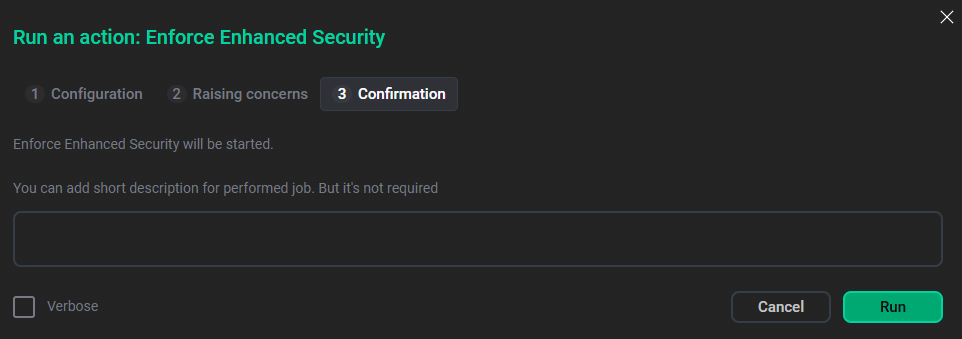
To disable or modify security options, run the Enforce Enhanced Security action again and update the values of the required options and parameters in the Run an action: Enforce Enhanced Security window.
|
NOTE
When Enforce Enhanced Security is enabled, the shared_preload_libraries parameter value in the postgresql.conf field of the ADPG service’s ADPG configurations section does not contain preloaded libraries that this functionality uses.
|