

config
Each ADCM object can have a configuration — a structured set of parameters that define its properties.
Configuration parameters can be grouped. The number of nested groups is not limited.
The web interface provides the following tabs for working with the configuration:
-
Primary configuration
-
Ansible settings
-
Configuration group
For more detailed information about configuration usage rules, see Configuration parameters in the ADCM UI.
Bundle developers can access the configuration using inventory files.
---
- type: cluster
  name: control
  version: 1
  description: "Monitoring and Control Software"

  config:
    - name: repos
      type: group
      subs:
         - name: ads
           display_name: "ADS repository URL"
           type: string
           default: https://ci.arenadata.io/artifactory/list/ads-centos7-x64-ads/
           required: no
Since the ads parameter in the repos group is optional in the example above, the user may leave it empty.
The parameter can also be specified at the top level:
---
- type: cluster
  name: control
  version: 1
  description: "Monitoring and Control Software"

  config:
    - name: ads
      type: string
      default: https://ci.arenadata.io/artifactory/list/ads-centos7-x64-ads/
      required: no
Configuration parameter properties
| Name | Required | Values | Default | Description |
|---|---|---|---|---|
type |
Yes |
See below |
— |
|
display_name |
No |
Defined by the user |
— |
Name displayed in the web interface |
description |
No |
Defined by the user |
— |
Parameter description |
default |
No |
Defined by the user |
— |
Default parameter value |
required |
No |
yes/no |
Yes |
If the value is |
No |
See below |
No |
Sets the parameter as read-only under certain conditions |
|
No |
See below |
Yes |
Sets the parameter as writable under certain conditions |
|
No |
See below |
No |
Allows configuring how the parameter is displayed in the web interface |
|
No |
yes/no |
No |
Allows the parameter to be modified via config groups |
|
No |
Defined by the user |
— |
Rule for validating the value of the configuration parameter |
|
No |
See below |
No |
Allows specifying additional settings for the parameter during Ansible inventory file generation |
Detailed information about configuration parameter properties is provided below.
read_only
The read_only property implements an access control mechanism for configuration parameters, making them read-only. This prevents modifications from the user and via the API for the specified cluster, host, or service states.
The following examples show the quorum property defined as read-only:
-
when the service is in the
installedorrunningstate:
config:
  quorum:
    type: integer
read_only: [installed, running]-
when the service state is not equal to
created:
config:
  quorum:
    type: integer
writable: [created]-
when the service is in any state:
config:
  quorum:
    type: integer
    default: 4
read_only: anyui_options
The ui_options property controls how the configuration appears in the web interface.
The following options are available:
-
advanced(the property becomes available to the user when the Advanced toggle is enabled in the web interface)To mark parameters as advanced (for advanced configuration), specify
advanced: truein theui_optionsblock. Parameters with this option are displayed in the web interface when the corresponding toggle is enabled.float: type: float default: 1.0 required: no ui_options: advanced: true -
invisibleTo hide the configuration in the web interface, set
invisible: truein theui_optionsblock. This option does not affect access to the configuration data via the API and does not override theread_only/writablelogic. It applies exclusively to the web interface display.int: type: integer default: 1 required: no ui_options: invisible: true
group_customization
The group_customization property provides the ability to configure the parameter at the level of config groups.
---
 - name: ads
   type: string
   group_customization: true/false
pattern
The pattern property allows you to specify a validation rule for the value of a configuration parameter using a regular expression. This property is supported for the password, string, text, and secrettext configuration parameter types.
The value of the pattern property should be a string representing a valid regular expression according to the ECMA 262 regular expression dialect and the following rules:
-
Any Unicode character not listed among the special metacharacters described below matches itself.
-
Only standard escape sequences such as
\n,\r,\tare allowed. Note that the backslash (\) should be escaped according to JSON syntax.
| Symbol | Description |
|---|---|
. |
Matches any single character except a newline |
^ |
Matches the start of a text string |
$ |
Matches the end of a text string |
(…) |
Groups a series of regular expressions into a single expression |
| |
Specifies alternation and corresponds to the logical |
[abc] |
Matches any character listed inside the brackets |
[a-z] |
Matches any character within the specified range |
[^abc] |
Matches any character not listed in the brackets |
[^a-z] |
Matches any character outside the specified range |
+ |
Specifies that the preceding character or expression can occur one or more times |
* |
Specifies that the preceding character or expression can occur zero or more times |
? |
Specifies that the preceding character or expression can occur zero or one time |
+?, *?, ?? |
"Lazy" versions of "greedy" quantifiers. Performs a "lazy" match, where the preceding character or expression may appear:
|
(?!x), (?=x) |
Negative and positive lookahead assertions |
{x} |
Matches exactly |
{x,y} |
Matches at least |
{x,} |
Matches |
{x,}? |
"Lazy" search for |
{x,y}? |
"Lazy" search for at least |
If you add the pattern property when creating a new bundle version, be aware that existing configuration parameter values (in the object before the upgrade) may not comply with the validation rule defined by this property.
In this case, one of the following approaches can be used:
-
Stop the object upgrade if the configuration parameter value does not satisfy the validation rule.
-
Migrate the configuration parameter value if required.
-
Set a flag to notify the user that the configuration parameter value should be updated manually.
When using the pattern property, it is recommended to describe the constraints defined by the pattern in the description property using clear and user-friendly wording.
config:
- name: example
  type: password
  display_name: "Example password"
  description: "Use uppercase and lowercase letters, as well as numbers"
  default: "qwerty56"
  pattern: "[a-z][A-Z][0-9]*?"
ansible-options
The ansible_options property allows you to define options for setting up a configuration parameter during Ansible inventory file generation.
The supported option is unsafe which marks the variable value as unsafe to prevent unsafe character substitution in accordance with the Ansible functionality.
---
 - name: adb
   type: string
   display_name: "Name of default database"
   default: {%adb
   ansible_options:
     unsafe: True
Configuration parameter types
Below are the available configuration parameter types with detailed descriptions of their properties and examples of usage.
boolean
A boolean parameter. Possible values:
-
True -
False
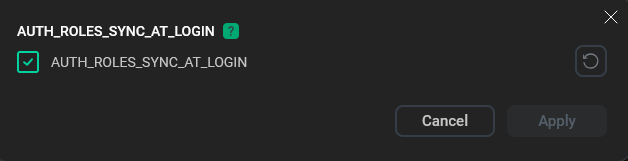
config:
  - name: master_mount_storage
    display_name: Mount master storage device for data
    description: >
      Mount block storage devices to data directories on master server
      hosts. If no block storage devices listed nothing to be done.
    type: boolean
    default: false
file
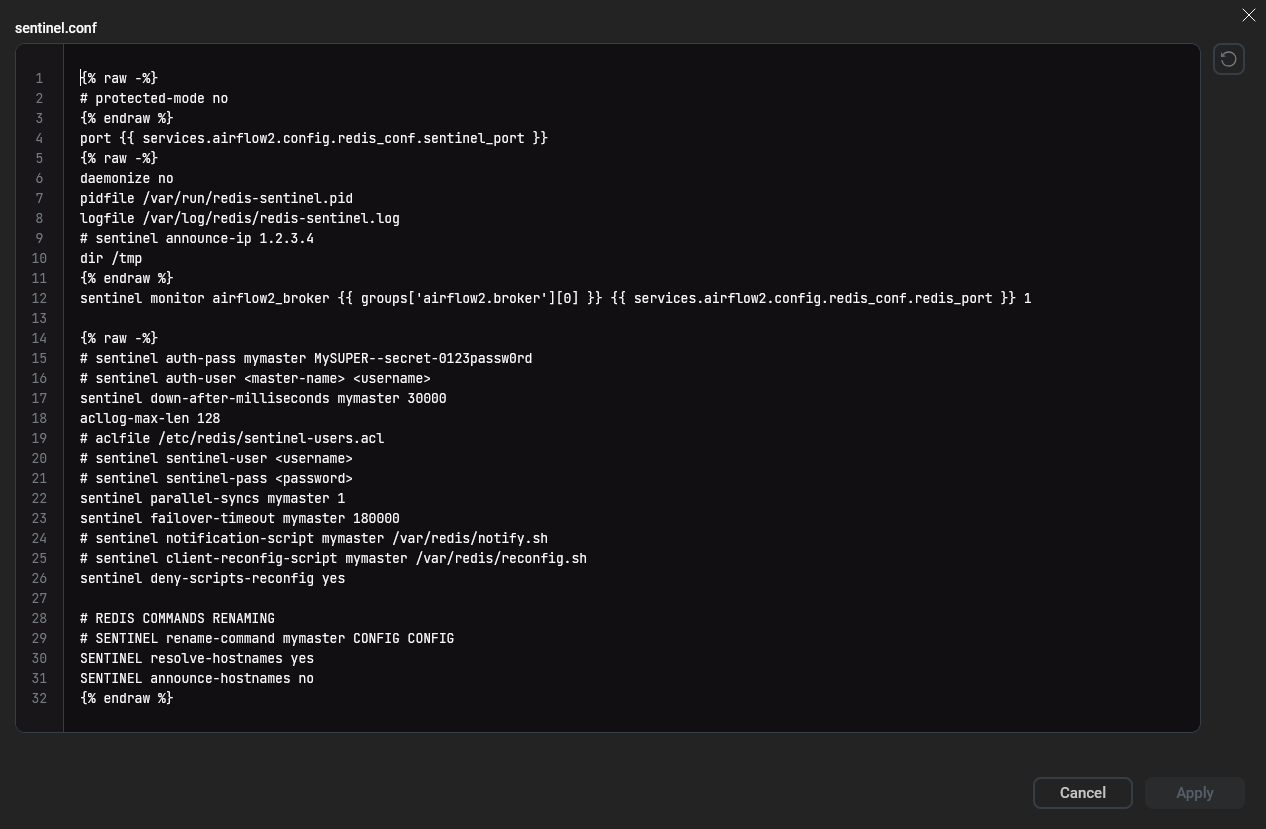
A file on the filesystem that stores the content of the configuration parameter. When the variable is accessed from an Ansible script, the variable returns the full path to the file.
The default value is specified as a file path relative to the bundle root directory. The file content can be edited through the web interface, and it is automatically updated when the configuration is saved.
This type is intended to securely store private SSH keys required for Ansible.
config:
  - name: conf_properties_template_sentinel
    display_name: sentinel.conf
    type: file
    default: ansible/roles/airflow2/templates/sentinel.conf.j2
    ui_options:
      advanced: True
A dot (.) can be used to specify the default file path. In this case, the default file will be searched for in the same directory where the config.yaml file is located:
config:
  ansible_private_key_file:
    type: file
    default: ./ssh.key
float
A floating-point number. The default value: 0.0.
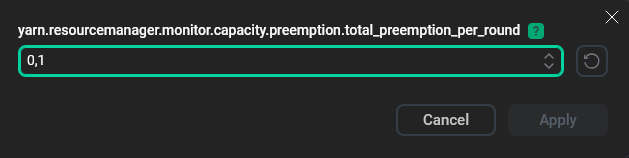
You may specify optional min and max parameters to constrain the values of configuration parameters:
config:
  - name: yarn.resourcemanager.monitor.capacity.preemption.total_preemption_per_round
    description: "Maximum percentage of resources preempted in a single round. By controlling this value one can throttle the pace at which containers are reclaimed from the cluster. After computing the total desired preemption, the policy scales it back within this limit"
    type: float
    default: 0.1
    ui_options:
      advanced: True
group
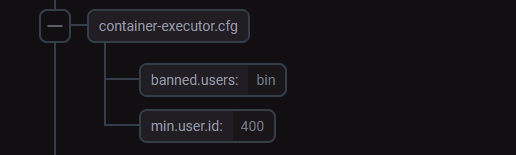
The type that allows you to group configuration parameters. A group can be activatable, which means you can enable or disable the group via the web interface. When a group is disabled (active = false), a user does not need to fill in its associated values in the web interface. The values of this group in the Ansible inventory file will also be null.
|
NOTE
Starting from ADCM 2.9.0, one group can be included within another. The number of nested groups is unlimited.
|
config:
  - name: redis_conf
    display_name: "Redis configuration"
    type: group
    subs:
      - name: conf_properties_template_redis
        display_name: redis.conf
        type: file
        default: ansible/roles/airflow2/templates/redis.conf.j2
        ui_options:
          advanced: True
      - name: conf_properties_template_sentinel
        display_name: sentinel.conf
        type: file
        default: ansible/roles/airflow2/templates/sentinel.conf.j2
        ui_options:
          advanced: True
      - name: redis_port
        description: "Redis broker listen port"
        type: integer
        default: 6379
        min: 1024
        max: 65535
      - name: sentinel_port
        description: "Sentinel port"
        type: integer
        default: 26379
        min: 1024
        max: 65535
integer
An integer number. The default value is 0.
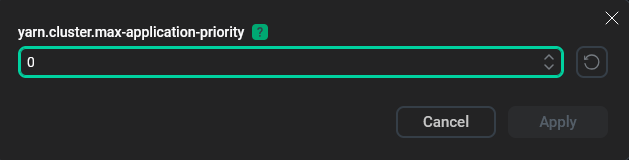
You can use the optional min and max parameters to restrict the values of configuration parameters:
config:
  - name: yarn.cluster.max-application-priority
    description: "Defines maximum application priority in a cluster. If an application is submitted with a priority higher than this value, it will be reset to this maximum value"
    type: integer
    default: 0
    ui_options:
      advanced: True
json
Arbitrary data in JSON format. The JSON structure is not maintained and can be modified on each configuration update.
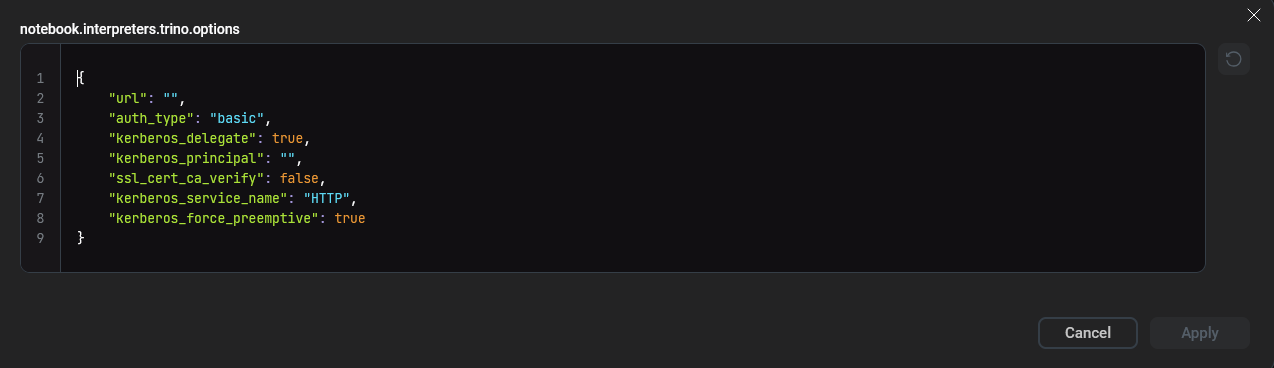
config:
  - name: notebook.interpreters.trino.options
    type: json
    default:
      url: ""
      auth_type: "basic"
      kerberos_principal: ""
      kerberos_service_name: "HTTP"
      kerberos_force_preemptive: True
      kerberos_delegate: True
      ssl_cert_ca_verify: False
    read_only: any
list
A dynamic array of variable length. The array elements should be strings. Any element can be added, removed, or modified with each configuration update.

config:
  - name: sources
    display_name: "Sources"
    description: "Set a list of sources which will be written into flink-env.sh"
    required: False
    type: list
    default:
      - "/usr/lib/bigtop-utils/bigtop-detect-javahome"
map
A dynamic dictionary of variable length containing key/value pairs. Keys and values should be strings. Any key or value can be added, removed, or modified with each configuration update.
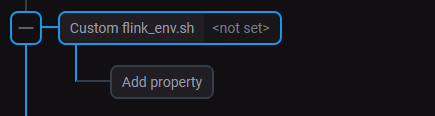
config:
  - name: flink_env_custom
    display_name: "Custom flink_env.sh"
    description: "Add value to environment variables."
    type: map
    required: False
    ui_options:
      advanced: True
    group_customization: true
option
The key/value dictionary type. Keys are displayed in the web interface, while their corresponding values are stored in the database.
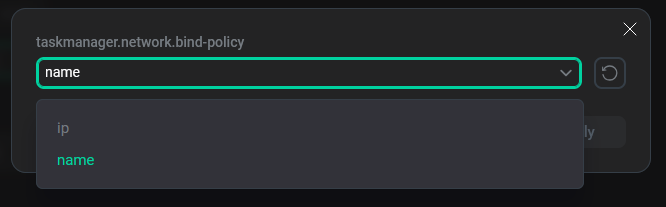
config:
  - name: taskmanager.network.bind-policy
    description: "The automatic address binding policy used by the TaskManager"
    type: option
    option: {"name": name, "ip": ip}
    default: name
password
|
IMPORTANT
If a default value is set for configuration parameters of the password, secretfile, or secretmap type, it will not be migrated during a bundle upgrade.
|
Similar to the string type. It appears in the web interface as a password input field (with masked characters), the value is stored in the database in encrypted form.
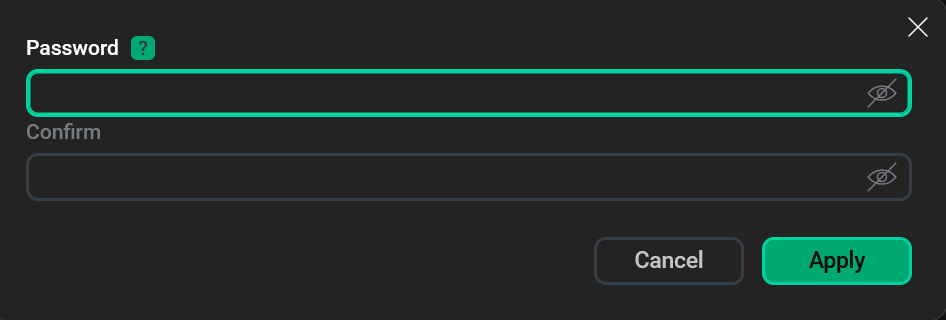
config:
  - name: AUTH_LDAP_BIND_PASSWORD
    description: "The password of the bind user"
    type: password
secretfile
A file in the filesystem that stores the content of a configuration parameter in unencrypted form. When accessing a variable from an Ansible script, the variable returns the full path to the file. Unlike the file type, it is displayed masked in the web interface, and its value is stored encrypted in the database.

config:
  - name: adcc_private_key_file
    display_name: Server private key
    description: Insert your own private key. Put the contents of the *.key file here.
    type: secretfile
    required: false
secretmap
A dynamic dictionary containing key/value pairs of arbitrary size. Both keys and values should be strings. Unlike the map type, the values are masked and stored encrypted in the database.
  - name: chproxy_users_creds
    display_name: "Users/password map"
    description: "Map with 'username: password'. For example: 'my_user: password1'"
    required: False
    type: secretmap
selection_group
The type that defines mutually exclusive nested groups, allowing the user to select one of the nested groups.
|
IMPORTANT
For this type, first-level child configuration parameters can only be of the group type.
|
config:
  - name: catalog.manager
    type: selection_group
    default: static
    subs:
      - name: static
        type: group
        subs:
          - name: "catalog.config-dir"
            type: list
            default: ["/etc/catalog/"]
      - name: dynamic
        type: group
        subs:
          - name: "catalog.store"
            type: string
            default: "file"
string
An arbitrary string. The string length is unlimited. The default value is an empty string ("").
config:
  - name: AUTH_LDAP_GROUP_FIELD
    description: "The LDAP user attribute which has their role DNs"
    type: string
structure
The type is used to define multi-level configurations. The number of levels is unlimited. Configuration descriptions are defined according to the specification provided below.
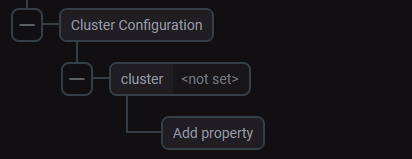
Every time the configuration is updated, new data is compared to the specification. If the input does not match the specification, ADCM returns an error.
The root element is the top-level element and should appear first in the configuration specification.
The root configuration element that should be described first in the specification is called root. The match element is used to further describe the attributes and performs the data type function. Possible values:
-
dict -
list
Depending on the match value, the following level attributes are described:
-
items— fordict; -
item— forlist.
Lists of available attributes and match values (element types) are provided in the tables below.
| Name | Type | Required | Description |
|---|---|---|---|
match |
string |
Yes |
Rule used to validate other rules |
item |
string |
Yes, for |
Rule used to validate each object if the |
items |
key/value pairs |
Yes, for |
Rule used to validate each object if the |
required_items |
list |
No |
List of required object elements. It is used when you assign a |
invisible_items |
list |
No |
Contains elements that can be used for internal use and are not visible to the user |
default_item |
string |
No |
Rule that additionally checks the user-created element in the object. It is used when you assign a |
| Type | Description |
|---|---|
string |
Simple type. It is used for string values |
boolean |
Simple type. It is used for boolean operations |
integer |
Simple type. It is used for integers |
The configuration example:
config:
  - name: cluster_config
    display_name: Cluster Configuration
    type: structure
    yspec: cluster_conf.yml
    required: False
The specification cluster_conf.yml file:
---
    root:
      match: dict
      items:
        cluster: cluster

    cluster:
      match: list
      item: cluster_list

    cluster_list:
      match: dict
      items:
        cluster_name: string
        shards: shards
      required_items:
        - cluster_name

    shards:
      match: list
      item: shard_list

    shard_list:
      match: dict
      items:
        weight: integer
        shard_id: string
        internal_replication: bool
        replicas: replicas
      required_items:
        - weight
        - internal_replication
      invisible_items:
        - shard_id

    replicas:
      match: list
      item: replica_list

    replica_list:
      match: dict
      items:
        host: string
        replica_id: string
      required_items:
        - host
      invisible_items:
        - replica_id

    string:
      match: string

    integer:
      match: int

    bool:
      match: bool
You can use a dot to specify the path to the specification file. In this case, the file will be searched for in the directory where config.yaml is located:
yspec: ./schema.yamltext
Similar to the string type, but in the web interface it appears as a multi-line text field.
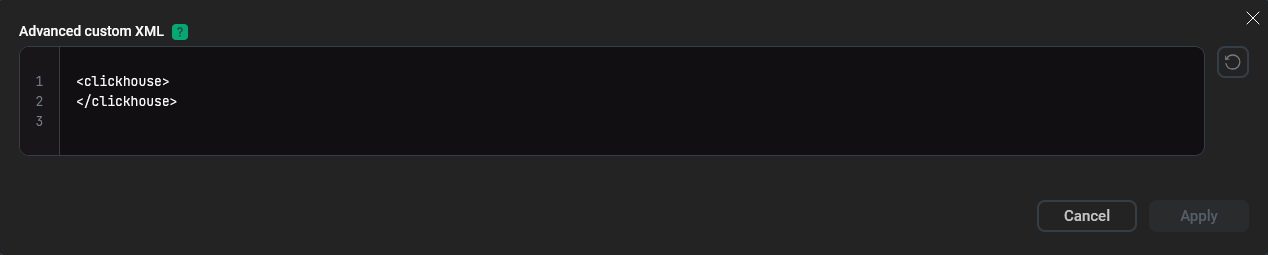
config:
  - name: custom_xml
    display_name: "Advanced custom XML"
    description: |
      Custom core server settings for ClickHouse specified in the XML format.
      The parameters must comply with the XML rules applied in the Clickhouse configuration files.
      The entered configuration is displayed as is.
      The number of indents from the beginning of the line is carried over unchanged.
    type: text
    default: |
       <clickhouse>
       </clickhouse>
    required: False
    ansible_options:
      unsafe: True
variant
The type that allows the user to select a single value from a list of options in the web interface. Data sources can be different. In particular, the list of options can be obtained from another configuration parameter of the list type.
If strict: true is specified, a user can select only a value from the list. If strict: false is specified, a user can enter any value.
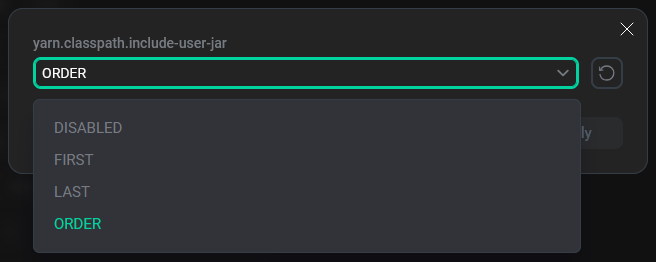
config:
  - name: yarn.classpath.include-user-jar
    display_name: "yarn.classpath.include-user-jar"
    description: "Defines whether user-jars are included in the system class path as well as their positioning in the path."
    type: variant
    source:
      type: inline
      strict: true
      value:
        - DISABLED
        - FIRST
        - LAST
        - ORDER
    default: ORDER
To get a list of options, you can use the built-in ADCM functions. For example, the cluster_hosts function returns a list of all hosts in the current cluster:
config:
  - name: cluster_host
    type: variant
    source:
      type: builtin
      name: host_in_cluster
The following built-in ADCM functions are available:
-
host_in_cluster— returns a list of all hosts in the current cluster. -
host_not_in_clusters— returns a list of all hosts that are not added to any cluster. -
service_in_cluster— returns a list of all services installed in the current cluster. -
service_to_add— returns a list of all services that are not installed in the current cluster. -
host— receives the arguments aspredicateandargs, wherepredicateis the name of the host internal function andargscontains the arguments for that function. All internal functions return the list of hosts (may be empty):
config:
  - name: vhost
    type: variant
    source:
       type: builtin
       name: host
       args:
         predicate: and
         args:
           - predicate: in_service
             args:
               service: UBER
           - predicate: or
             args:
               - predicate: in_component
                 args:
                   service: UBER
                   component: UBER_SERVER
               - predicate: in_cluster
                 args: