

Cluster actions
This article describes the actions available for the ADB ES cluster in the ADCM UI.
Overview
You can find cluster actions on the Clusters page.
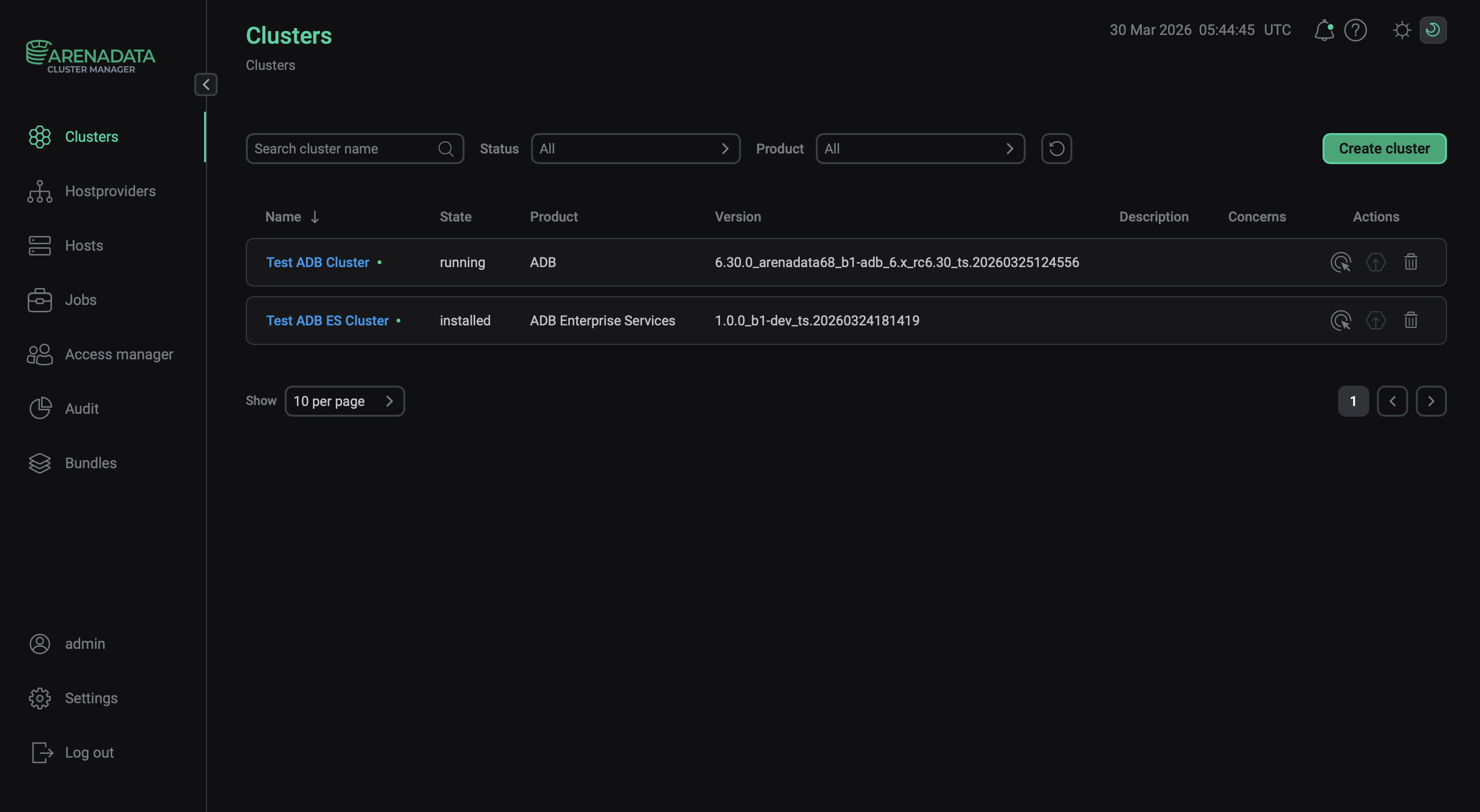
Refer to ADCM documentation for an overview of the Clusters page and common actions.
The Actions column shows icons for managing the cluster:
-

 — opens the drop-down list that offers actions to manage the cluster.
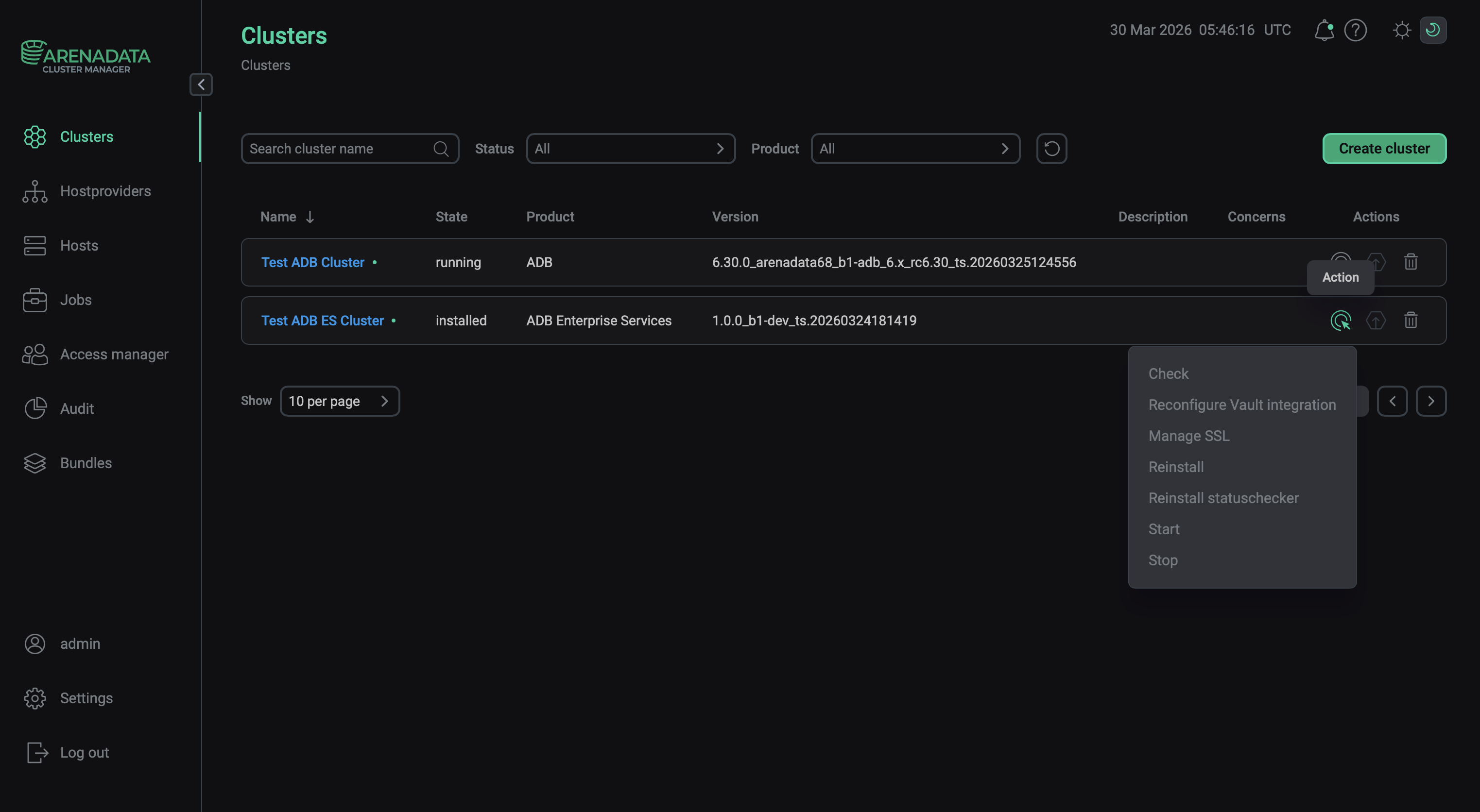 Open a list of available cluster actions
 -
 — indicates whether a new version of a bundle is available and allows you to upgrade the cluster.
 -
 — deletes information about the cluster from ADCM (it does not remove ADB ES or make any changes to hosts that belong to the cluster).
|
IMPORTANT
When upgrading ADB ES, follow the order:
|
A set of cluster actions (available after clicking ) depends on the current ADB ES cluster status.
| Status | Condition | Available actions |
|---|---|---|
created |
The ADB ES cluster was created via ADCM, but not installed yet |
|
installed |
The ADB ES cluster was successfully installed via ADCM |
|
ready to upgrade |
The ADB ES cluster has been prepared for upgrade.
The cluster gets this status after you click |
For information on the Precheck and Install actions, see Install a cluster. The actions for an installed cluster are described below.
Check
The Check action verifies that all hosts, components, and services are configured according to the ADB ES cluster requirements (similarly to what the Precheck action does). Additionally, it checks the status of each ADB ES service.
Reconfigure Vault integration
The Reconfigure Vault integration action is used to apply changes to the Vault configuration parameters. These parameters are available on the Configuration tab of the cluster page and allow you to store secrets of ADB ES services in HashiCorp Vault.
|
IMPORTANT
|
Manage SSL
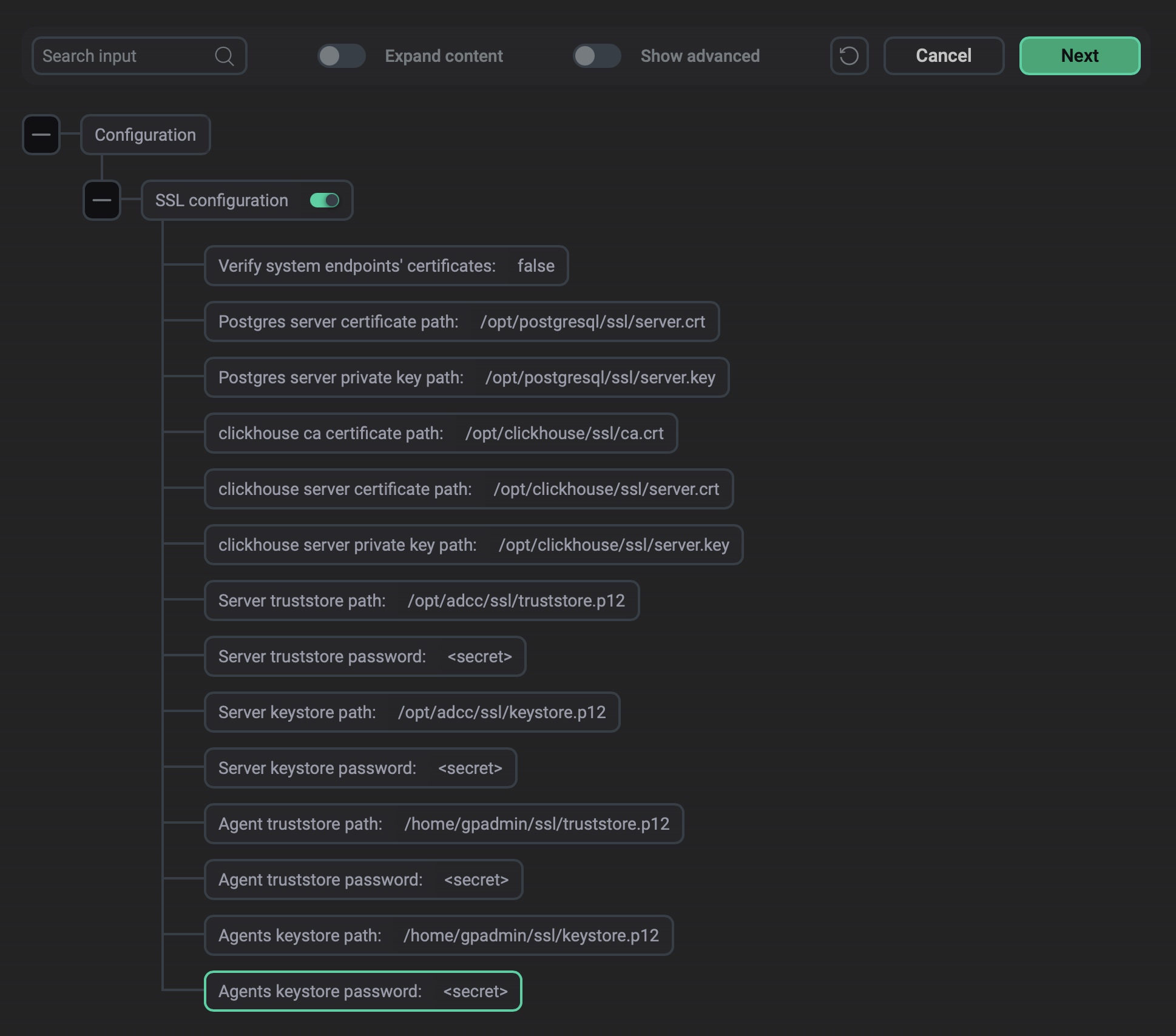
Configures and enables SSL for the entire ADB ES cluster. In the window that opens, select SSL configuration to enable SSL and configure the parameters described below.
|
IMPORTANT
After you enable or disable SSL in ADB ES, run the Reconfigure and restart action of the ADBC agents and ADBM agents services in the corresponding ADB clusters integrated with the current ADB ES cluster. |
| Parameter | Description |
|---|---|
Verify system endpoints' certificates |
Enables verification of system endpoint certificates.
When using this option with self-signed certificates, make sure that you added the root and intermediate CA certificates to the OS trusted root certificate stores.
In order to use the Verify system endpoints' certificates option with your own certificates, for proper verification, add the ADB Control IP address to the |
SSL protocol |
The TLS protocol version that the ADB Control UI component uses to accept HTTPS connections ( |
SSL ciphers |
The ciphers that the ADB Control UI component negotiates when establishing an HTTPS connection.
If not specified, the default value is used.
You can view the default value in the Multiple ciphers can be specified as a comma-separated list. Only GCM-based and ChaCha20-based ciphers are allowed; CCM-based ciphers are not supported. The set of ciphers differs between TLS versions: specify the ciphers for the version you are using |
Postgres server certificate path |
Path to the PostgreSQL certificate file (in PEM format).
Required file permissions: |
Postgres server private key path |
Path to the PostgreSQL private key file (in PEM format).
Required file permissions: |
clickhouse ca certificate path |
Path to the root CA certificate for ClickHouse (in PEM format).
Required file permissions: |
clickhouse server certificate path |
Path to the ClickHouse server certificate file (in PEM format).
Required file permissions: |
clickhouse server private key path |
Path to the ClickHouse server private key file (in PEM format).
Required file permissions: |
Server truststore path |
Path to the truststore for server-side Java components: ADB Control, ADBM, and AD Eureka.
Format: PKCS #12.
Required owner and group: If ADBM is installed on a separate host, the required owner and group of its truststore file are |
Server truststore password |
Password that was set for the server truststore specified in Server truststore path |
Server keystore path |
Path to the keystore for server-side Java components: ADB Control, ADBM, and AD Eureka.
Format: PKCS #12.
Required owner and group: If ADBM is installed on a separate host, the required owner and group of its keystore file are |
Server keystore password |
Password that was set for the server keystore specified in Server keystore path |
Agent truststore path |
Path to the truststore for ADBC/ADBM agents (on the ADB hosts).
Format: PKCS #12.
Required owner and group: |
Agent truststore password |
Password that was set for the agents truststore specified in Agent truststore path |
Agents keystore path |
Path to the keystore for agents.
Format: PKCS #12.
Required owner and group: |
Agents keystore password |
Password that was set for the agents keystore specified in Agents keystore path |
|
NOTE
During ADB ES installation, the bundle automatically creates the |
Certificate requirements
When creating certificates, the requirements are as follows:
-
If ADB Control, ADBM, and AD Eureka are installed on separate hosts, the absolute paths to the keystore and truststore files must be identical on all hosts. You then specify these paths in Server keystore path and Server truststore path.
-
The file owners (listed above) must have read access to every directory in the path to the truststore and keystore files.
-
The Manage SSL cluster action doesn’t apply to external databases. If you use them, import their certificates to the truststore specified in Server truststore path.
Check results
If the Manage SSL action completed successfully, the ADB ES components start interacting over SSL.
The web servers will require TLS, so to access the web interfaces of the services, use https while entering their addresses:
-
ADB Control:
https://<ADB Control UI IP address>:8890 -
AD Eureka:
https://<AD Eureka IP address>:8761 -
Clickhouse:
https://<Clickhouse IP address>:8443(when SSL is disabled, the8123port is used instead)
You can also check that TLS is used in PostgreSQL.
For example, for internal ADPG databases, connect to adcc or adbm:
$ sudo su - postgres
$ psql -p 5433 -d adcc
As a result, the TLS version is shown indicating that encrypted connections are used between the database and clients:
psql (16.3)
SSL connection (protocol: TLSv1.3, cipher: TLS_AES_256_GCM_SHA384, compression: off)
Type "help" for help.

adcc=#
Reinstall statuschecker
The Reinstall statuschecker action reconfigures and restarts the statuschecker for all cluster services. Use this action when migrating a cluster to a new ADCM server.
Start
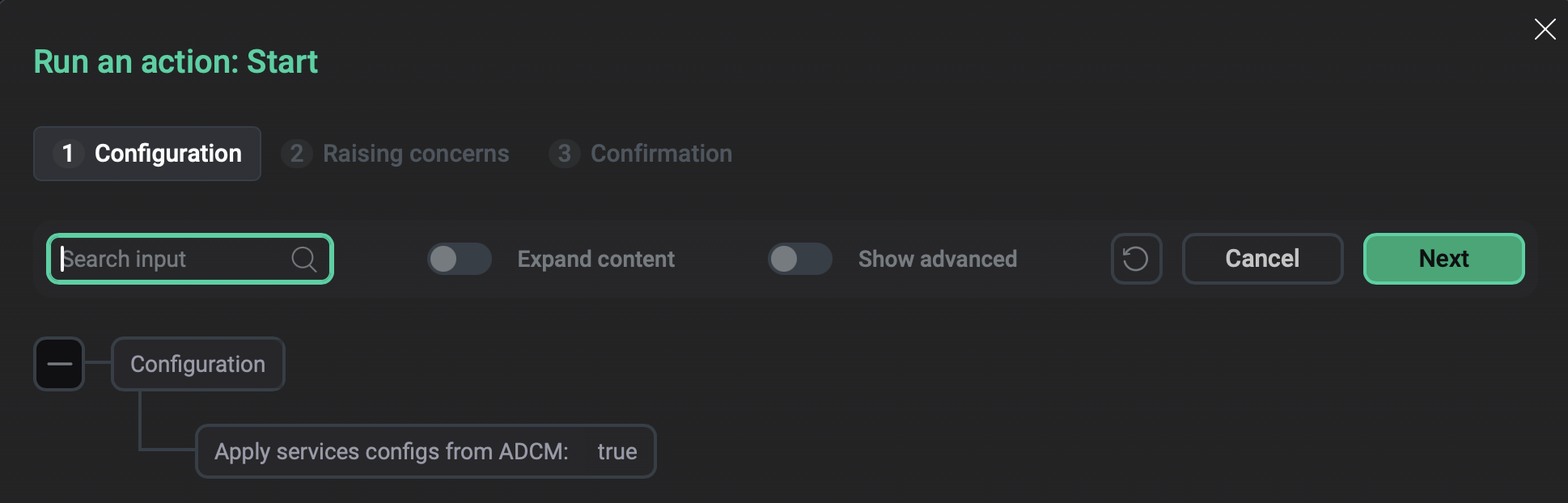
The Start action starts all services in the ADB ES cluster.
After you select the action, a dialog box opens where you can set the value for the Apply services configs from ADCM option. Enable this option to apply all changes made in the configurations of the services. Otherwise, the services will just start without applying the changes.
Upgrade
Refer to the Upgrade ADB ES page.