

Work with query tags
Starting with 4.7.5, ADB Control supports query tagging — assigning custom metadata to SQL queries in the form of <key>: <values> pairs. You can set tags for a session or transaction in ADB and then view and filter these tags on the Monitoring → Commands, Monitoring → Transactions, and Monitoring → Sessions pages in ADB Control. Tags are assigned to ADB queries via the query_band GUC provided by the gpadcc extension. This functionality can be useful for monitoring query groups, for example, as part of the common ETL process.
Below is an example of working with query tags:
-
Open the first session in ADB (e.g. by connecting to the
adbdatabase on the master host viapsql). -
Set values for two tags at the session level:
SET query_band = 'key1: value1,key2: value2'; -
Run any SQL query that lasts long enough to appear in the ADB Control web interface.
-
Within the second ADB session, set a different value for the
key2tag:SET query_band = 'key1: value1,key2: value3'; -
Run another SQL query within the second session.
-
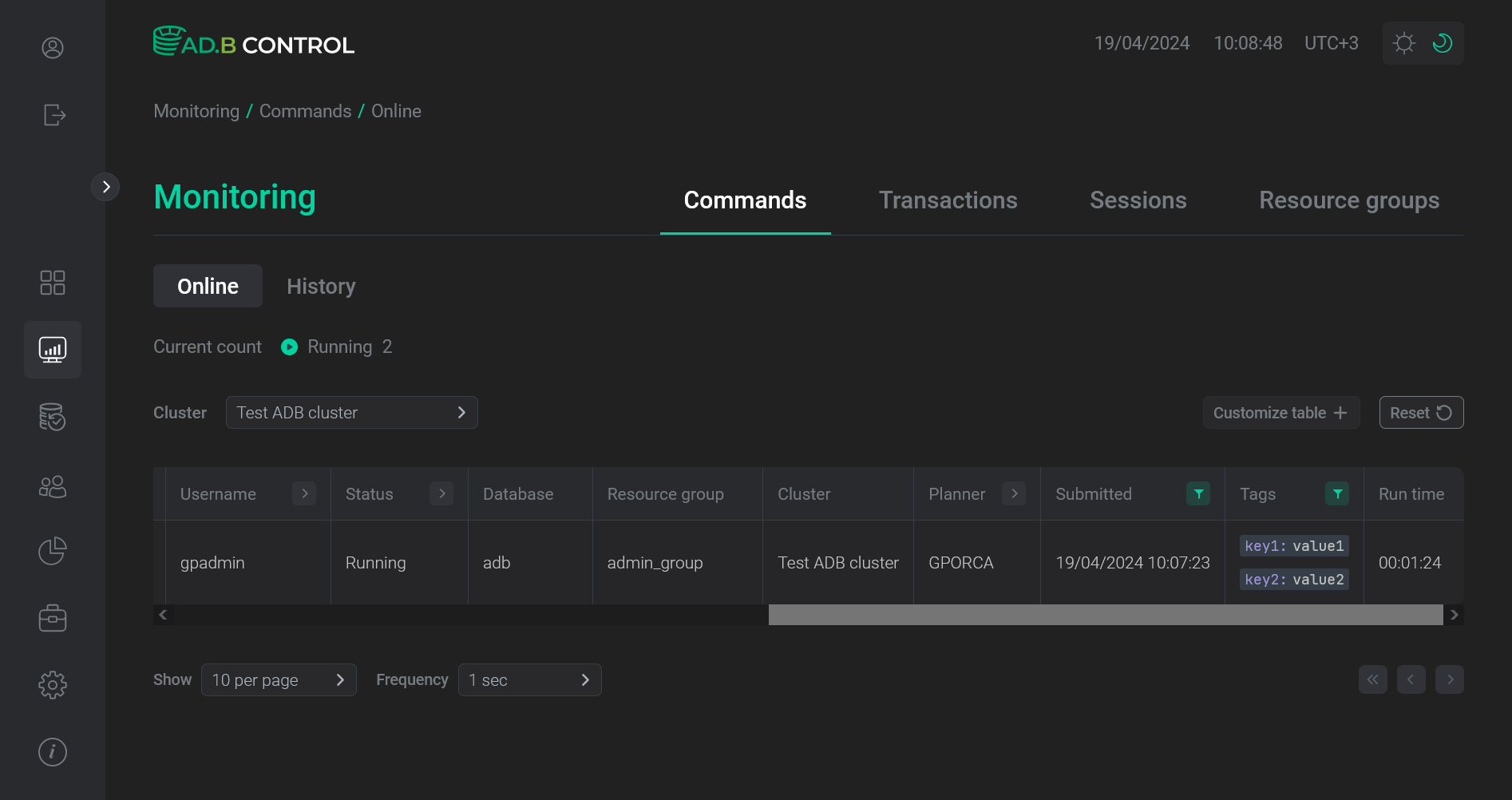
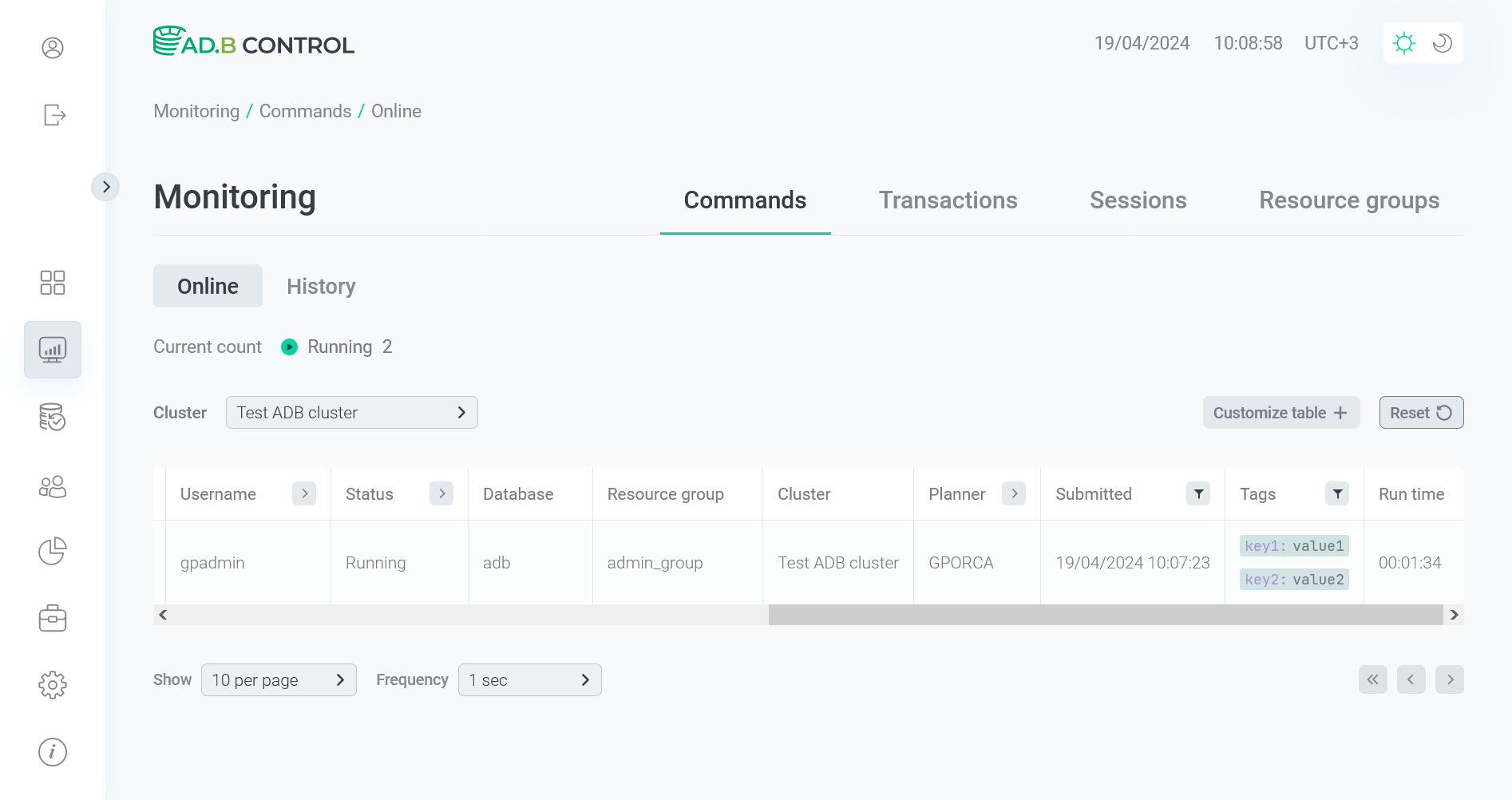
Go to the Monitoring → Commands → Queries → Online page in the ADB Control web UI. Tag values for both running queries are shown in the Tags column. The same column is available on the Monitoring → Commands → Queries → History, Monitoring → Transactions (Online and History), Monitoring → Sessions, and Monitoring → Resource groups → Statistics → <resource group> → Commands → Queueing pages.
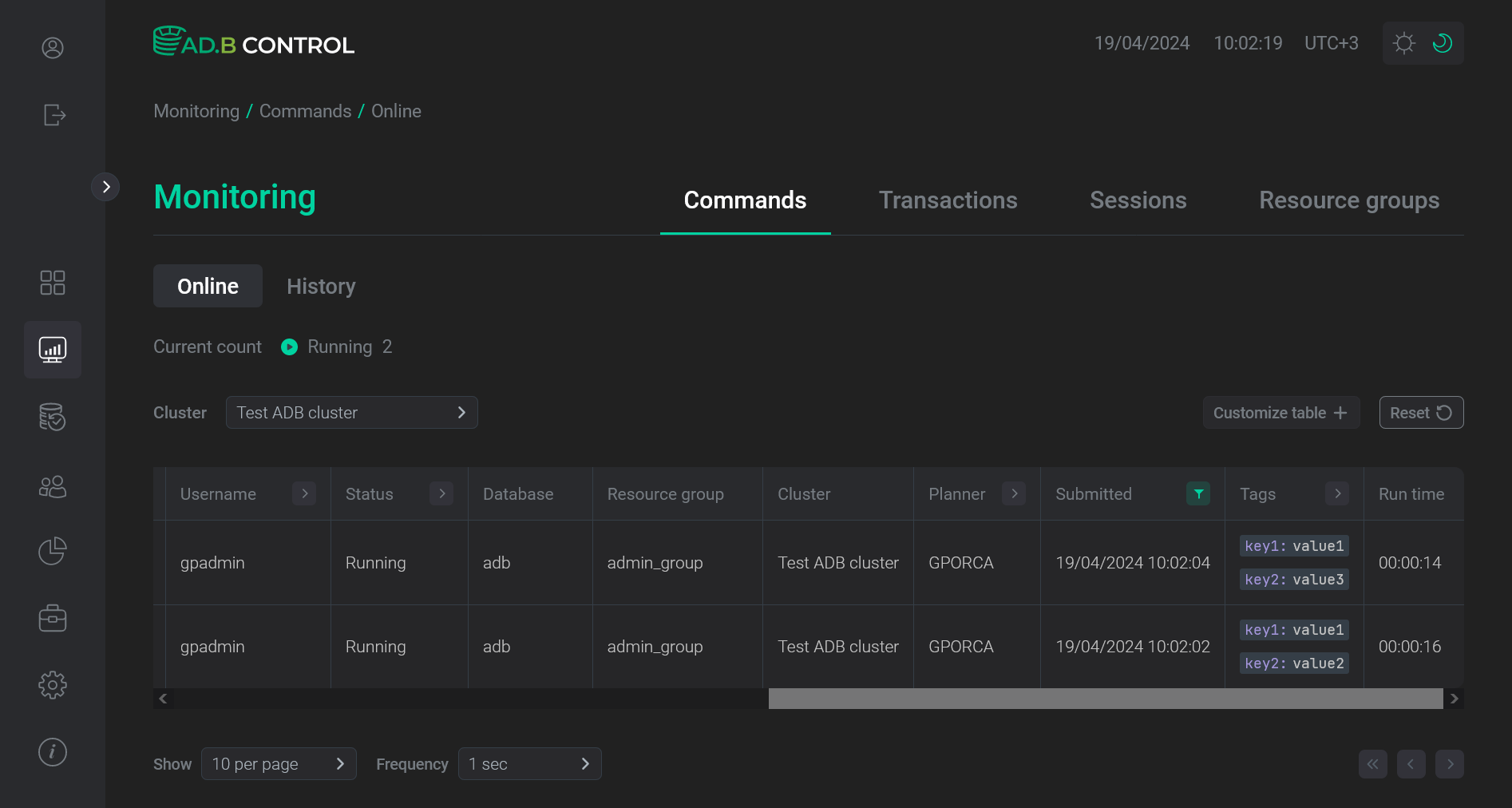 Tags in ADB Control
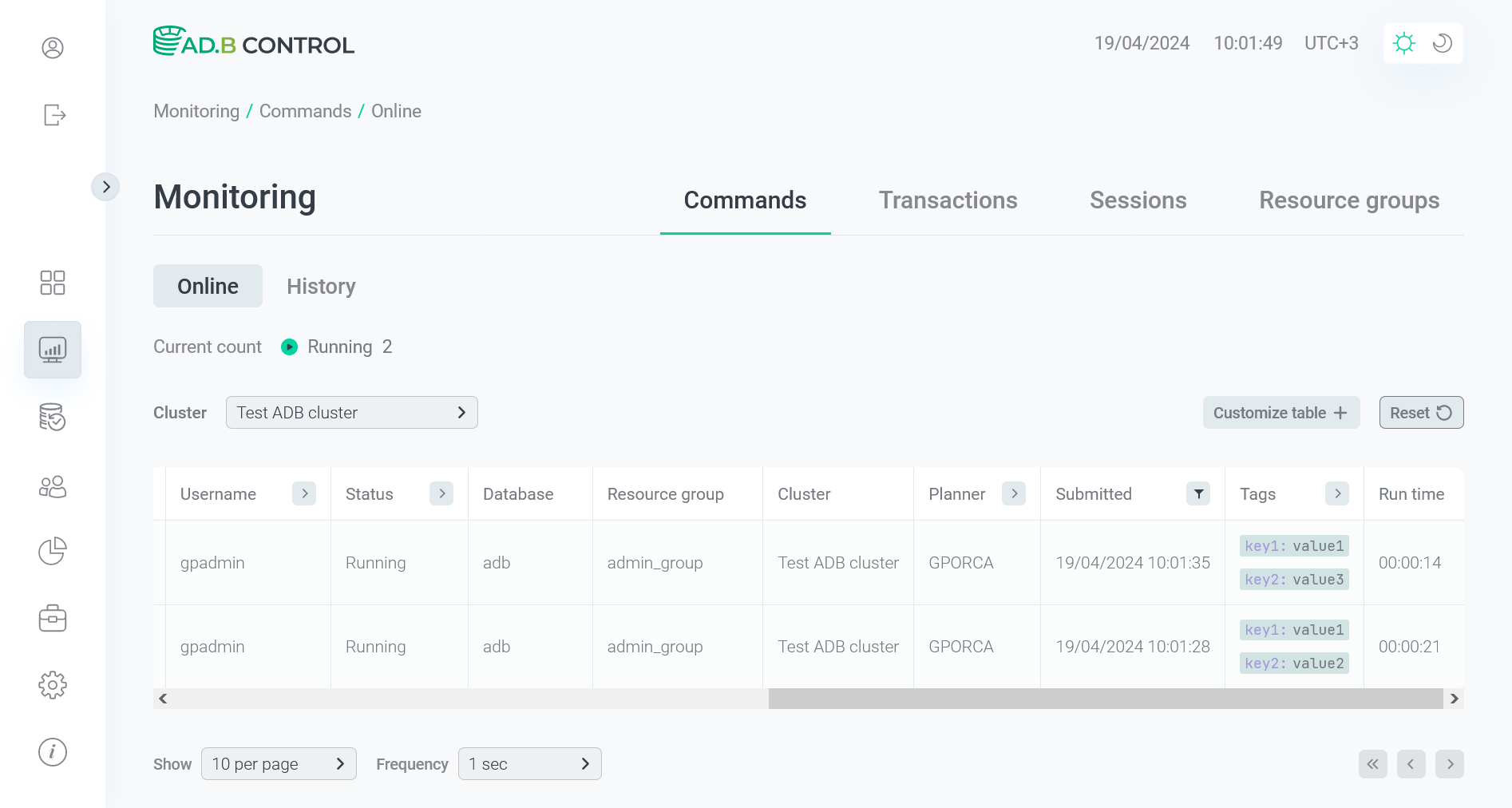 Tags in ADB Control
 -
To select the queries with the specific tag value, open a drop-down list in the Tags column header, set the tag value in the Tag column as
<key>: <value>, and click the
 icon. To remove any tag from the filter, click
 .
.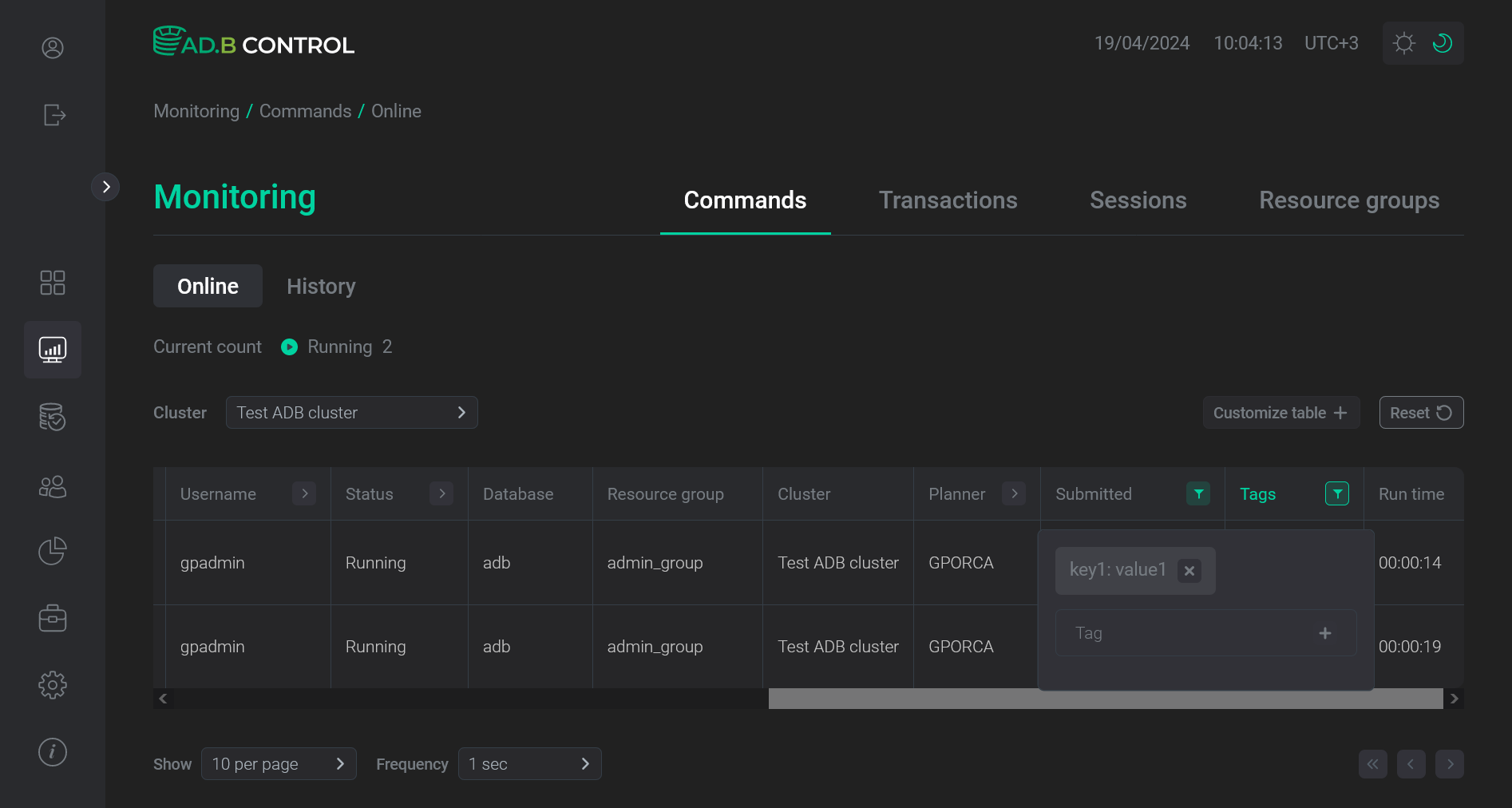 Filter by the first tag value
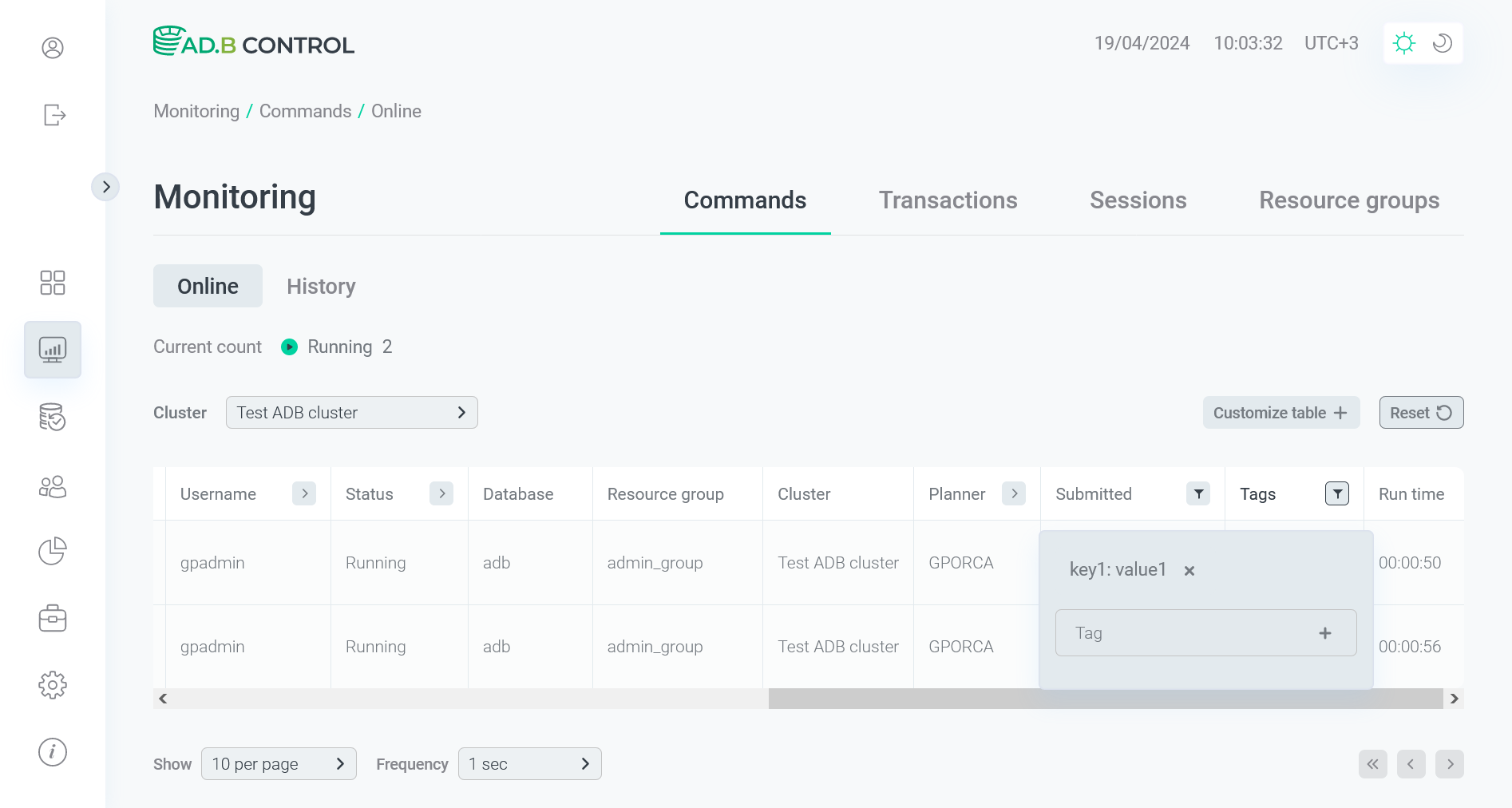 Filter by the first tag value
As a result of filtering, both queries are left on the page, because for both of them
value1is set as thekey1value.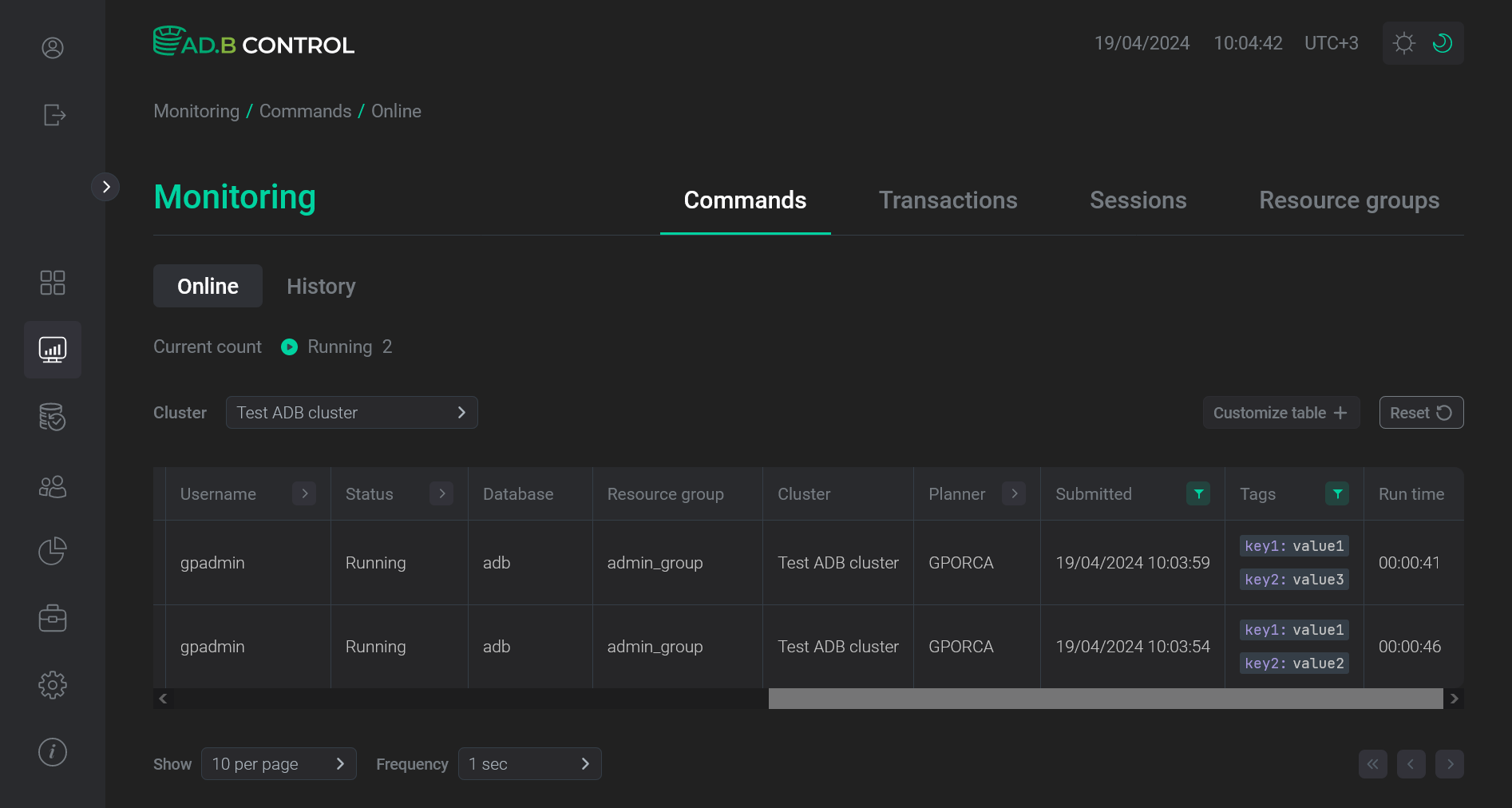 Filtering result for one tag
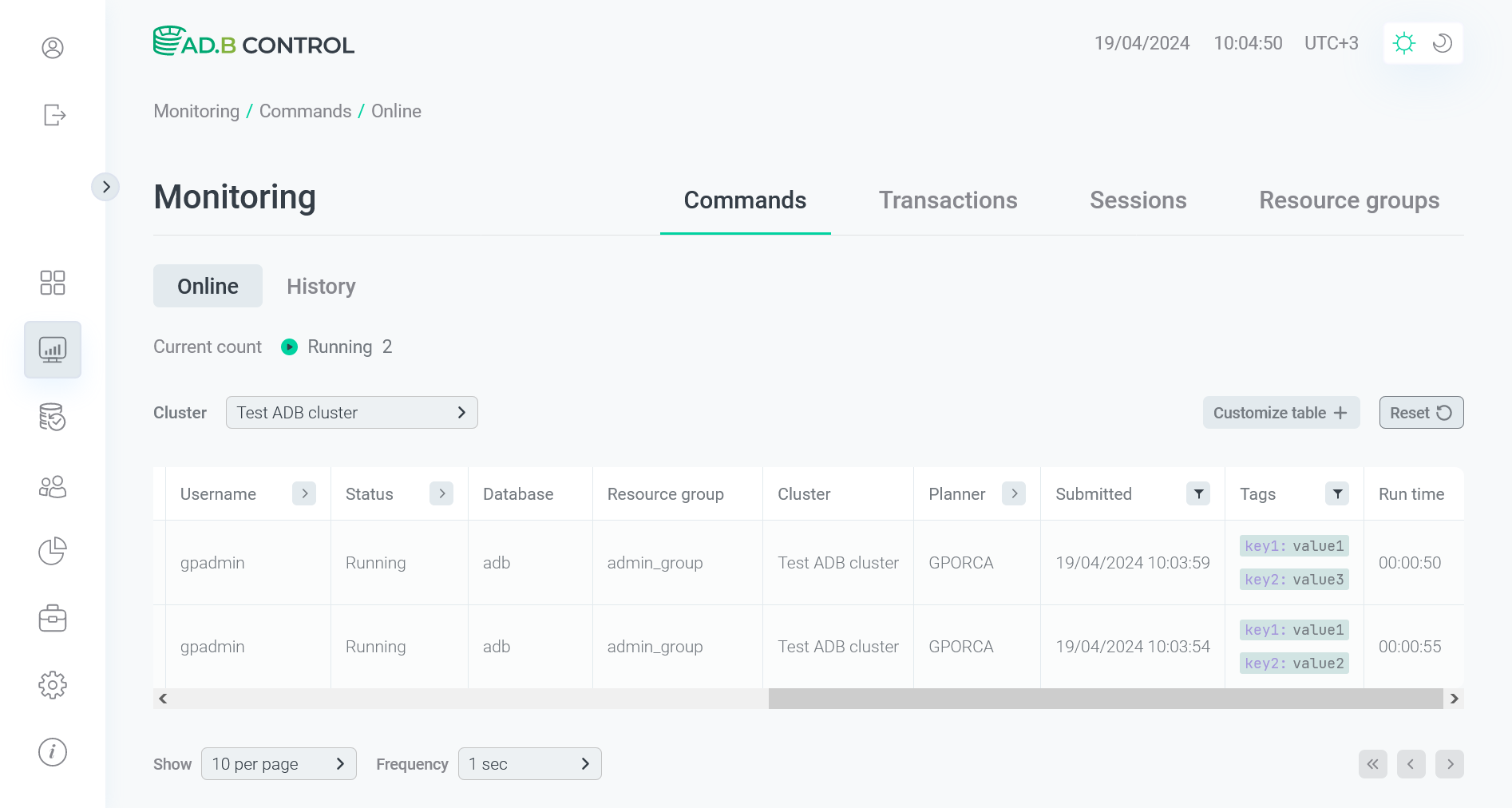 Filtering result for one tag
 -
You can add a filter by the second tag value as shown below. Each tag value should be entered separately.
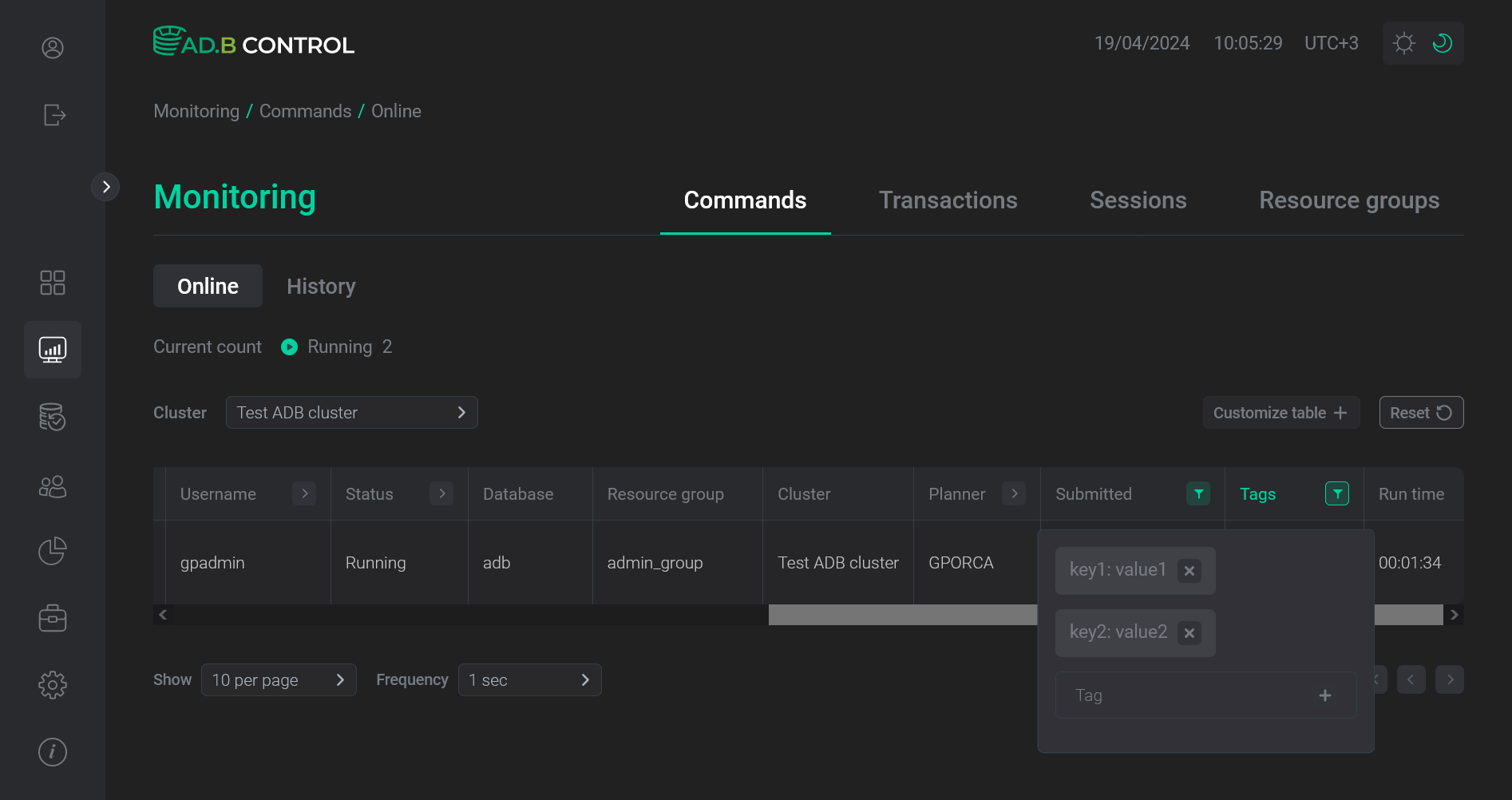 Add a filter by the second tag value
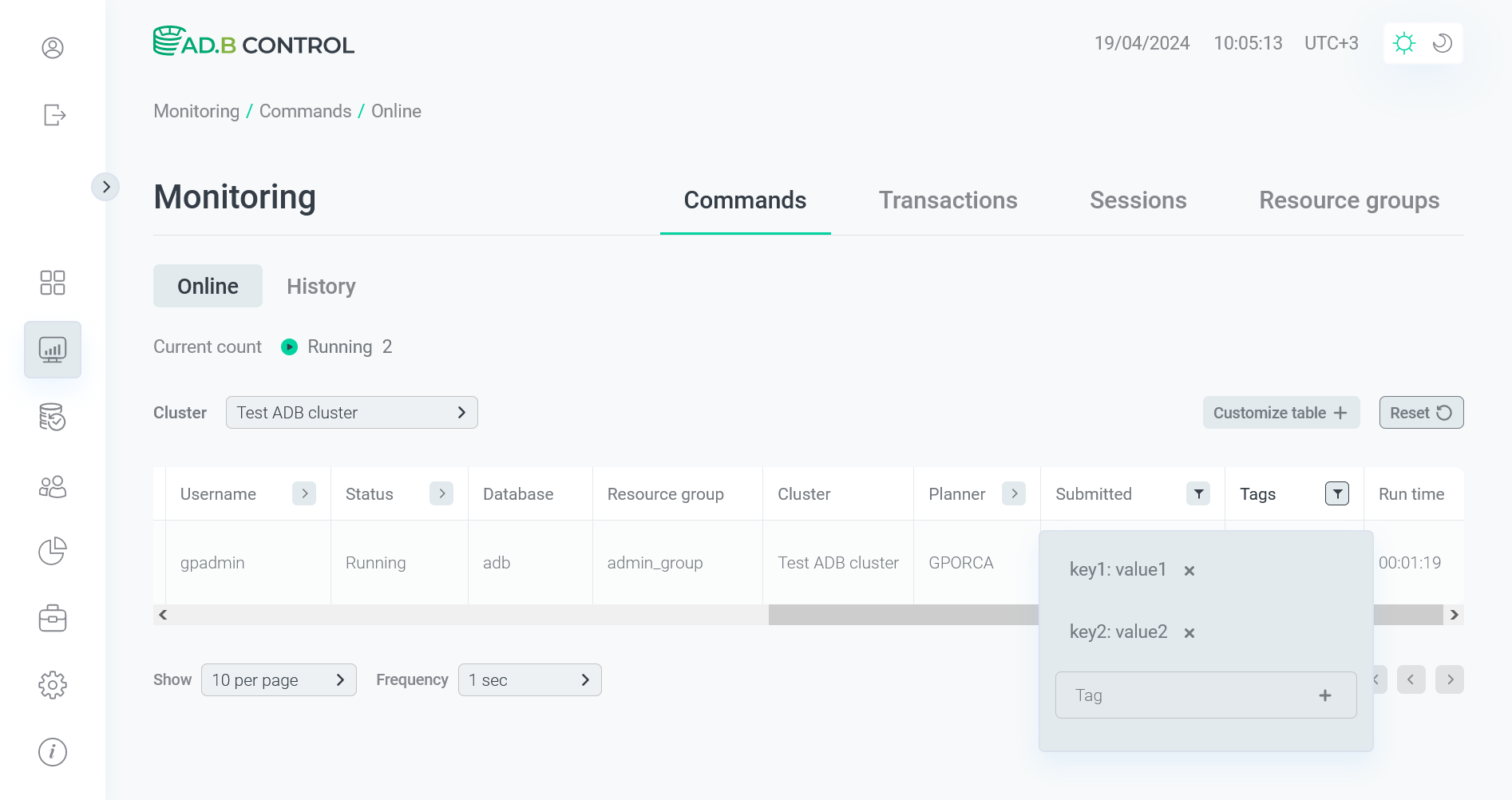 Add a filter by the second tag value
After you apply a filter, only the first session query is left on the page.
 Filtering result for two tags
 Filtering result for two tags
 -
Also, you can filter data by tag names without tag values. As a result, all queries, for which the selected tag is specified, are shown, despite the tag value.
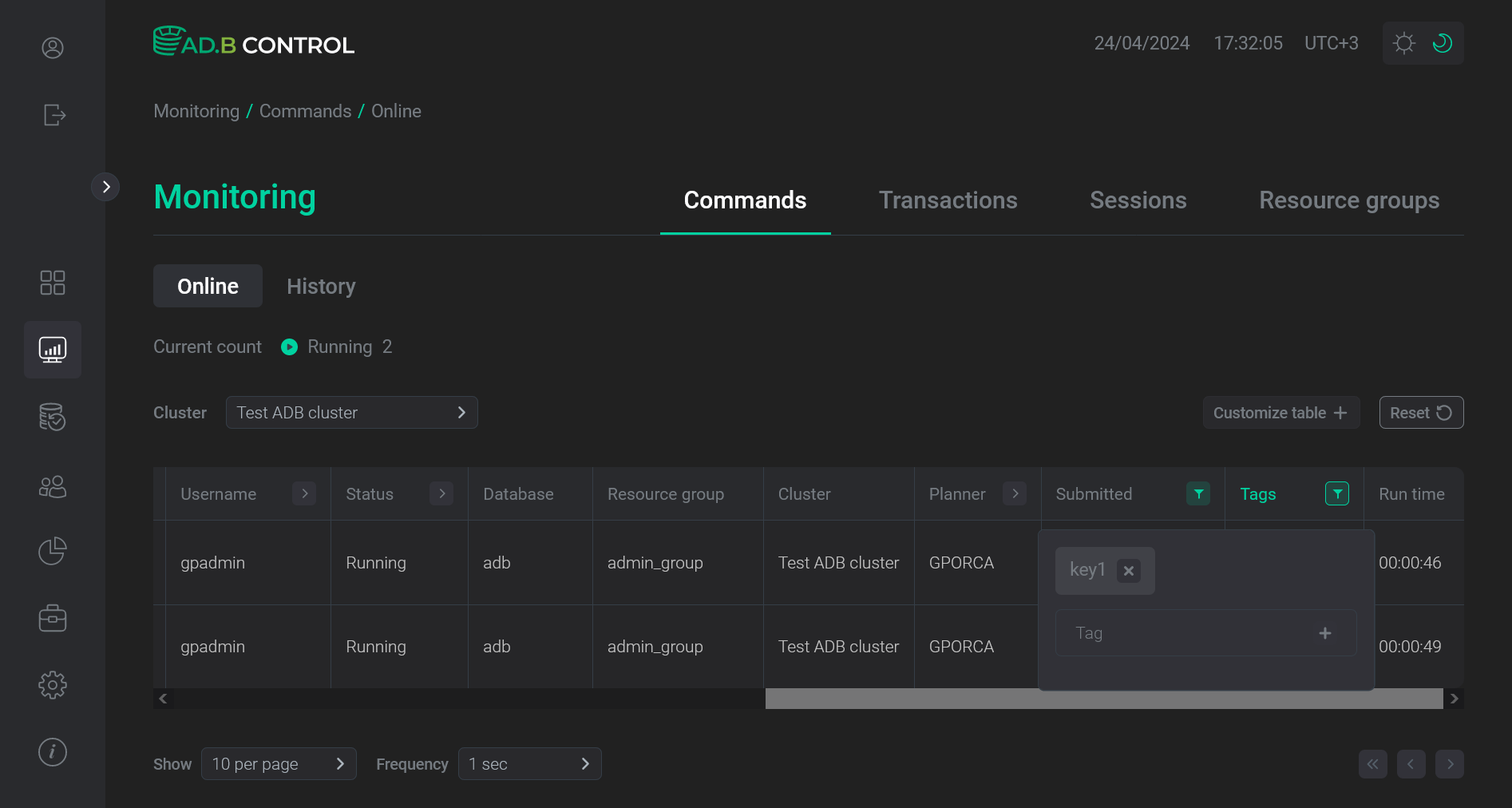 Filtering by the tag name
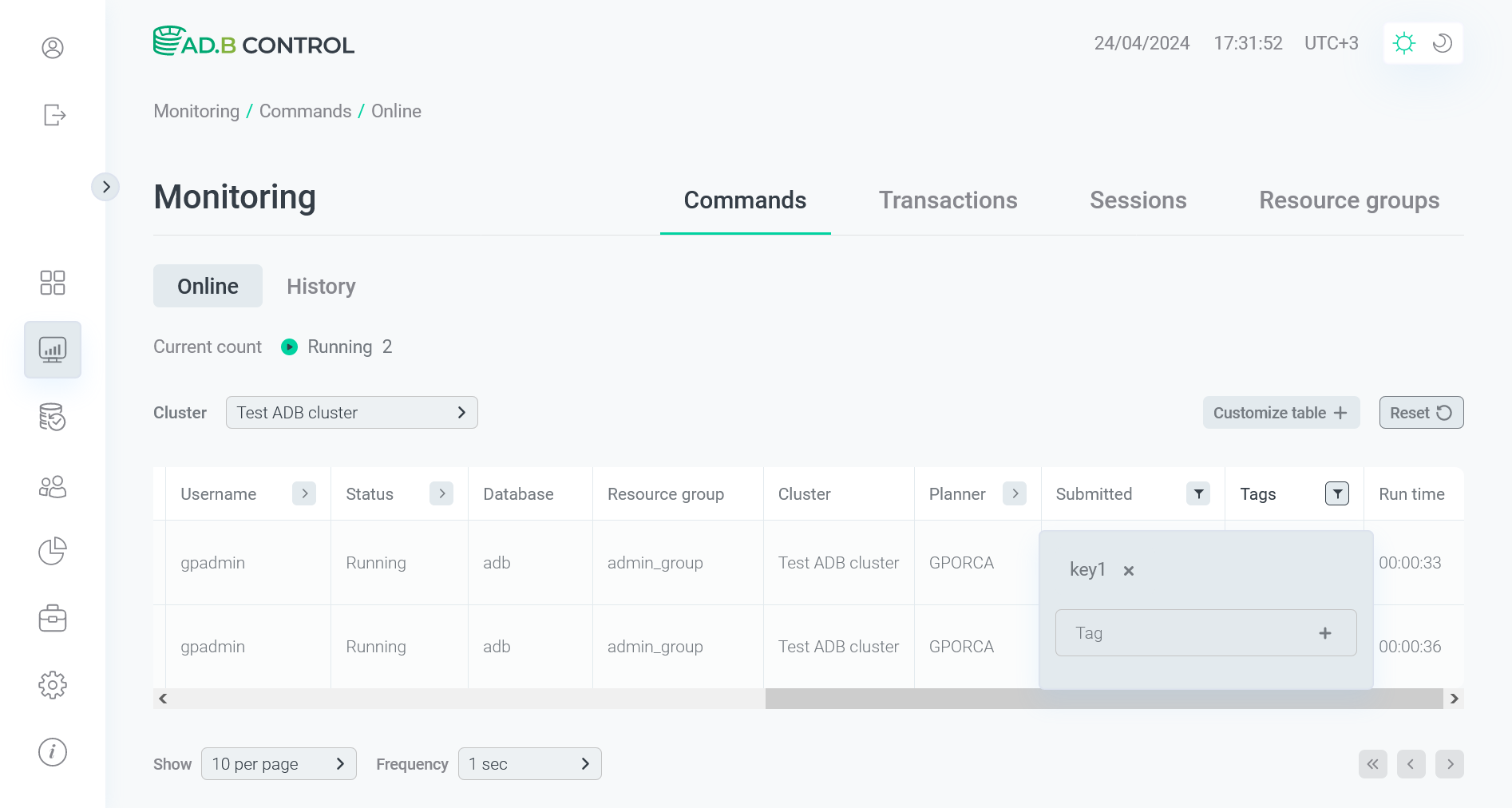 Filtering by the tag name