

Add services
In ADCM, a service means a software that performs some function. Examples of services for ADB ES clusters: ADBM and ADB Control. The steps for adding services to a cluster are listed below:
-
Select a cluster on the Clusters page. To do this, click a cluster name in the Name column.
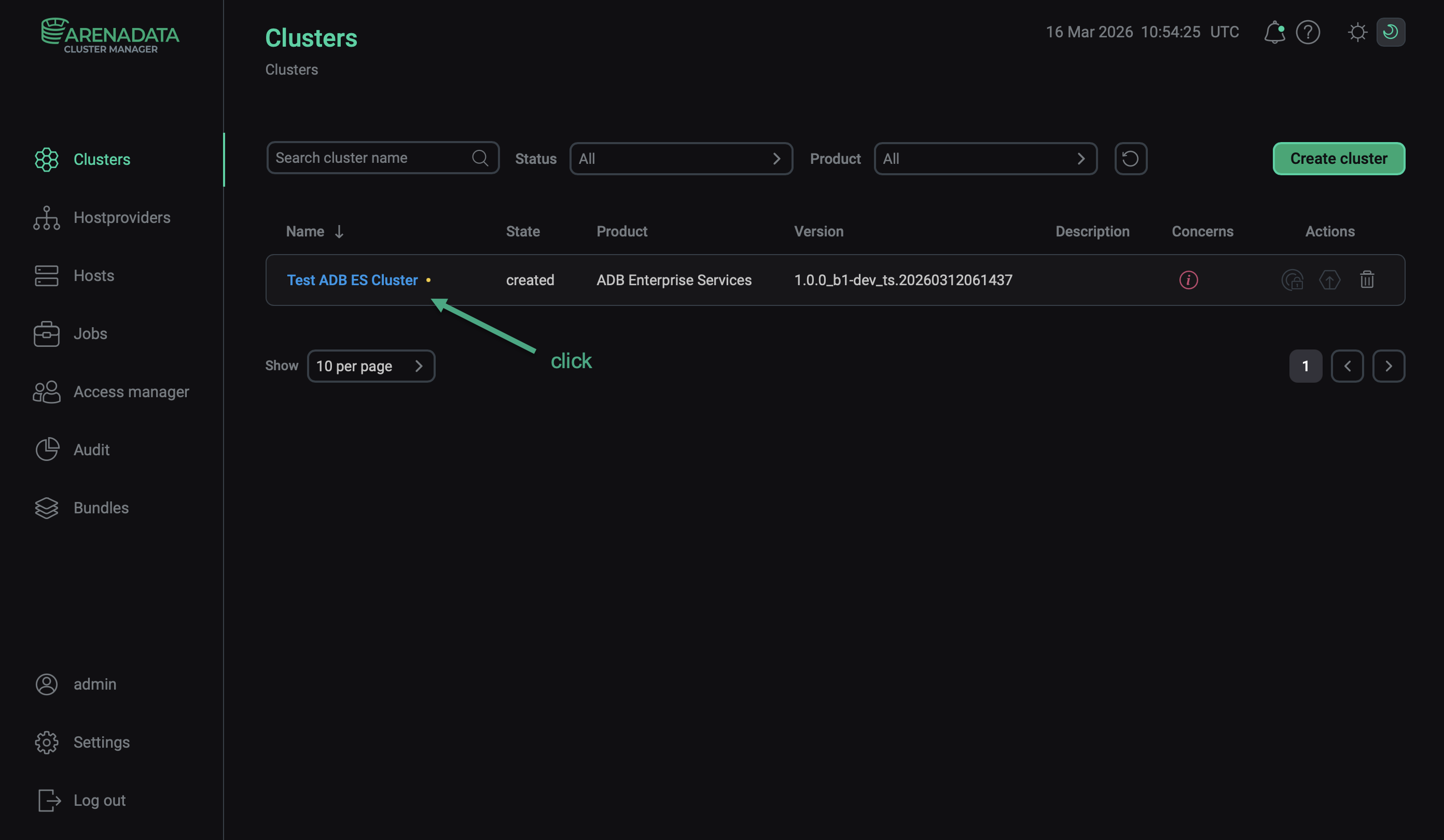 Select a cluster
 -
Open the Services tab on the cluster page and click Add services (Add service in first versions of ADCM).
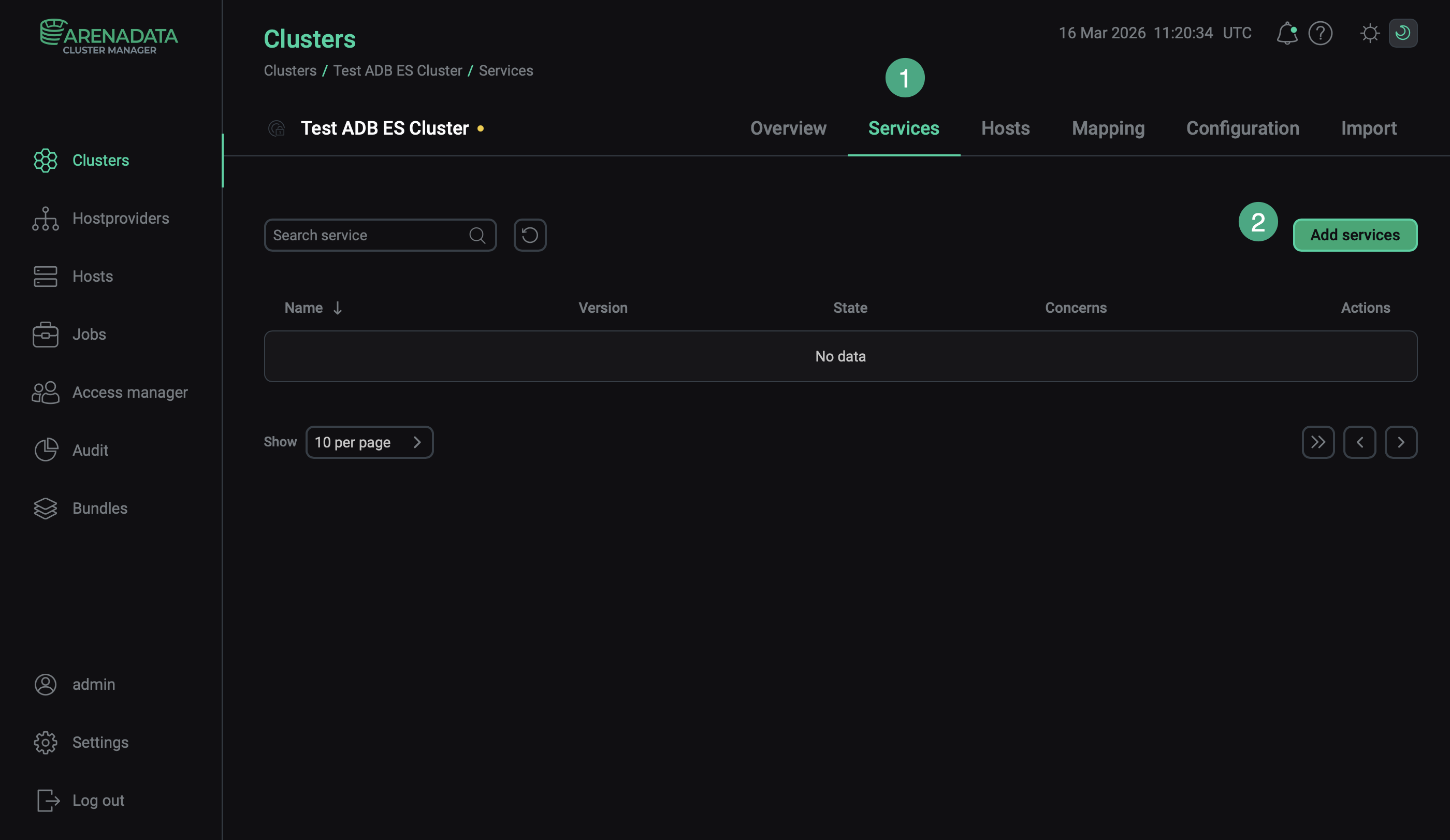 Switch to adding services
 -
In the opened dialog, select services that should be added to the cluster and click Add.
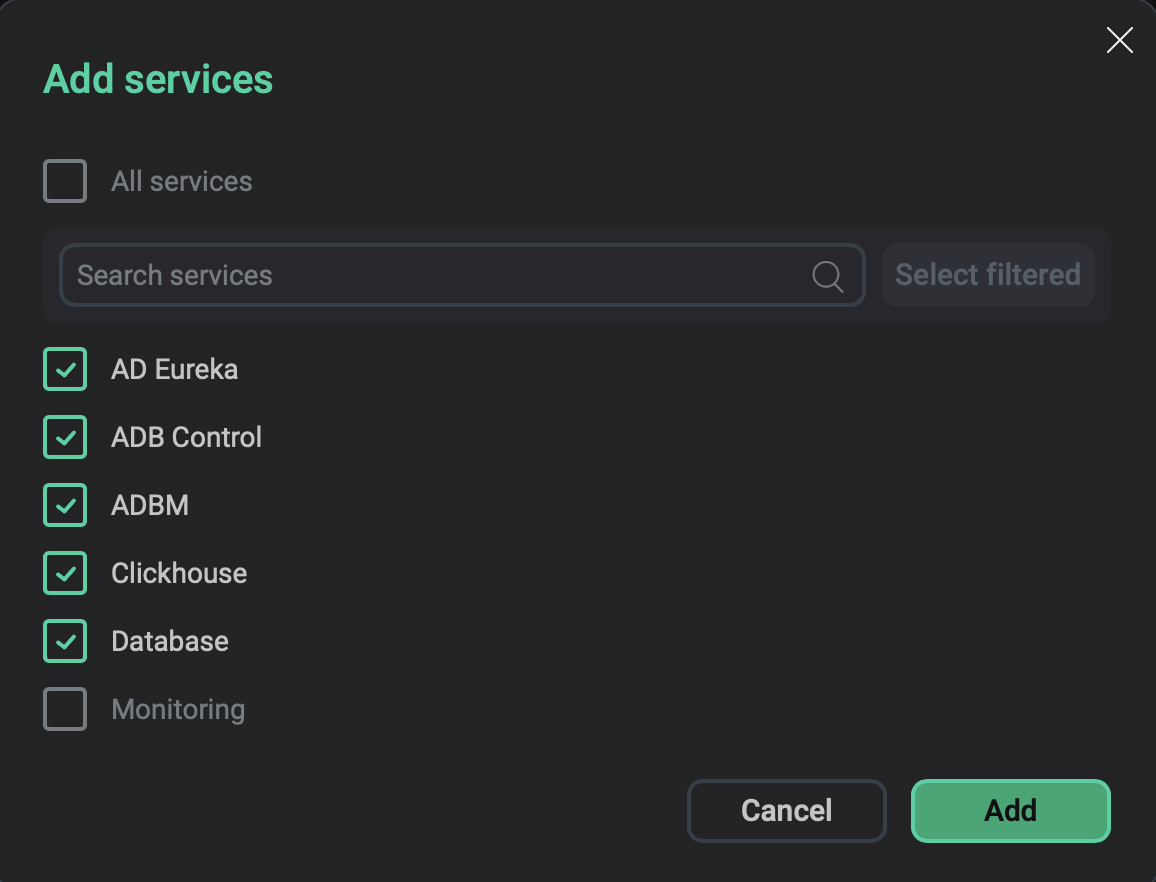 Select services
The brief description of available services is listed below.
Services that can be added to an ADB ES cluster Service Mandatory Purpose AD Eureka
Yes
Service registry, responsible for service discovery in ADB Control and ADBM
Clickhouse
Yes
ClickHouse DBMS used in ADB Control. By default, Arenadata QuickMarts (ADQM) is installed
Database
Yes
PostgreSQL used by ADB Control and ADBM. By default, Arenadata Postgres (ADPG) is installed
ADB Control
Yes
Arenadata DB Control (ADB Control) — a service for monitoring, diagnostics, and management of queries in ADB clusters.
ADBM
No
Arenadata DB Backup Manager (ADBM) — a service for ADB binary backup management
Monitoring
No
A service that monitors the cluster hosts and the ADB ES services (listed above). Steps for installing the Monitoring service are described in a separate section
-
As a result, the added services are displayed on the Services tab.
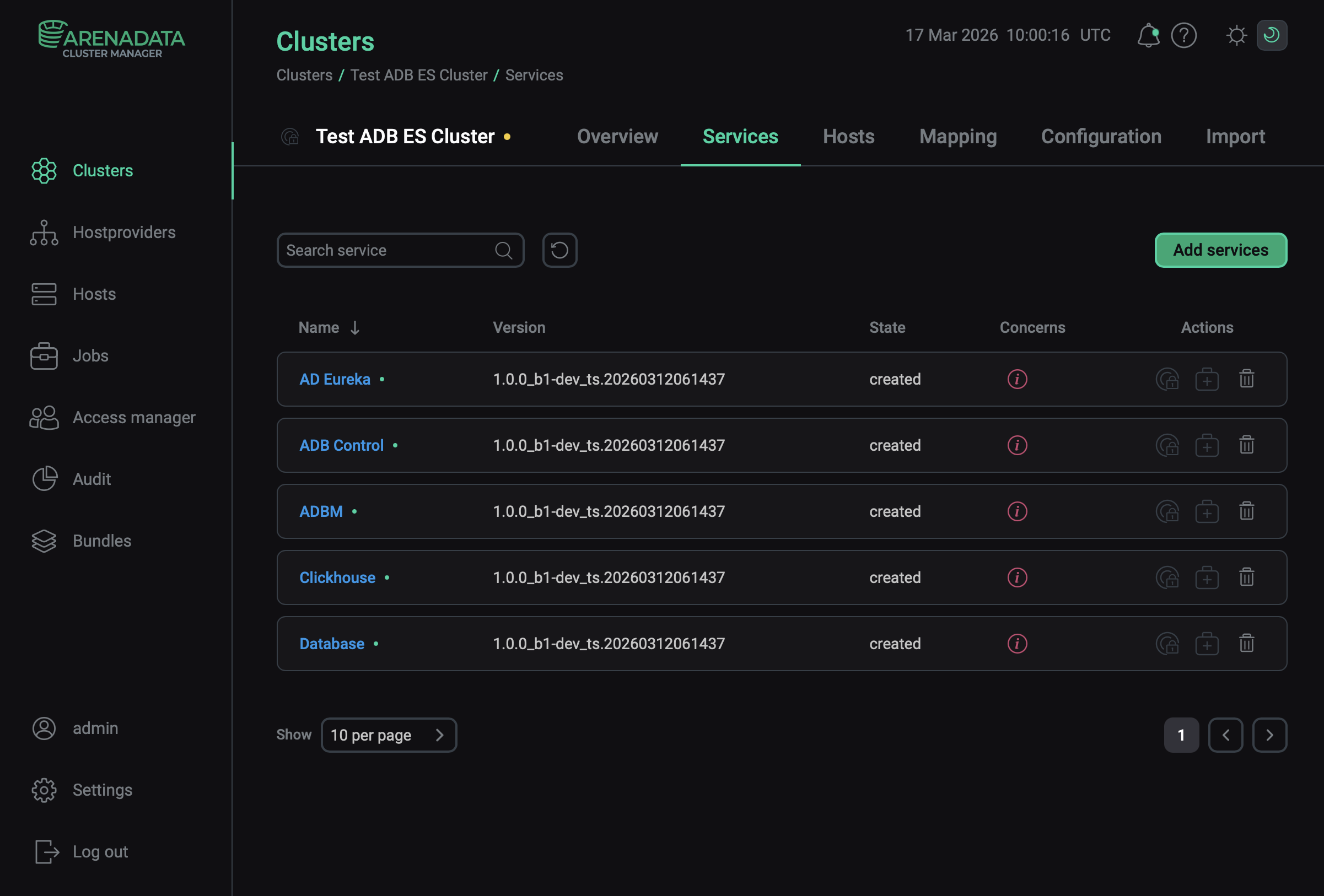 The result of successful adding services to a cluster
|
NOTE
You can also add services later. The process of adding new services to already running cluster does not differ from installing a service from scratch.
|