

Import ET settings
For a new cluster to be installed offline, it is necessary to integrate this cluster with the previously created Enterprise Tools (ET) cluster:
-
Select a cluster on the Clusters page. To do this, click a cluster name in the Name column.
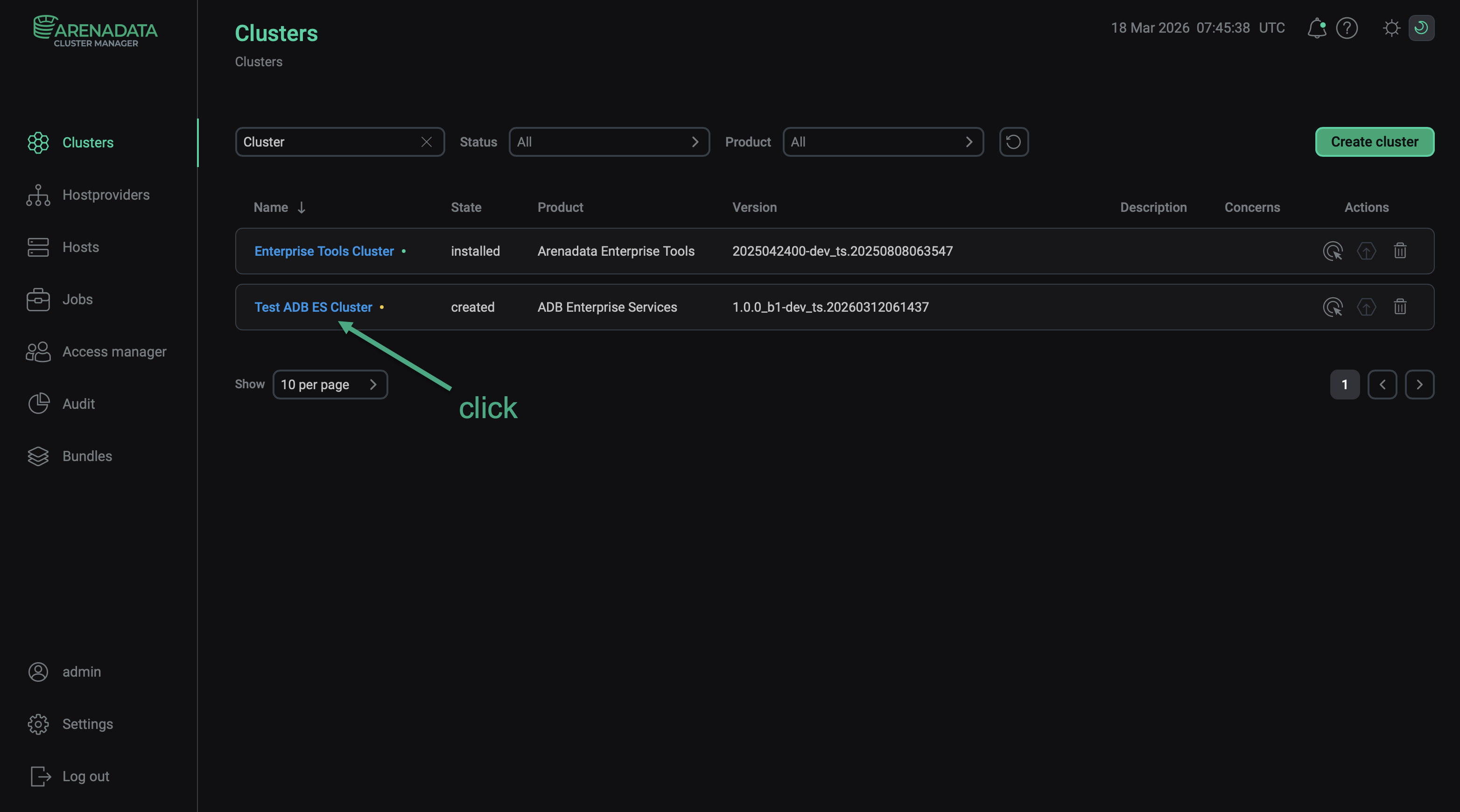 Select a cluster
 -
Open the Import tab in the cluster menu.
-
Select the HTTP Mirror service of the previously created ET cluster.
-
Click Import.
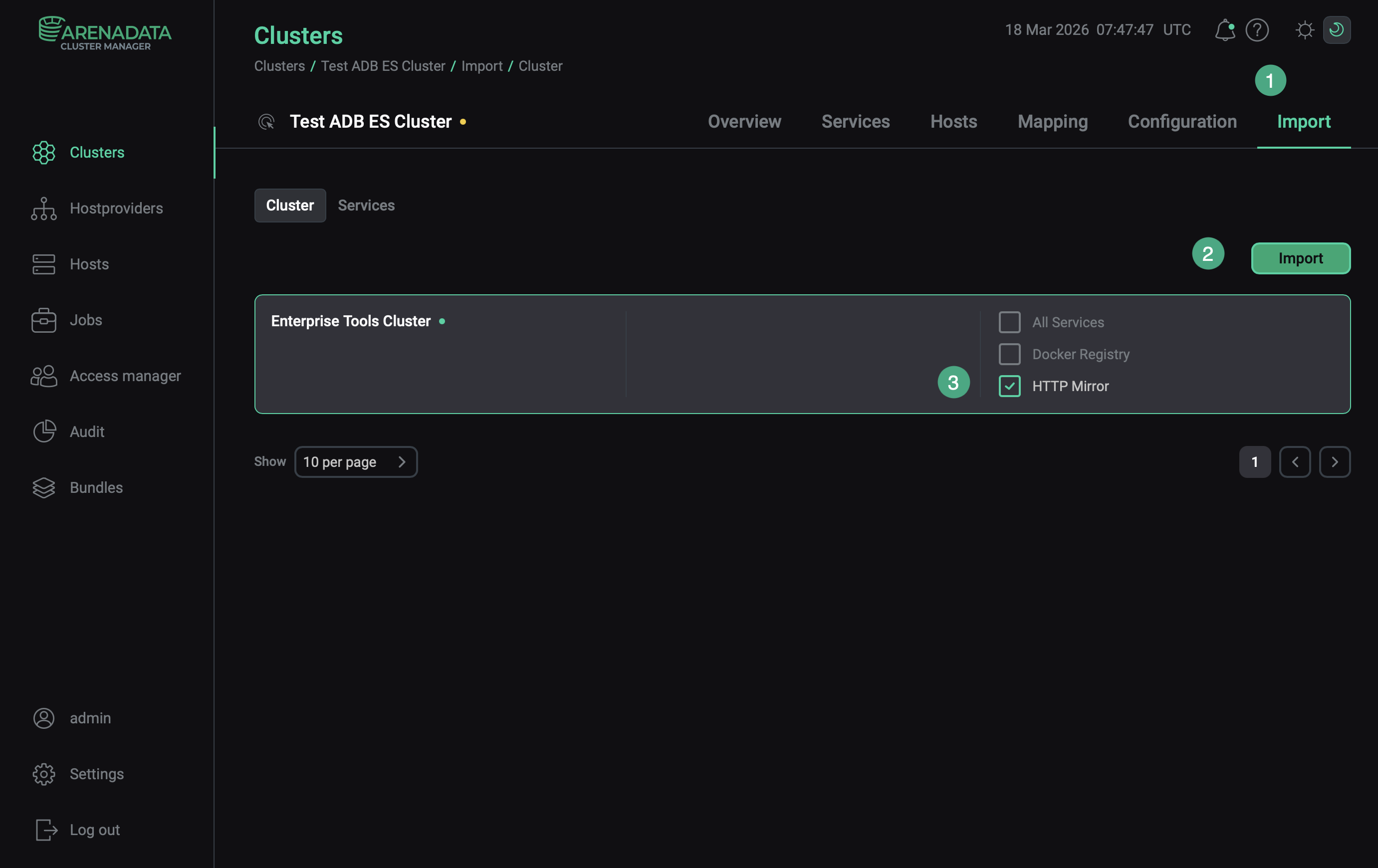 Integration with an ET cluster
|
NOTE
After successful import, the data stored locally in the Enterprise Tools cluster can be used at the cluster installation stage. So there is no need to extract this data via Internet.
|