

Import ADB ES settings
Starting with ADB 6.30, ADB Control and ADBM are installed using a separate bundle as a separate ADB Enterprise Services (ADB ES) cluster.
To use ADB with ADB ES:
-
Make sure the ADBC agents and ADBM agents services are added to the ADB cluster.
-
Import ADB ES settings to the ADB cluster as described below.
|
NOTE
If you do not use ADB Control and ADBM, do not add the ADBC agents and ADBM agents services to the ADB cluster.
You can then skip this section and proceed with installing the ADB cluster.
|
To import ADB ES settings to ADB, follow these steps:
-
Select a cluster on the Clusters page. To do this, click a cluster name in the Name column.
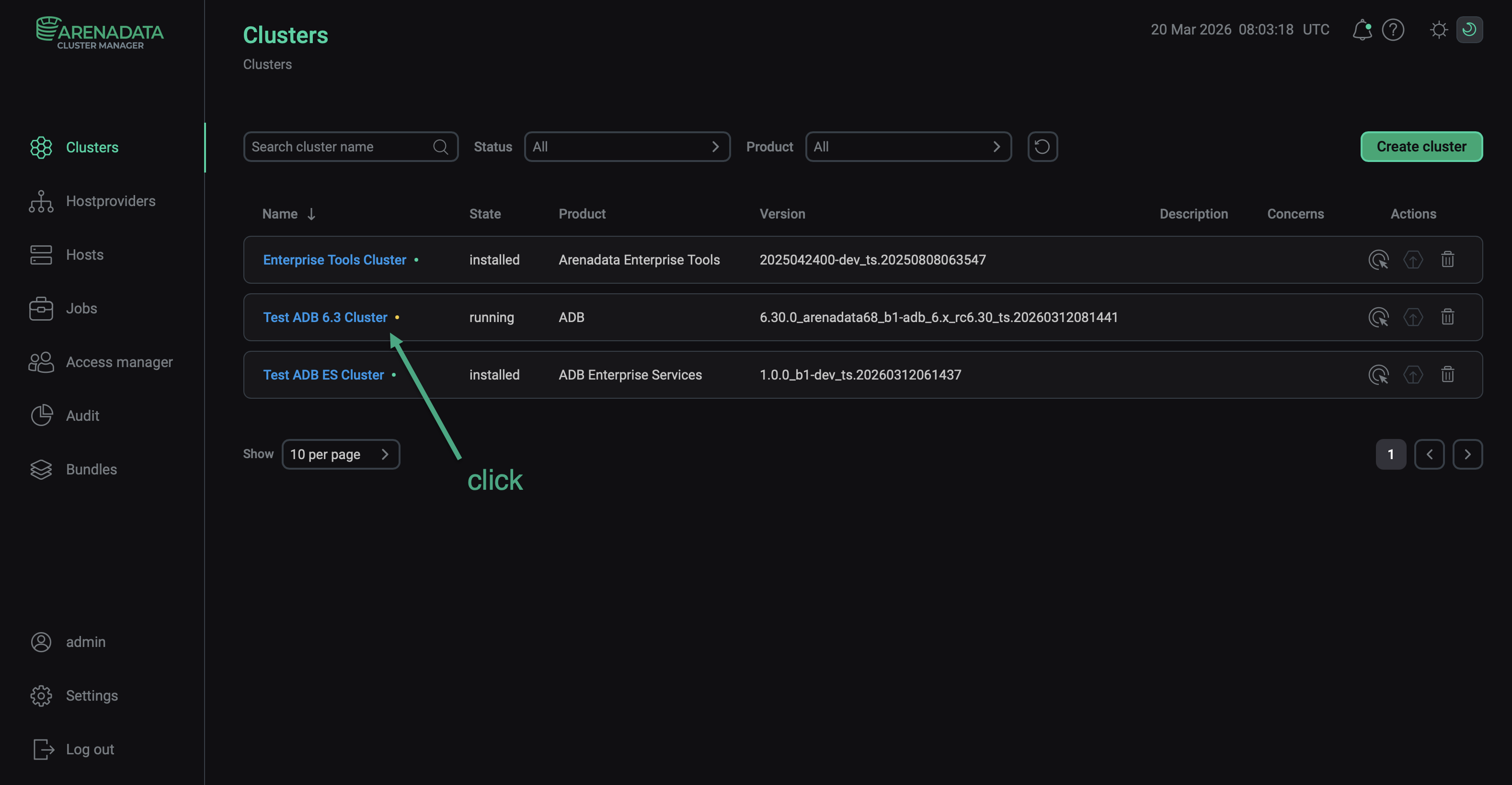 Select a cluster
 -
Open the Import tab in the cluster menu.
-
In your ADB ES cluster section, select Cluster configuration, ADB Control and, optionally, ADBM.
-
Click Save.
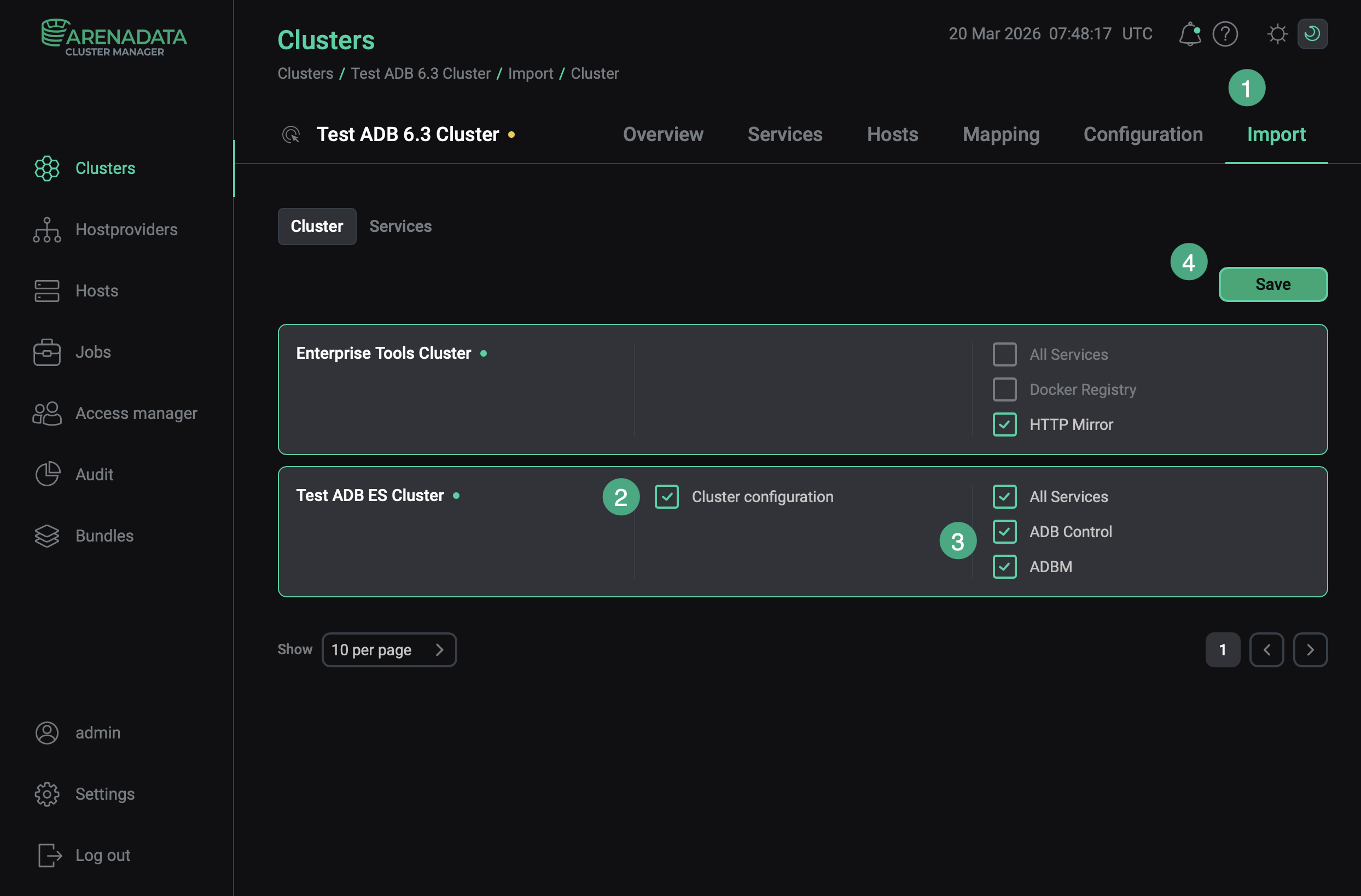 Integration with an ADB ES cluster
|
NOTE
|