

Add services
In ADCM, a service means a software that performs some function. Examples of services for ADPS clusters: Ranger, Knox, ADPG, etc. The steps for adding services to a cluster are listed below:
-
Select a cluster on the Clusters page. To do this, click a cluster name in the Name column.
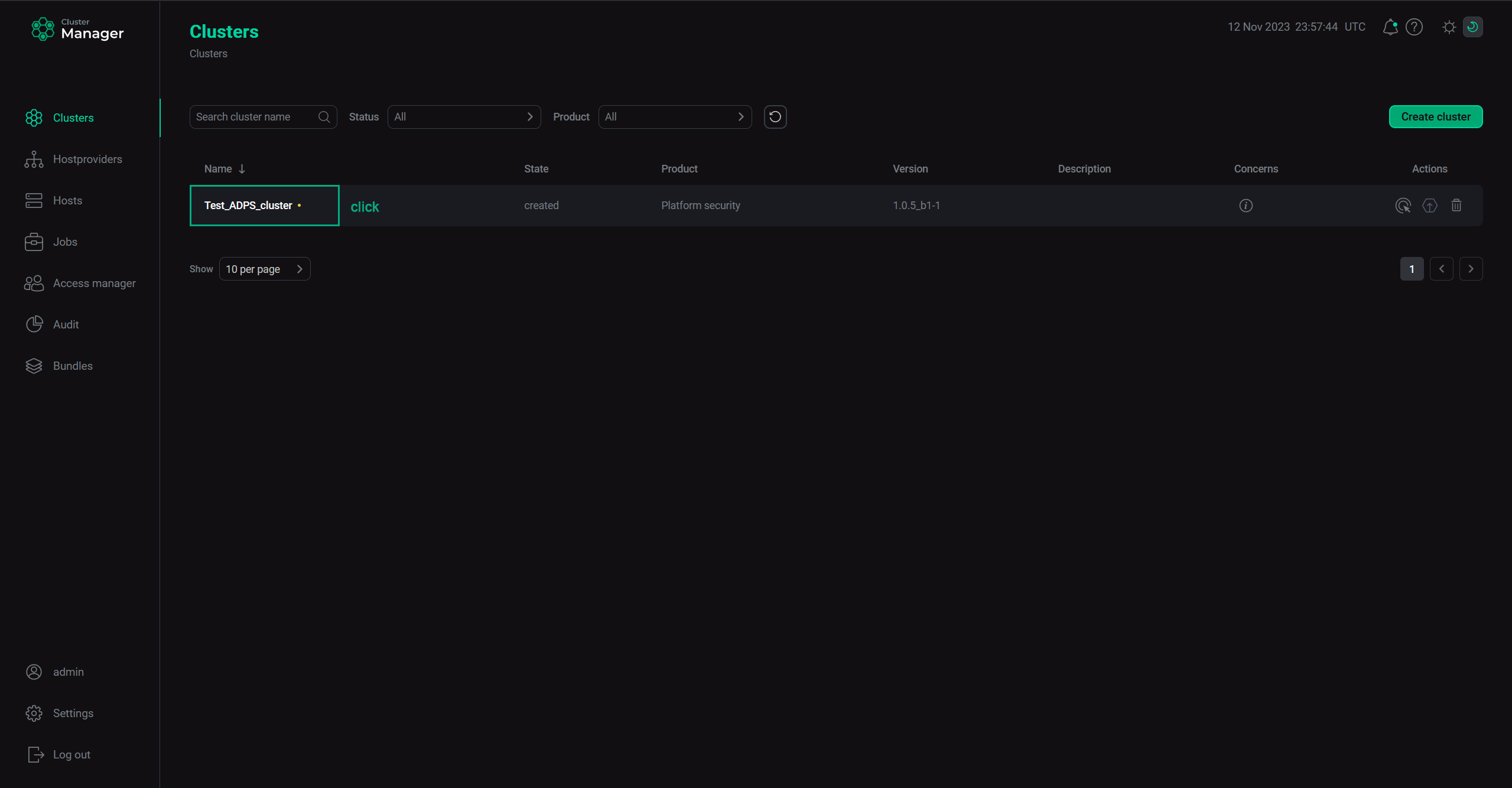 Select a cluster
 -
Open the Services tab on the cluster page and click Add services (Add service in first versions of ADCM).
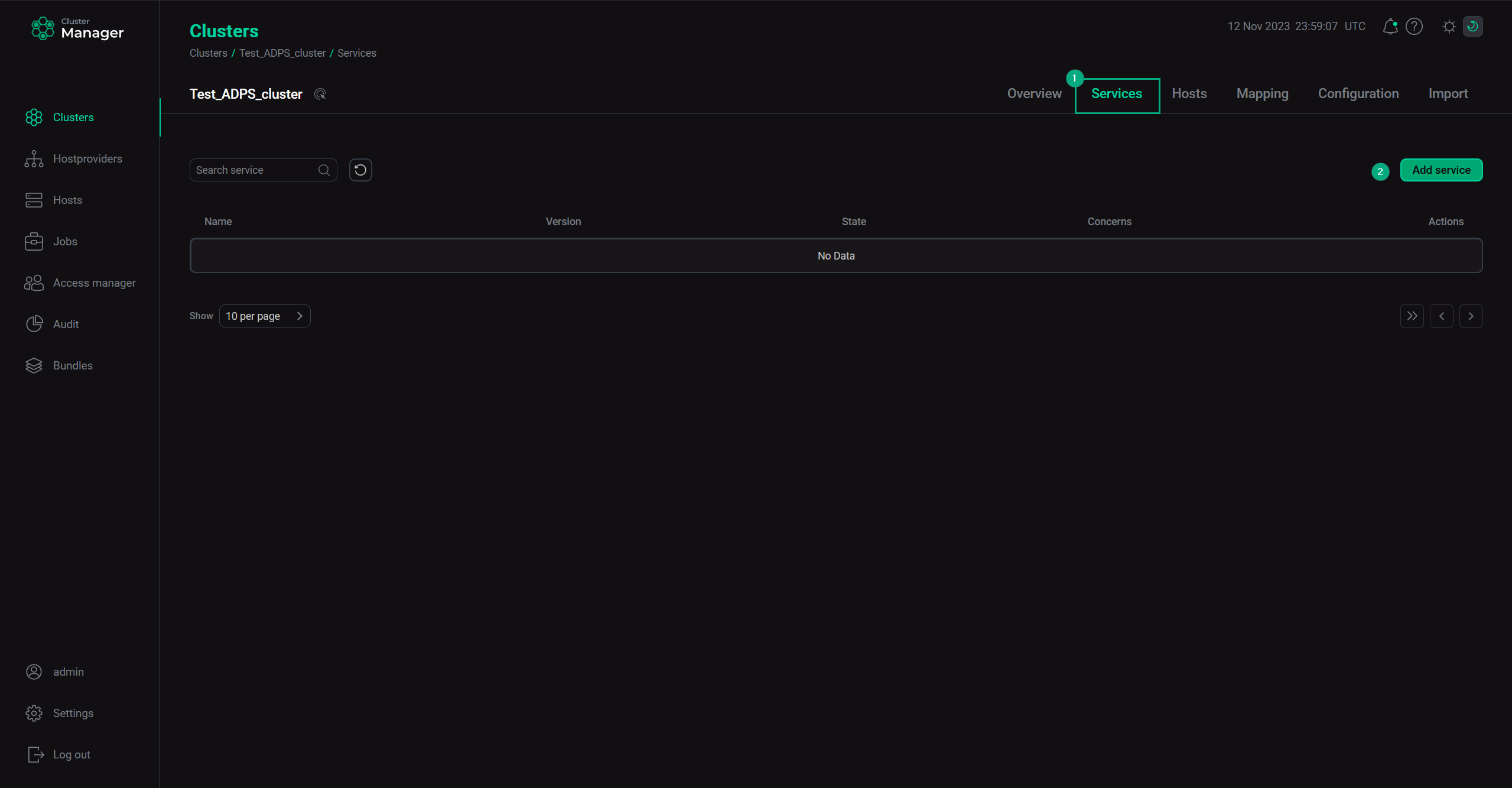 Switch to adding services
 -
In the opened dialog, select services that should be added to the cluster and click Add.
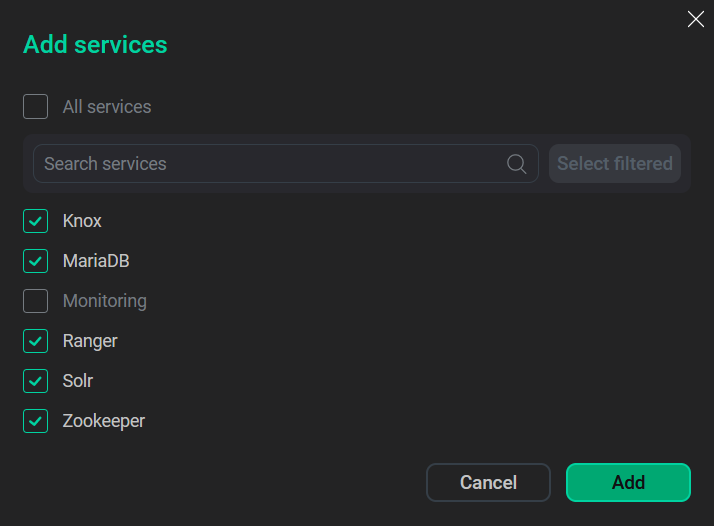 Select services
The brief description of available services is listed below.
Services that can be added to the ADPS cluster Service Purpose A relational PostgreSQL database used by the ADPS services
Reverse proxy service that acts as a single access point for HTTP interactions with resources
Monitoring
A service that should be added if monitoring of the ADPS cluster is planned
A secrets and encryption management system. It provides capabilities for storing, generating, encrypting, revoking, auditing secrets (such as API keys, certificates, passwords) and allows administrators to audit and manage access policies
A data security framework used for authorization and policy management
A search platform based on the Apache Lucene project. Its main features include full-text search, faceted search, highlighting search results, distributed indexing, integration with databases, processing documents with a complex format (Word, PDF, etc.), load-balanced querying, centralized configuration, and others. Used as an audit storage for Ranger
A centralized coordination service for distributed applications. It is used for failure detection, health monitoring, session management, consensus, etc.
The minimal set of services recommended for ADPS clusters is described below:
-
ADPG;
-
Knox;
-
Ranger;
-
Solr;
-
Zookeeper.
-
-
As a result, the added services are displayed on the Services tab.
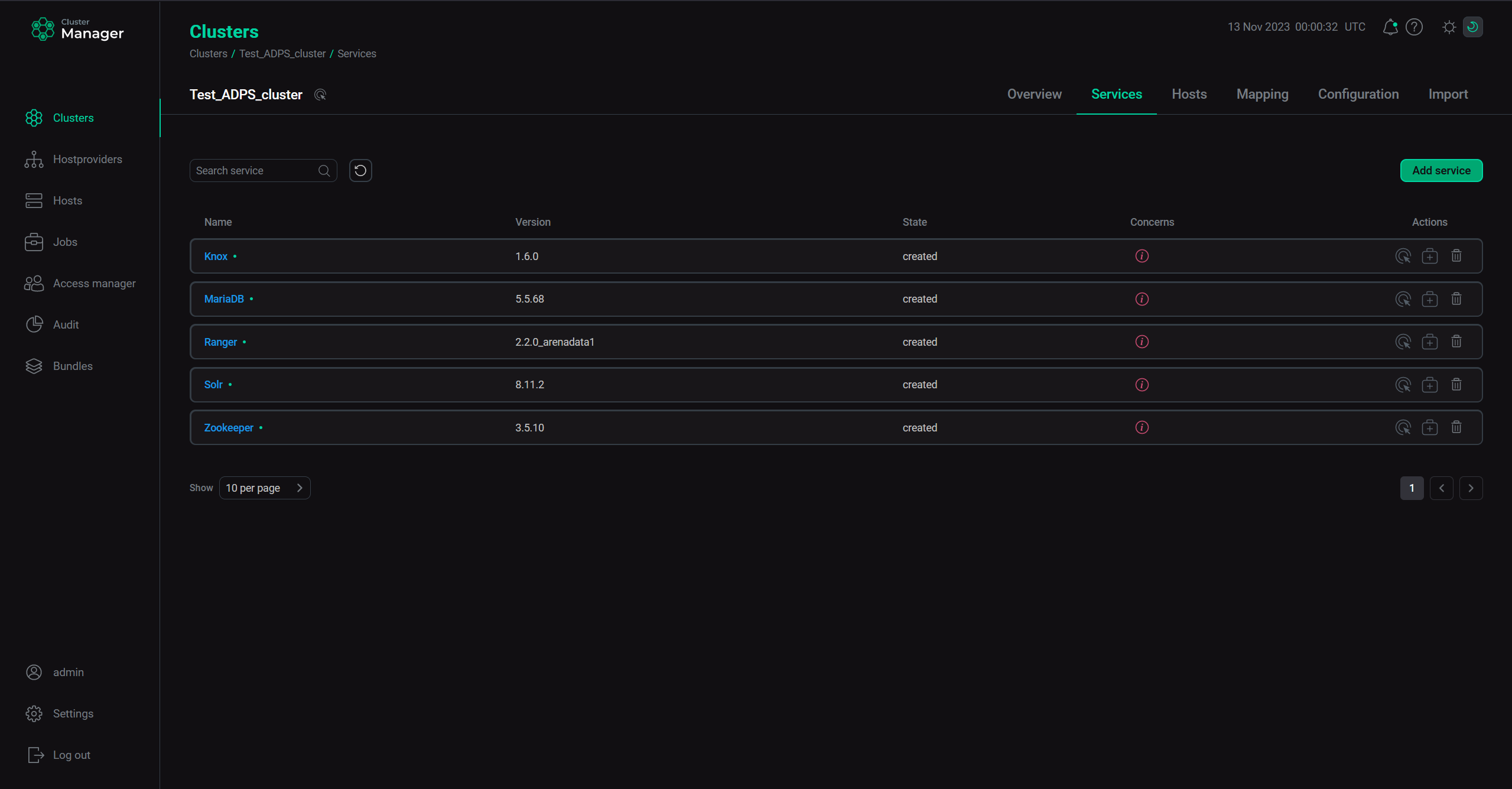 The result of successful adding services to a cluster
|
NOTE
You can also add services later. The process of adding new services to already running cluster does not differ from installing a service from scratch.
|