

Manage Kerberos
Manage Kerberos action
The Manage Kerberos action encapsulates enabling, reconfiguring, and disabling of Kerberos. To run it, you need an installed ADO cluster (see Get started with Arenadata Orchestrator) and one or more KDCs (Key Distribution Center). Before you proceed to managing Kerberos, it is recommended to read the Kerberos overview article about kerberization requirements.
Among other things, Manage Kerberos is designed to allow the following scenarios:
-
Enabling Kerberos without administrator credentials using the existing client, principals and/or keytabs.
-
Quickly changing the cluster state from kerberized to non-kerberized in case kerberization fails in the beginning (e.g. bad kadmin credentials) without having to reconfigure services, remove keytabs and principals.
-
Postponed service reconfiguration — configure Kerberos at the moment and reconfigure service later.
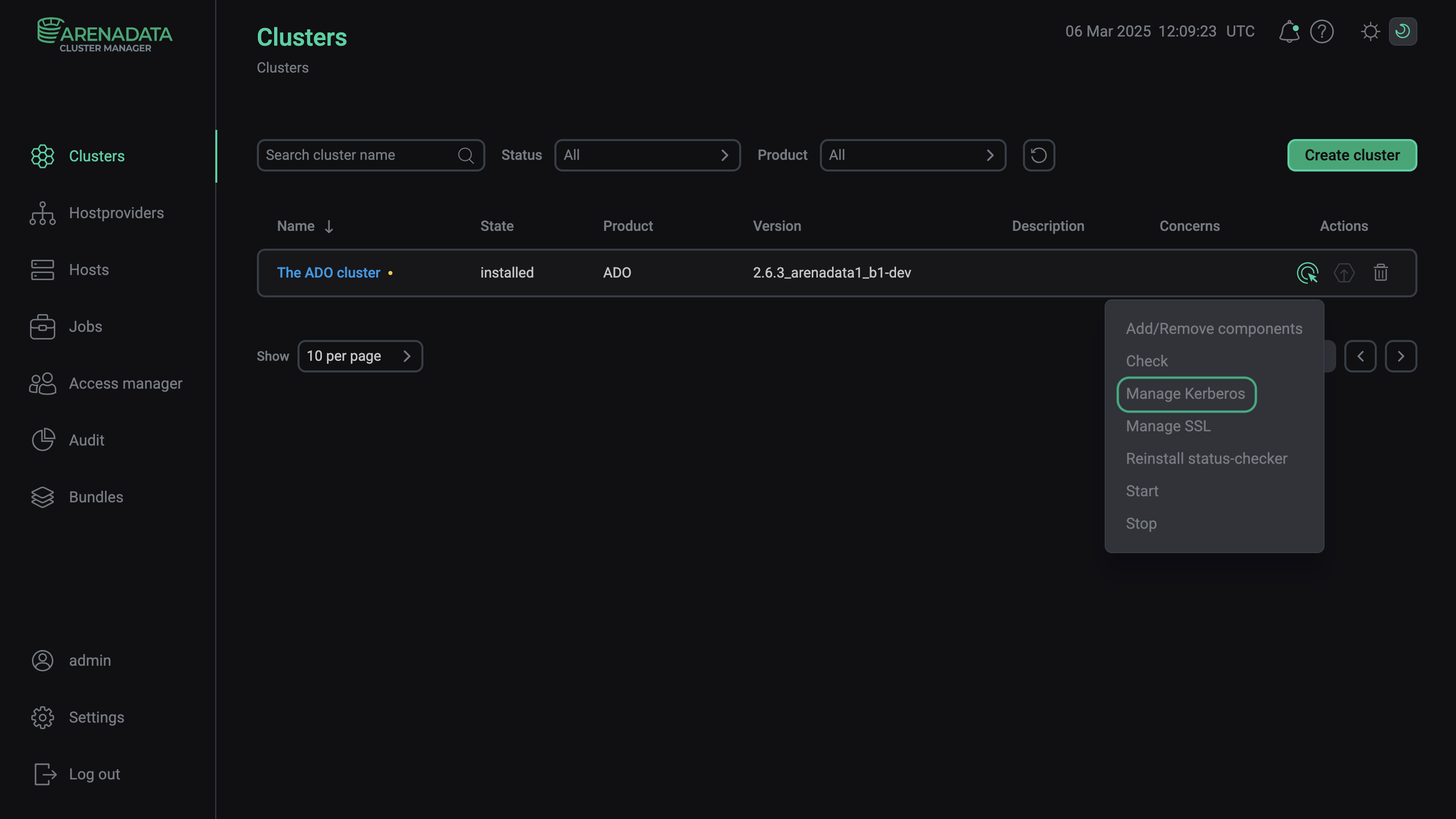
To run the action in the ADCM web UI, go to the Clusters page. Select an installed and prepared ADO cluster, and choose the Manage Kerberos action.
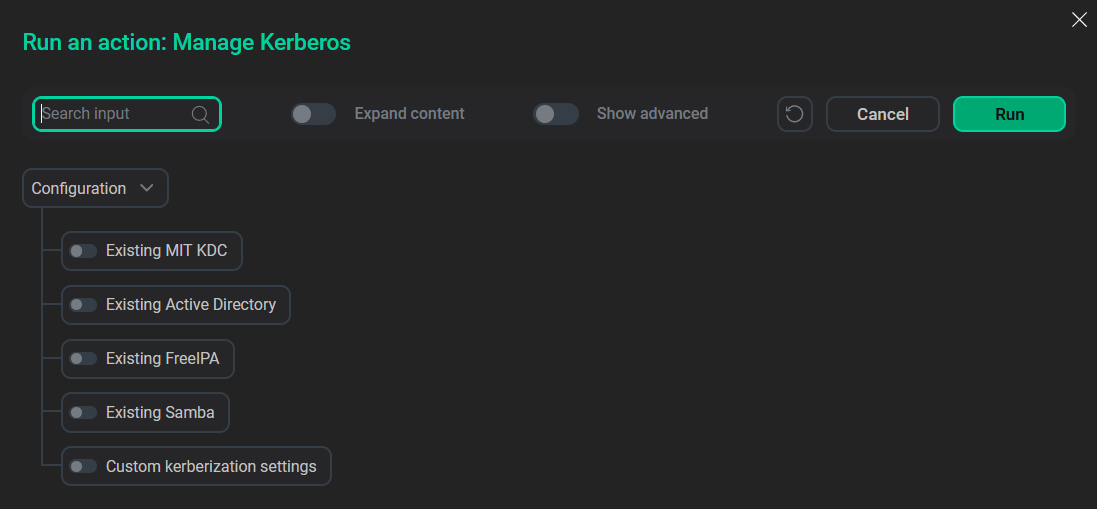
The pop-up window suggests several options to run the action:
-
Using an existing MIT KDC.
-
Using an existing MS Active Directory.
-
Using an existing FreeIPA.
-
Using an existing Samba.
-
Using the Custom kerberization settings option.
Each of these options can be combined with the Custom kerberization settings option.
|
IMPORTANT
Running the action with one KDC type enabled will trigger Kerberos activation.
|
Custom kerberization settings
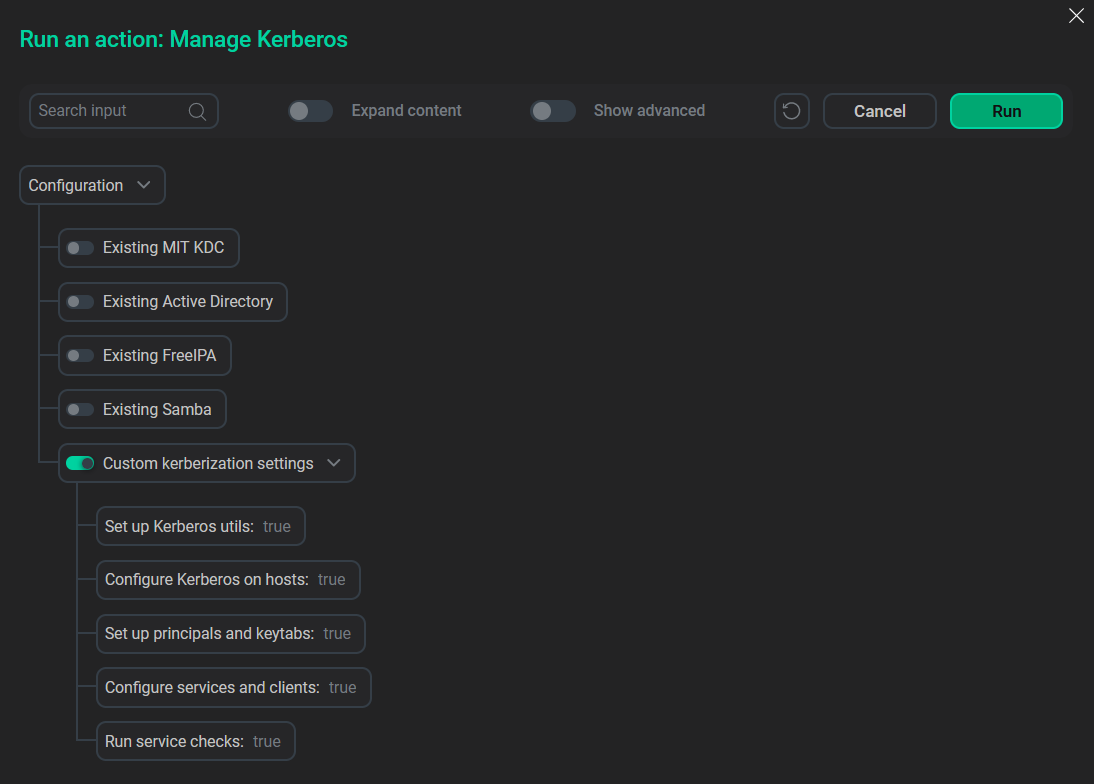
The Custom kerberization settings option allows the user to choose kerberization steps, for example, creation of principals and keytabs.
| Parameter | Description | Default value |
|---|---|---|
Set up Kerberos utils |
Enables installation or removal of Kerberos clients and utils. Affects the Expand and Install actions |
True |
Configure Kerberos on hosts |
Enables cluster configuration, including krb5.conf, ldap.conf |
True |
Set up principals and keytabs |
Enables creation, recreation, or removal of principals and keytabs. Passwords for principals are generated randomly before keytab creation. Affects the Expand and Install actions. ADCM bundle will set up owner and permissions for keytabs only if this checkbox is selected in the cluster configuration. In case of absence of admin permissions, a customer should provide the prepared keytabs with correctly set owner and permissions |
True |
Configure services and clients |
Enables updating of services and clients configuration |
True |
Run service checks |
Enables service check runs |
True |