

Add services
In ADCM, a service means a software that performs some function. Examples of services for ADO clusters: Airflow, ADPG, etc. The steps for adding services to a cluster are listed below:
-
Select a cluster on the Clusters page. To do this, click a cluster name in the Name column.
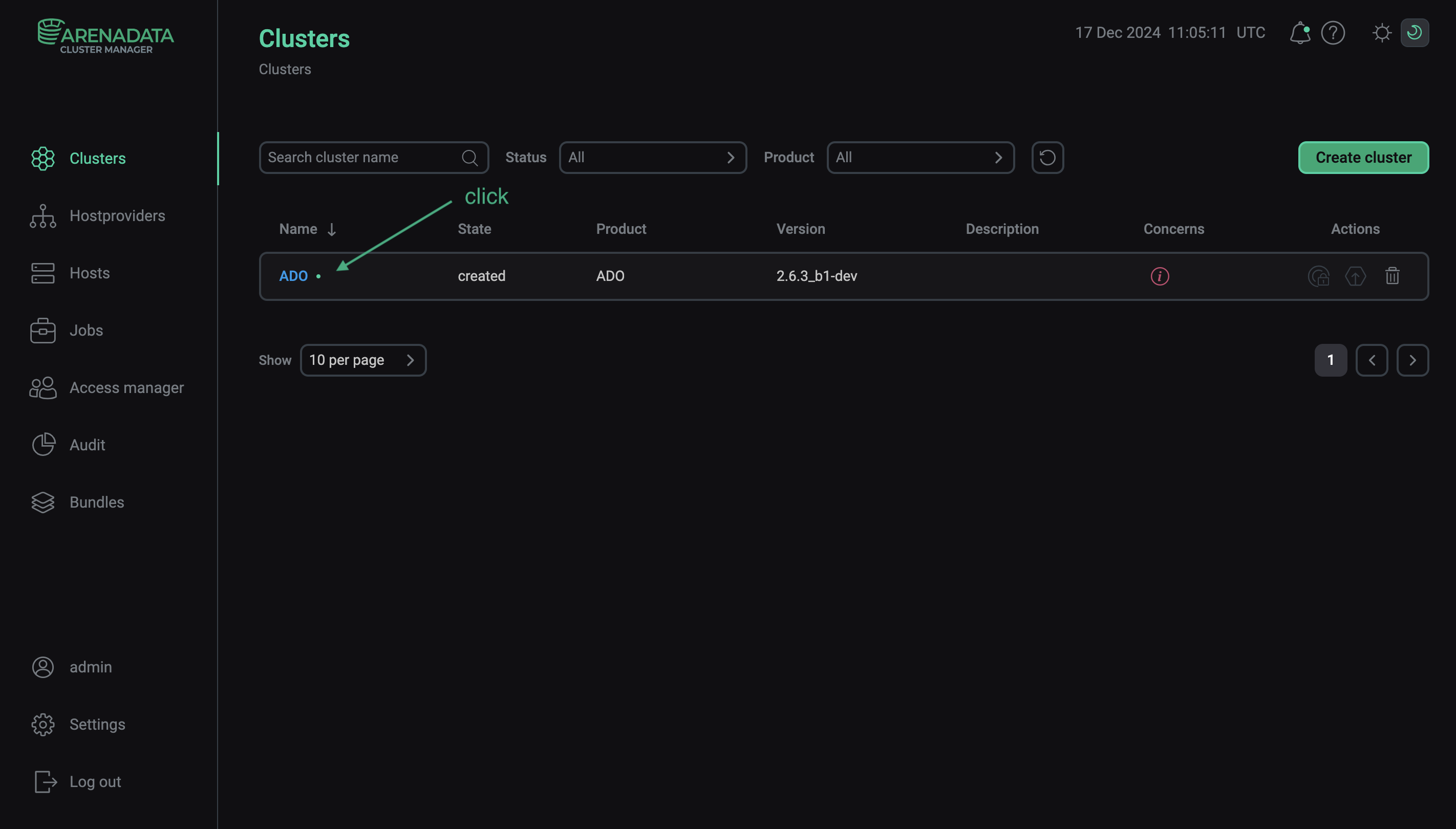 Select a cluster
 -
Open the Services tab on the cluster page and click Add services (Add service in first versions of ADCM).
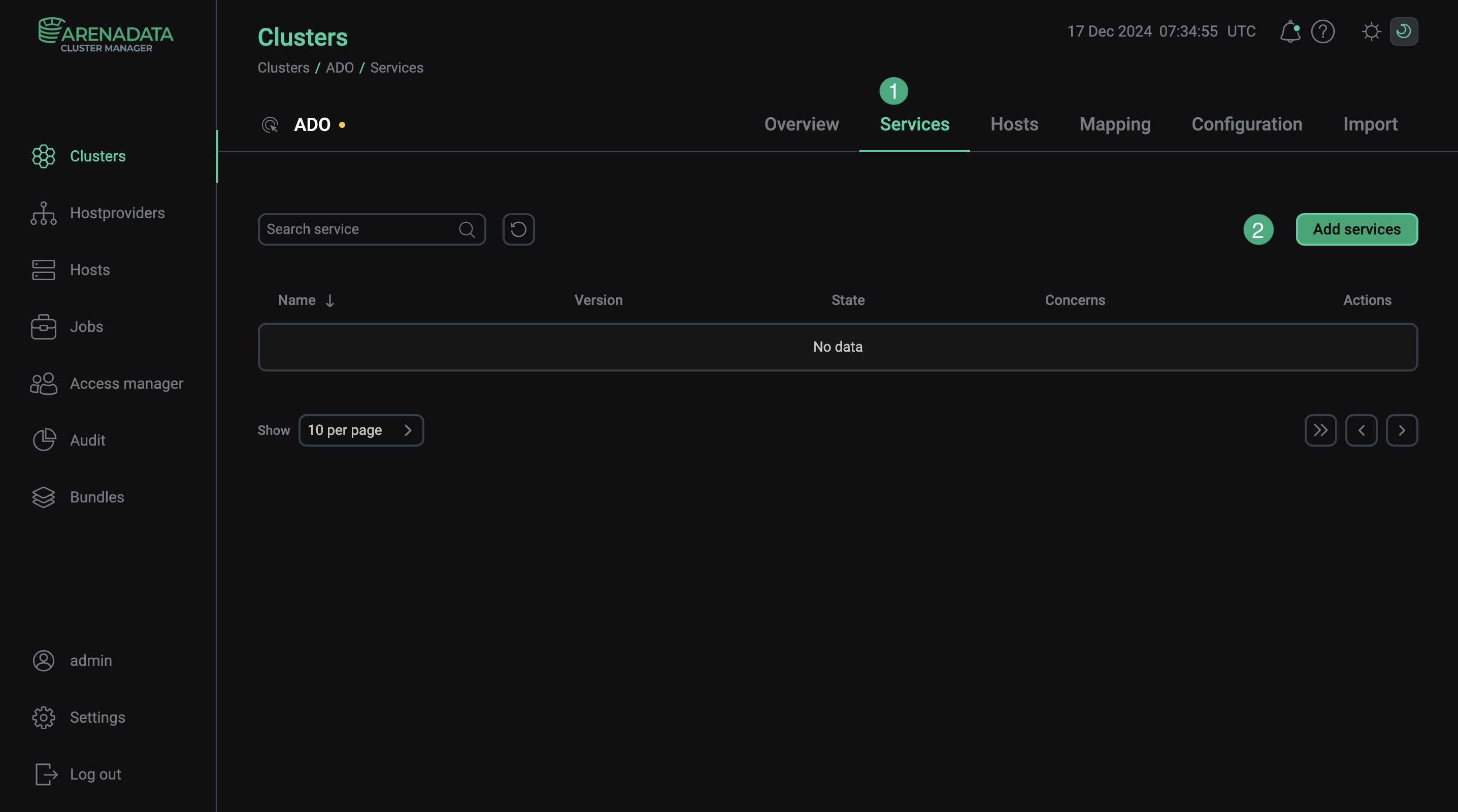 Switch to adding services
 -
In the opened dialog, select services that should be added to the cluster and click Add.
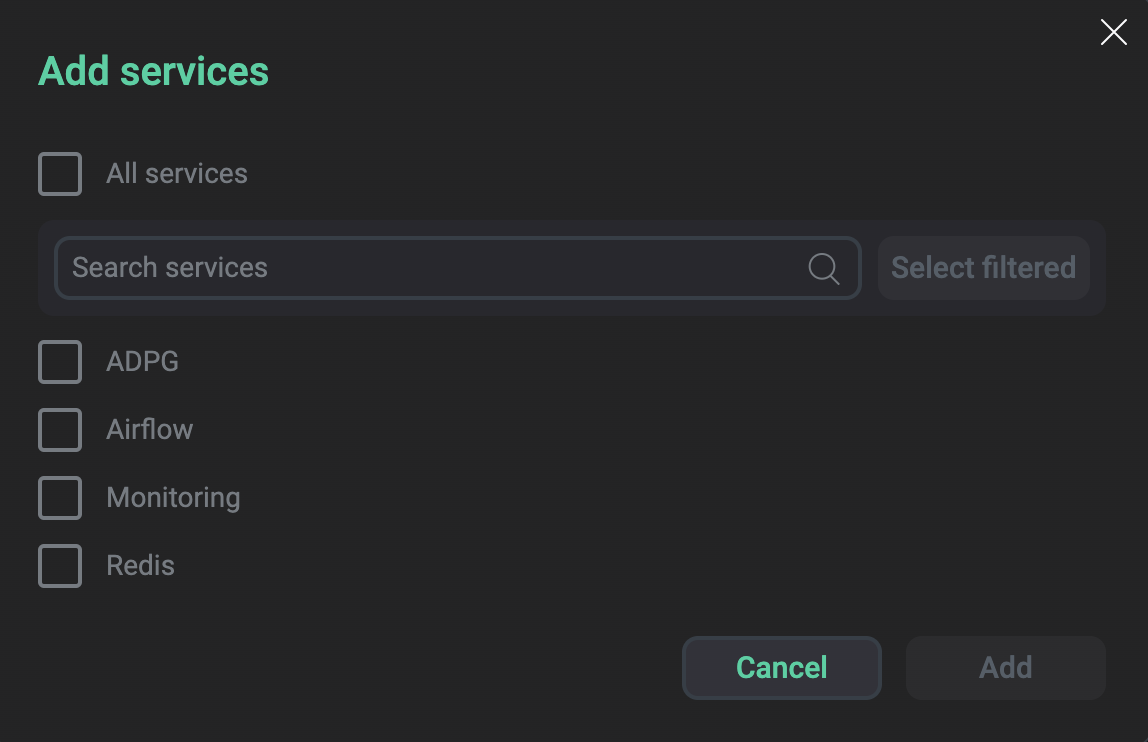 Select services
The brief description of available services is listed below.
Services that can be added to the ADO cluster Service Purpose A service used for creation, scheduling, and monitoring workflows in the form of Directed Acyclic Graphs (DAGs) of tasks. Can be used in Arenadata Orchestrator clusters for building ETL/ELT processes
Monitoring
A service that should be added if monitoring of the ADO cluster is planned
Redis
Redis is an open source, in-memory, NoSQL data store used primarily as an application cache or quick-response database
ADPG
Arenadata Postgres (ADPG) is a commercial distribution of the PostgreSQL database with additional Enterprise functionality
A service for synchronizing DAGs with remote Git repositories
The DBT service provides a pre-installed dbt runtime integrated into ADO
An open-source, column-oriented relational database management system designed for online analytical processing (OLAP) workloads
-
As a result, the added services are displayed at the Services tab.
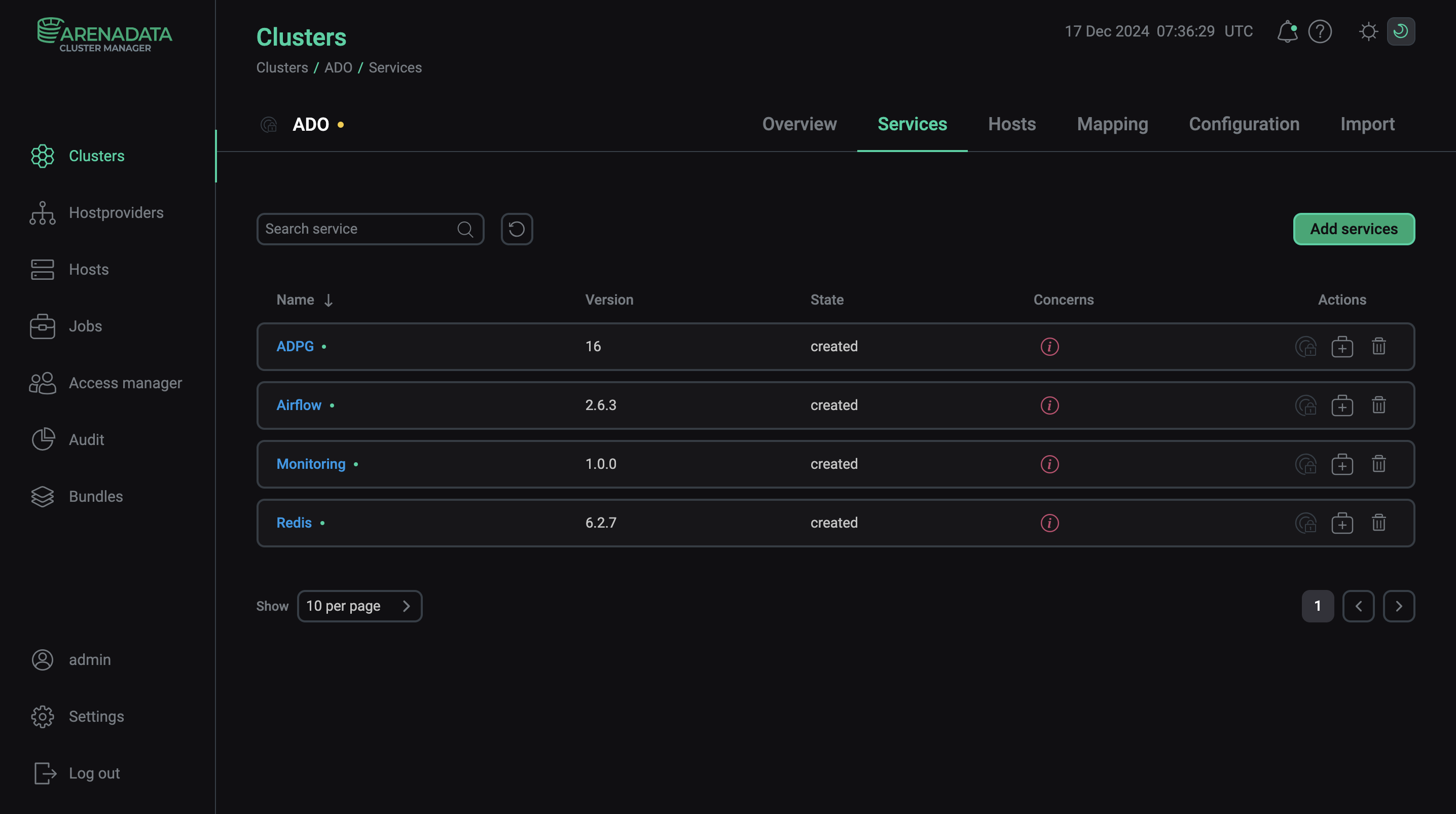 The result of successful adding services to a cluster
|
NOTE
You can also add services later. The process of adding new services to already running cluster does not differ from installing a service from scratch.
|