

Upgrade
Overview
You can upgrade an installed ADO cluster using ADCM.
Steps to upgrade an ADO cluster:
-
Upload a newer ADO bundle to ADCM. For upload instructions, see the Upload a cluster bundle to ADCM section.
-
Once the bundle is loaded, go to the Clusters page. The icon
 becomes active for the ADO cluster in the Actions column.
Click this icon — in the Upgrade Cluster window that opens, select a version to upgrade ADO and click Upgrade.
becomes active for the ADO cluster in the Actions column.
Click this icon — in the Upgrade Cluster window that opens, select a version to upgrade ADO and click Upgrade.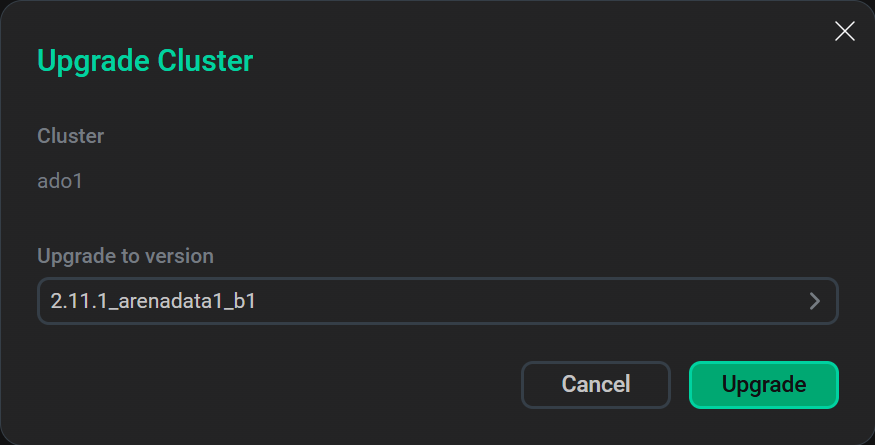 Start upgrade
 -
Confirm the upgrade by clicking Run.
-
As a result, the ADO cluster state transitions to
upgradable, indicating that the cluster is ready for an upgrade. Click the icon
 in the Actions column and select the Upgrade action.
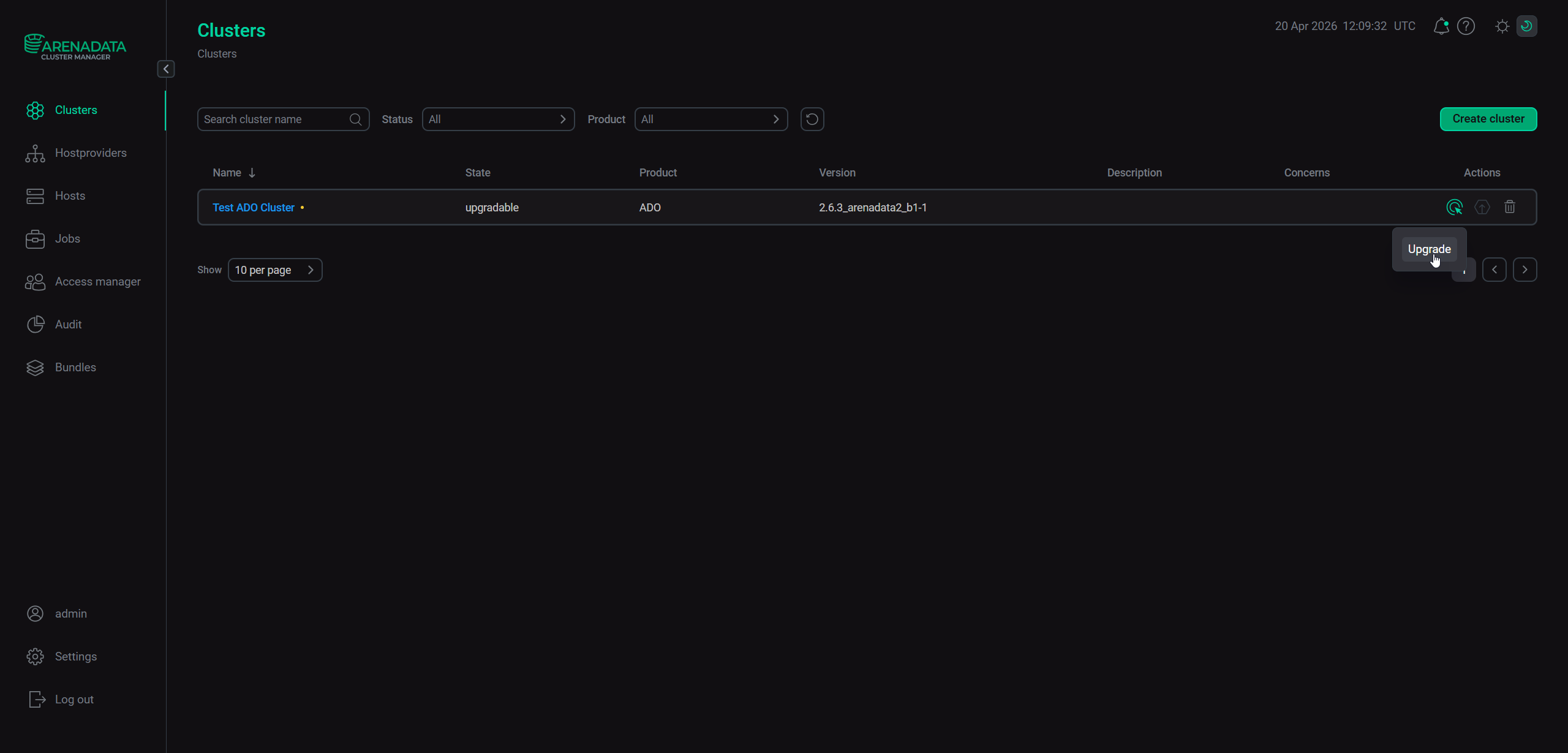 Run the "Upgrade" action
 -
In the dialog that opens, click Run to confirm the action. Once the upgrade process is complete, ADCM will change the ADO cluster state to
installed.
The results of the upgrade action are available on the Jobs page.
Upgrade bundle edition
Starting with ADO 2.11.1.1, you can upgrade your ADO bundle edition (Community → Enterprise).
Consider the following rules when upgrading the bundle edition:
-
Bundle versions must be identical, including build, major, and minor versions.
-
Downgrade (Enterprise → Community) is not supported.
Below are some migration examples:
-
✅ 2.11.1_arenadata1_b1 (CE) → 2.11.1_arenadata1_b1 (EE). Valid upgrade.
-
❌ 2.11.1_arenadata1_b1 (CE) → 2.12.1_arenadata1_b2 (EE). Unsupported upgrade. Different major/minor versions.
-
❌ 2.11.1_arenadata1_b1 (CE) → 2.11.1_arenadata2_b1 (EE). Unsupported upgrade. Different patch versions.
-
❌ 2.11.1_arenadata1_b1 (CE) → 2.11.1_arenadata1_b2 (EE). Unsupported upgrade. Different build versions.
-
❌ 2.11.1_arenadata1_b1 (EE) → 2.11.1_arenadata1_b1 (CE). Unsupported upgrade. Downgrade (EE → CE) is not allowed.