Install necessary clients to Airflow workers
Overview
Some Airflow providers require client-side tools to be installed directly on Airflow worker hosts. A typical example is the integration between a Spark service deployed in an ADH cluster and an ADO cluster with the apache-airflow-providers-apache-spark provider (included by default).
In the ADO–ADH integration scenario:
-
Airflow is deployed in the ADO cluster.
-
Spark is deployed in the ADH cluster.
-
Airflow workers are not part of the ADH cluster.
When using CeleryExecutor, Airflow tasks are executed on worker hosts. SparkSubmitOperator runs spark-submit locally on the worker host. Therefore, each worker must have:
-
Spark binaries (
spark-submit); -
configuration files (spark-defaults.conf, spark-env.sh);
-
required dependencies (for example, Hadoop libraries);
-
network access to the Spark cluster.
If the Spark client is not installed, task execution fails with the following error:
spark-submit: command not found
There are two main approaches to solving the problem:
-
Install the Spark client using the host sharing feature (subhosts) in ADCM.
-
Install the Spark client and other dependencies manually on all the hosts.
If both ADO and ADH clusters are available in ADCM, it is recommended to install the Spark client via ADCM.
Install a Spark client via ADCM
ADCM supports host sharing between clusters via the subhost mechanism.
A subhost is a representation of a physical host in another cluster, which allows installing components from multiple clusters on the same host.
To install the Spark client on ADO hosts via ADCM:
-
On the Hosts page, for each ADO host, create a subhost. When creating a subhost, select your ADH cluster in the Cluster field.
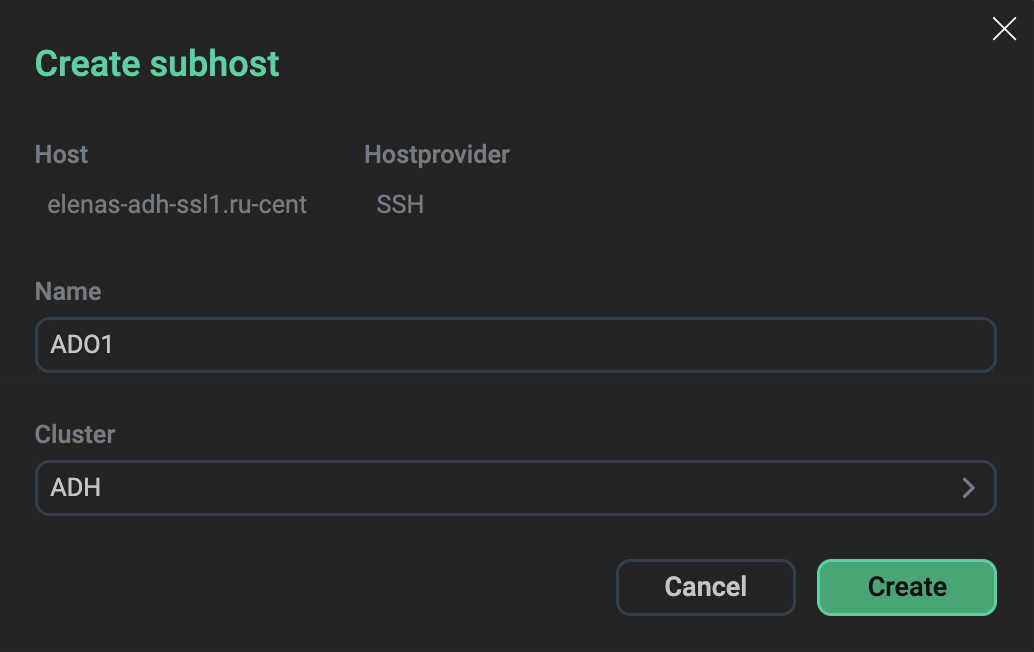 Create a subhost and assign it to an ADH cluster
 -
On the Clusters page, select your ADH cluster.
-
Go to the Services tab.
-
Select the Add/Remove components action for Spark and add Spark clients to the created ADO subhosts.
After installation, Spark binaries become available on the Airflow worker hosts.
Install a Spark client manually
When installing Spark components and libraries manually, make sure all Airflow worker hosts include everything from the table below.
| Component | Purpose | Location |
|---|---|---|
Spark binaries |
CLI execution |
/opt/spark/bin/spark3-submit |
PySpark |
Python integration |
|
Configuration |
Spark runtime settings |
/opt/spark/conf/spark-defaults.conf |
Dependencies |
Required libraries |
/opt/spark/jars |
To set up Spark components:
-
Connect to each Airflow worker host by SSH.
-
Install Spark binaries to the required directory (for example, /opt/spark).
-
Install PySpark in the Airflow environment.
-
Configure Spark (spark-defaults.conf, spark-env.sh).
-
Update the Airflow connection
spark_defaultto point to the installed binary.
For more information on how to install Spark libraries manually, see the documentation of the appropriate Spark version.
Configure Airflow
To configure Airflow to work with ADH Spark:
-
Open the Airflow web UI.
-
In the top menu, navigate to Admin → Connections.
-
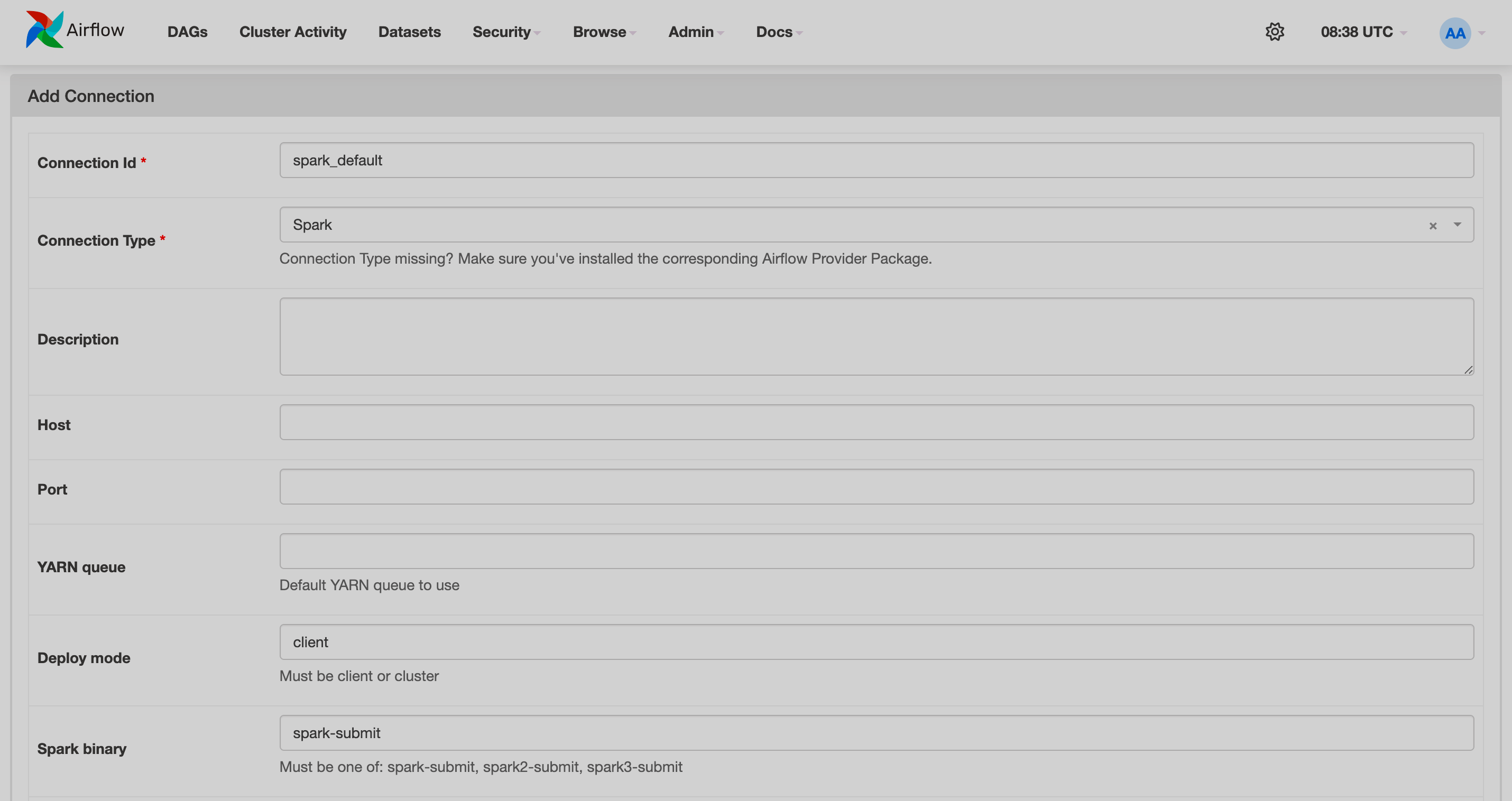
Click Add a new record and fill in the fields:
-
Connection Id —
spark_default, -
Connection Type —
Spark; -
Deploy mode —
client; -
Spark binary —
spark-submit.
-
-
Click Save.