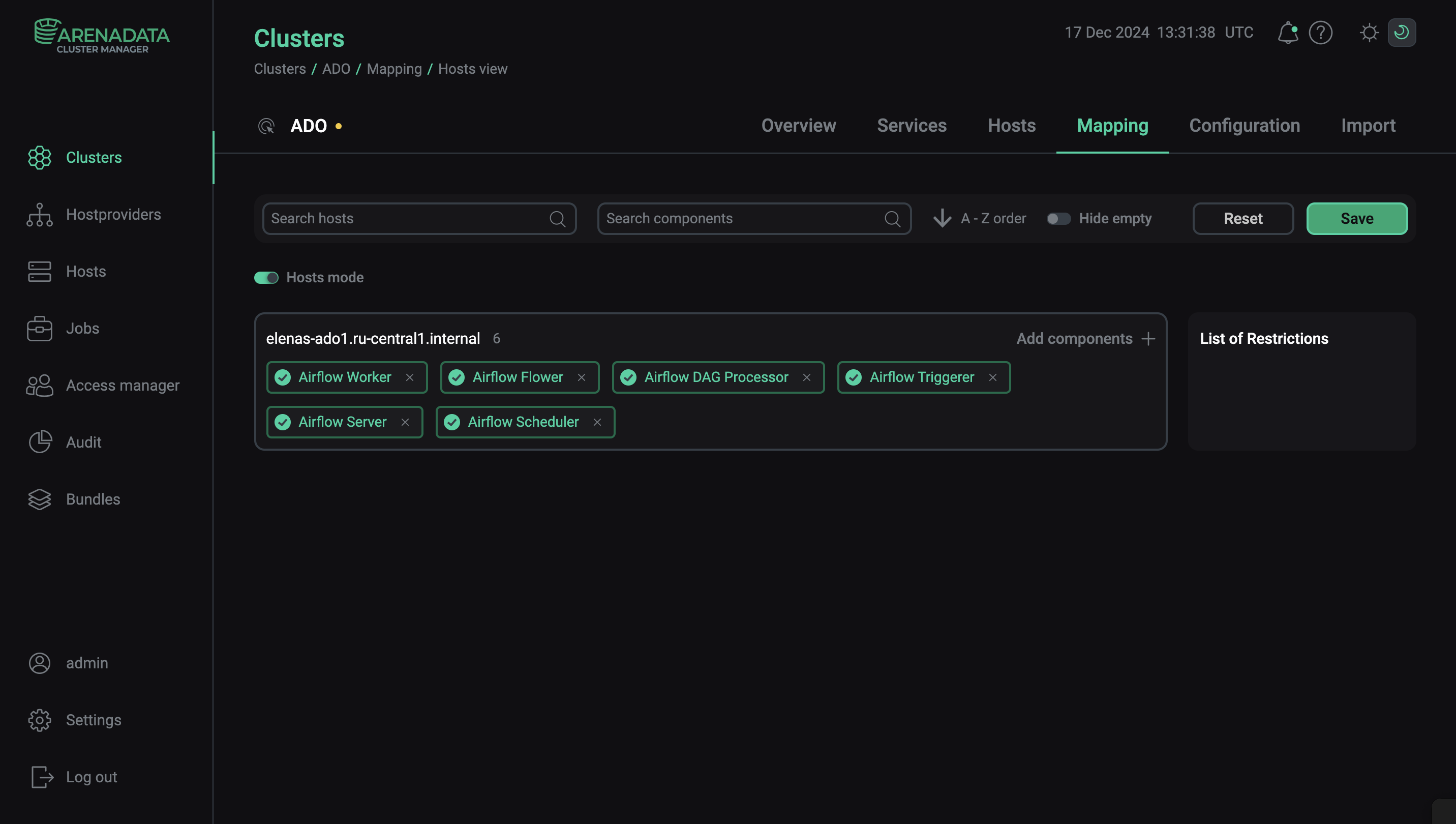
Add components
In ADCM, a component means a part of a service that should be deployed on one or several cluster hosts. For example, Airflow service can consist of such components as Airflow Server, Airflow Scheduler, Airflow Worker, and others.
|
IMPORTANT
Initially, there are no components on any of cluster hosts. You should map components to hosts manually.
|
The steps for adding components to hosts are listed below:
-
Select a cluster on the Clusters page. To do this, click a cluster name in the Name column.
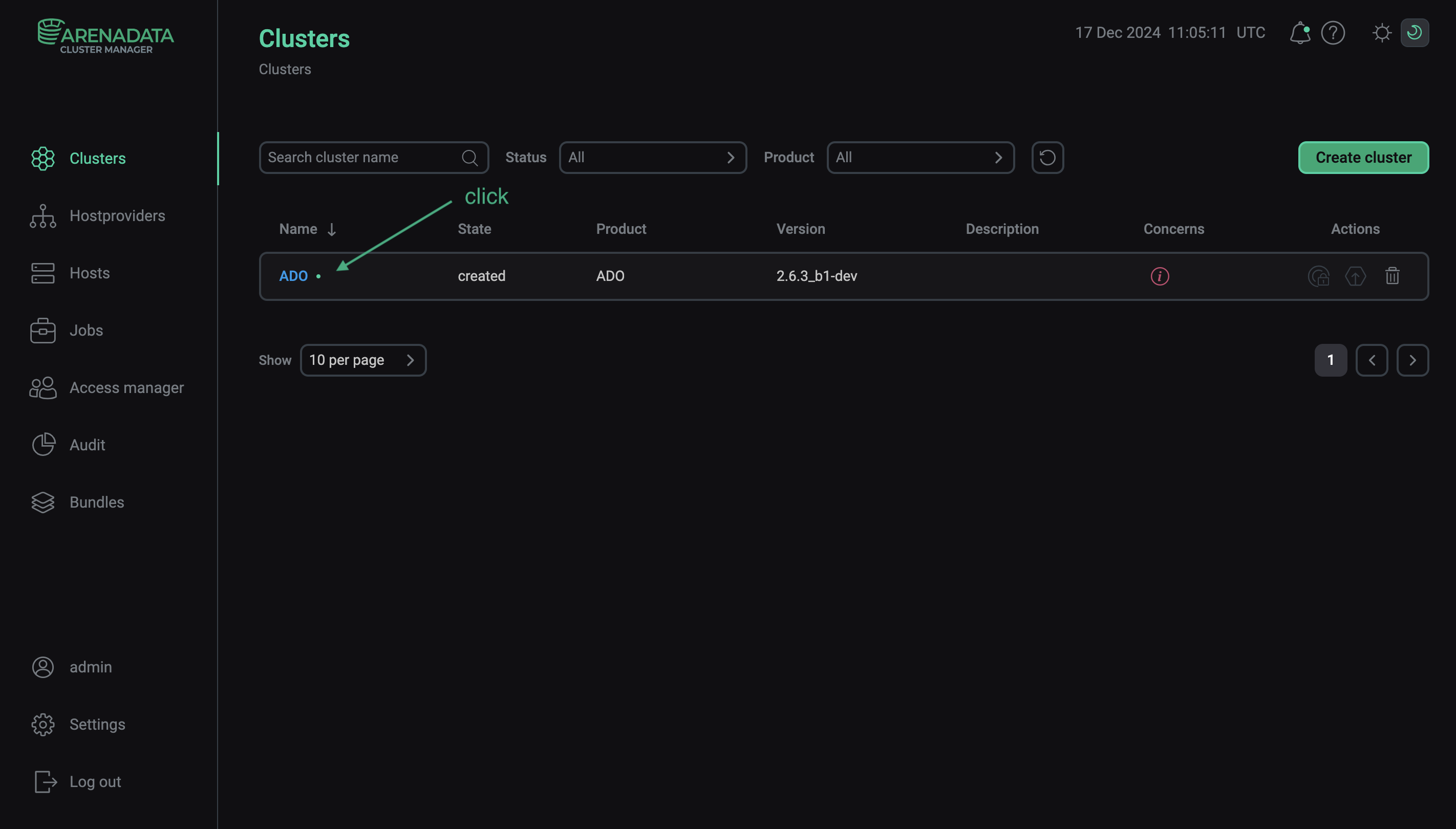 Select a cluster
 -
Open the Mapping tab on the cluster page.
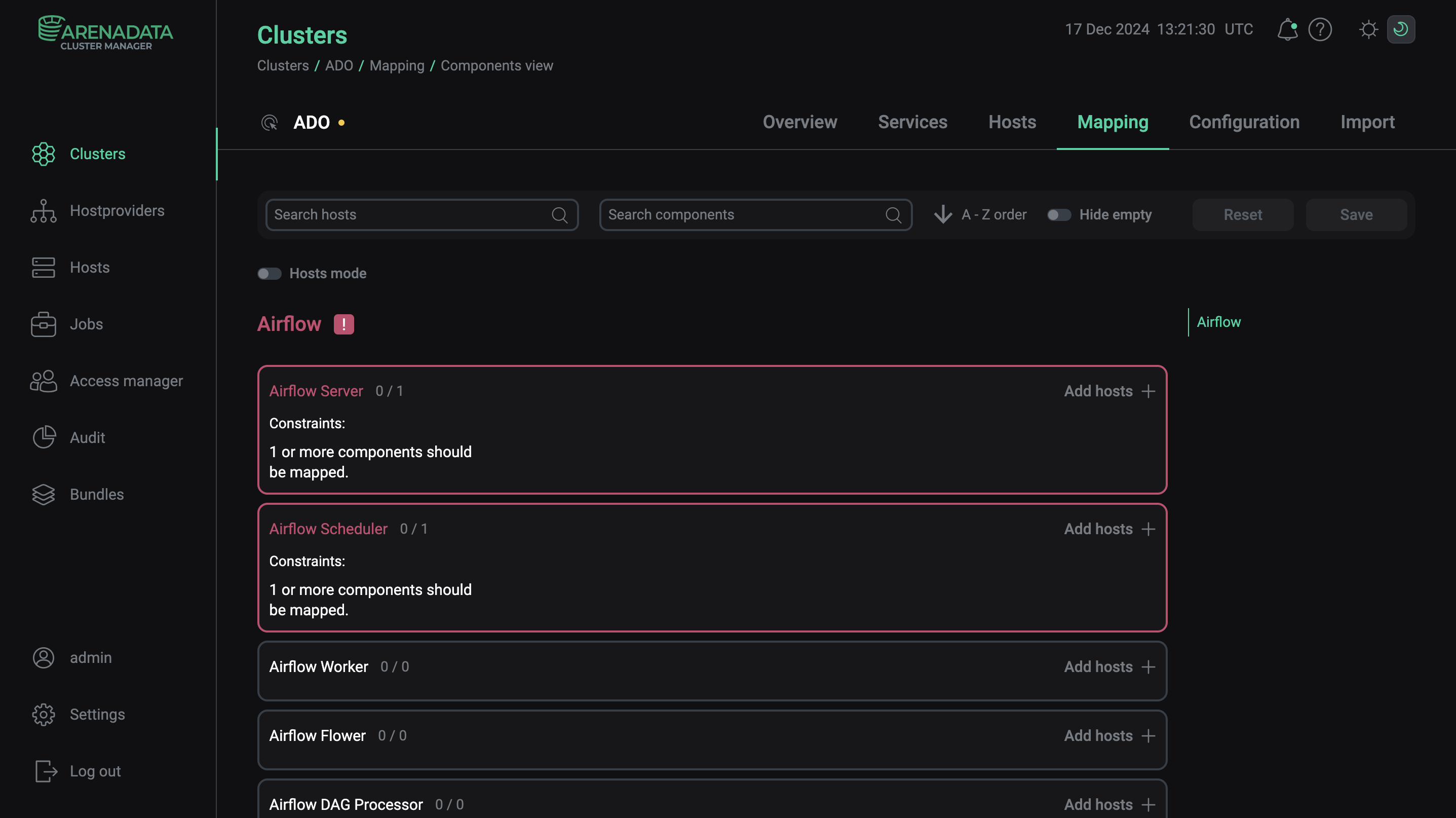 Switch to mapping service components
 -
In the window that opens, map components to hosts. To assign hosts for each component, click Add hosts and select hosts in the pop-up window.
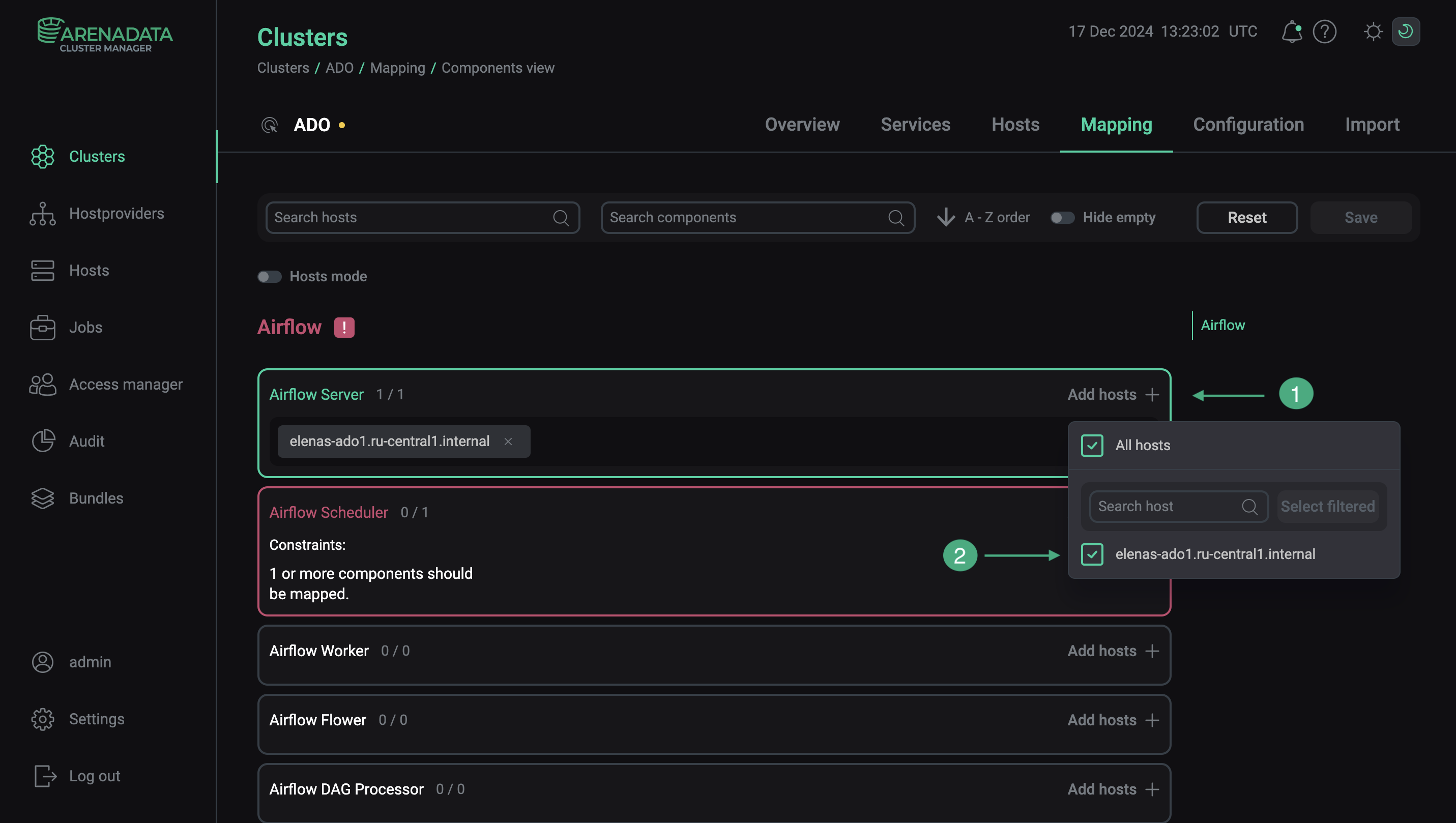 Select hosts for a componentMandatory components
Each service can have mandatory and optional components. Mandatory components are highlighted in red. The ADCM UI also displays how many mandatory components should be installed.
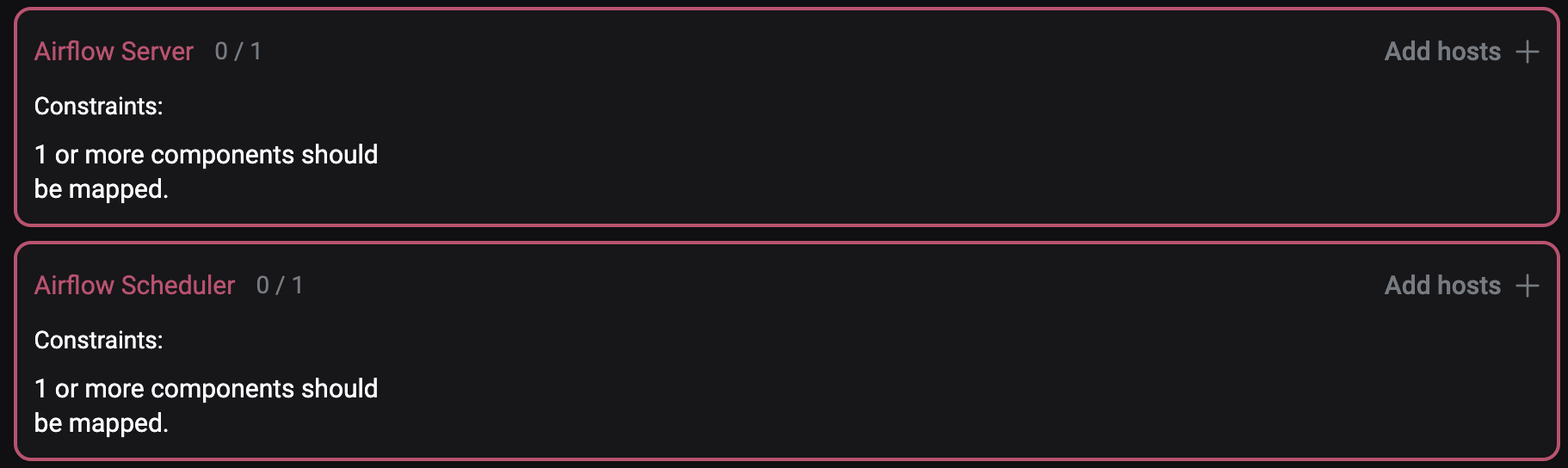 Mandatory componentsCAUTIONWithout assigning a necessary number of hosts to mandatory components, the component mapping cannot be saved.
You can install only minimal components configuration in an ADO cluster on a single host. Depending on your requirements, you can add a number of hosts and distribute the components among them.
The Airflow Haproxy component must be installed on a separate from Airflow Server host.
-
After component distribution is completed, click Save.
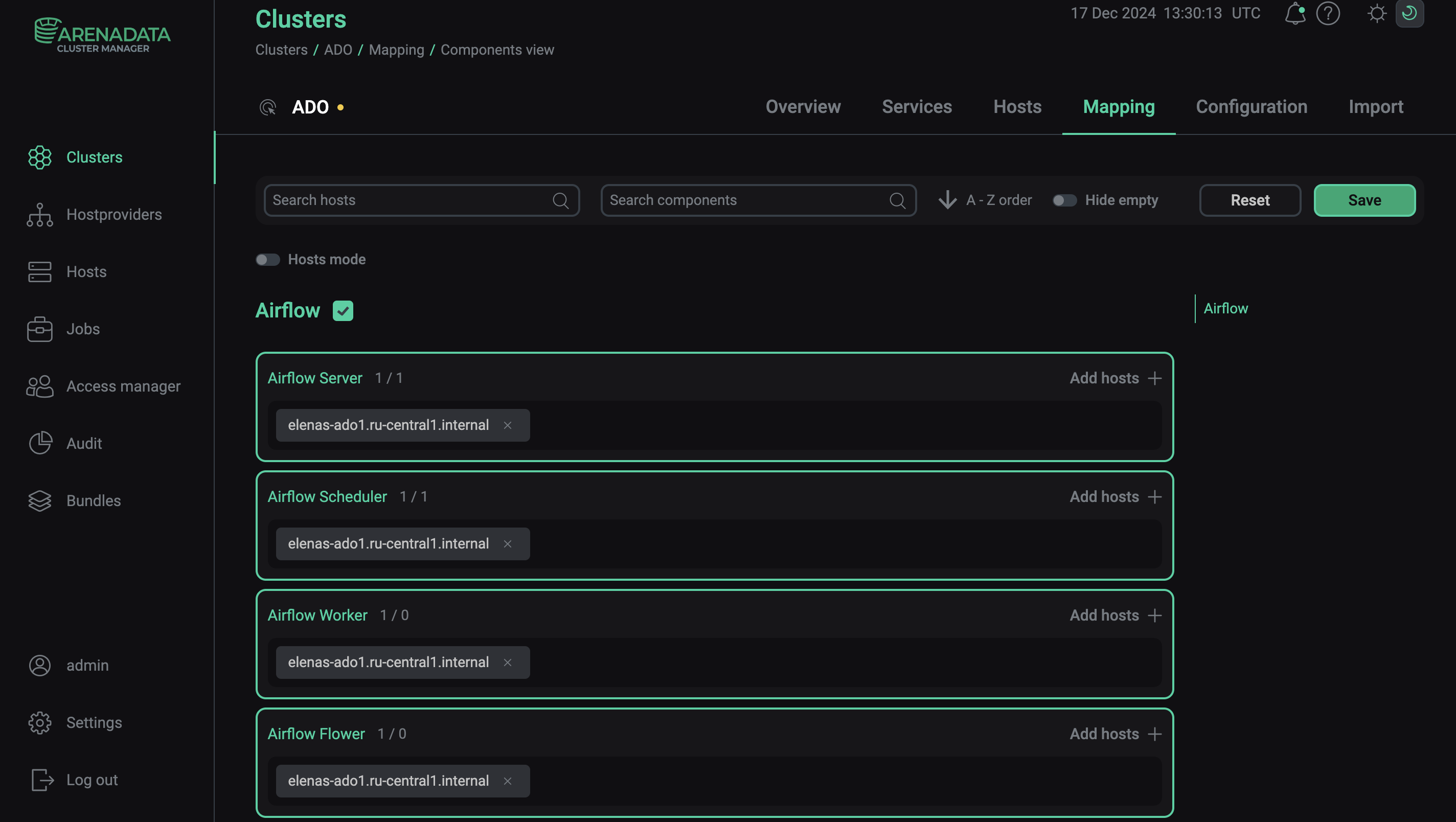 Save mapping of components
Starting with ADCM 2.2.0, you can use another mapping mode — by hosts. To do this, switch on the Hosts mode toggle and map components to hosts by clicking Add components for each host sequentially.