

Rollback Upgrade
Overview
Starting with ADO 2.11.1.1, you can roll back an ADO cluster to a previous version after an upgrade. A rollback can be useful for recovering from issues that may occur after a cluster upgrade or configuration changes, for example:
-
incompatibility of DAGs with a new Airflow version;
-
failures after updating providers or dependencies;
-
unstable cluster state after an upgrade.
|
NOTE
The ADO rollback feature does not guarantee full recovery of user data or DAG operability.
|
The rollback mechanism is implemented as an ADO cluster action in ADCM. To perform the action:
-
On the Clusters page, click

 in the Actions column and select the Rollback Upgrade action.
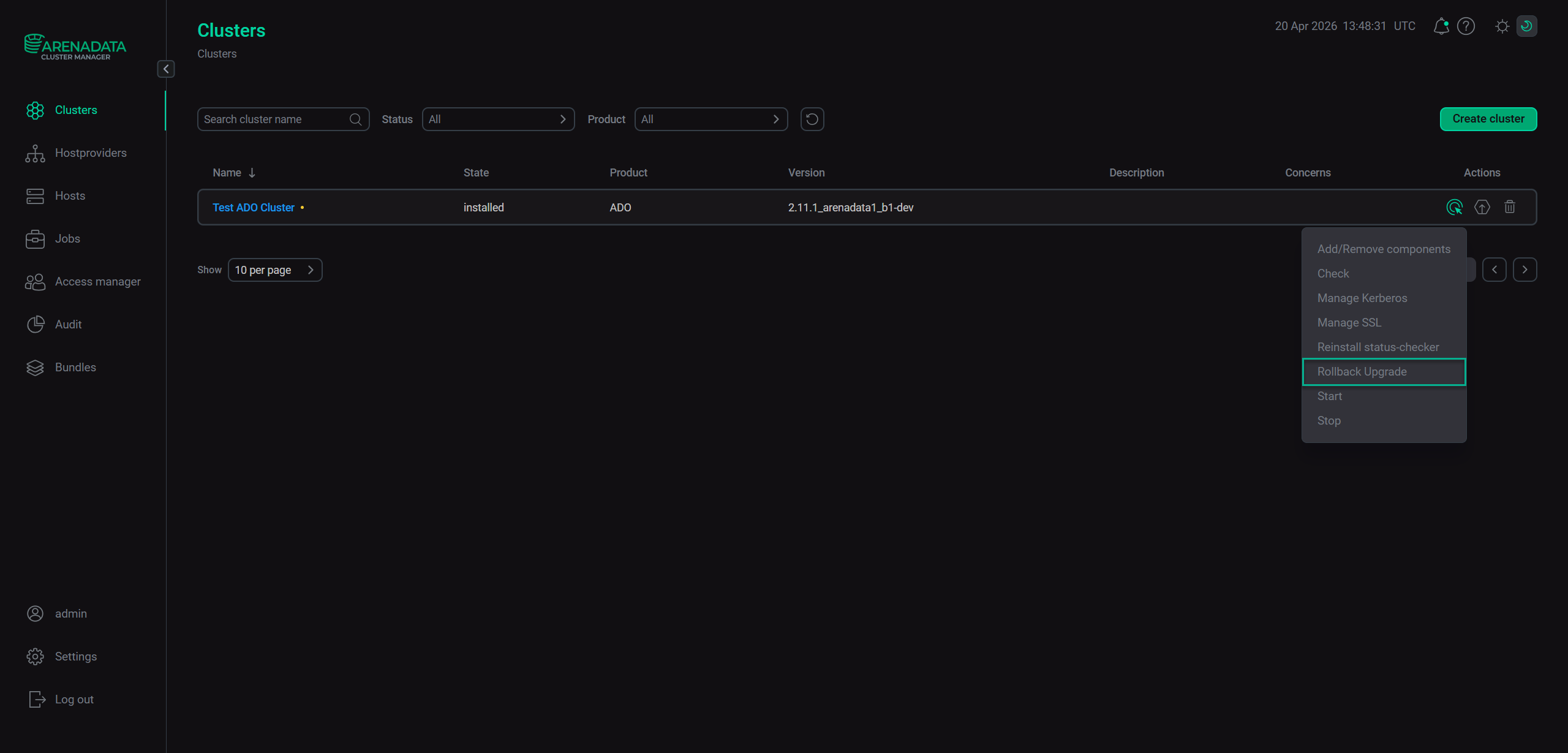 Run the "Rollback Upgrade" action
 -
In the dialog that opens, click Run to confirm the action.
When the action completes, the ADO cluster version is changed to the pre-upgrade one.
Features and requirements
Below are implementation details and requirements for the ADO version rollback feature:
-
The rollback feature is available for ADO clusters 2.11.1.1 or later.
-
A rollback is done strictly one step back — to the version before the ADO cluster upgrade.
-
A rollback is possible if the ADO cluster has been previously upgraded via ADCM.
-
The previous ADO bundle version to roll back to must be available in ADCM.