

Upgrade a cluster to a new ADP ES version
|
CAUTION
When upgrading a cluster to ADP ES v2.0.0 make sure that you upgraded the ADP cluster to version 16.3.6. |
Follow the steps below to upgrade a cluster.
-
Upload a new bundle. To do this, go to the Bundles page, click Upload bundle, and select a new bundle file in your environment.
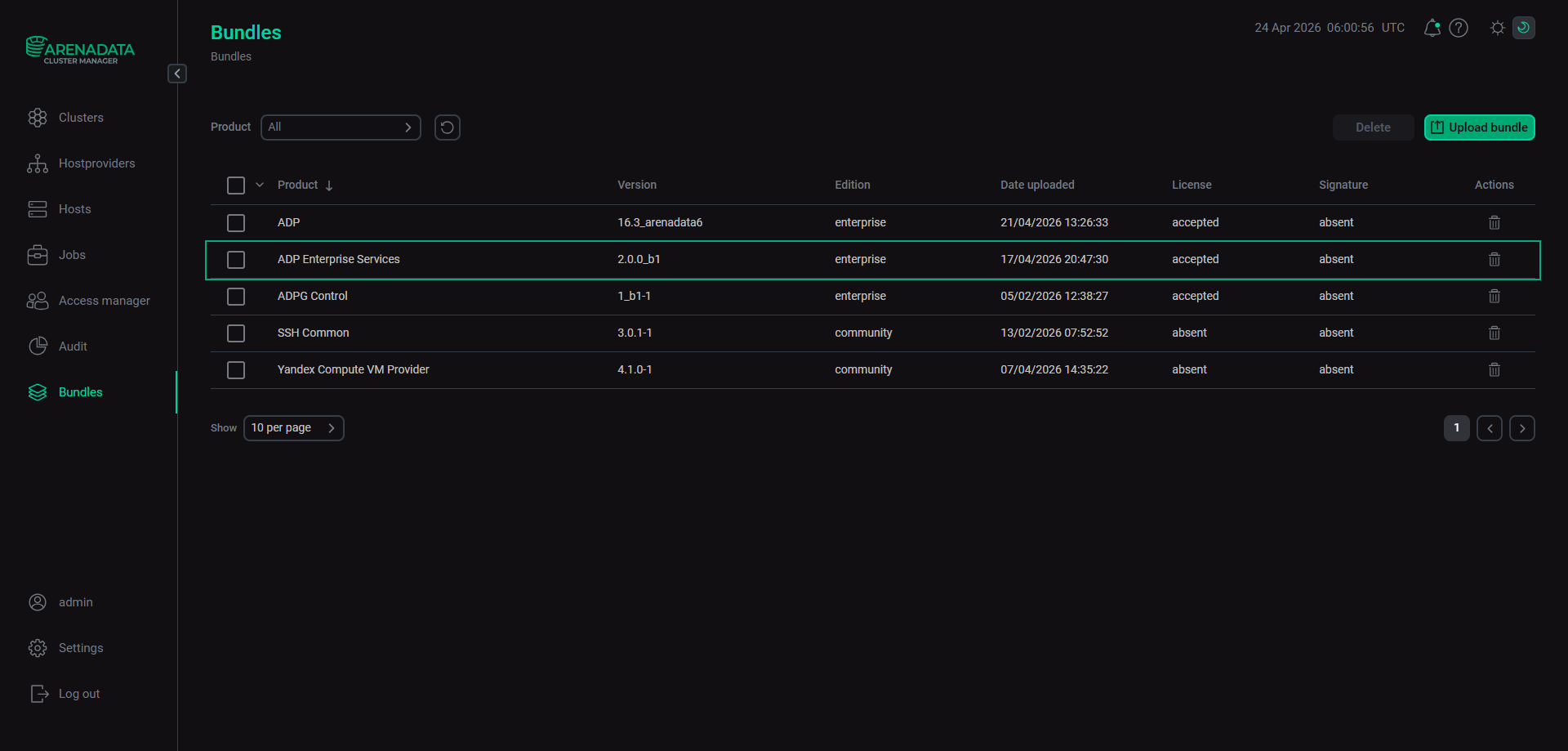 The Bundles page
 -
When a new bundle is loaded, open the Clusters page. Click the icon
 that becomes active for the cluster in the Actions column.
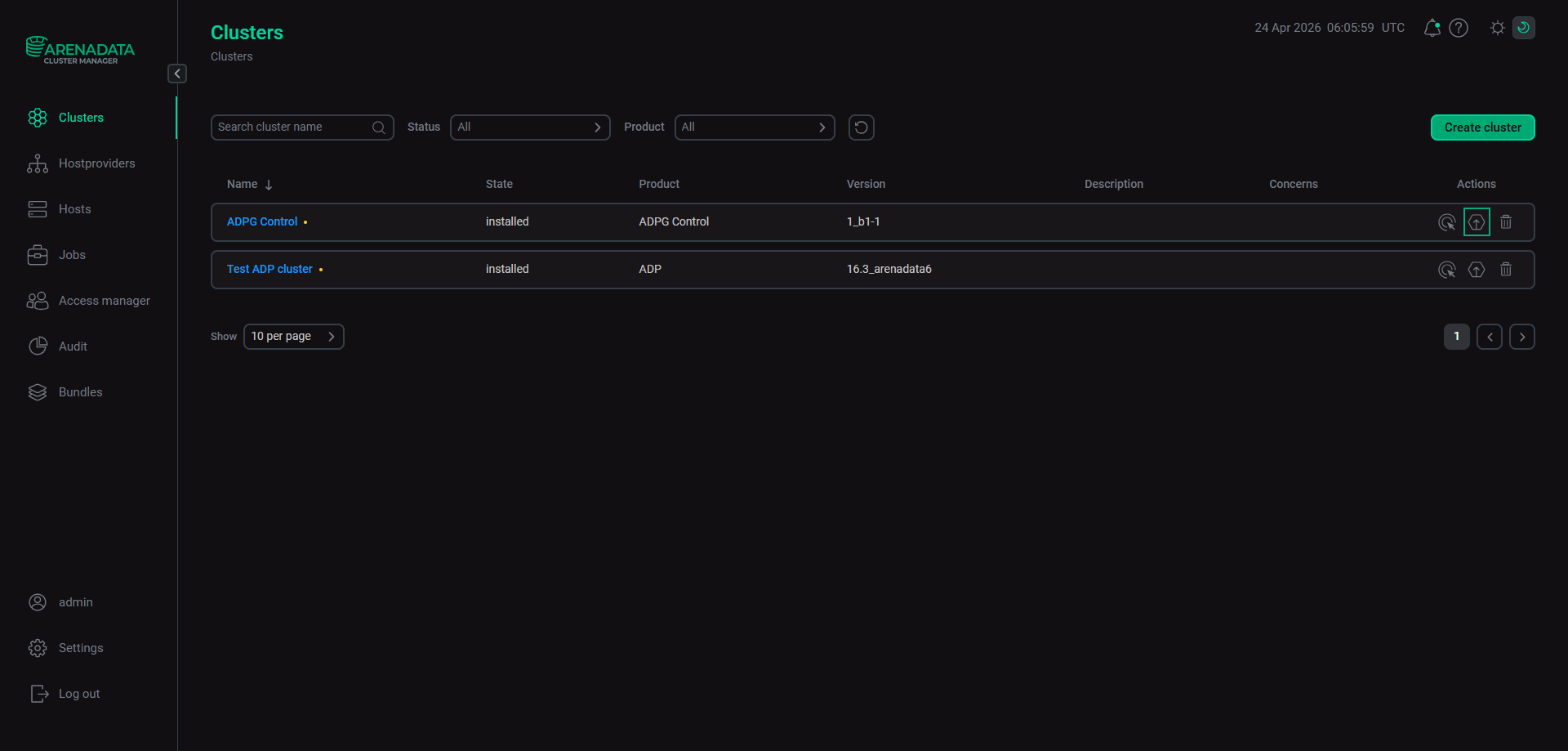 Start the "Upgrade" action
In the Upgrade Cluster window that opens, select a version to upgrade ADP ES and click Upgrade.
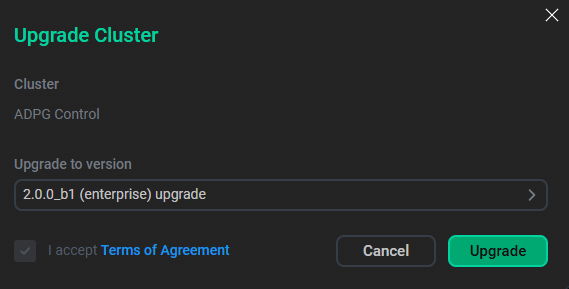 Select version
In the confirmation window, click Next to switch to the Confirmation tab and click Run.
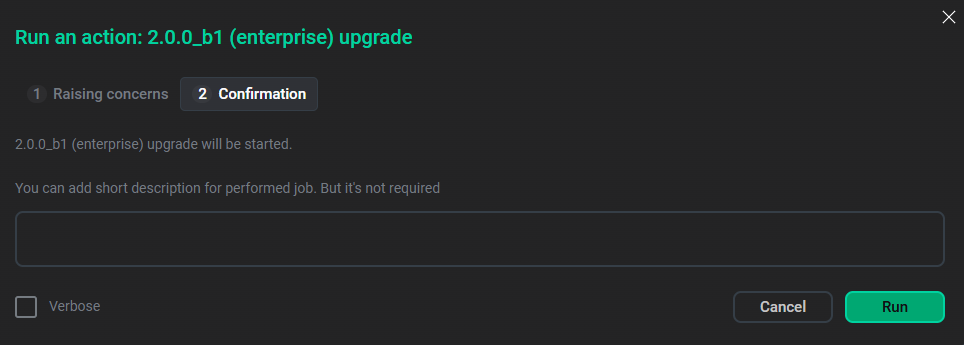 Confirm the upgrade
The cluster will be prepared for upgrade. You can open the Jobs page to see details and check if this operation was successful.
-
As a result of the previous action, ADCM changes the cluster state to
ready to upgradeand fills the drop-down list in the Actions column with two items: Precheck and Upgrade. Click the icon
 in the Actions column and run the Precheck action to make sure that hosts have correct settings and all components and services are configured according to the ADP ES cluster requirements.
 -
If Precheck is successful (you can find the result on the Jobs page), execute the Upgrade action. After upgrade, ADCM changes the cluster state to
installed. -
After the ADP ES cluster is upgraded, run the Upgrade action of the ADP ES Agents service in all ADP/ADX clusters with which your ADP ES cluster interacts.