

Конференция Arenadata
ArenaTech 2026 – для всех, кому интересны технологии Big Data
Приглашаем вас принять участие в технической онлайн-конференции, посвященной работе с большими данными. Участие бесплатно для всех желающих.

В программе 3 блока докладов:

  • СУБД: архитектура и эксплуатация. Обсудим новые возможности Greengage DB и Arenadata DB на его основе, включая hot standby, обзор утилиты изменения кластерной топологии ggrebalance, вопросы безопасности и устранения CVE.
  • Платформа данных: безопасность и Kubernetes в ADH, аналитика в ADQM. Расскажем об управлении секретами и доступом в Arenadata Hyperwave с использованием OpenBao, особенности переноса сервисов в Kubernetes, а также про аналитические методы в инструментах ADQM.
  • Инструменты: кластерный менеджер, документация, ИИ-поиск. Поделимся опытом разработки технической документации (включая интеллектуальный поиск и ИИ-ассистент) и поговорим про развитие нашего кластерного менеджера ADCM.
Онлайн-конференция состоится 29 октября 2026 года, время трансляции: с 12:00 до 19:00 по московскому времени.
Осталось до события

ADBM service actions

This article describes the actions available for the ADBM service.
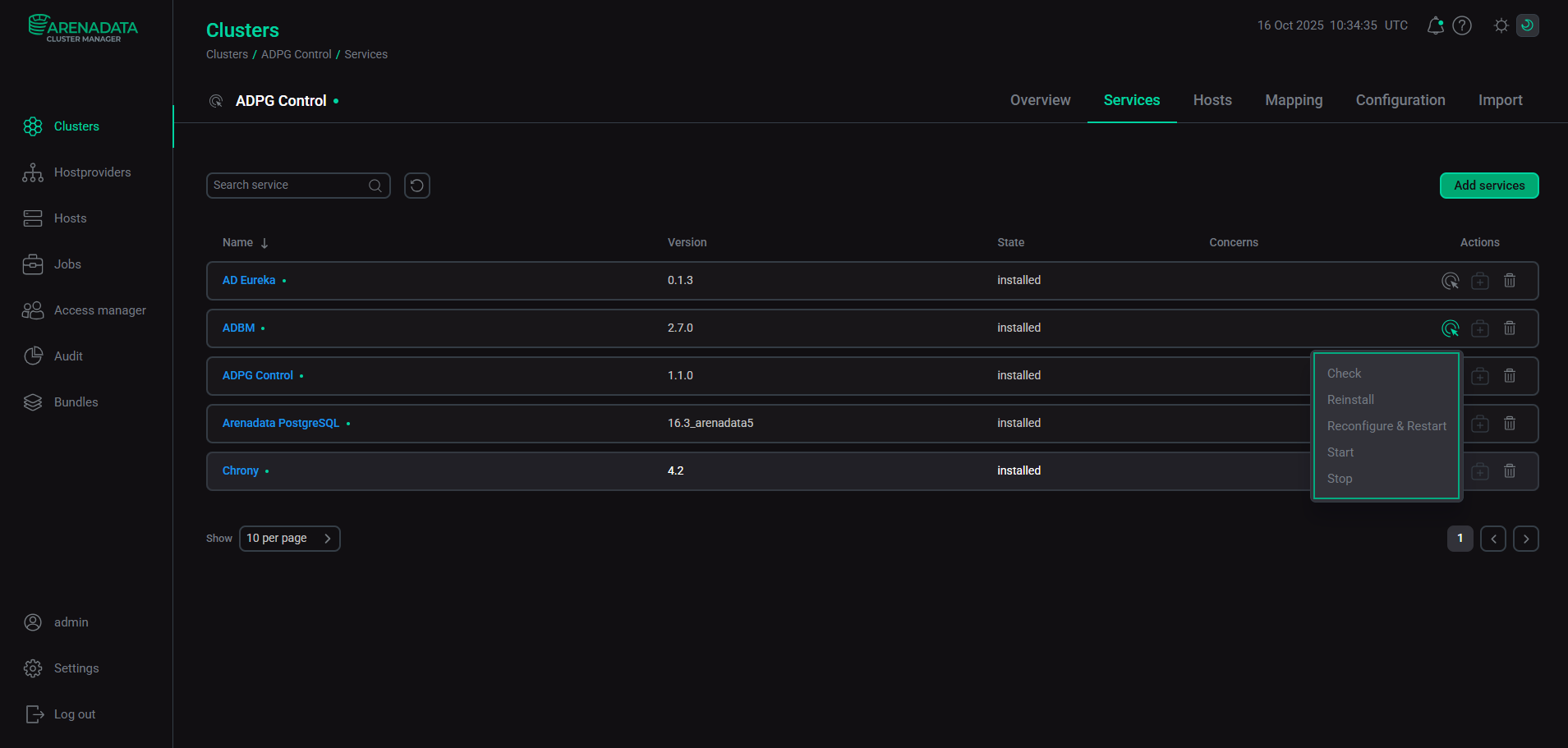
ADBM service actions

Check

The Check action verifies whether the settings of hosts, components, and related services match the requirements of a service, and whether the service itself works correctly.

You can find the action result and the process of its execution on the Jobs page.

Reinstall

The Reinstall action reinstalls a service. It checks installed files and overwrites files with incorrect content. The Reinstall action also installs missing files.

Restart

The Restart action restarts a service. If you set true to the Apply configuration field in the confirmation window, service configuration parameters will be updated with values specified in the ADCM UI.
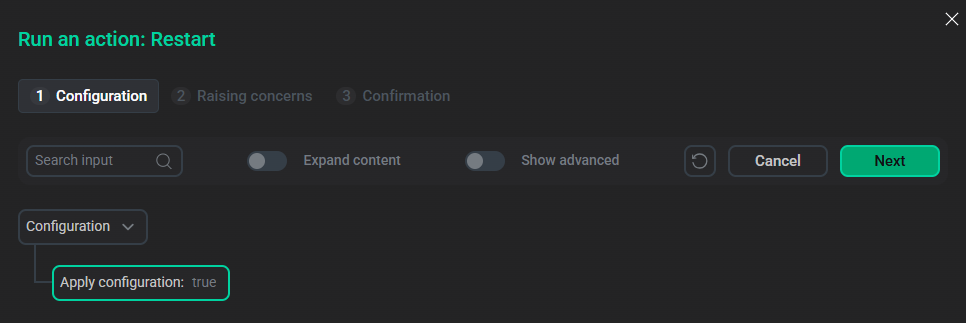
The Restart action’s window
The "Restart" action’s window

If Apply configuration is set to false, the service will only restart with the parameters set previously.

Start

The Start action starts a service.

Stop

The Stop action stops a service.

Found a mistake? Seleсt text and press Ctrl+Enter to report it