

Configure a cluster
|
IMPORTANT
There is usually no need to change cluster configuration parameters. You can leave all parameters at the default values.
|
After creation a new cluster, you can configure it by performing the following steps:
-
Select a cluster on the Clusters page. To do this, click a cluster name in the Name column.
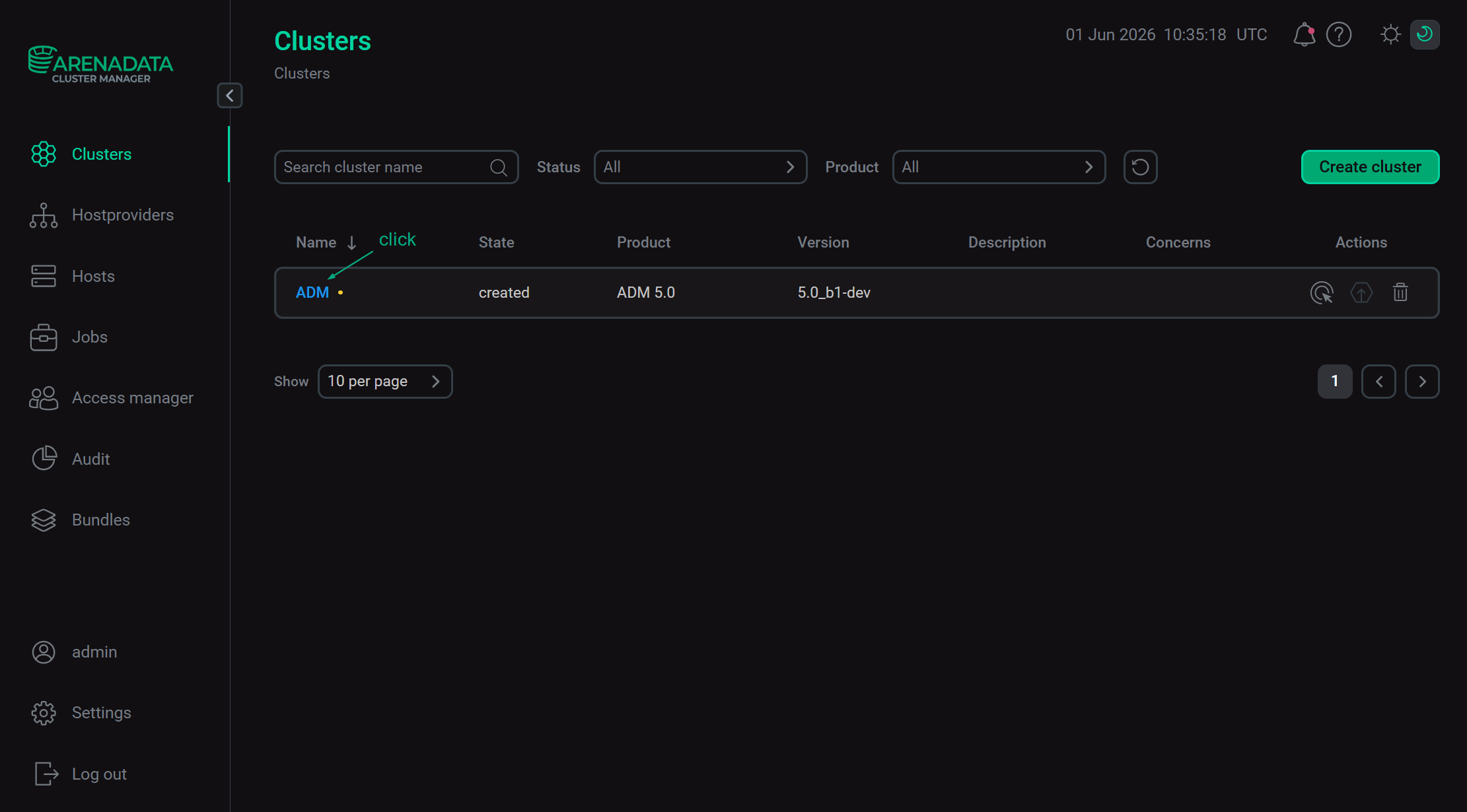 Select a cluster
 -
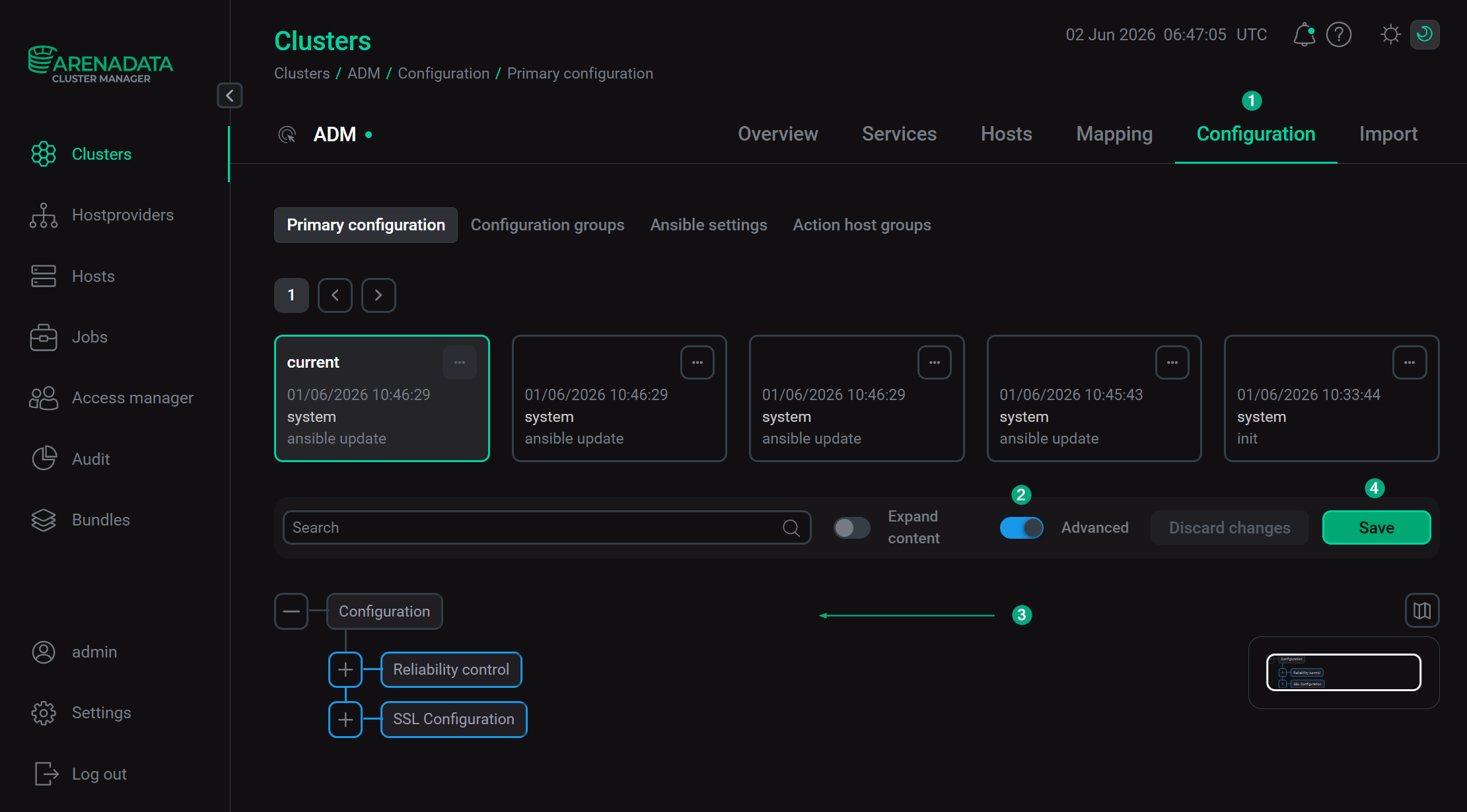
Open the Configuration tab on the cluster page. The Configuration tab includes the following sections: Primary configuration, Configuration groups, Ansible settings.
-
Fill in all necessary parameters on the selected tab and click Save.
Primary configuration
The Configuration → Primary configuration tab allows you to configure the general cluster settings.
Available configuration parameters are listed below:
-
The Reliability control section. It is displayed if the Show advanced switch is activated. The section contains the following parameters:
-
retries — the number of retries for cluster operations (
20by default); -
delay — the delay between retries in seconds (
10by default); -
timeout — timeout for checks of network ports in seconds (
60by default).
-
-
The SSL Configuration section. It is displayed if the Show advanced switch is activated. The section contains the following parameters:
Parameter Description Default value SSL enabled
Indicates whether SSL is enabled or not
false
Certificate file
An absolute file path to the Privacy-Enhanced Mail (PEM) certificate on the cluster hosts. The file must contain Subject Alternative Name (SAN):
-
FQDN
-
short hostname
-
localhost
-
primary IP address
-
127.0.0.1
/opt/adm/tls/server.crt
Private key file
An absolute file path to the private key on the cluster hosts
/opt/adm/tls/server.key
-
Configuration groups
The Configuration → Configuration groups tab is designed to set cluster configuration groups. For details, please see Set up configuration groups.
Ansible settings
The Configuration → Ansible settings tab allows you to set Ansible configuration options at the cluster level. The tab is available starting with ADCM 2.2.0.
| Name | Description | Default |
|---|---|---|
forks |
The number of parallel processes to spawn when communicating with remote hosts |
5 |