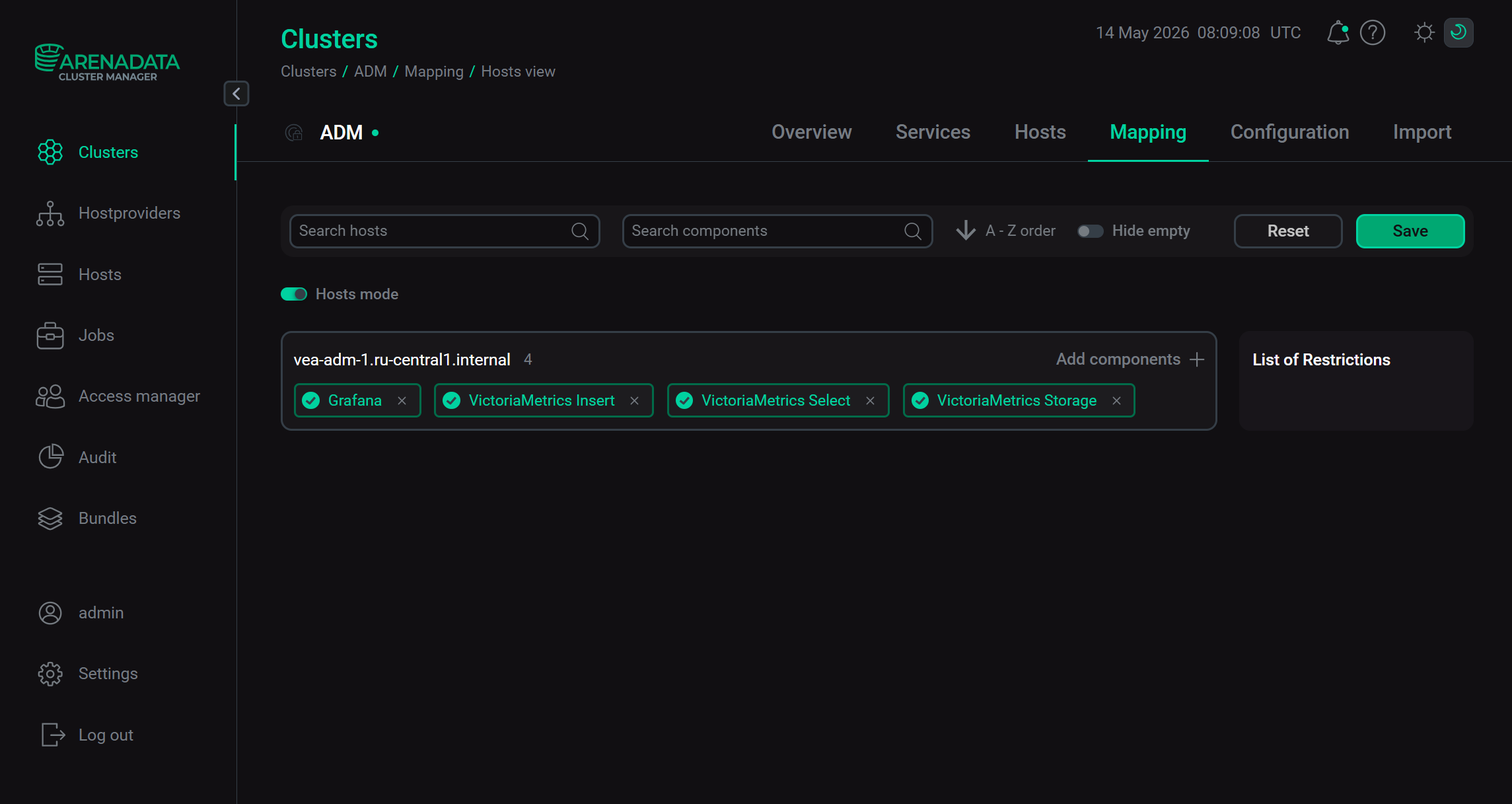

Add components
In ADCM, a component means a part of a service that should be deployed on one or several cluster hosts. For example, the VictoriaMetrics service consists of such components as VictoriaMetrics Insert, VictoriaMetrics Select, and VictoriaMetrics Storage.
|
IMPORTANT
Initially, there are no components on any of cluster hosts. You should map components to hosts manually.
|
The steps for adding components to hosts are listed below:
-
Select a cluster on the Clusters page. To do this, click a cluster name in the Name column.
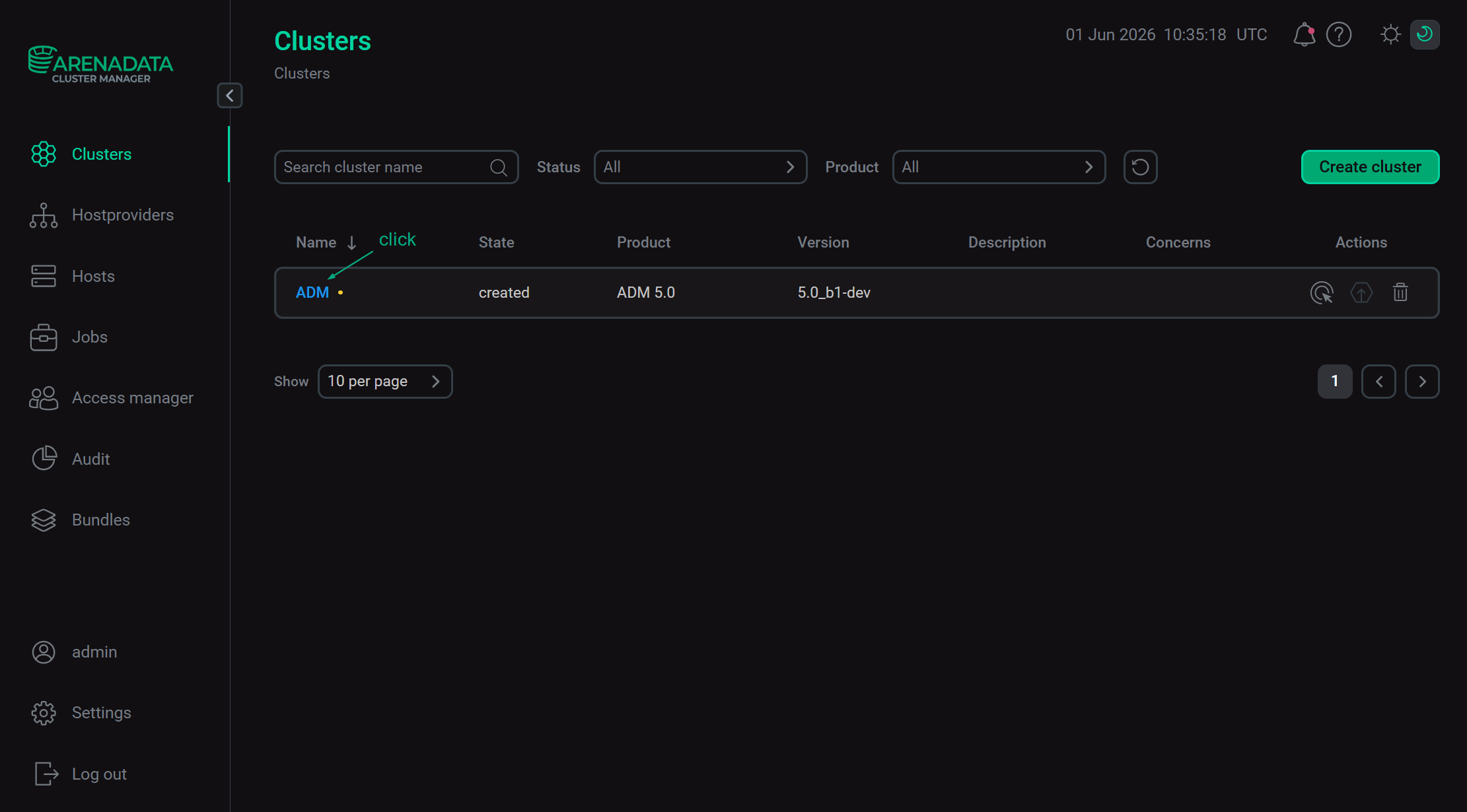 Select a cluster
 -
Open the Mapping tab on the cluster page.
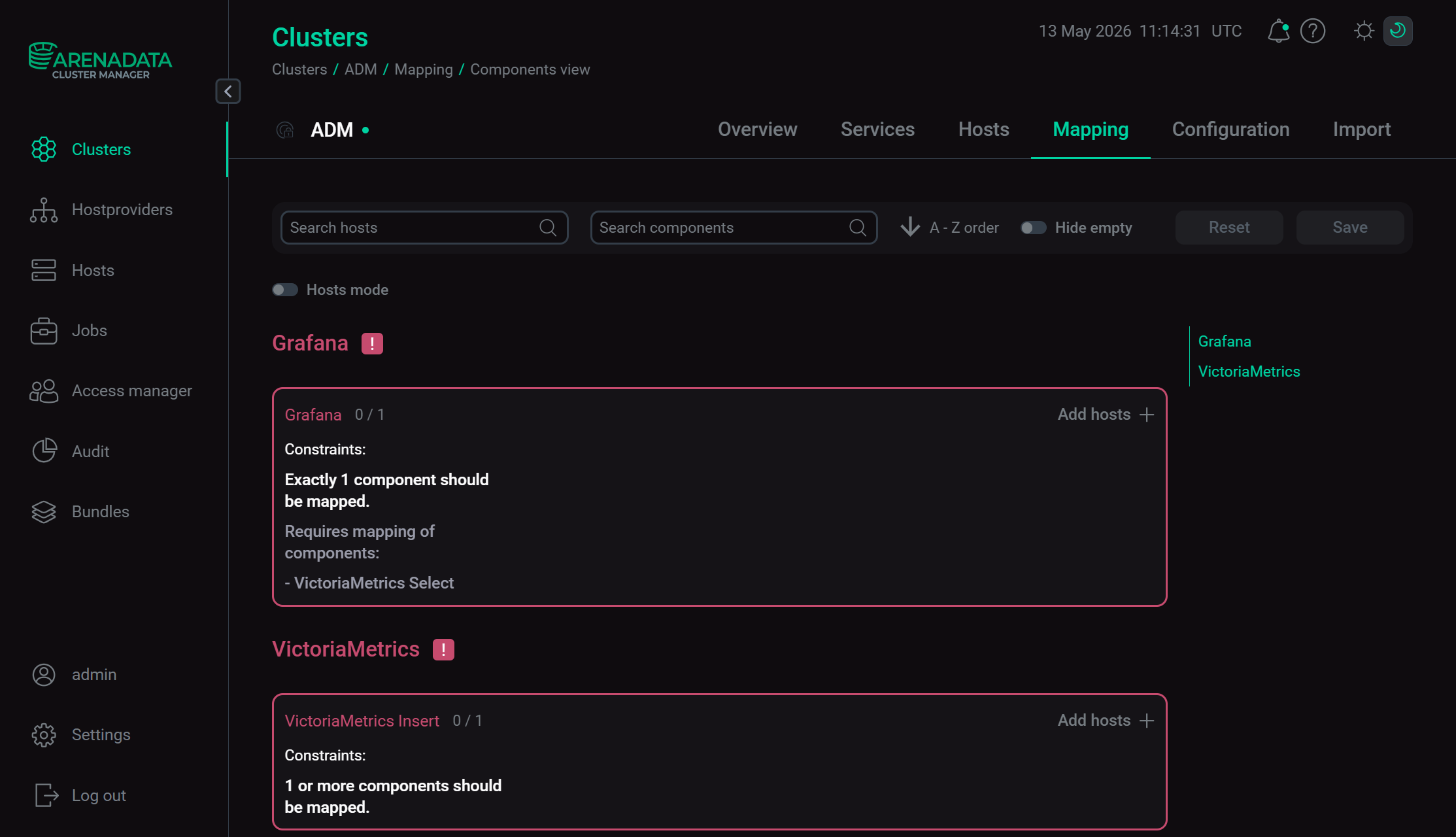 Switch to mapping service components
 -
In the window that opens, map components to hosts. To assign hosts for each component, click Add hosts and select hosts in the pop-up window.
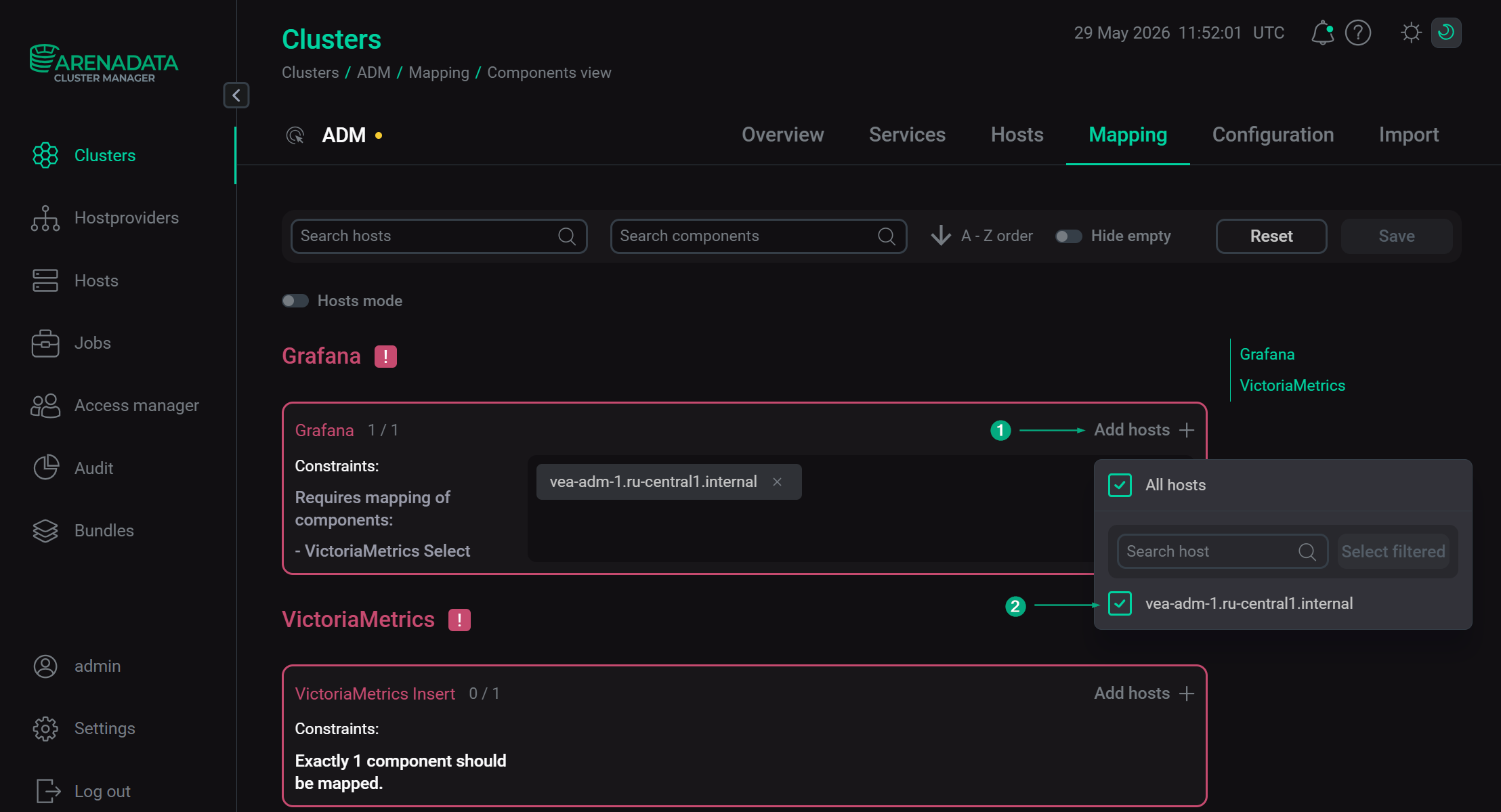 Select hosts for a componentMandatory components
Each service can have mandatory and optional components. Mandatory components are highlighted in red. The ADCM UI also displays how many mandatory components should be installed.
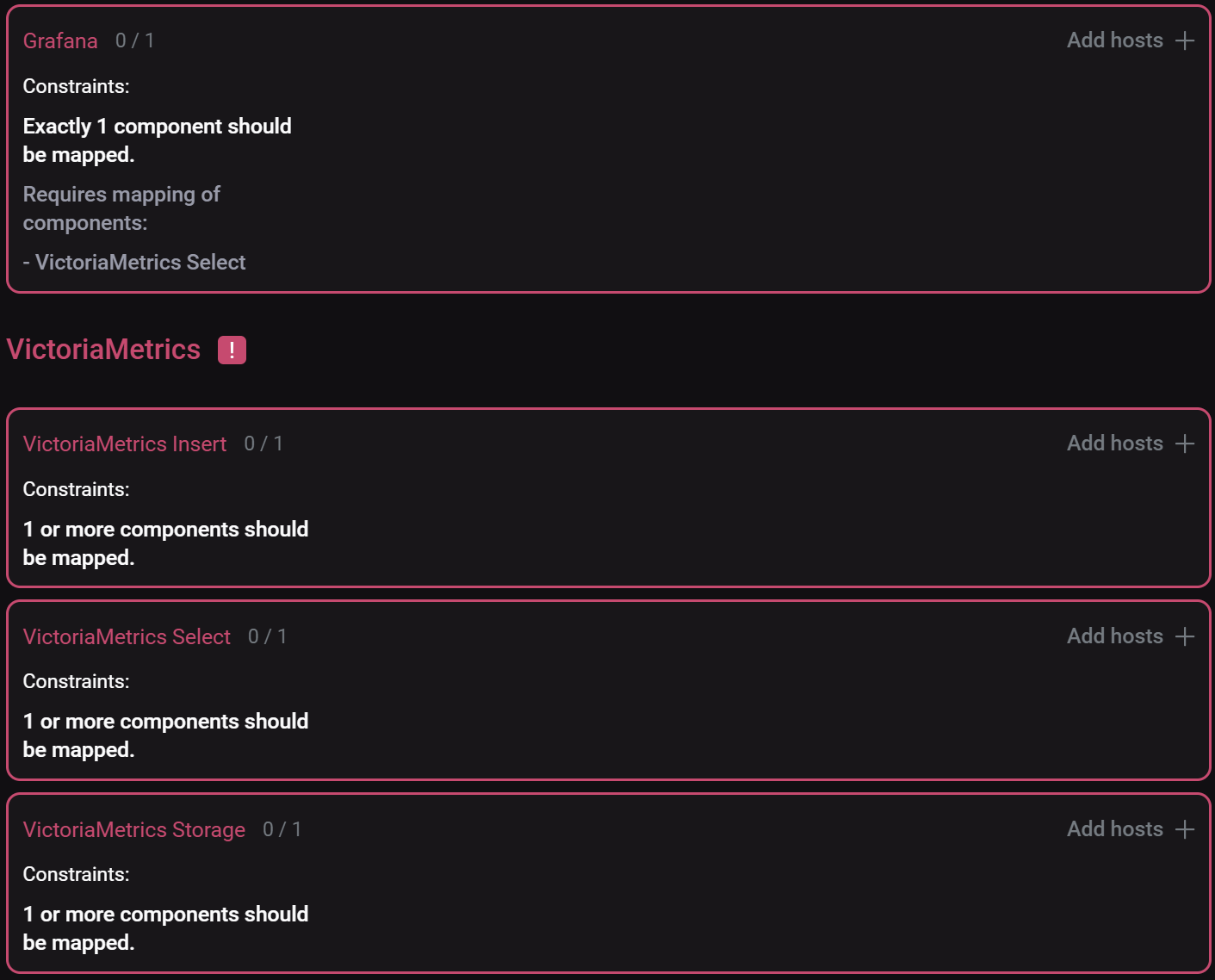 Mandatory componentsCAUTIONWithout assigning a necessary number of hosts to mandatory components, the component mapping cannot be saved.
When distributing components, it is important to consider the following:
-
Component co-location on a host. You can either install all components of an ADM cluster on a single host or distribute them among several hosts depending on your requirements. In particular, the VictoriaMetrics Insert, VictoriaMetrics Storage, and VictoriaMetrics Select components can be installed on the same host. Distributing them across several hosts provides minimal performance advantage, which is offset by higher operational complexity and resource overhead.
-
Changes to host number. Once the VictoriaMetrics Storage component has been installed, if you subsequently change the number of hosts for this component, you must restart the VictoriaMetrics Insert component via the Restart action.
-
Replication factor calculations. To ensure fault tolerance in case of a host loss, calculate the minimum number of hosts with the VictoriaMetrics Storage component installed using the following formula:
2 * N - 1(whereNis the replication factor value). For example, a replication factor of 2 requires a minimum of 3 hosts with the VictoriaMetrics Storage component.
If the number of such hosts is lower than required to maintain the target replication factor, ADCM still allows cluster creation. In this case, the VictoriaMetrics Insert component writes metrics only to the available hosts running the VictoriaMetrics Storage component.
-
-
After component distribution is completed, click Save.
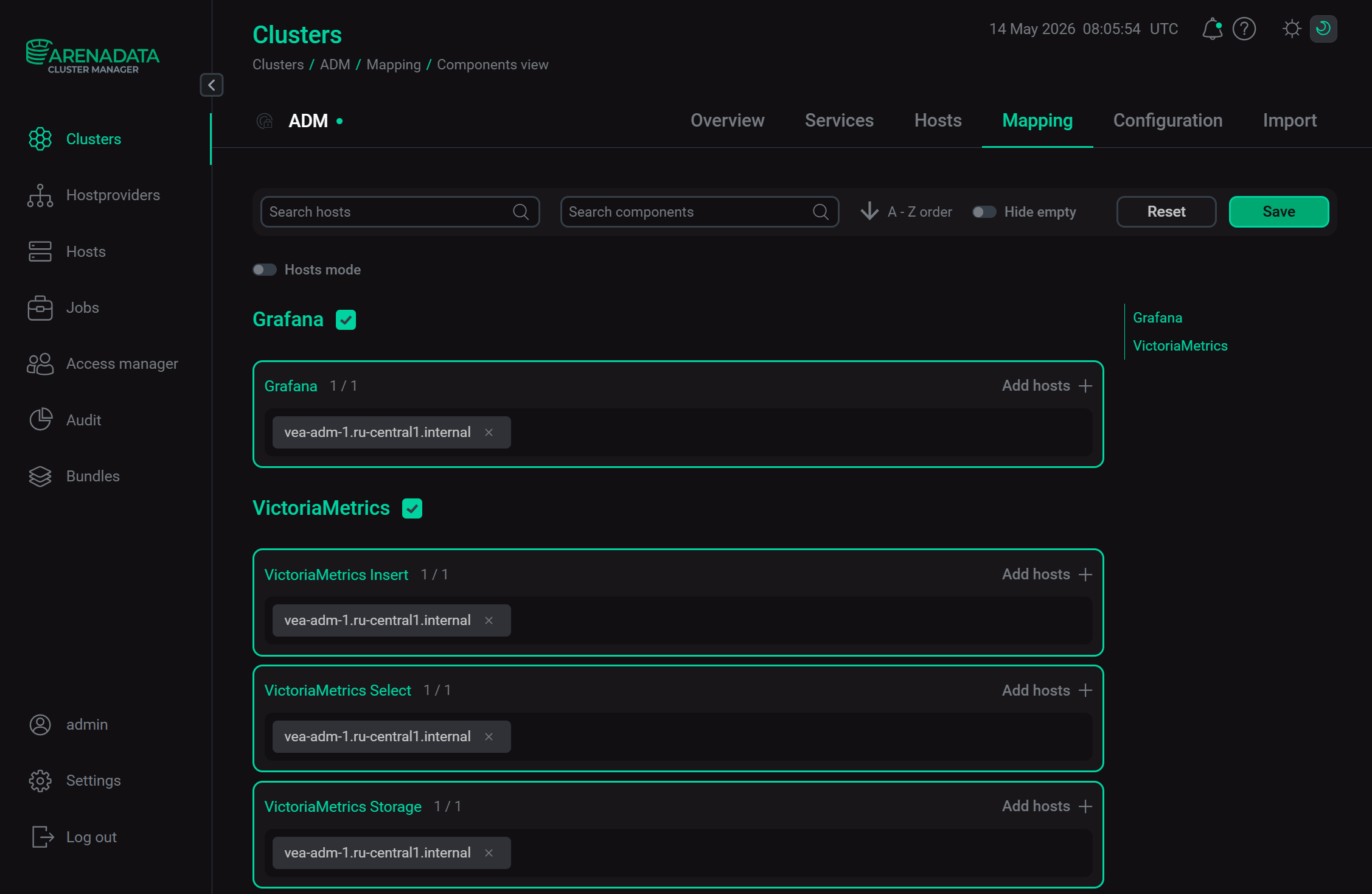 Save mapping of components
Starting with ADCM 2.2.0, you can use another mapping mode — by hosts. To do this, switch on the Hosts mode toggle and map components to hosts by clicking Add components for each host sequentially.