

Add services
In ADCM, a service means a software that performs some function. Examples of services for ADM clusters: Grafana and VictoriaMetrics. The steps for adding services to a cluster are listed below:
-
Select a cluster on the Clusters page. To do this, click a cluster name in the Name column.
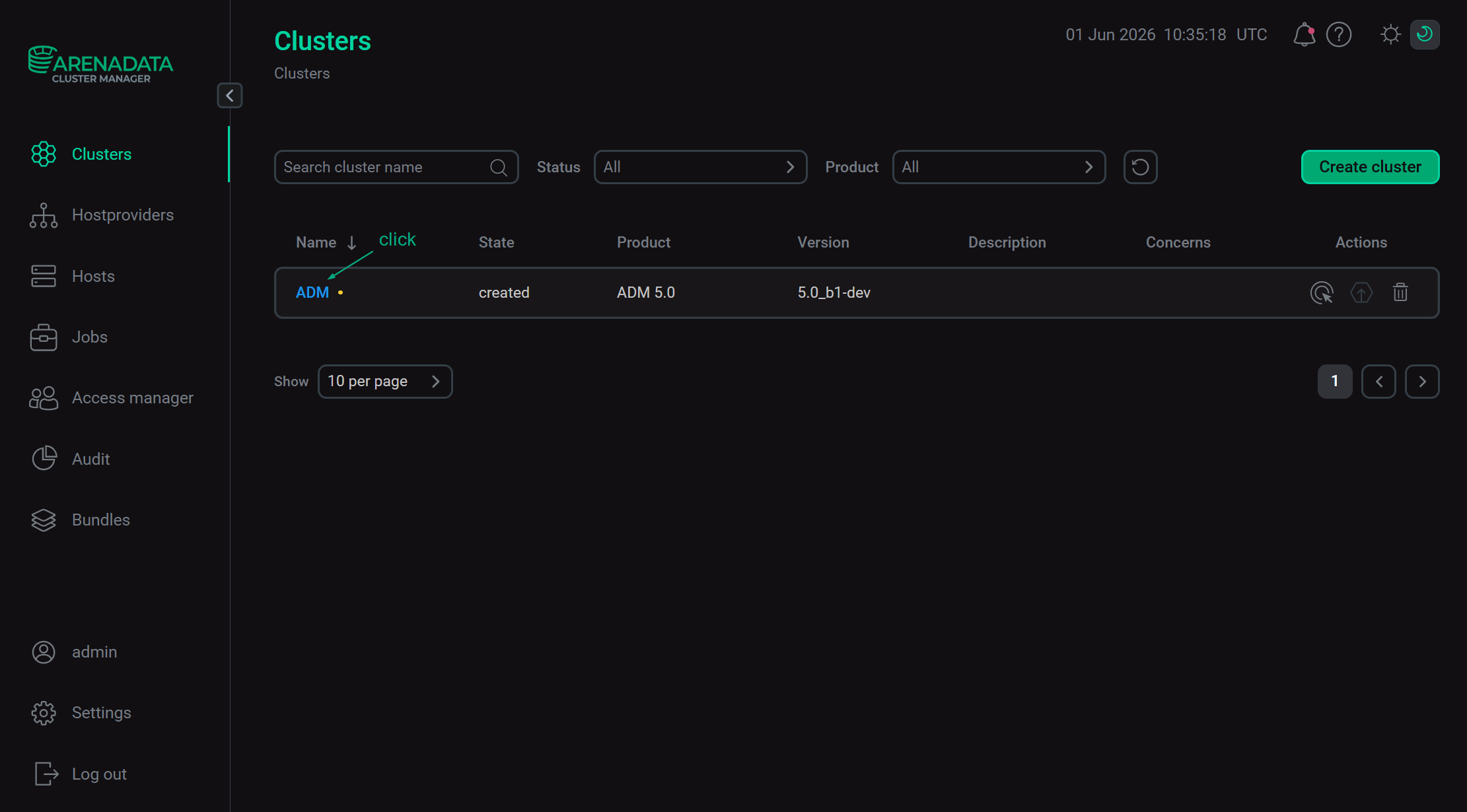 Select a cluster
 -
Open the Services tab on the cluster page and click Add services (Add service in first versions of ADCM).
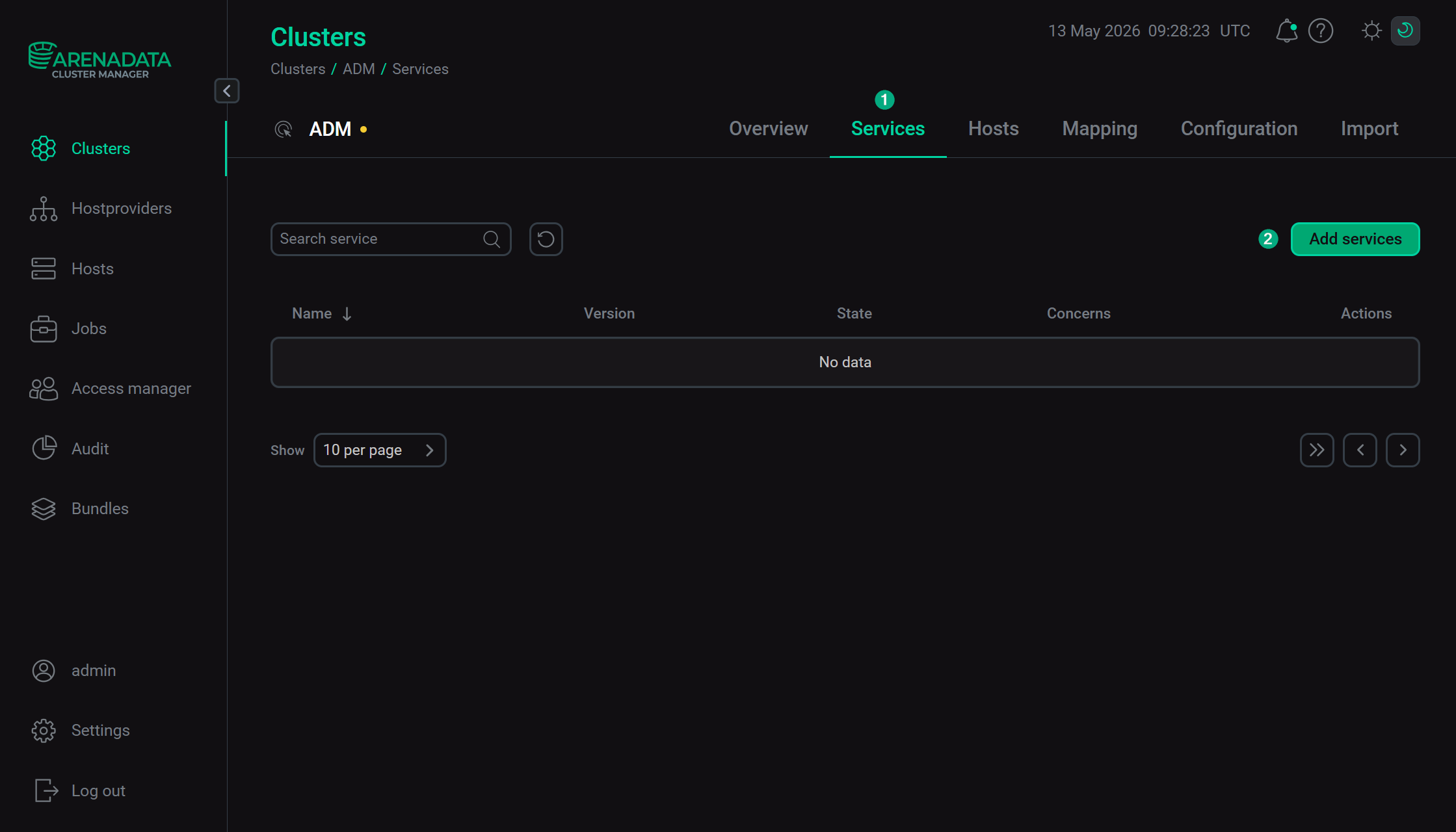 Switch to adding services
 -
In the opened dialog, select services that should be added to the cluster and click Add.
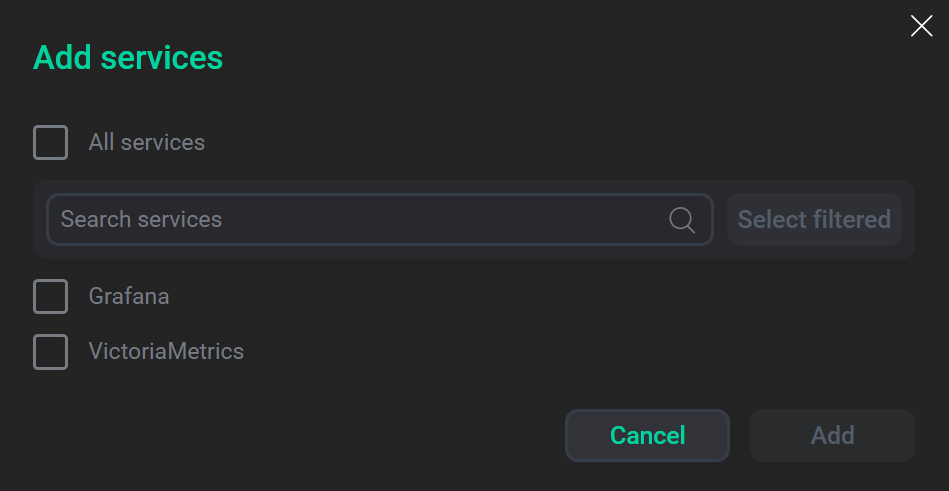 Select services
The brief description of available services is listed below.
Services that can be added to the ADM cluster Service Mandatory Purpose Yes
A time series database (TSDB) that is designed to collect and analyze application and infrastructure metrics
No
A web service that allows you to create various sets of graphs and alerts for visualization of monitoring metrics
-
As a result, the added services are displayed on the Services tab.
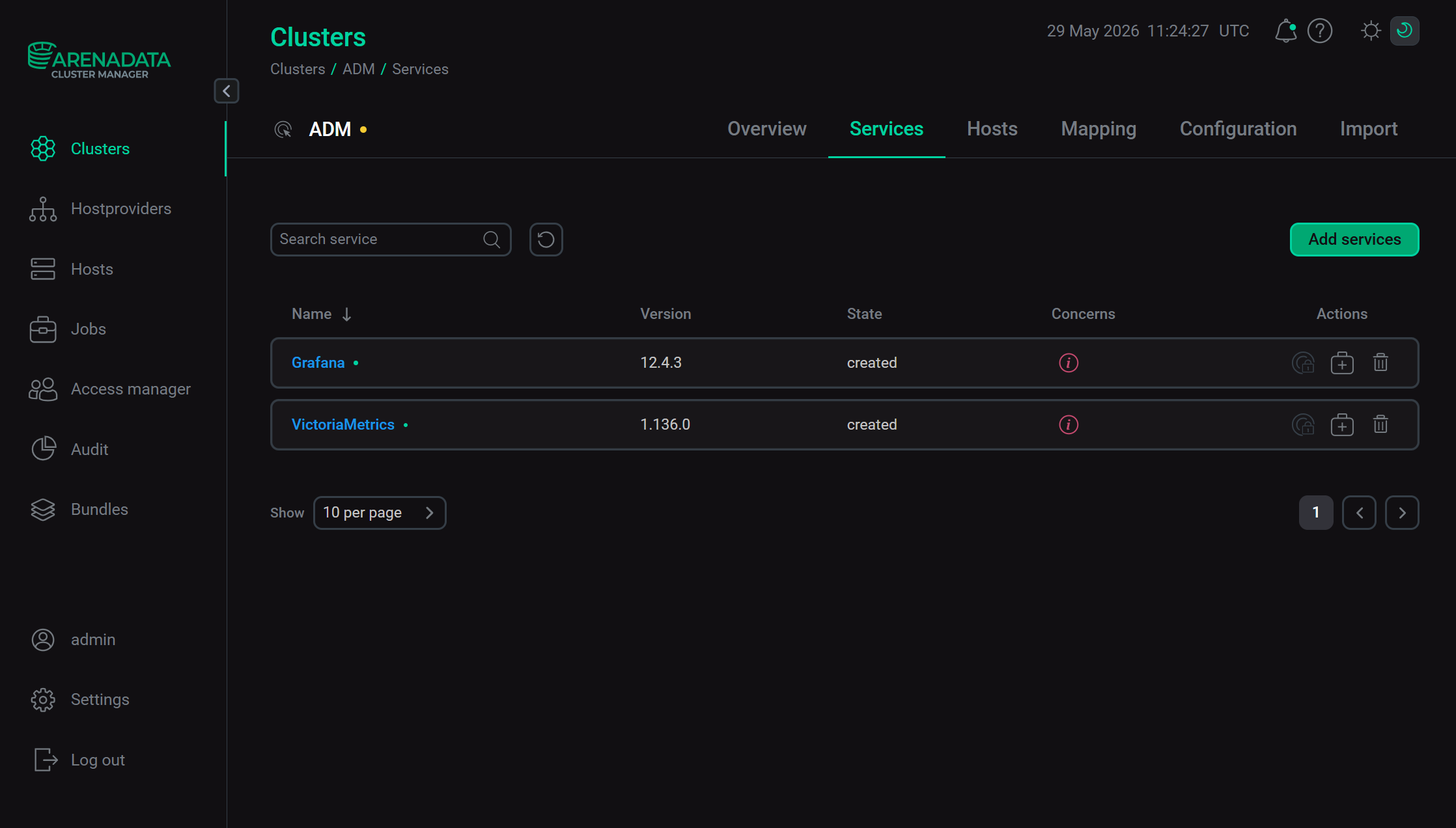 The result of successful adding services to a cluster
|
NOTE
You can also add services later. The process of adding new services to already running cluster does not differ from installing a service from scratch.
|