

Configure a cluster
|
IMPORTANT
There is usually no need to change cluster configuration parameters. You can leave all parameters at the default values.
|
After creation a new cluster, you can configure it by performing the following steps:
-
Select a cluster on the Clusters page. To do this, click a cluster name in the Name column.
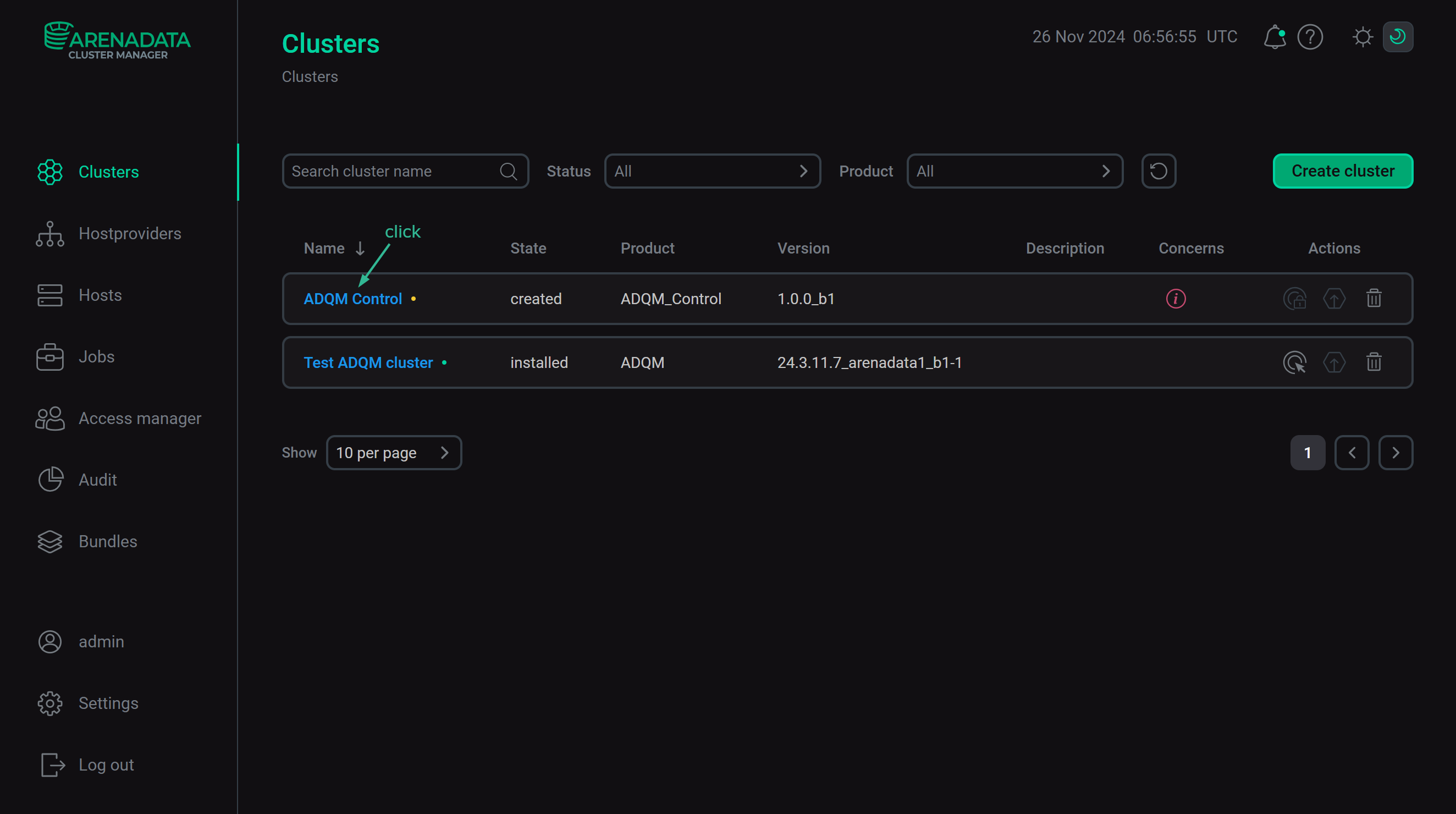 Select a cluster
 -
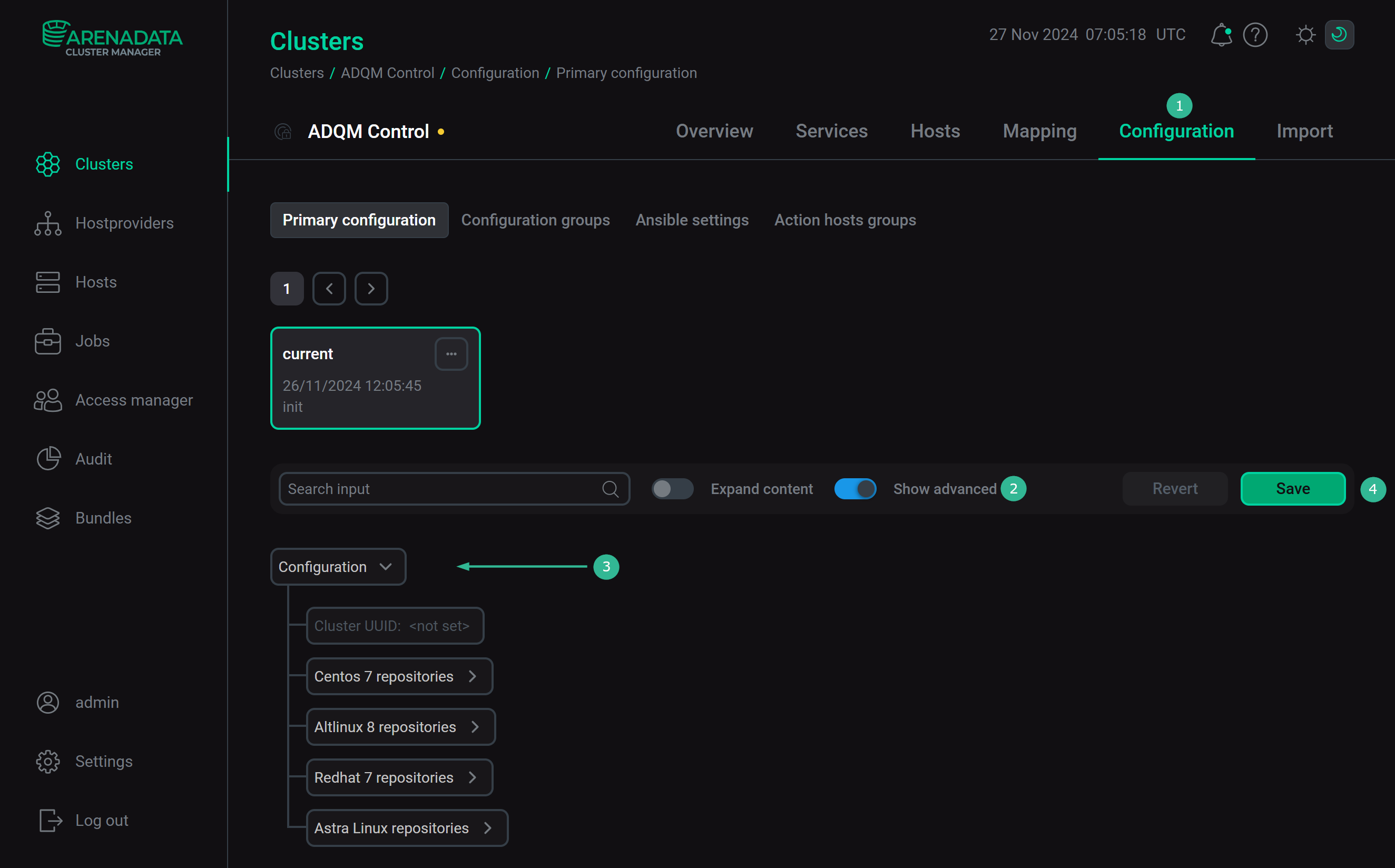
Open the Configuration tab on the cluster page. The Configuration tab includes the following sections: Primary configuration, Configuration groups, Ansible settings.
-
Fill in all necessary parameters on the selected tab and click Save.
Primary configuration
The Configuration → Primary configuration tab allows you to configure the general cluster settings.
Cluster configuration parameters are listed below. Basically, they describe paths to the repositories that are used during the installing process depending on the cluster operation system. Only the marked repositories are registered on the cluster servers. For each parameter, you can change the default URL to the required one.
| Parameter | Description |
|---|---|
zookeeper_repo |
Repository required to install Arenadata Zookeeper |
arenadata_postgres |
Repository required to install Arenadata PostgreSQL |
prometheus_repo |
Repository required to install Prometheus |
ADQMC_arenadata_enterprise |
Repository required to install the Enterprise edition of ADQM Control |
| Parameter | Description |
|---|---|
zookeeper_repo |
Repository required to install Arenadata Zookeeper |
arenadata_postgres |
Repository required to install Arenadata PostgreSQL |
prometheus_repo |
Repository required to install Prometheus |
ADQMC_arenadata_enterprise |
Repository required to install the Enterprise edition of ADQM Control |
| Parameter | Description |
|---|---|
zookeeper_repo |
Repository required to install Arenadata Zookeeper |
arenadata_postgres |
Repository required to install Arenadata PostgreSQL |
prometheus_repo |
Repository required to install Prometheus |
ADQMC_arenadata_enterprise |
Repository required to install the Enterprise edition of ADQM Control |
| Parameter | Description |
|---|---|
zookeeper_repo |
Repository required to install Arenadata Zookeeper |
arenadata_postgres |
Repository required to install Arenadata PostgreSQL |
prometheus_repo |
Repository required to install Prometheus |
ADQMC_arenadata_enterprise |
Repository required to install the Enterprise edition of ADQM Control |
Configuration groups
The Configuration → Configuration groups tab is designed to set cluster configuration groups.
Ansible settings
The Configuration → Ansible settings tab allows you to set Ansible configuration options at the cluster level. The tab is available starting with ADCM 2.2.0.
| Name | Description | Default |
|---|---|---|
forks |
The number of parallel processes to spawn when communicating with remote hosts |
5 |