

Upload Pack
In ADCM, follow the steps below to upload a package for Arenadata Enterprise Tools cluster, which is used for offline Arenadata product installation. To understand the most common scenario of installation with offline packages, see Upload packages for offline installation.
-
To run the action, go to Clusters page, click

 in the Actions column, and select the action in the drop-down list.
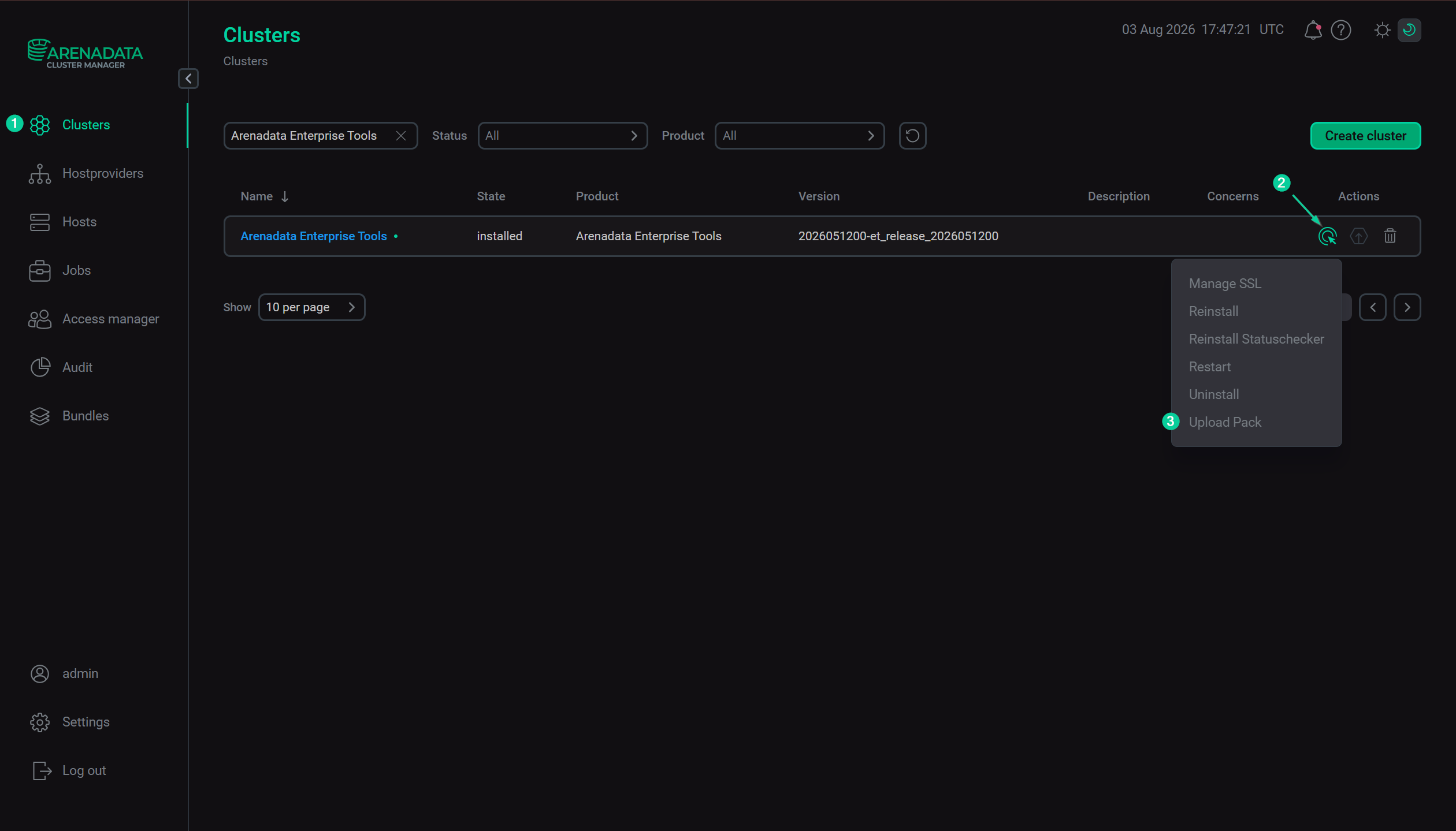 Execute the "Upload Pack" action
-
In the opened dialog box, on the Configuration tab:
-
Enable the Offline Install toggle.
-
In the Packfile field, enter a full path to the shell script that is received from the Arenadata support team.
-
Click Next.
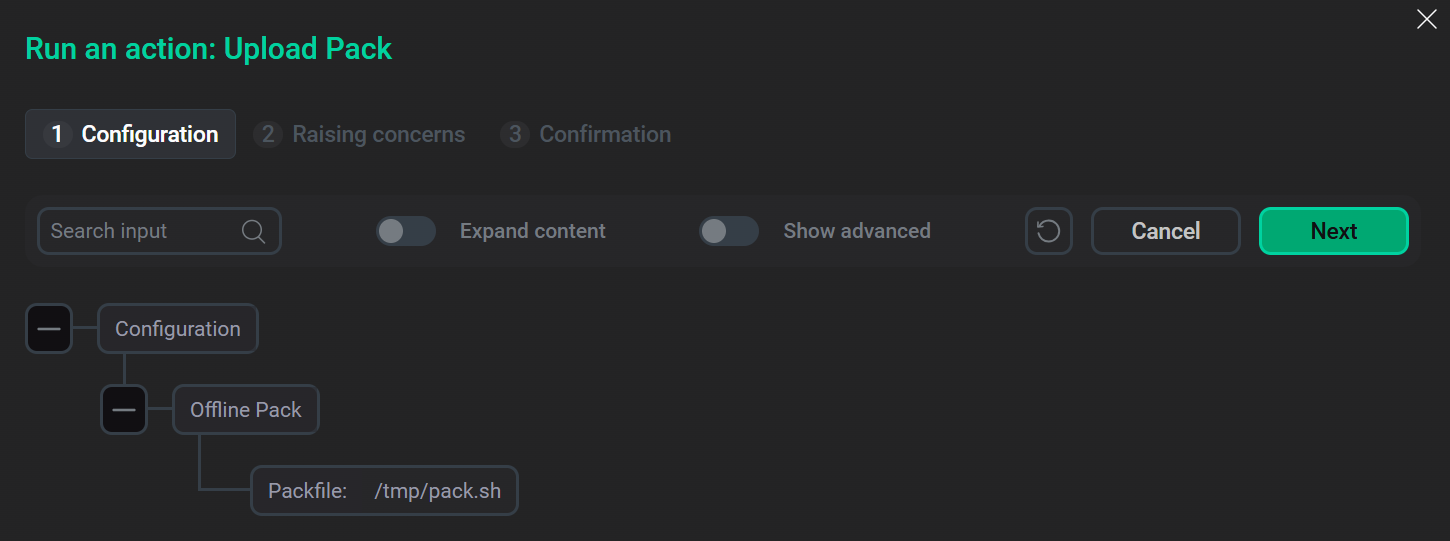 Configure upload parameters
-
-
On the Raising concerns tab:
-
If necessary, enable the Raise non-blocking concern toggle to run the action without blocking the cluster during action execution.
-
Click Next.
-
-
On the Confirmation tab:
-
Add a comment with a brief description of the changes.
-
Select the Verbose checkbox to display additional information about the action execution on the Jobs page.
-
Click Run.
-
-
Wait until the upload process is complete.
-
You can find the execution process, logs, and result of the action on the Jobs page. On this page, you can view action execution details, including verbose Ansible STDOUT/STDERR outputs.