

Reinstall
Follow the steps below to reinstall an Arenadata Enterprise Tools cluster via ADCM.
Online reinstall
-
To run the action, go to Clusters page, click

 in the Actions column, and select the action in the drop-down list.
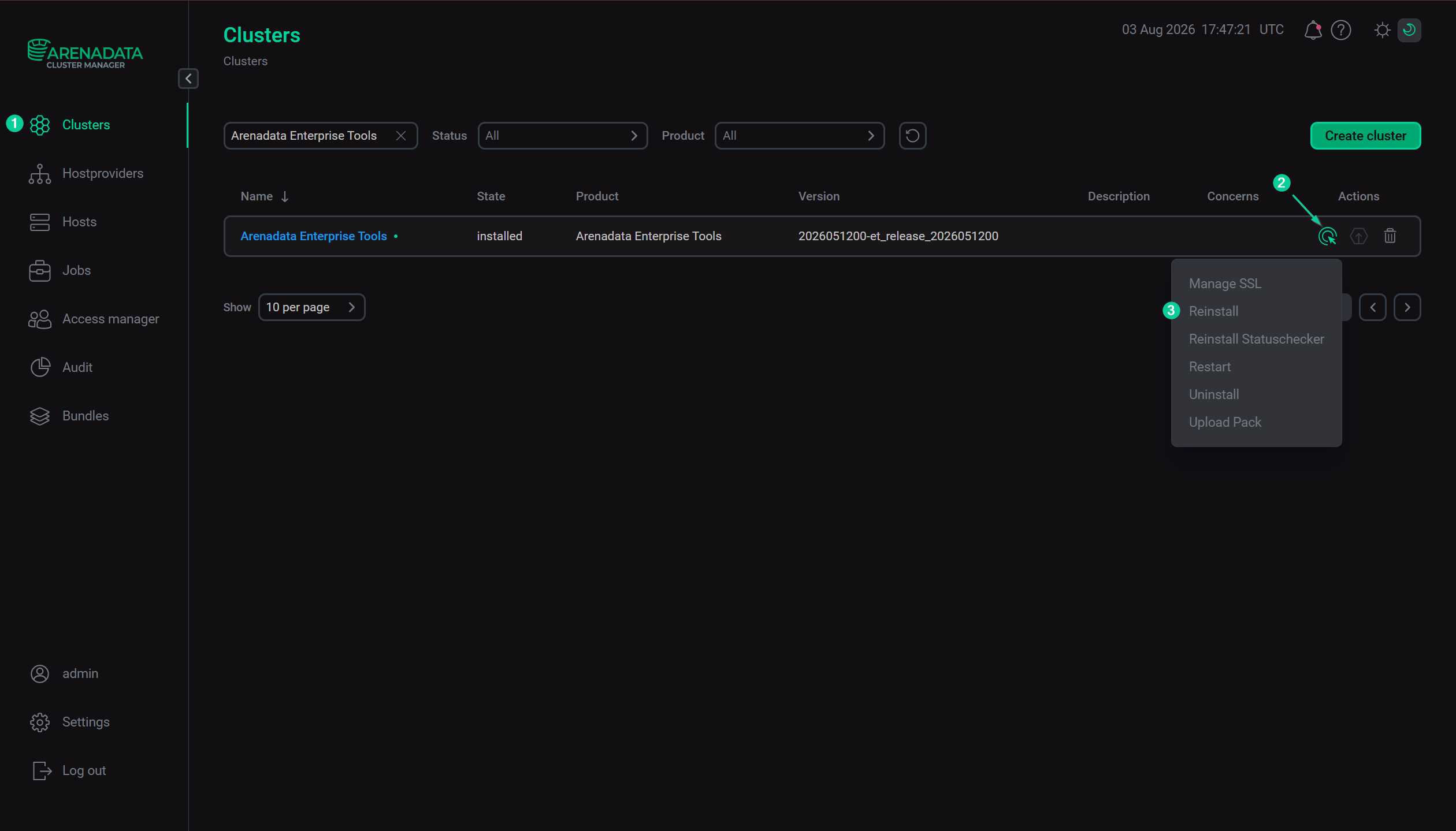 Execute the "Reinstall" action
-
In the opened dialog box, on the Configuration tab click Next.
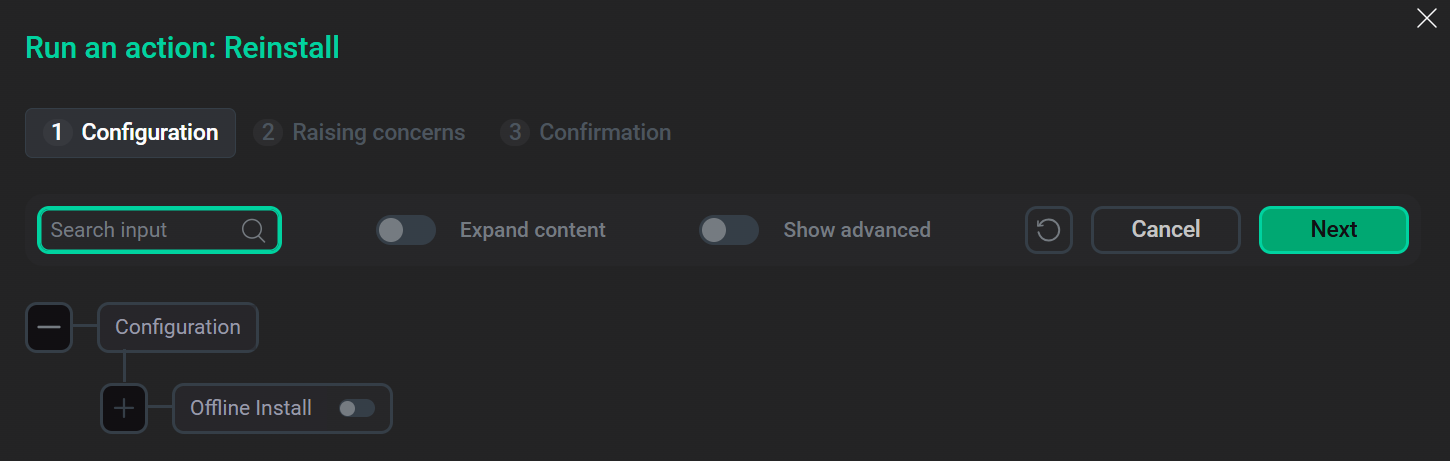 Configure reinstallation parameters
-
On the Raising concerns tab:
-
If necessary, enable the Raise non-blocking concern toggle to run the action without blocking the cluster during action execution.
-
Click Next.
-
-
On the Confirmation tab:
-
Add a comment with a brief description of the changes.
-
Select the Verbose checkbox to display additional information about the action execution on the Jobs page.
-
Click Run.
-
-
Wait until the reinstallation process is complete.
-
You can find the execution process, logs, and result of the action on the Jobs page. On this page, you can view action execution details, including verbose Ansible STDOUT/STDERR outputs.
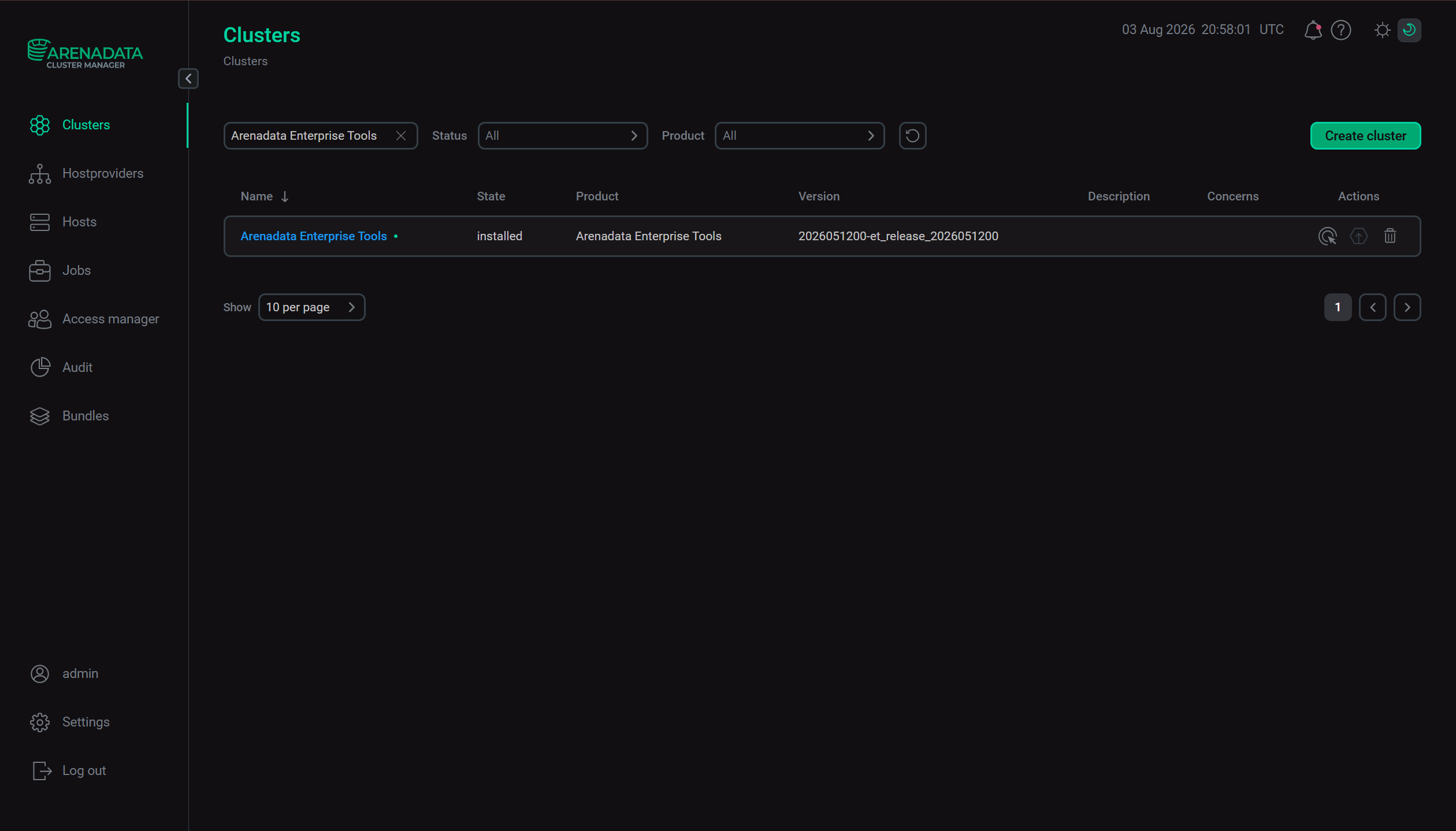 Cluster reinstallation is complete
Offline reinstall
-
To run the action, go to Clusters page, click
in the Actions column, and select the action in the drop-down list.
Execute the "Reinstall" action -
In the opened dialog box, on the Configuration tab:
-
Enable the Offline Install toggle.
-
In the Packfile field, enter a full path to the shell script that is received from the Arenadata support team.
-
Click Next.
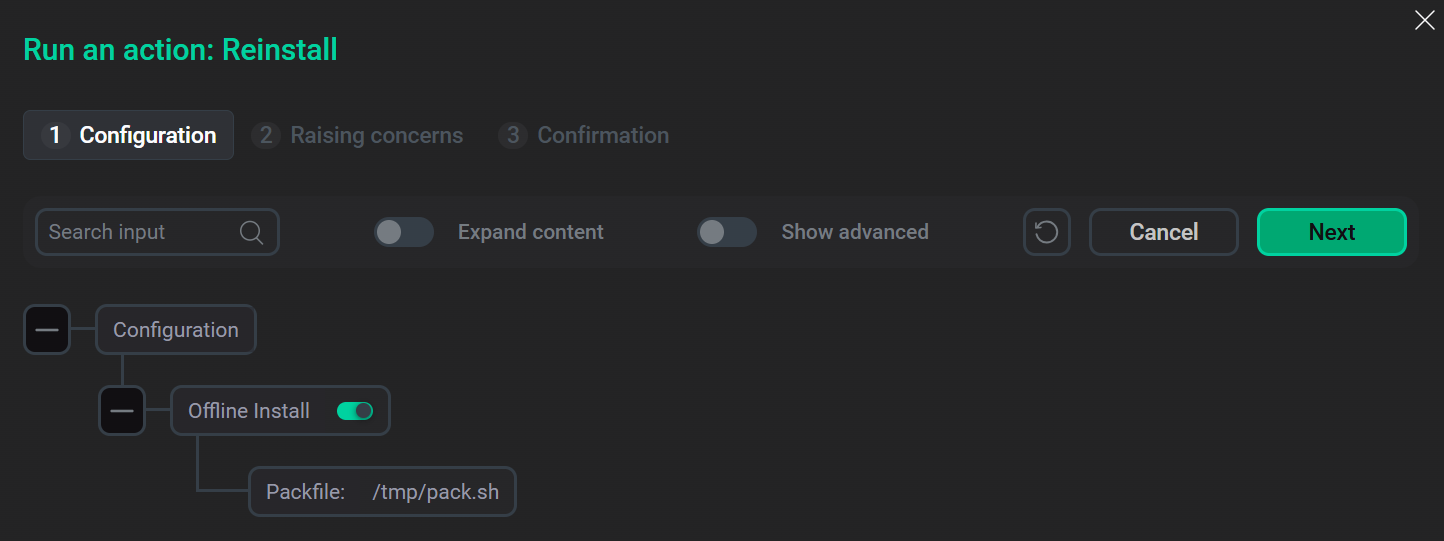 Configure reinstallation parameters
-
-
On the Raising concerns tab:
-
If necessary, enable the Raise non-blocking concern toggle to run the action without blocking the cluster during action execution.
-
Click Next.
-
-
On the Confirmation tab:
-
Add a comment with a brief description of the changes.
-
Select the Verbose checkbox to display additional information about the action execution on the Jobs page.
-
Click Run.
-
-
Wait until the reinstallation process is complete.
-
You can find the execution process, logs, and result of the action on the Jobs page. On this page, you can view action execution details, including verbose Ansible STDOUT/STDERR outputs.
Cluster reinstallation is complete